
Fordeer Hello to you 😊
Generating invoices through our app is a straightforward process. Just follow these simple steps, and you'll have your invoices ready in no time:
-
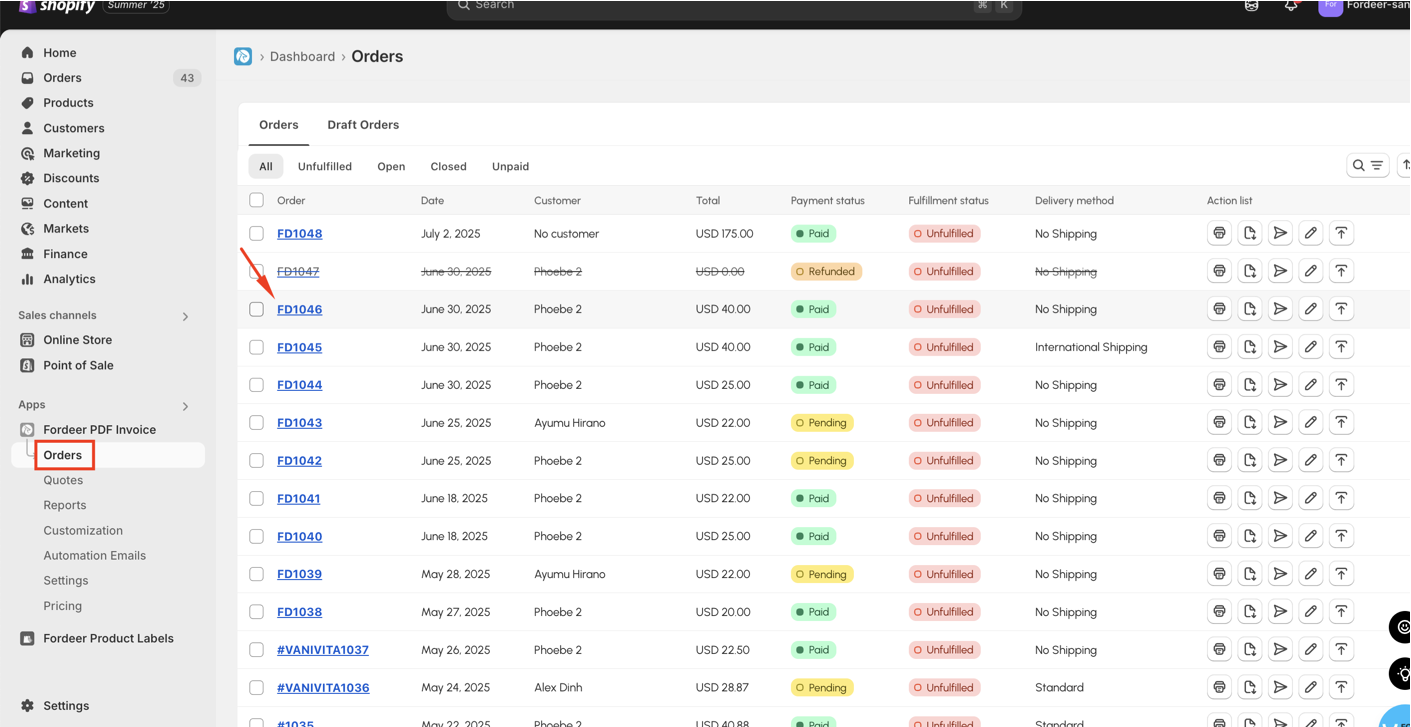
Start by going to the Orders section on the sidebar menu within our app.
-
Click on the order for which you wish to create invoices.
- Print/Download: Choose the Print/download option from the order details page or Print/Download invoices from the Order dropdown page.
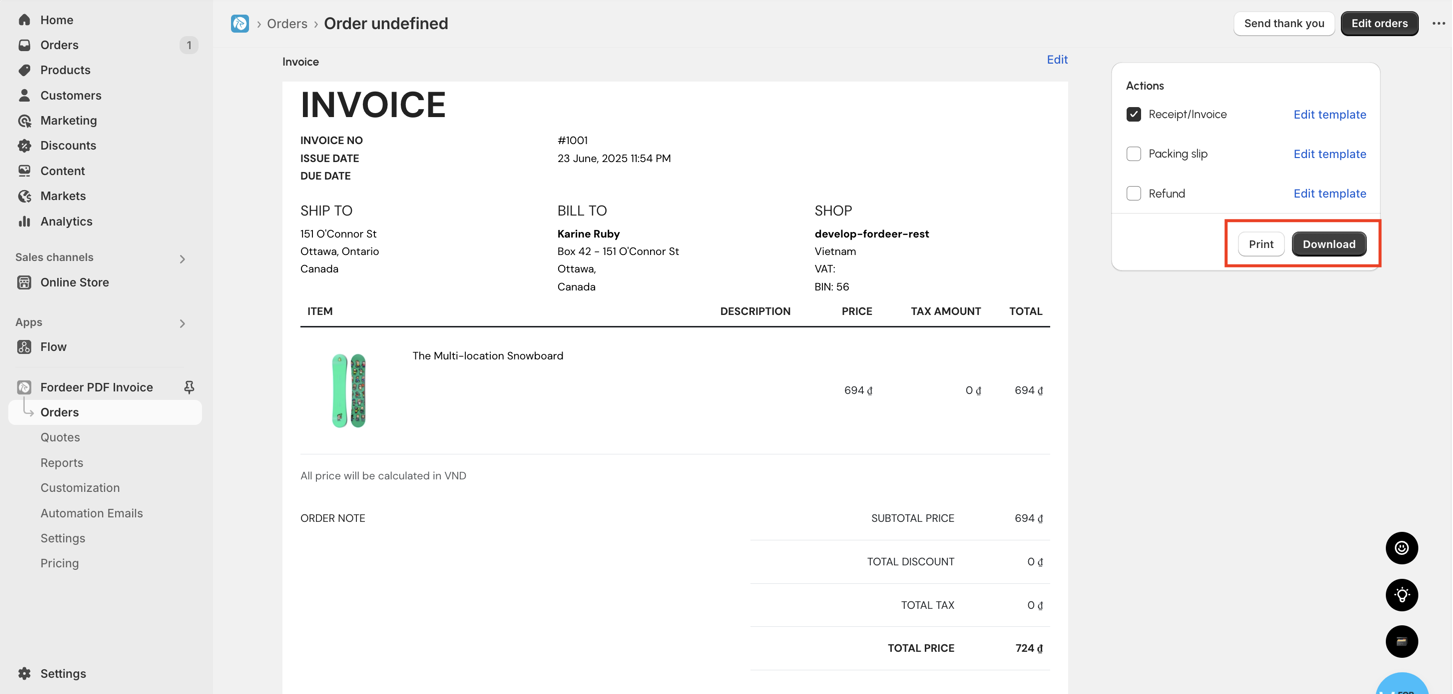
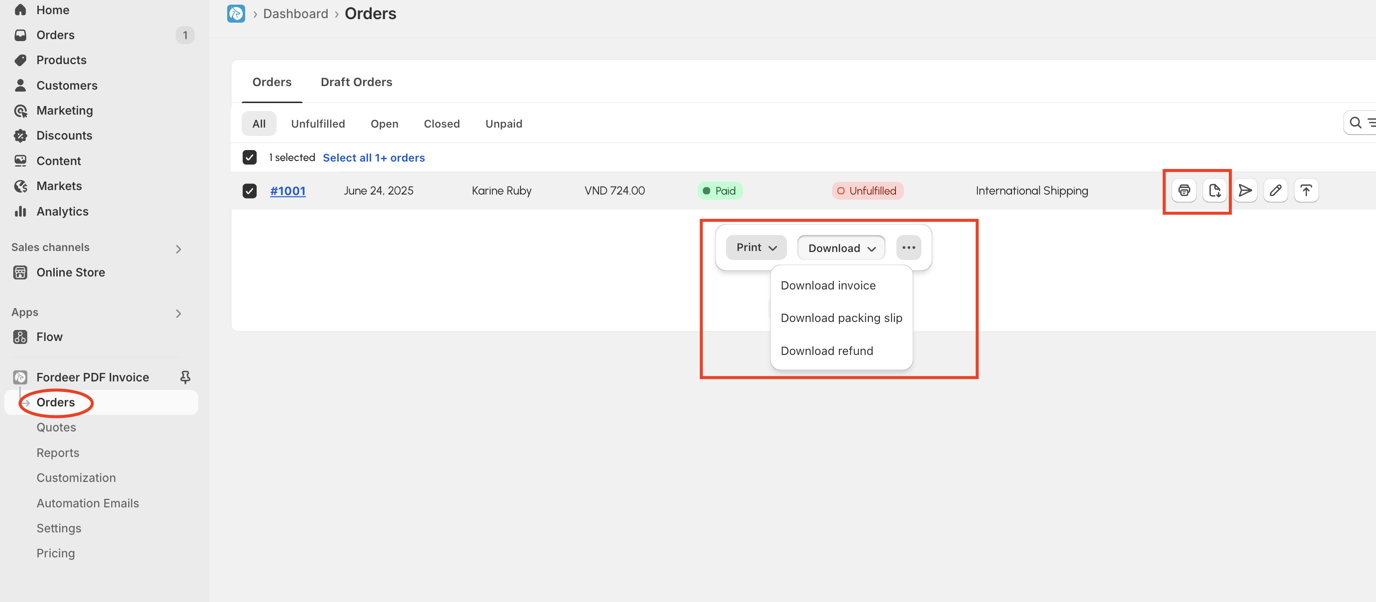
By following these steps, you can effortlessly generate the invoices you need.
The invoices will be created using Fordeer's default templates.
If you wish to customize or alter the information displayed on these invoices, simply navigate to the Customization page in our app. Here, you can modify the templates to better suit your needs.
If you look for a different template style, we understand! Fordeer currently offers 9 additional invoice template options.
If you encounter any issues or have questions during the generating process, feel free to reach out to us via our app's live chat or email us at support@fordeercommerce.io.
We value your feedback — it helps us continuously improve app and provide you with a better experience.
👉 Chat with us: Share your feedback directly with our team.
👉 Explore more apps: Discover more Fordeer apps. special deals.
🕐 Working hours: 8:30 AM – 5:00 PM (UTC+7), Monday–Friday.
We typically reply to live chats within minutes and emails within a few hours.
Need help? Feel free to reach out anytime via live chat or email!