
Hello from Fordeer ,
You can send email manually to customers directly on the Orders page on our app.
Please go to Orders on our app > Select order(s) you want to send invoices to customers > Send email to customer
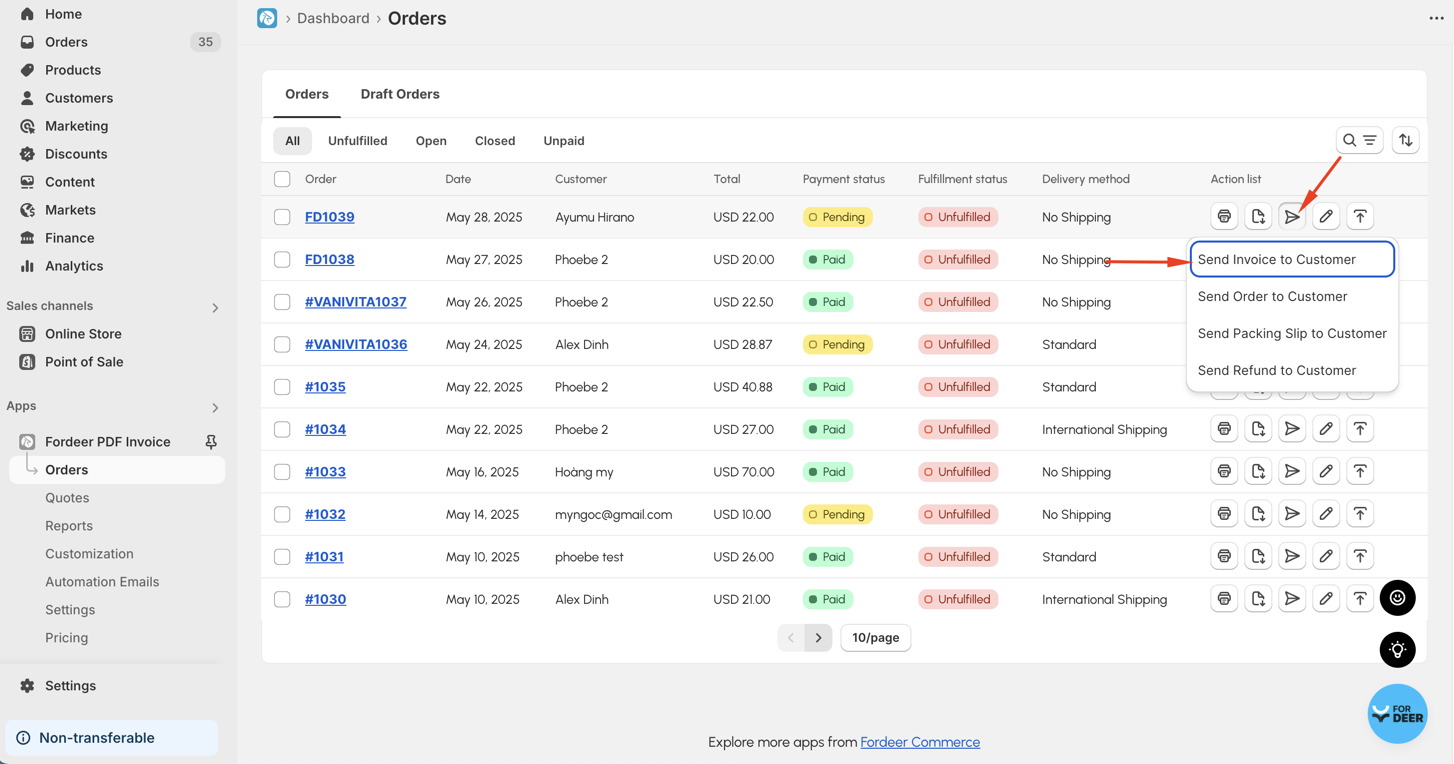
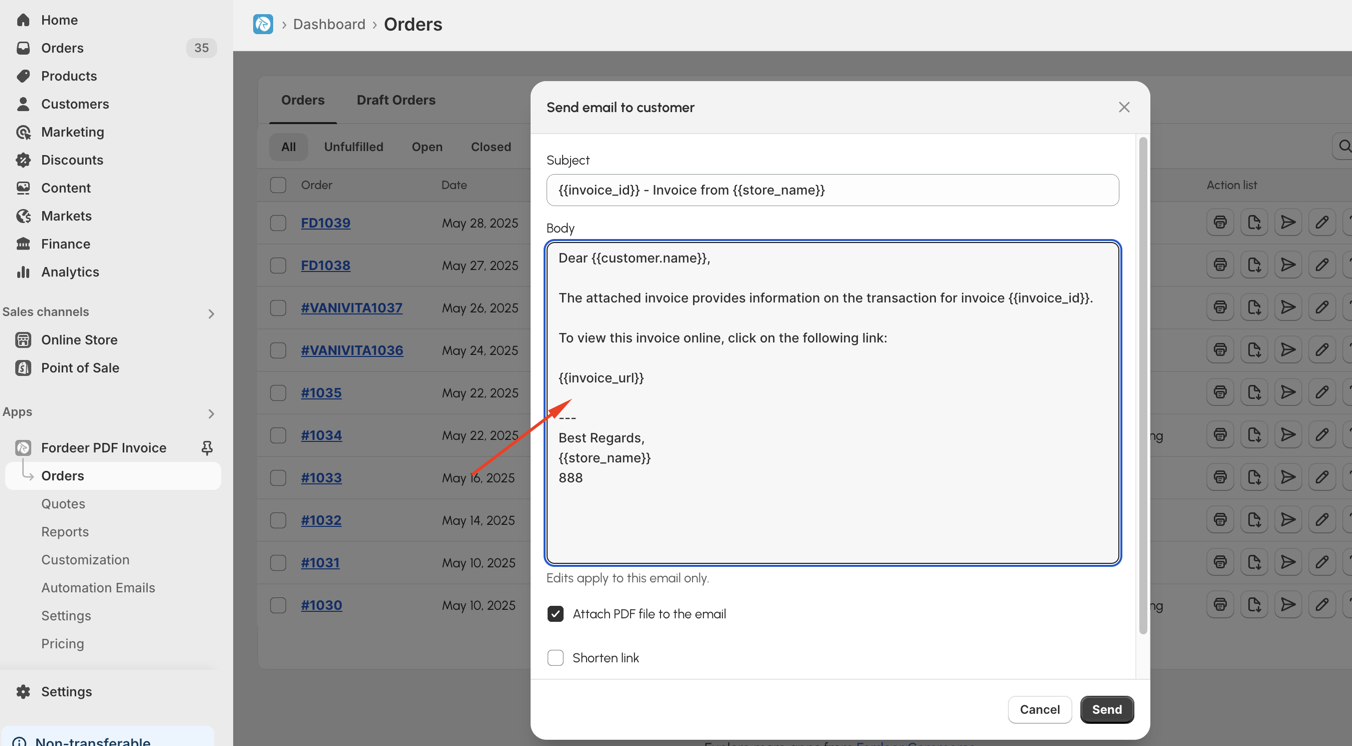
The email will be sent to the customer’s address. However, the content is not editable by default. If you'd like to customize it, here’s how:
-
First, navigate to the Automation Emails option located on the sidebar menu of our app.
-
Then go to Email settings > Email settings section
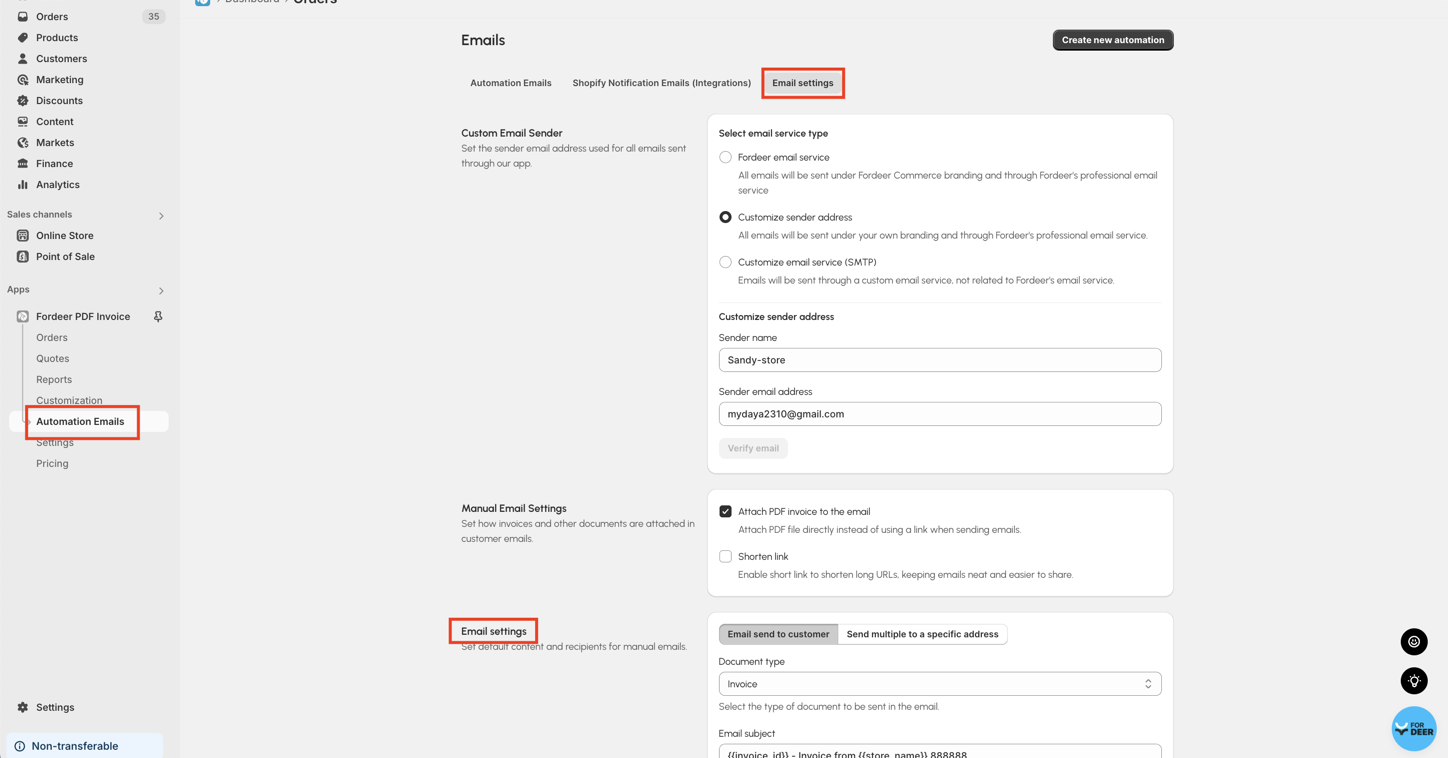
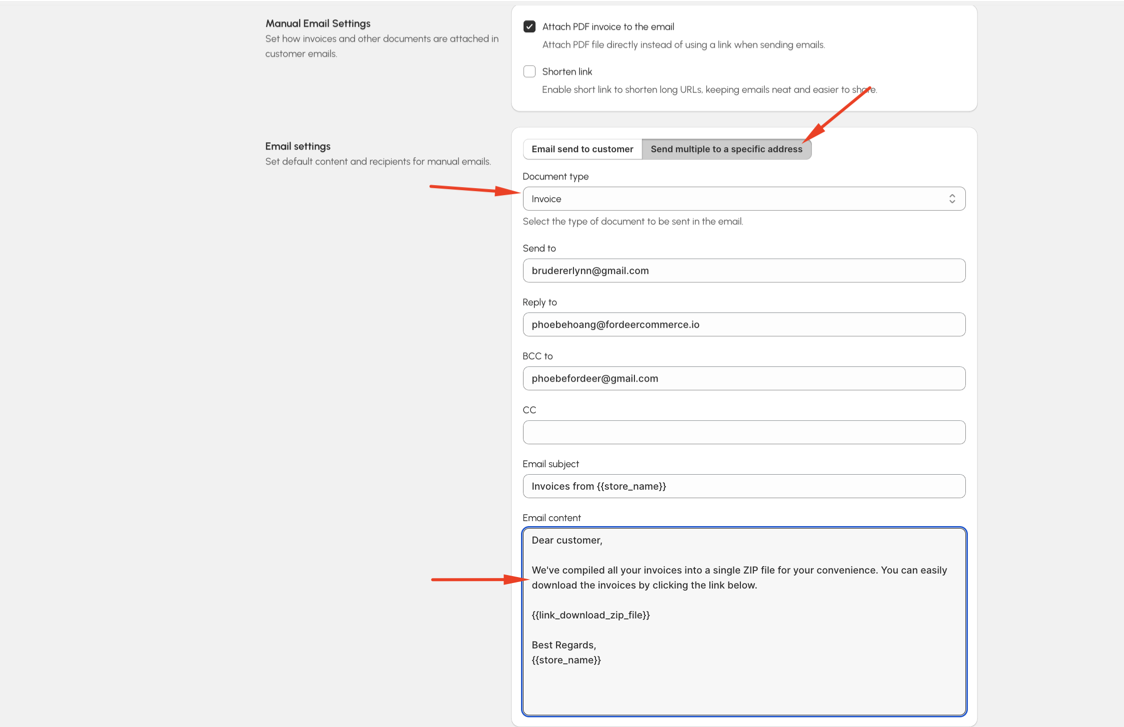
- Here, you can freely select document type and change the subject line and the body text of the invoice email content to better align with your brand's voice or specific messaging for your customers.
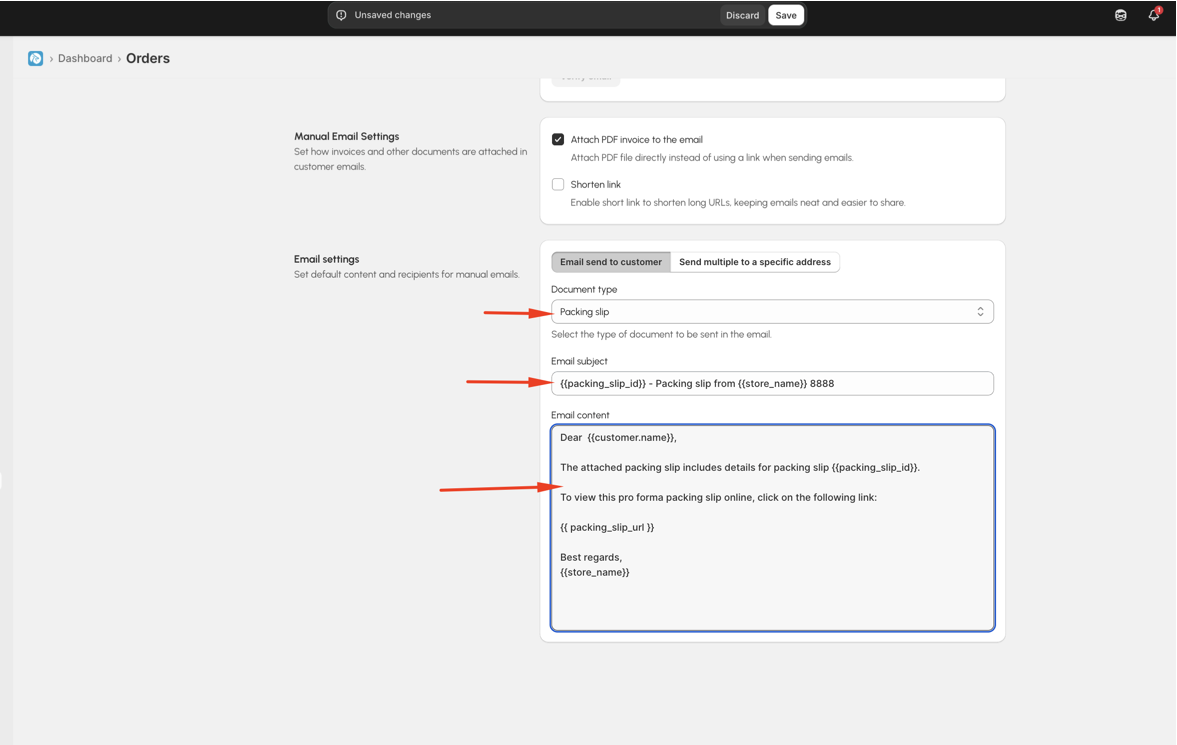
Besides, if you want to send multiple invoices to your email with default content, we handle this case for you as well.
- Please select Send multiple to a specific address, here you can select document type you want to edit content, set default send to email, BCC,CC emails and absolutely default content.
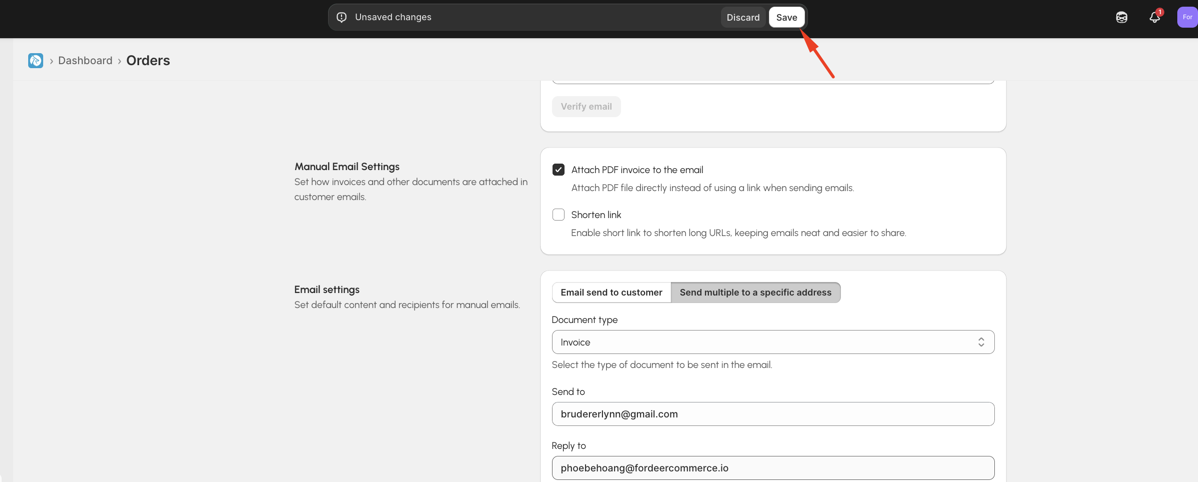
- Make sure to click on Save to apply and retain all your modifications.
That’s all there is to it! Try it out and let us know how it works for you.
Use code: SUPSTA3M15 to get 15% for 3 months when upgrading to Starter plan.
If you have any questions while using our app, please do not hesitate to let us know via our live chat or our support email: support@fordeercommerce.io
We value your feedback — it helps us continuously improve app and provide you with a better experience.
👉 Chat with us: Share your feedback directly with our team.
👉 Explore more apps: Discover more Fordeer apps. special deals.
🕐 Working hours: 8:30 AM – 5:00 PM (UTC+7), Monday–Friday.
We typically reply to live chats within minutes and emails within a few hours.
Need help? Feel free to reach out anytime via live chat or email!