
With support for New Shopify’s Customer accounts extensions, you can add buttons that let customers easily download and access files, creating a smoother and more personalized experience.
Customers can quickly access all their downloads directly within their accounts, eliminating the hassle of searching through emails for past order downloads. This streamlined approach improves user satisfaction and reinforces the security of your store's digital content.
This article will walk you through the steps to set it up.
Before, kindly make sure you are using New customer account page (Suggested by Shopify)
Adding Download invoice button to the Thank you page
- Head to Online store > Themes > Check out and customer accounts
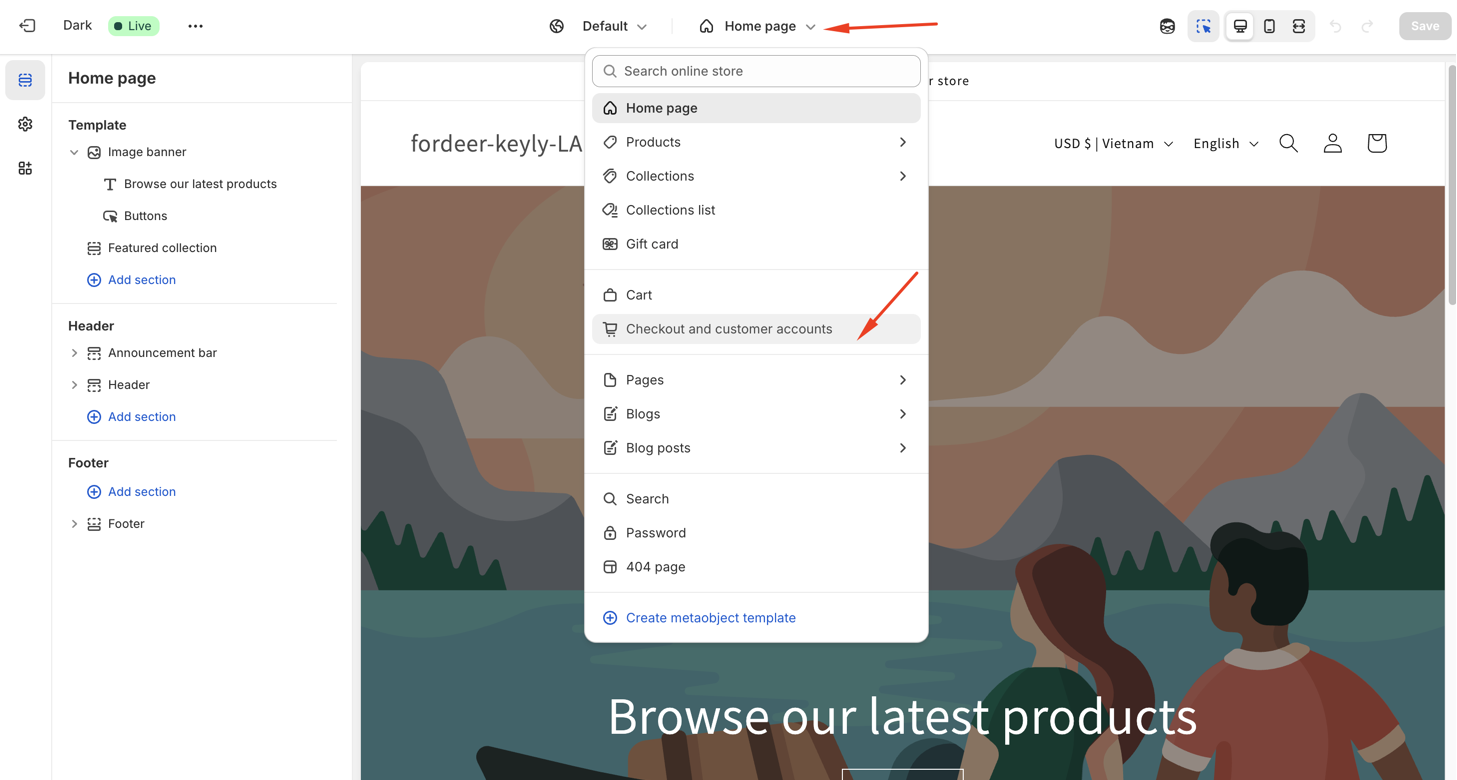
- Select the Thank you page
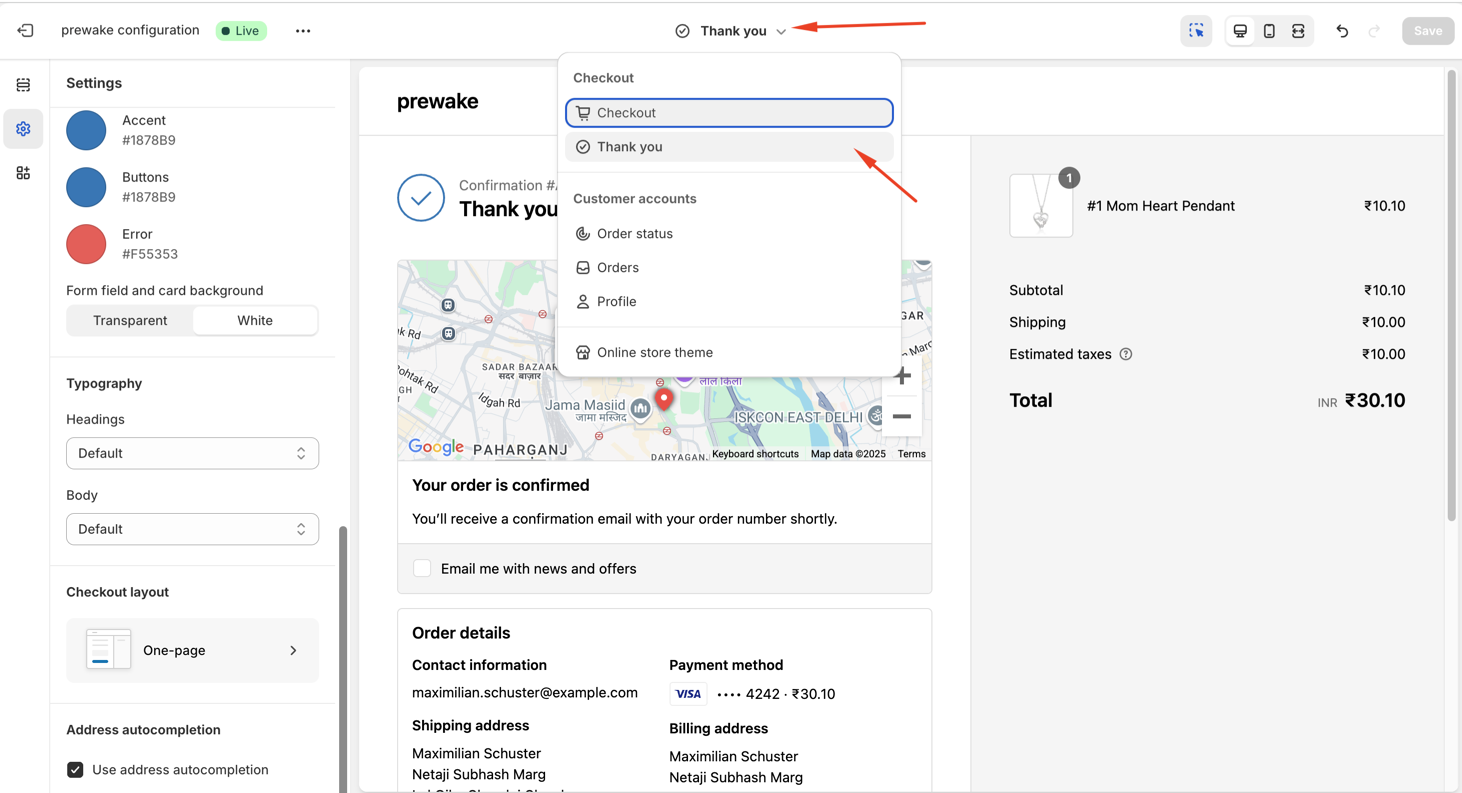
- Go to Apps section on the left side of screen bar and you will our app extension
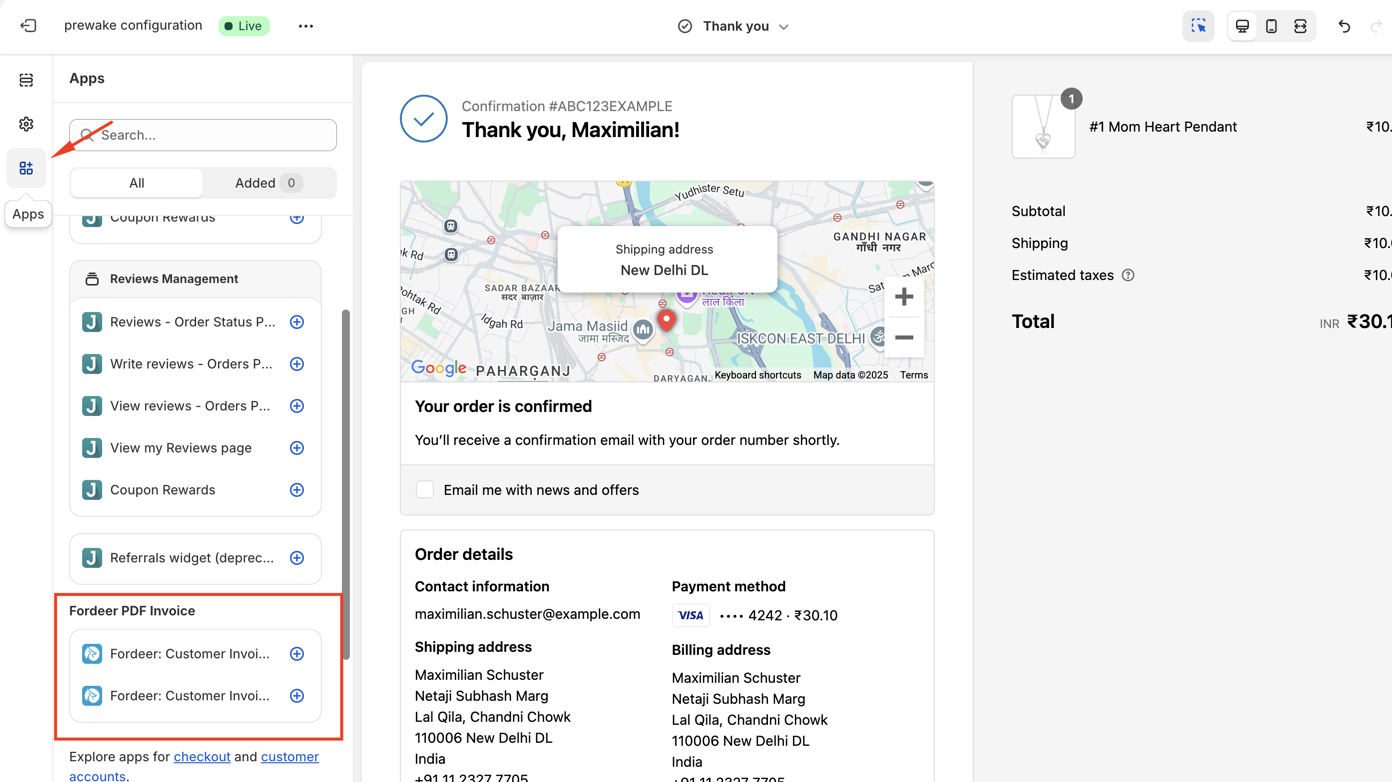
- Click on the + icon on the second block to add the download button to the relevant page
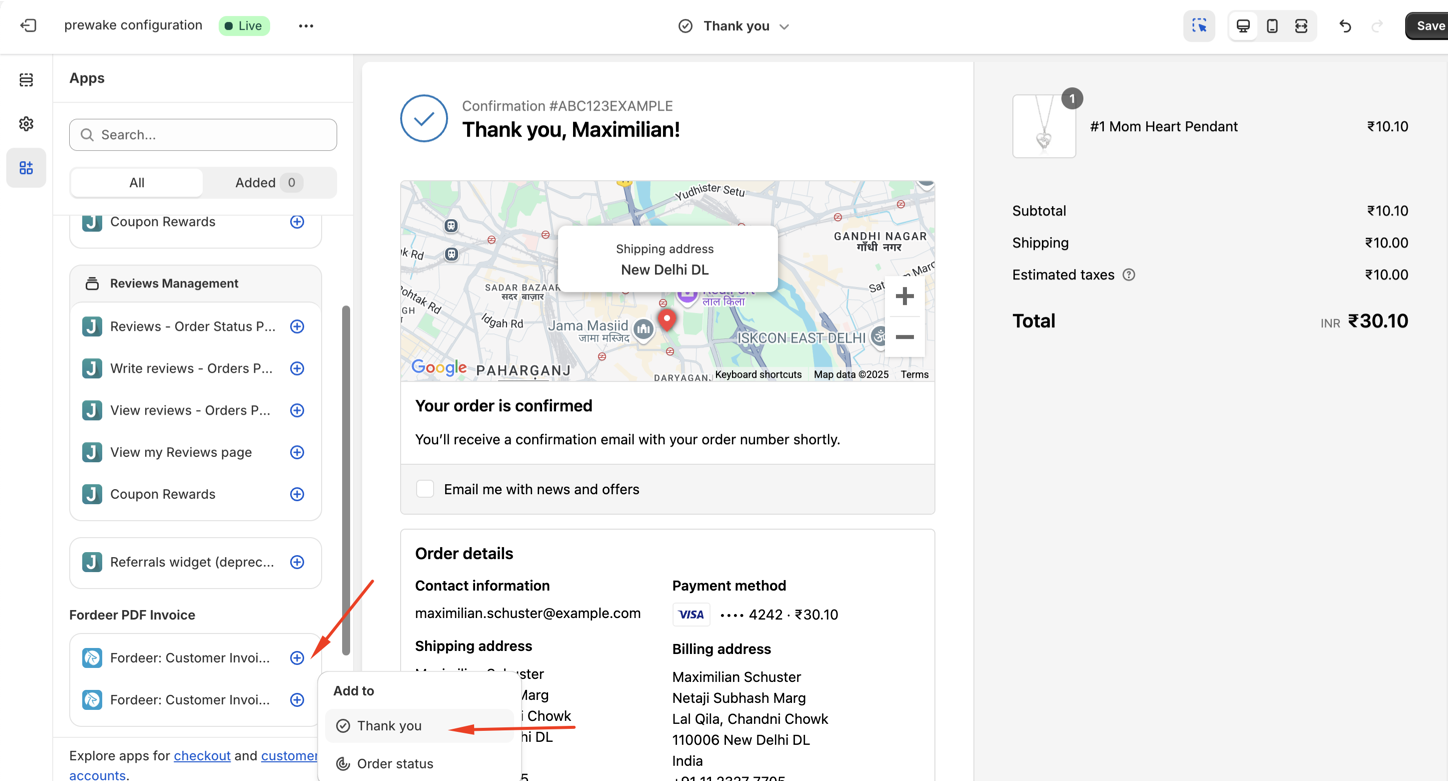
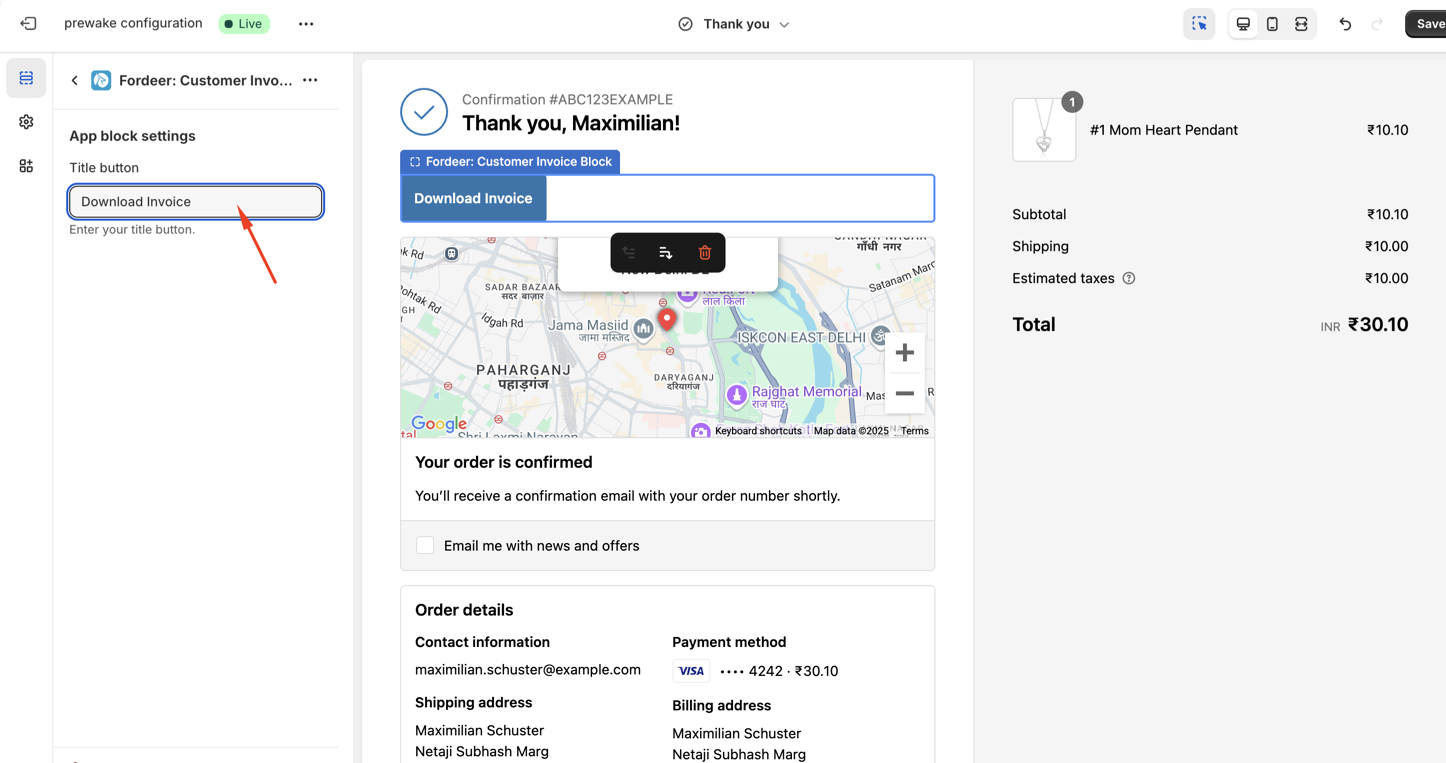
- You can change the button title
- Go to Sections section to adjust the block position by using drag & drop function.
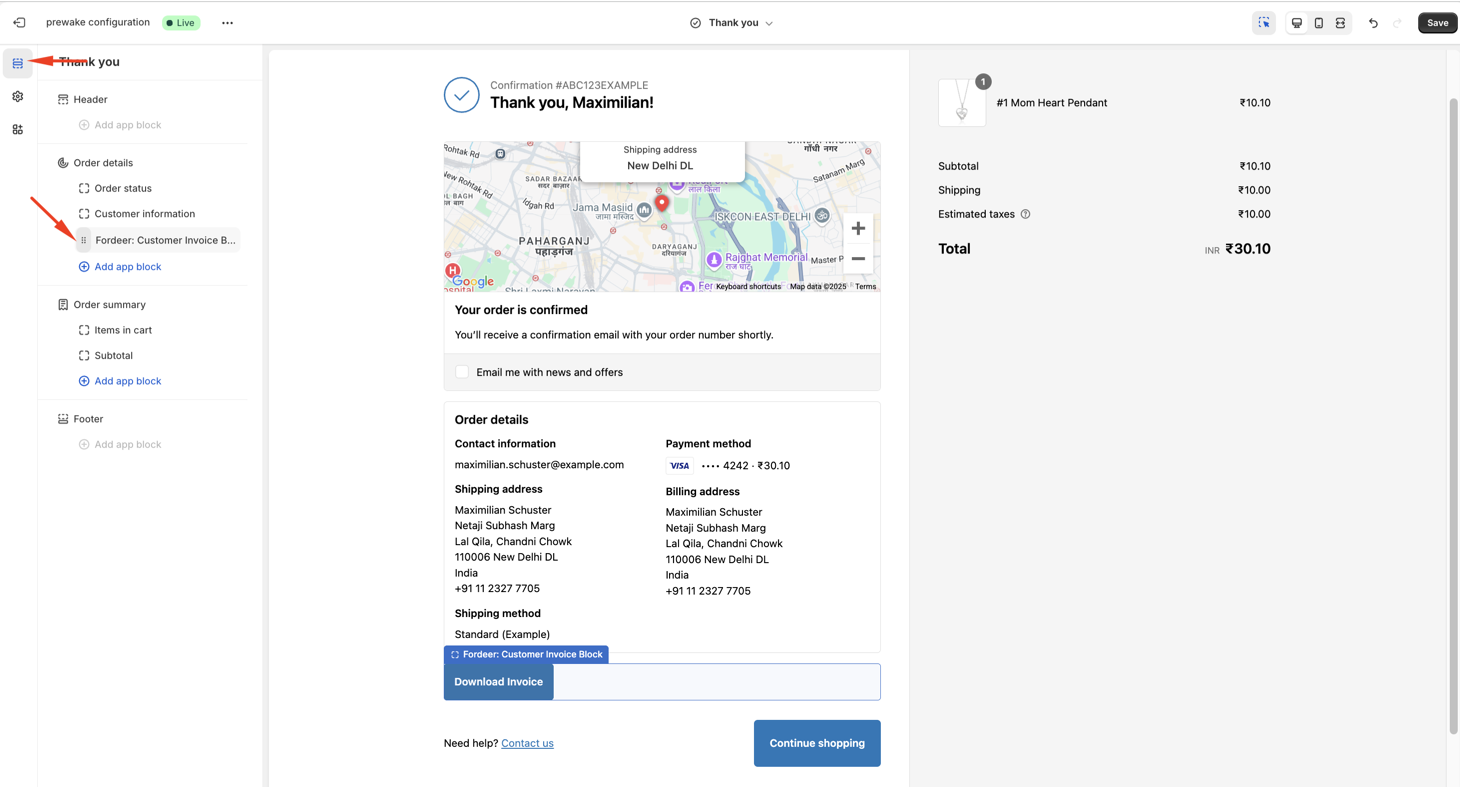
- Once you've added it, click Save on the top right.
Adding Download invoice button to the Orders & Order status page
- Go to Order status on the Customer accounts
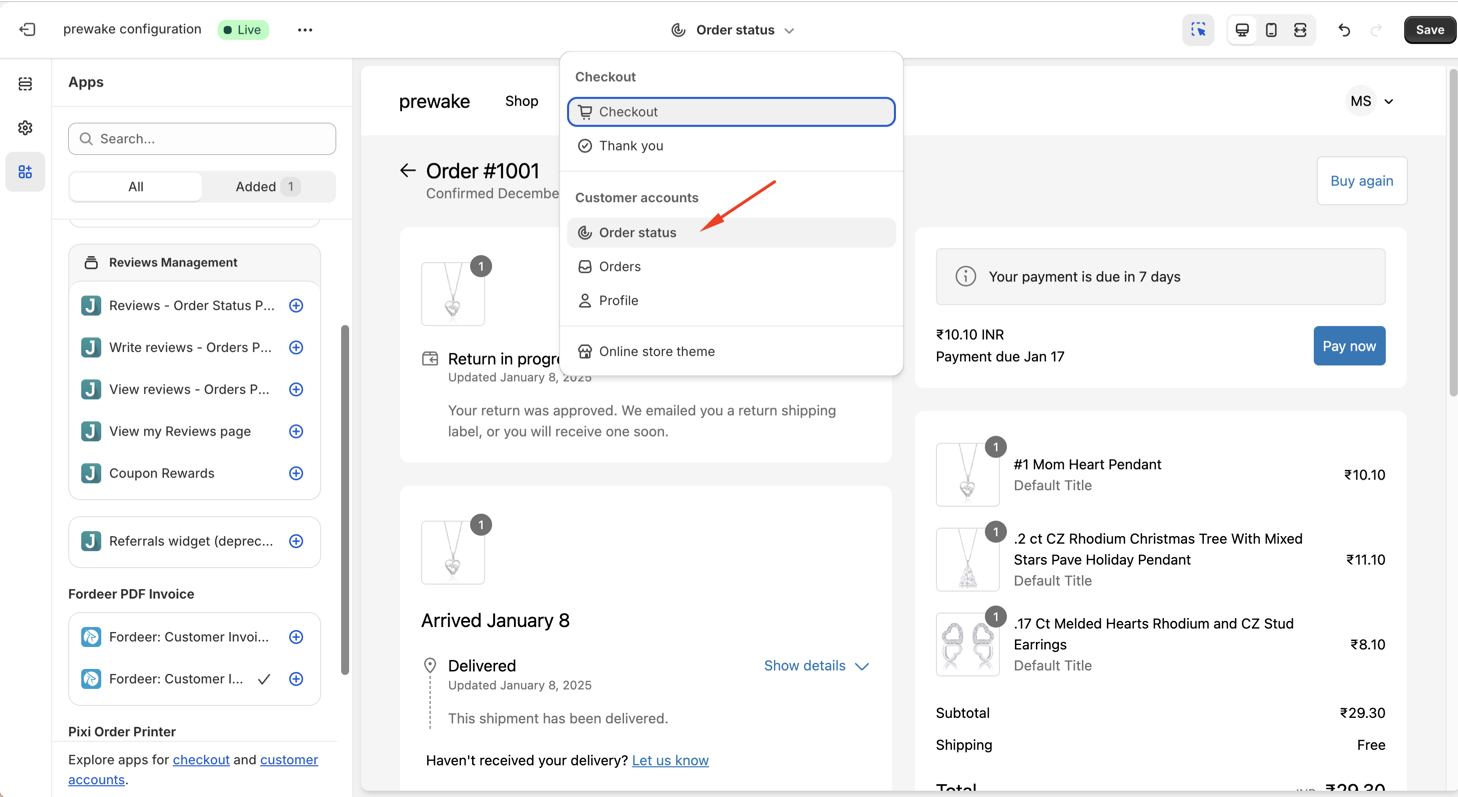
- Go to Apps section and click on the + icon on the second block to add the download button to the relevant page
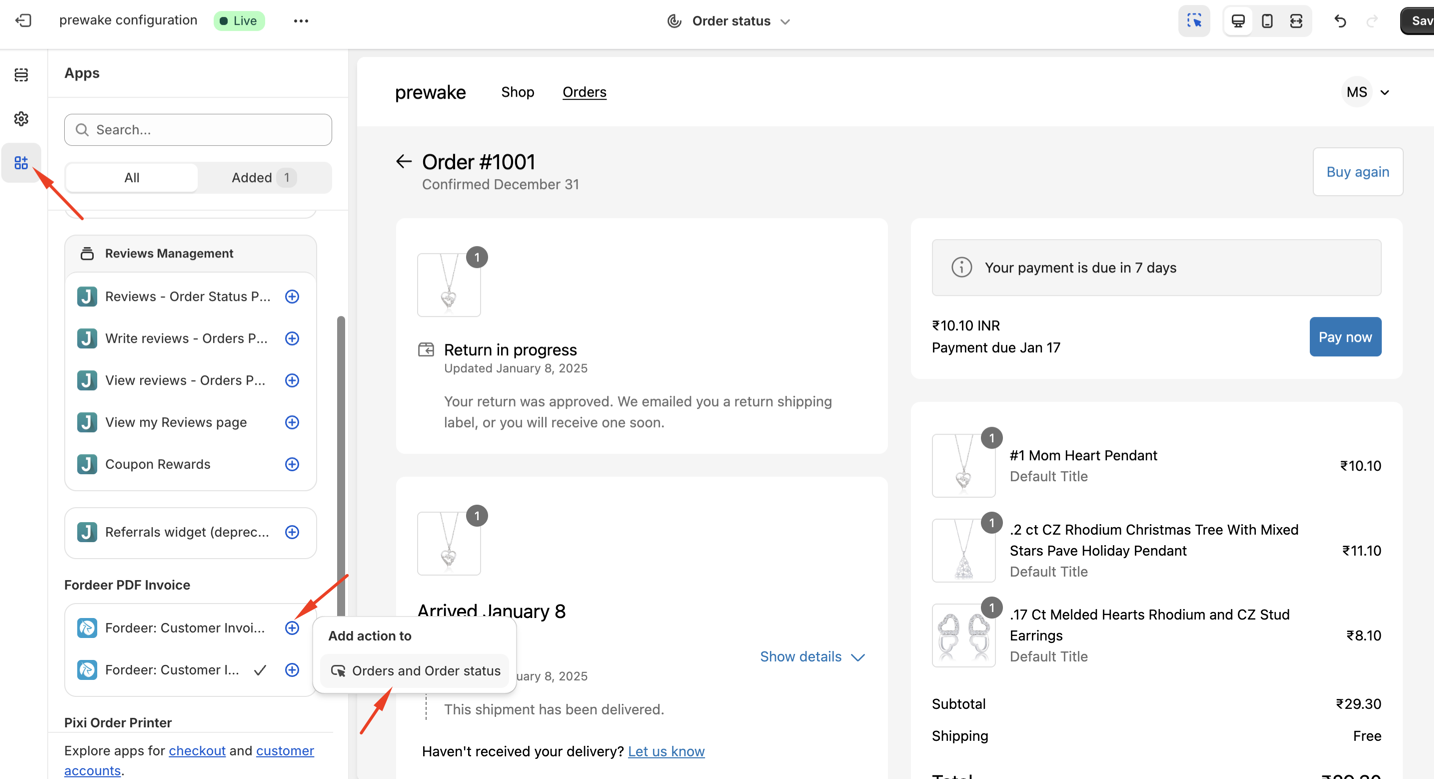
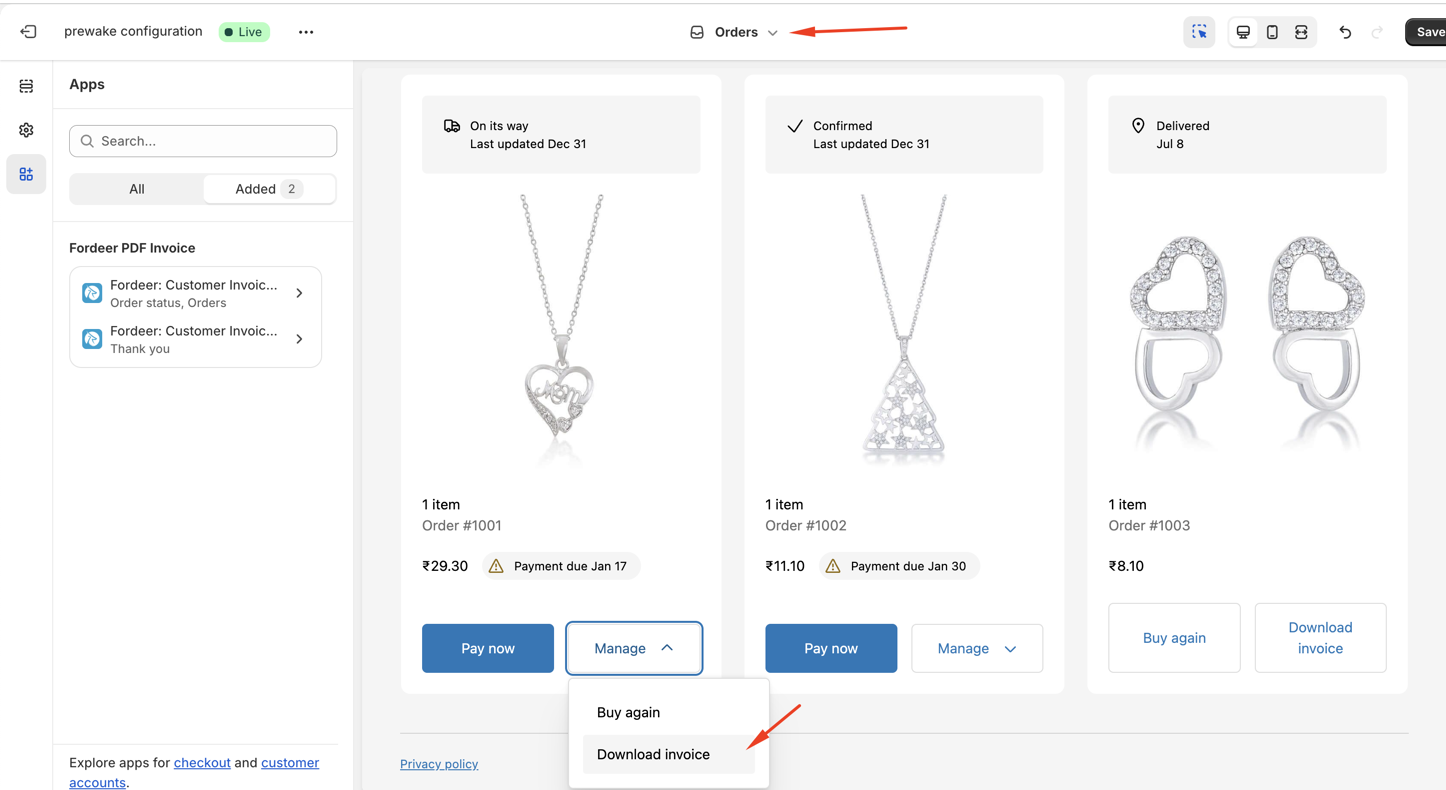
- You can also drag and drop the app block in the page structure to reposition the link.
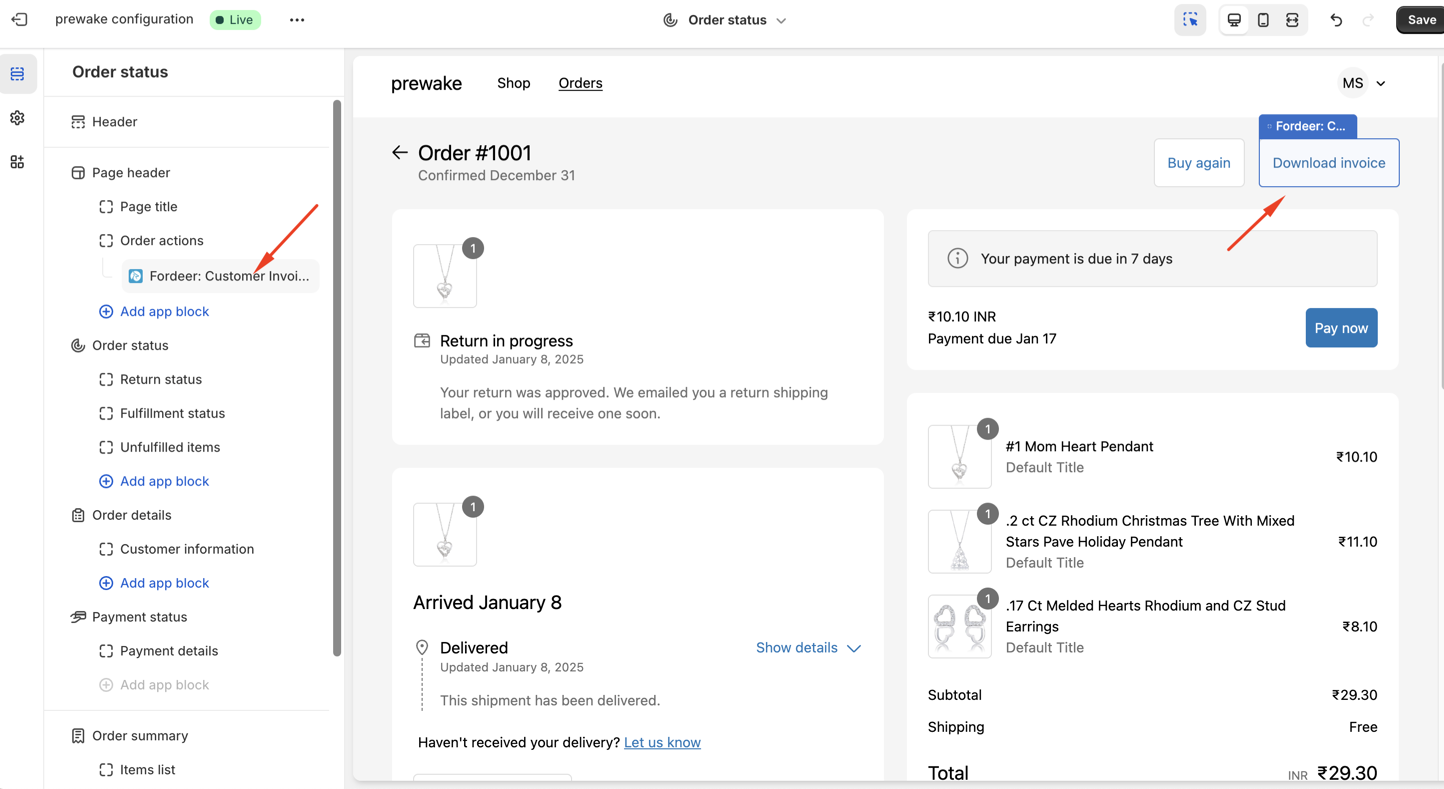
- Click Save after that.
That’s all! Try it out and let us know how it works for you.
Currently, this feature is available to all customers having new customer account page. But we recommend upgrading plans to be able allow customers download unlimited orders.
Why?
Because, on Free plan, you can only download 50 times both for orders &draft orders. But on Starter or higher plans, you can download unlimited orders/unlimited times.
Please give them a try and do not hesitate to contact us if you have any questions along the way.
**Our working time: ** 8h30-23h59 (UTC +7): Monday to Saturday
Within working hours, all chats will be replied to within minutes. All tickets via email will be replied to within hours.
We value your feedback — it helps us continuously improve app and provide you with a better experience.
👉 Chat with us: Share your feedback directly with our team.
👉 Explore more apps: Discover more Fordeer apps. special deals.
🕐 Working hours: 8:30 AM – 5:00 PM (UTC+7), Monday–Friday.
We typically reply to live chats within minutes and emails within a few hours.
Need help? Feel free to reach out anytime via live chat or email!