
Hello from Fordeer,
The Price After Discount feature allows you to display the discounted unit price for products on your invoices. This provides clarity to customers by showing the exact price they need to pay per unit/product after discounts are applied. By using this feature, your invoices will appear more professional, trusted, and customer-friendly.
See how the "Price After Discount" feature works with an example below.
-
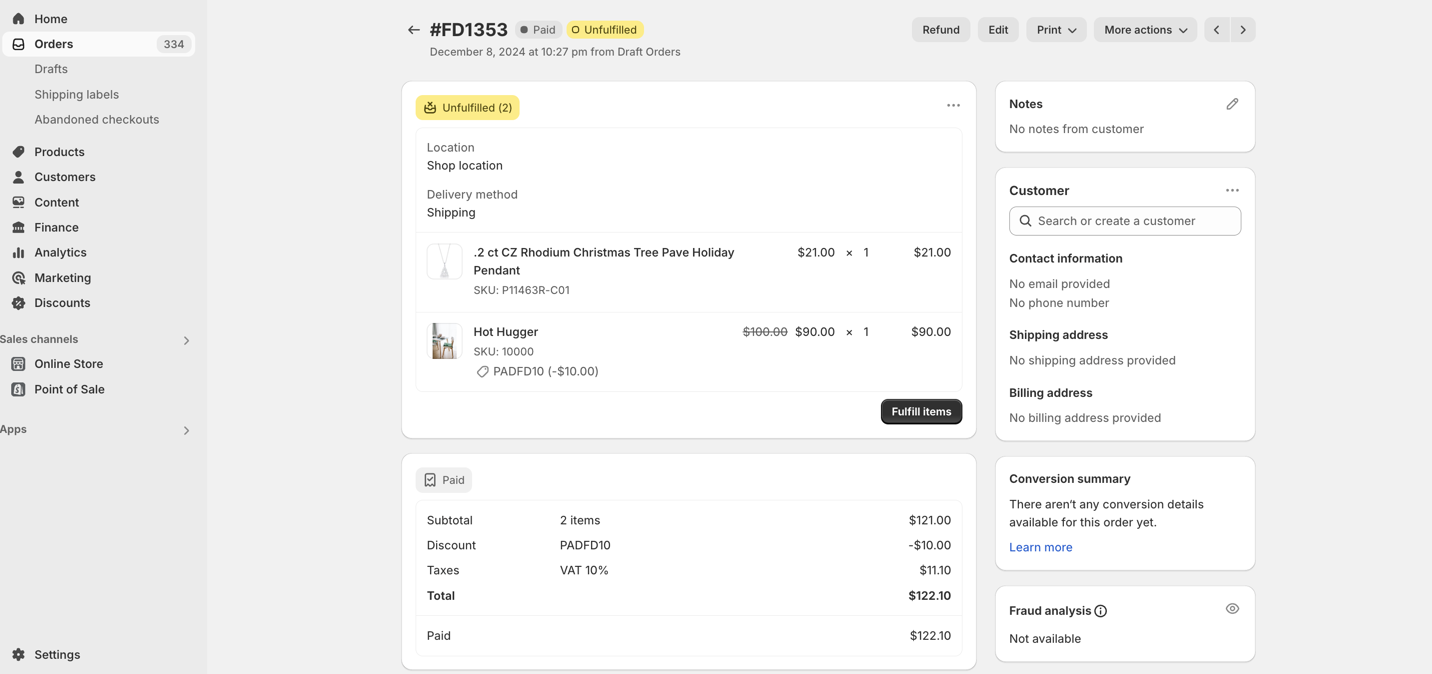
Order #FD1353 contains 2 products, one with a discount applied (code: PDFD10).
-
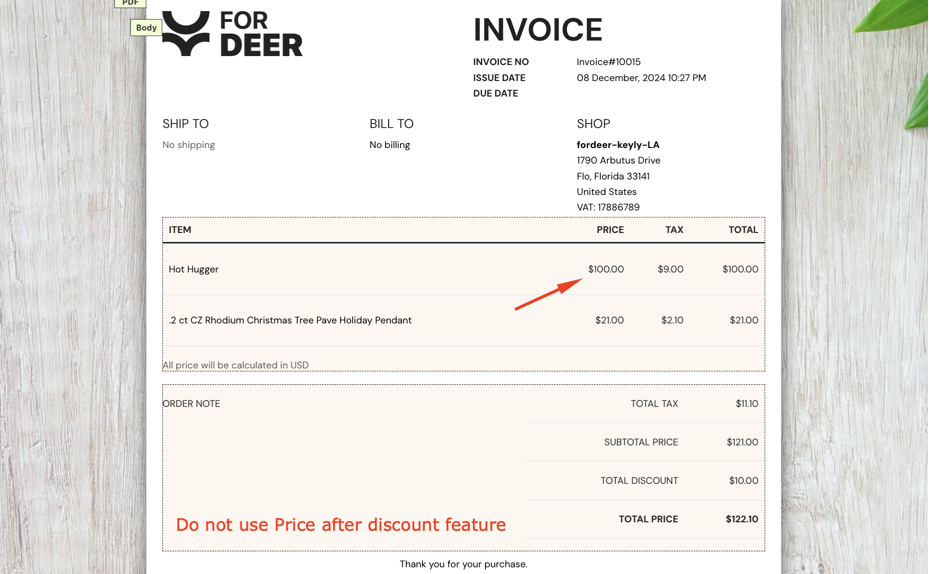
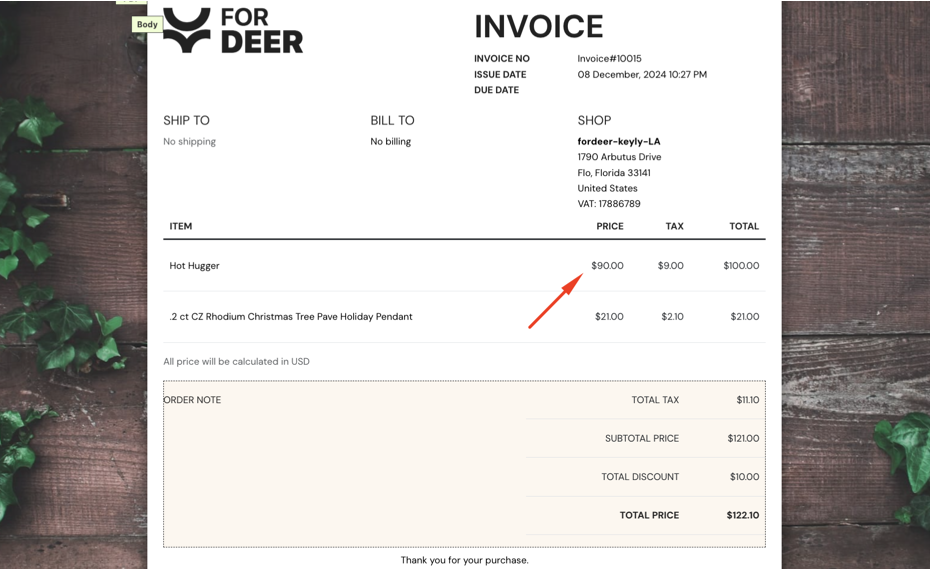
Hot Hugger original price: $100 → Price after discount: $90/item.
Without the feature, the invoice only shows the original price.
With the feature, the invoice clearly displays the discounted price, ensuring transparency for your customers.
After knowing its benefit, please find out how to set this feature up on our app.
- Go to Line items and total on the Customization page > Price column section > Toggle the button: Price after discount
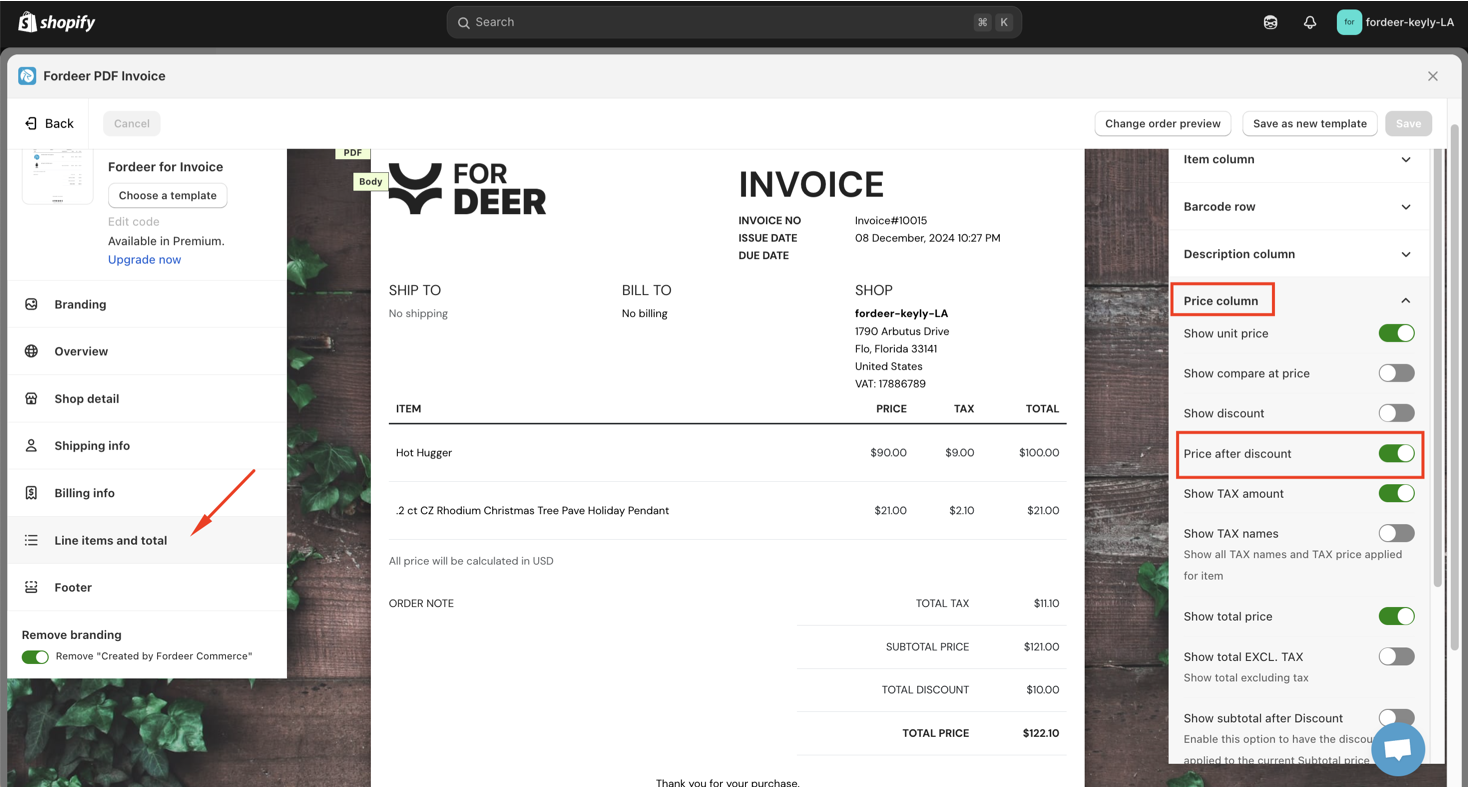
- Click Save button at the end
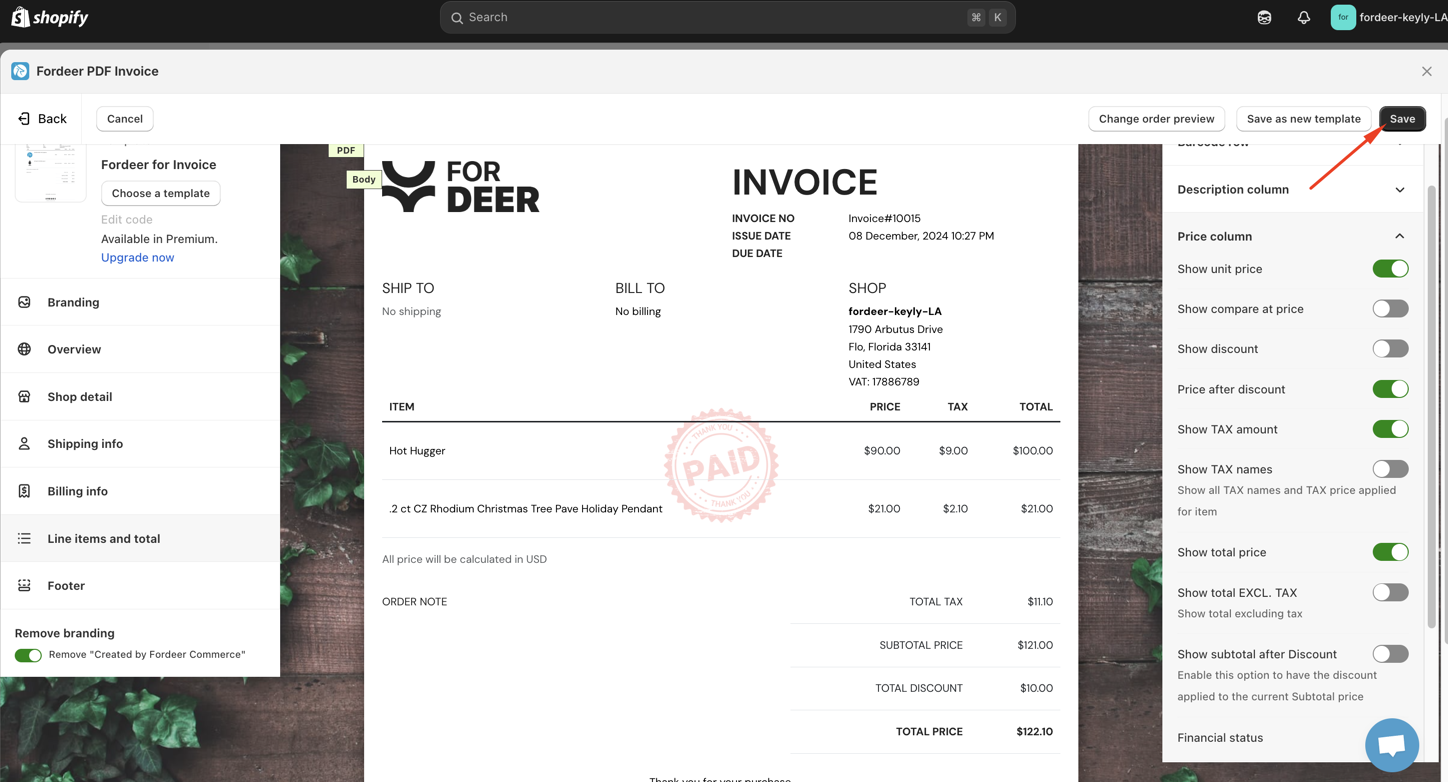
- Go to Orders to download invoices to take a look how it works.
This feature is part of the Professional Plan. Upgrade today to enjoy a 7-day free trial and receive 30% off the annual plan as part of our deal!
Please check it out and feel free to reach out to us if you have any questions along the way.
We value your feedback — it helps us continuously improve app and provide you with a better experience.
👉 Chat with us: Share your feedback directly with our team.
👉 Explore more apps: Discover more Fordeer apps. special deals.
🕐 Working hours: 8:30 AM – 5:00 PM (UTC+7), Monday–Friday.
We typically reply to live chats within minutes and emails within a few hours.
Need help? Feel free to reach out anytime via live chat or email!