
Hello Fordeer User!
If you'd like to take a sneak peek at your invoices before downloading them to your device, follow these simple steps:
Previewing Invoices:
-
Navigate to the Orders section in the sidebar menu.
-
Click on the specific order you'd like to preview.
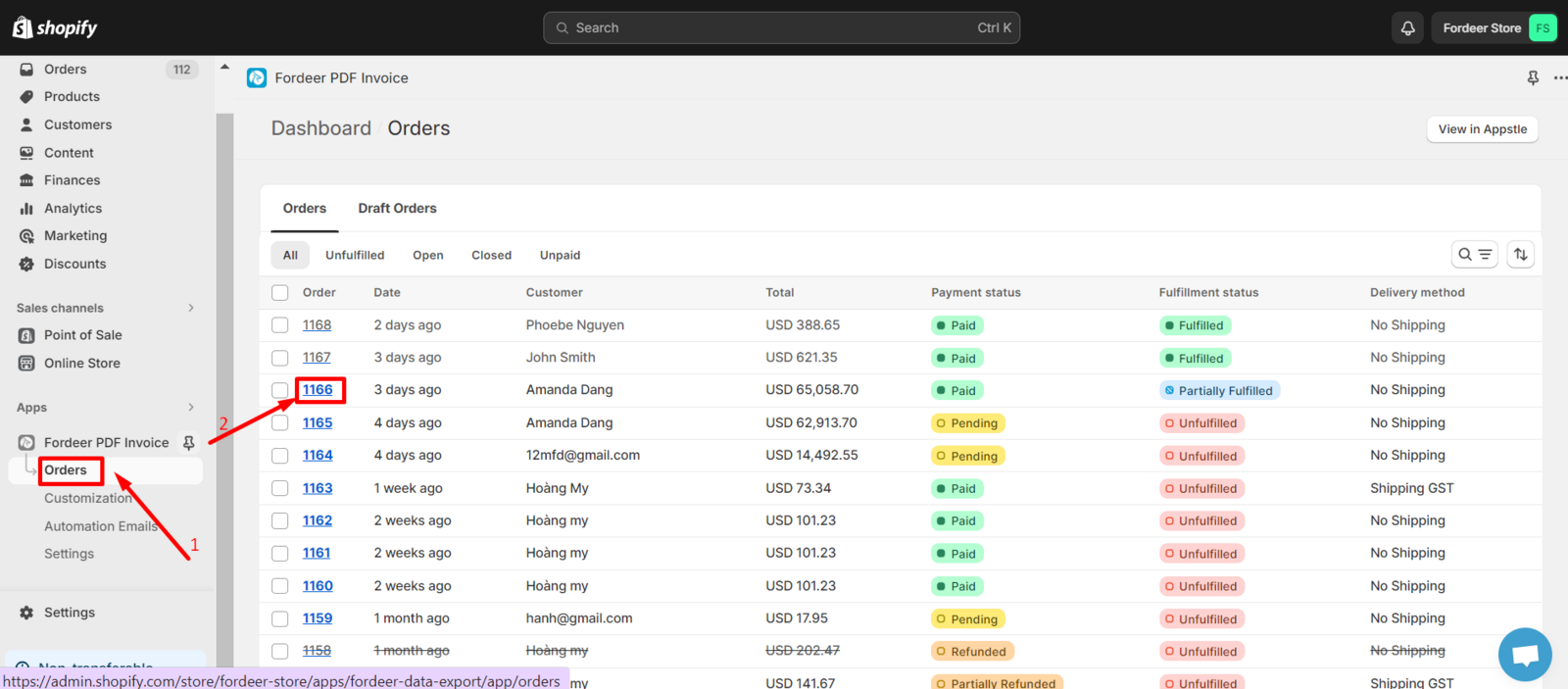
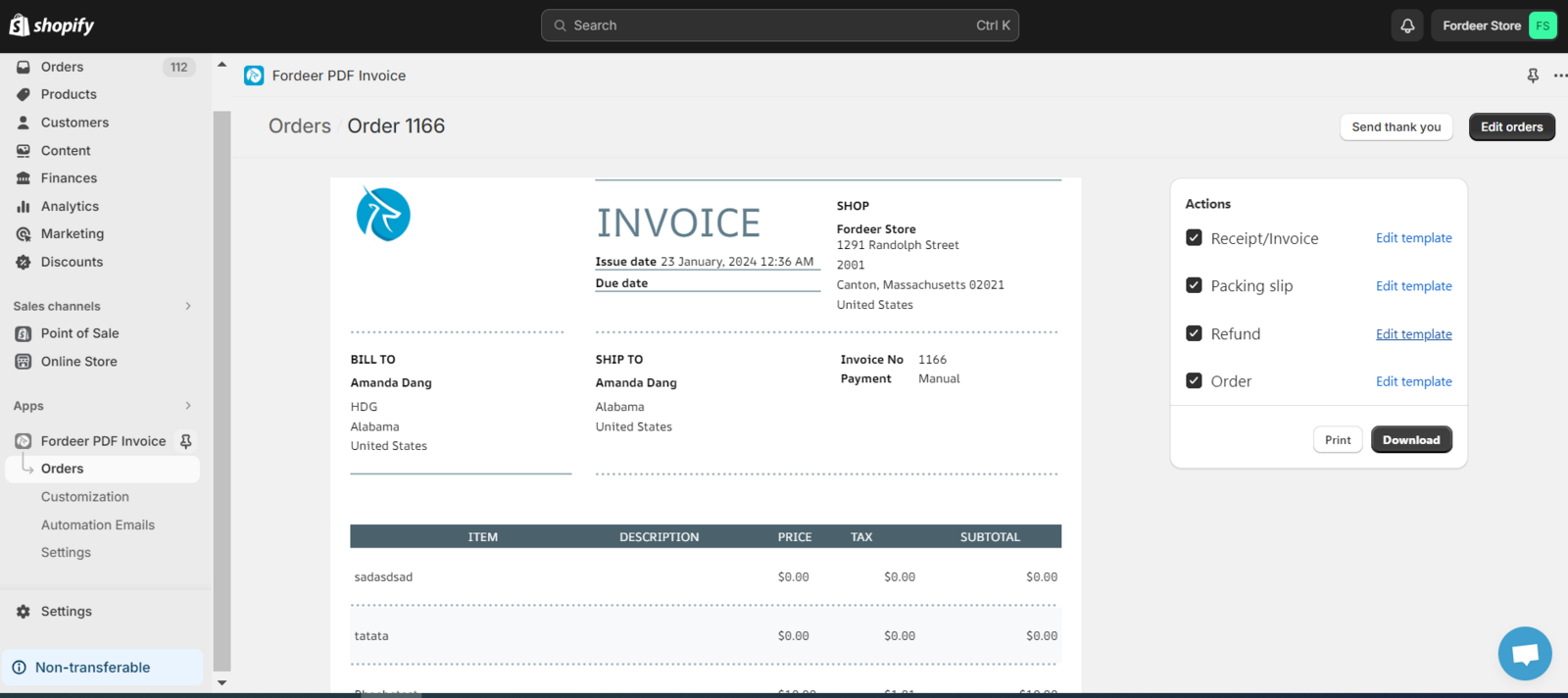
- Voila! You can now preview four types of invoices right from this page: Receipt/Invoice, Packing slip and Refund.
But what about previewing draft orders? It's just as straightforward:
Previewing Draft Orders:
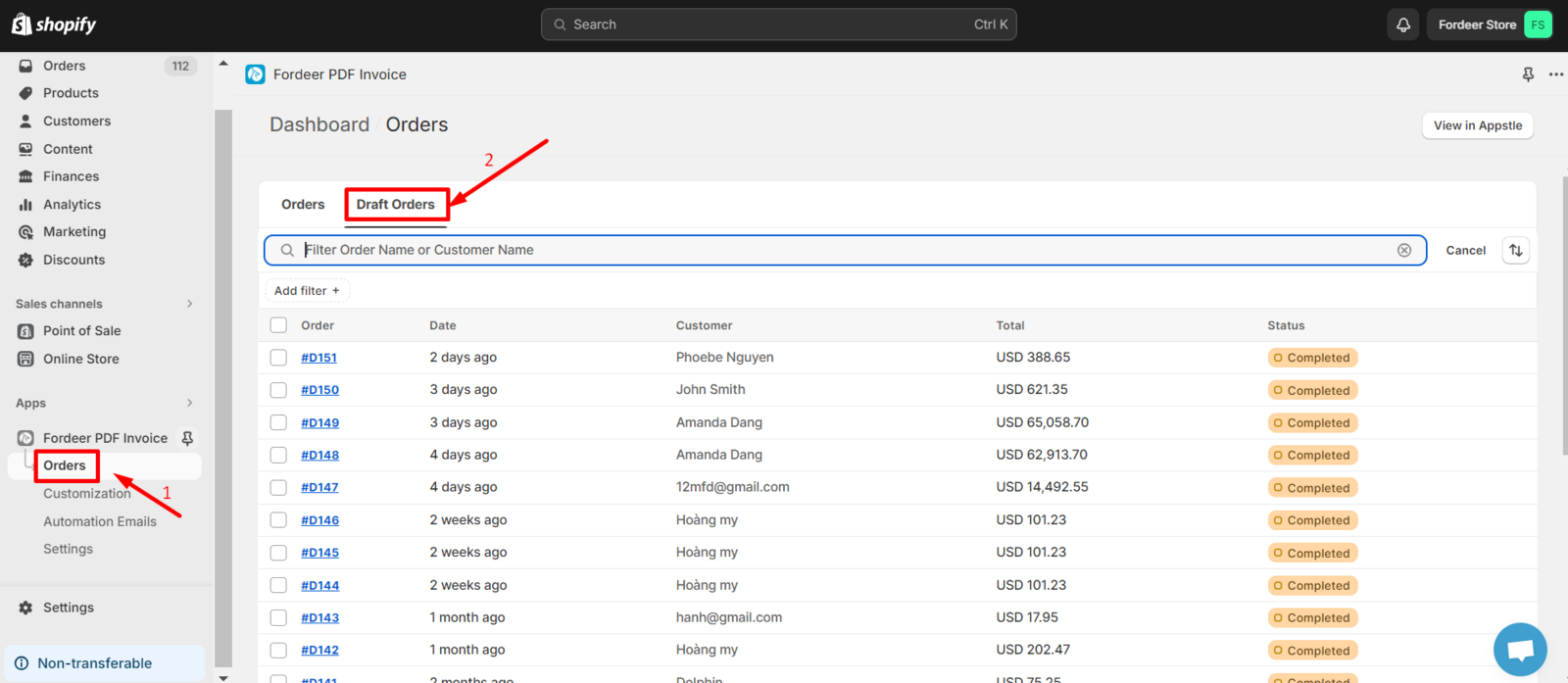
- Head to the Orders section in the sidebar menu and select the Draft Orders tab.
- Click on the draft order you want to preview.
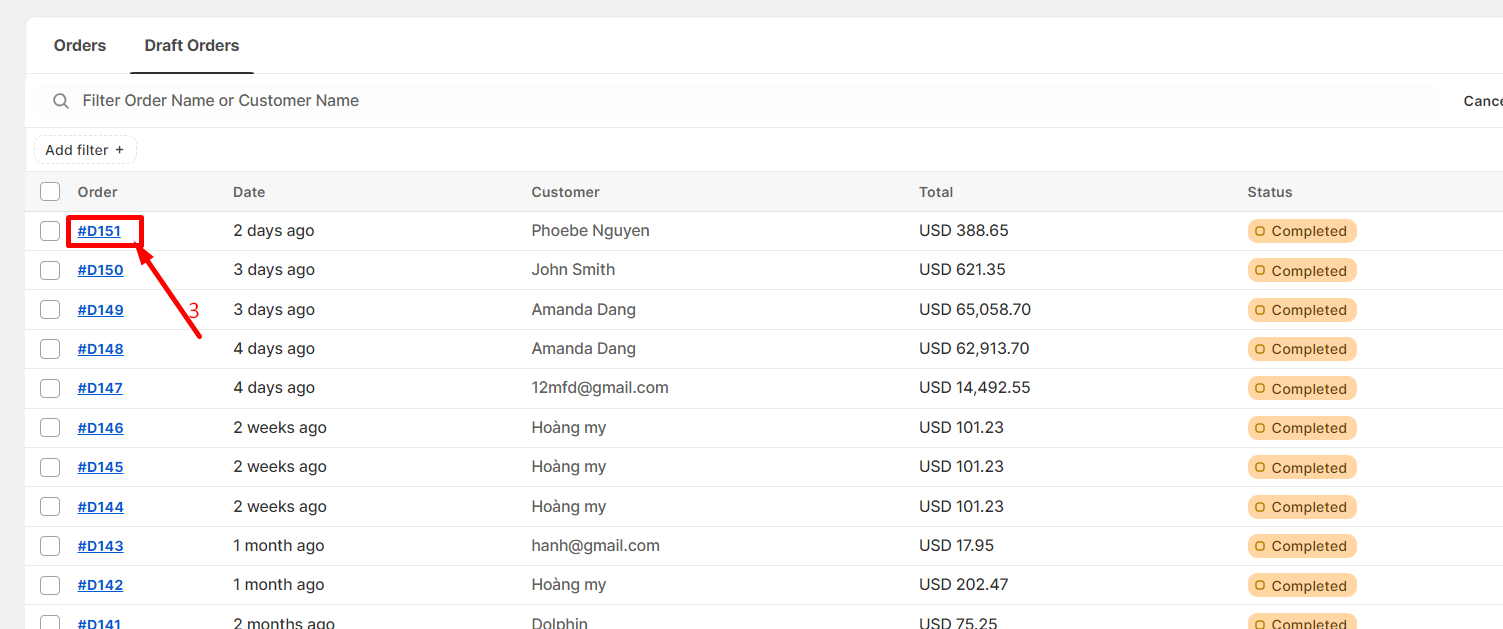
- Now, you can preview the draft order before deciding to download or print it.
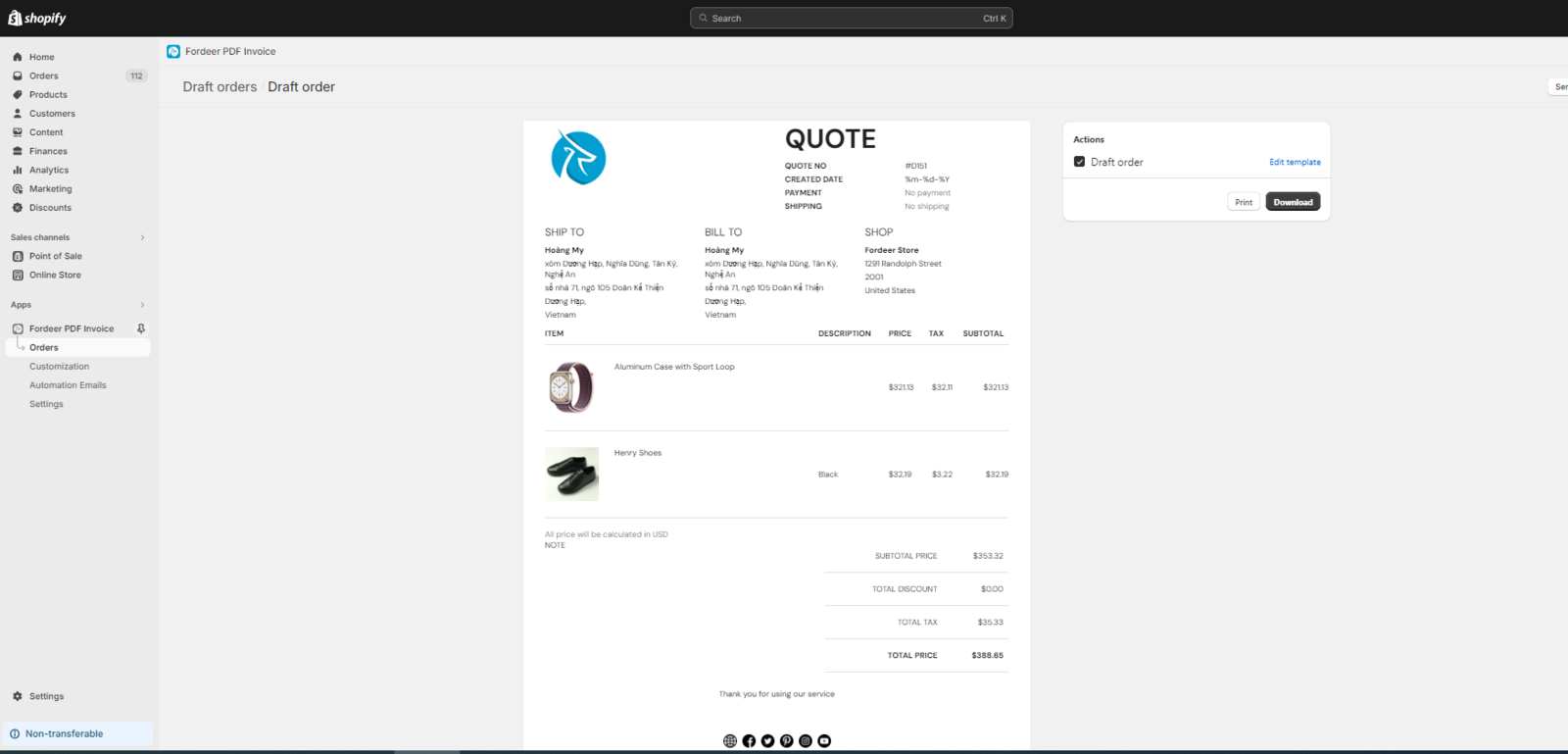
And there you have it!
If you have any questions or need assistance, don't hesitate to reach out to us via email at support@fordeercommerce.io or through our live chat.
We value your feedback — it helps us continuously improve app and provide you with a better experience.
👉 Chat with us: Share your feedback directly with our team.
👉 Explore more apps: Discover more Fordeer apps. special deals.
🕐 Working hours: 8:30 AM – 5:00 PM (UTC+7), Monday–Friday.
We typically reply to live chats within minutes and emails within a few hours.
Need help? Feel free to reach out anytime via live chat or email!