
Fordeer hello to you!
The article below will help you edit your logo to suit your business brand.
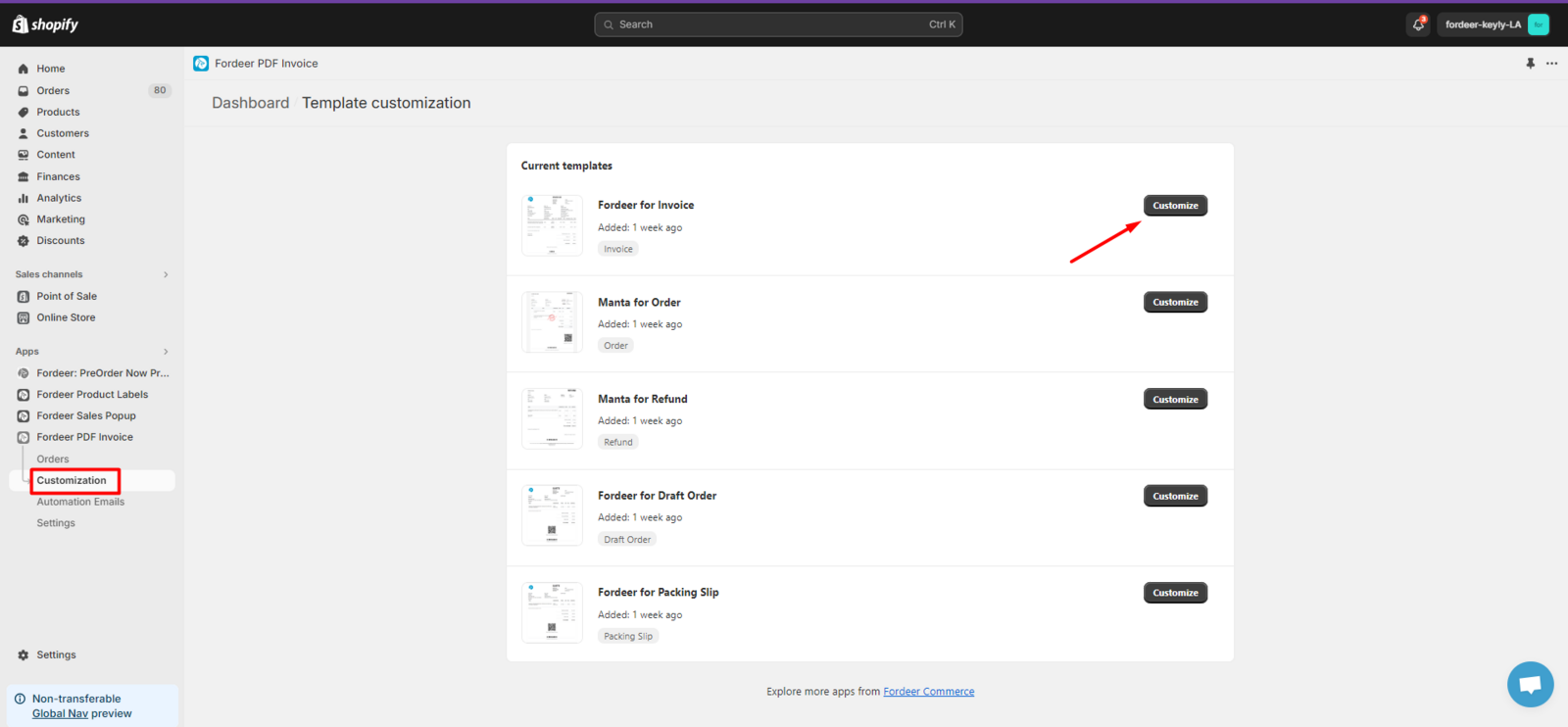
- Step 1: Access the Customization section, then select the invoice you want to customize and click the Customize button.
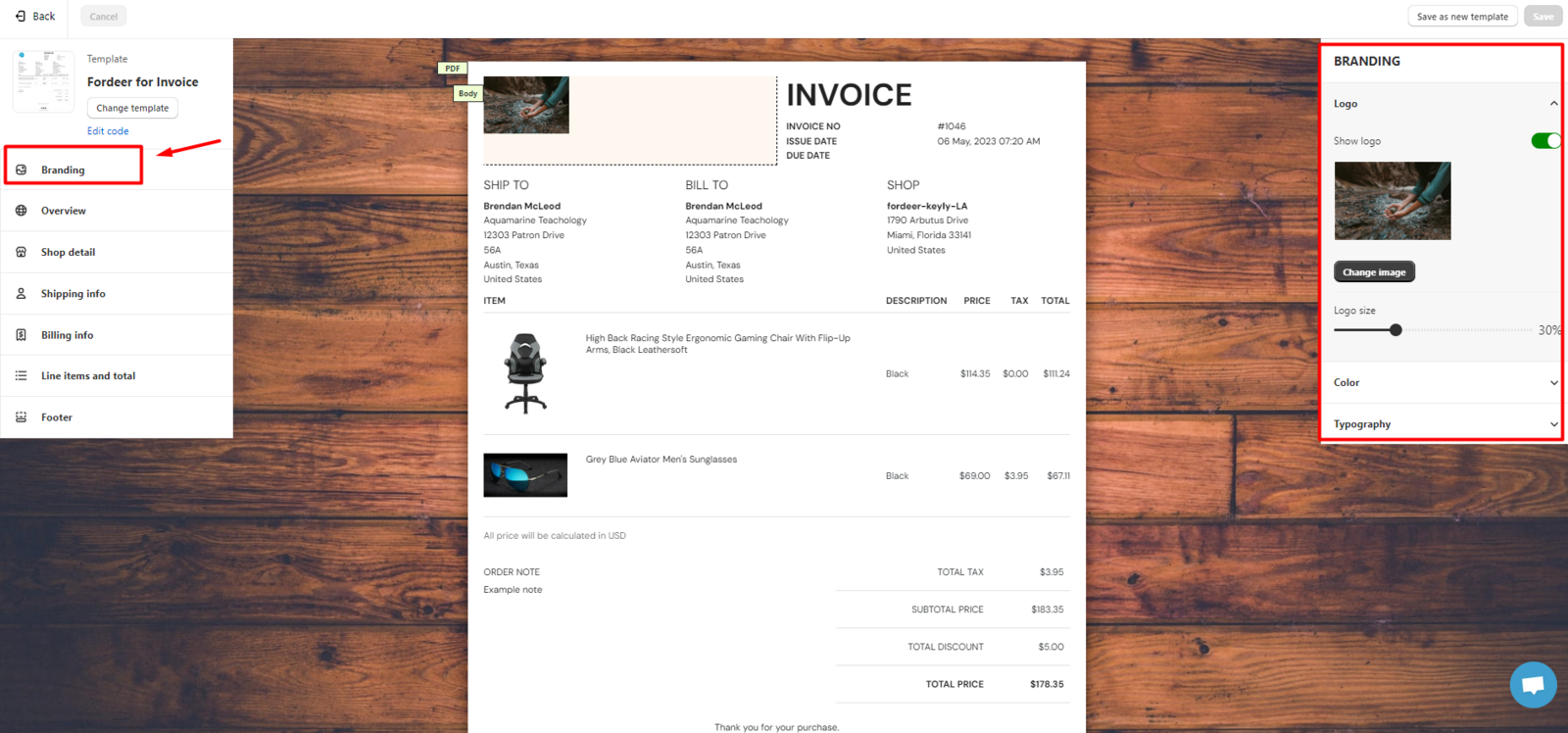
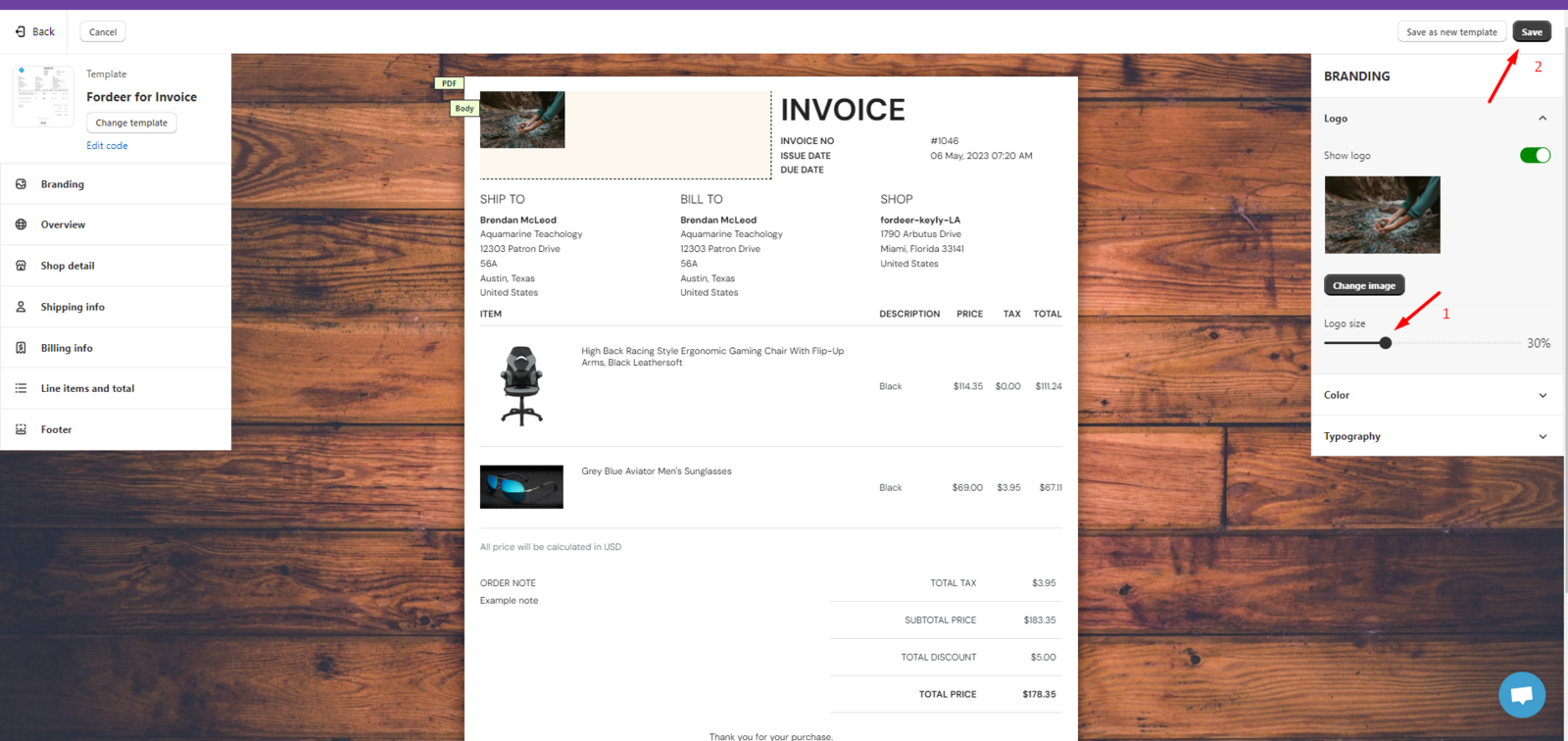
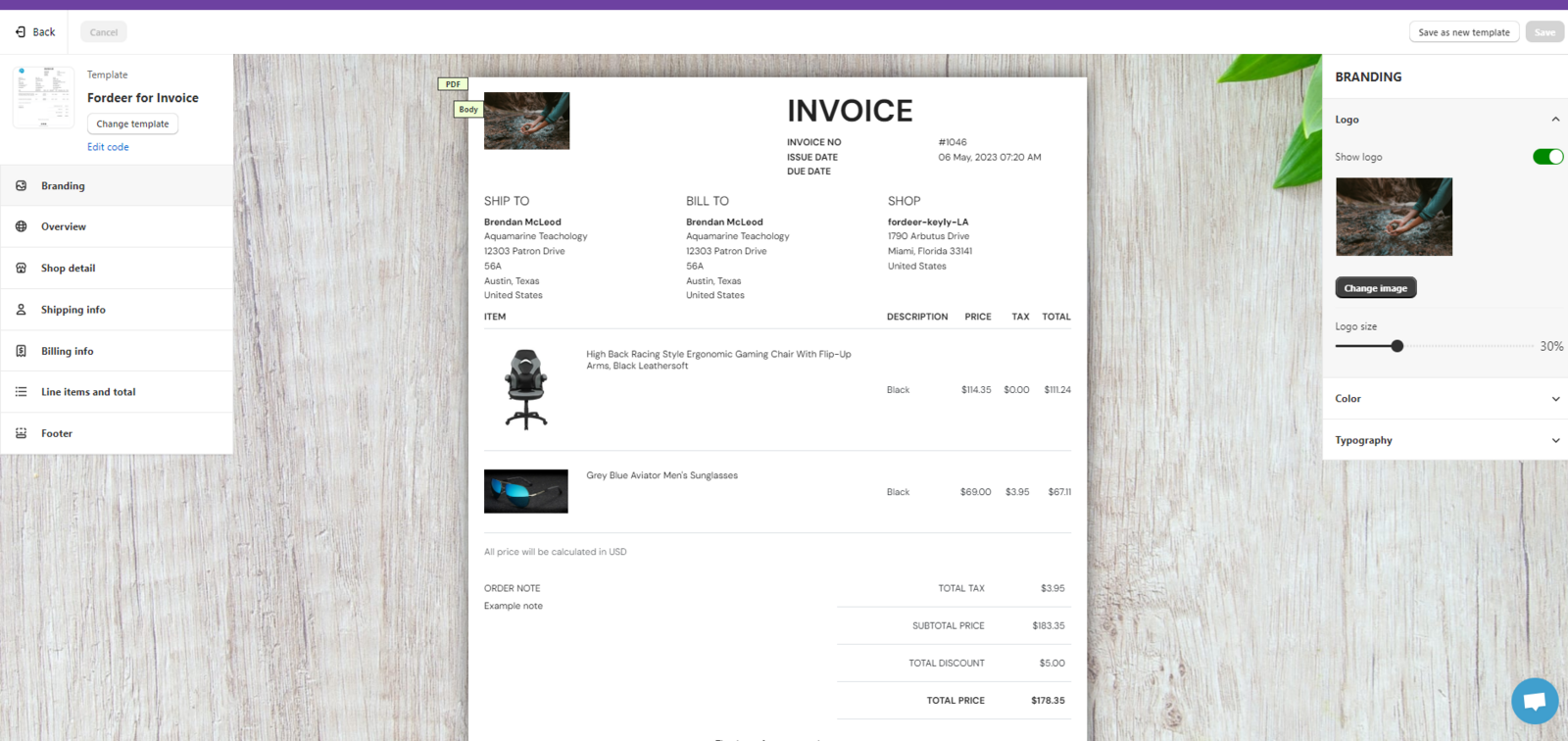
- Step 2: In the Customize page, please click the Branding button.
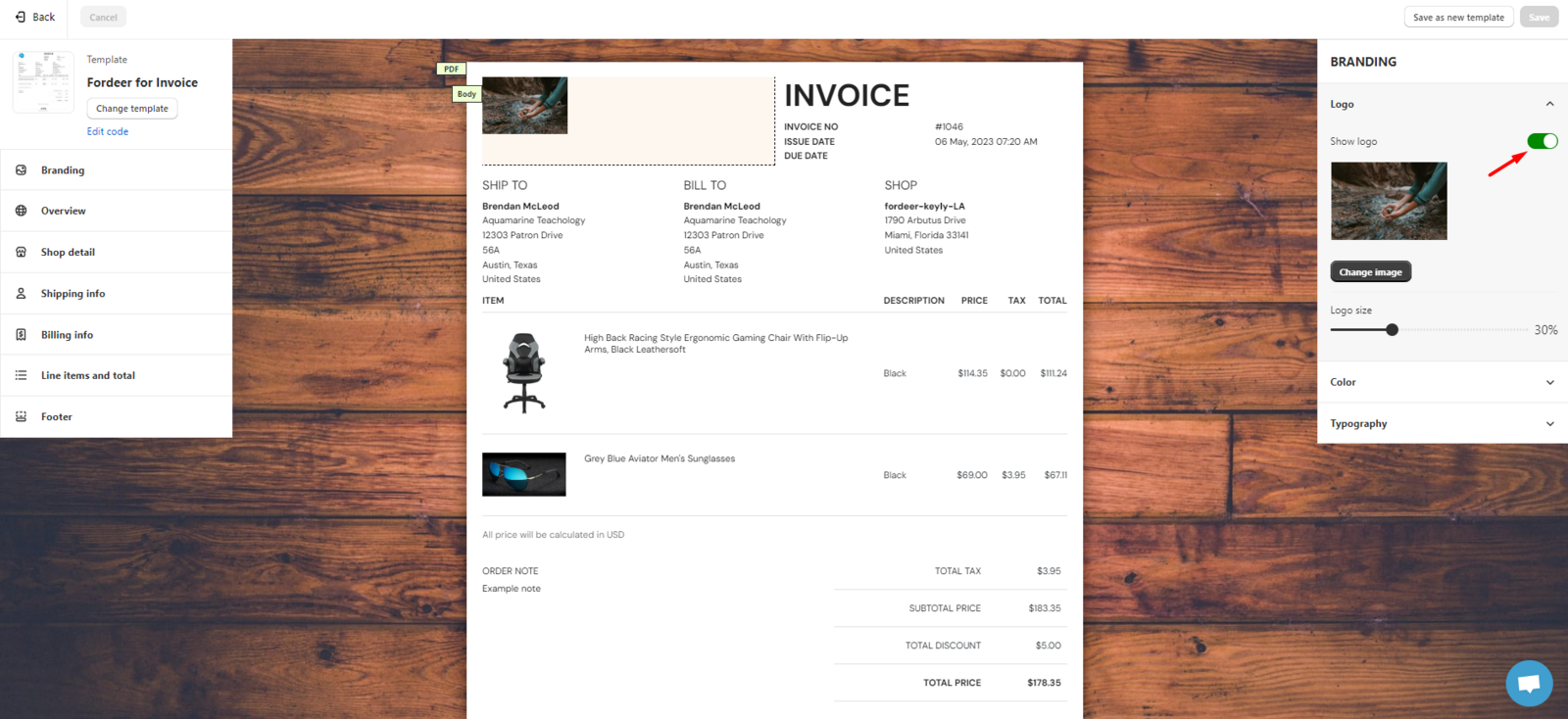
- Step 3. Here, please turn on the Show logo button.
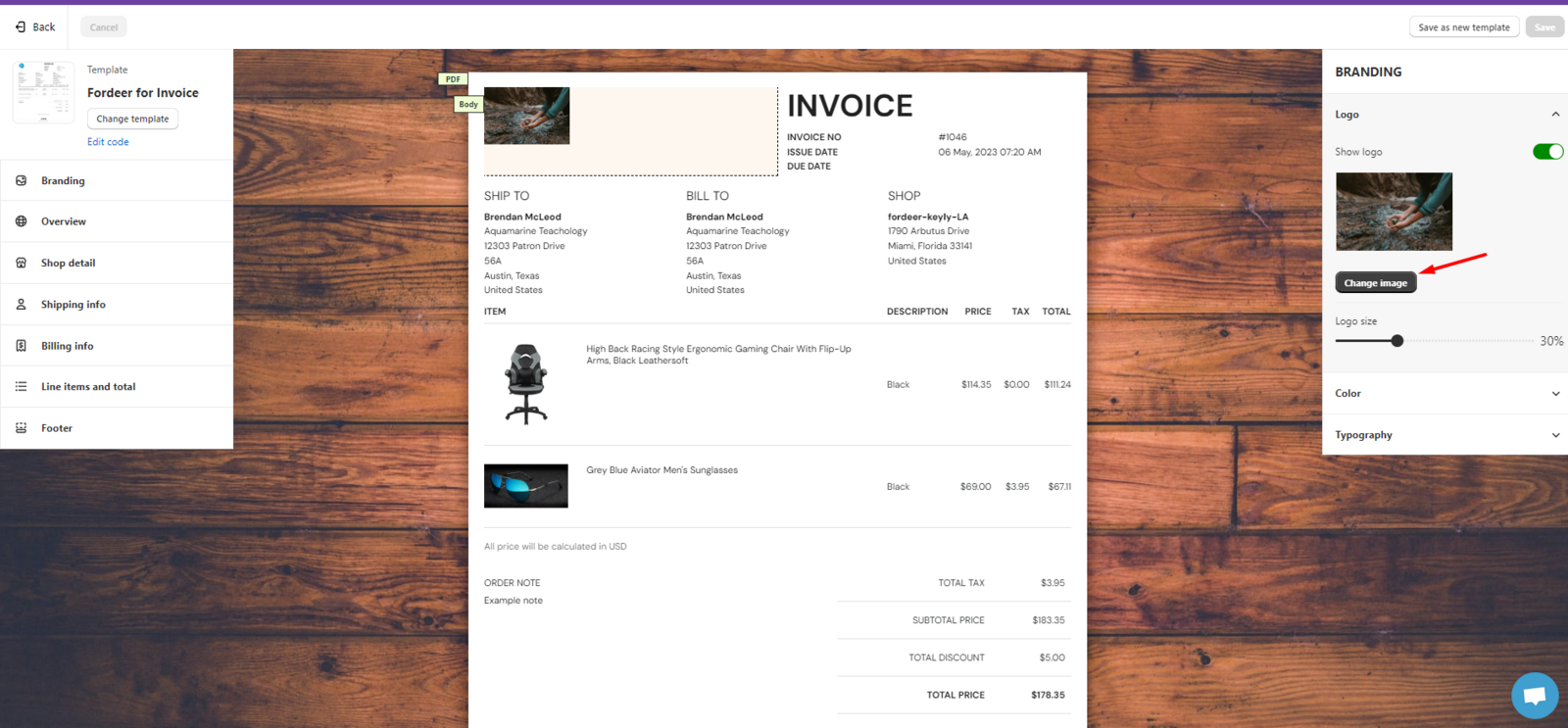
- Step 4. You can see the Change image button. Click on it and upload your logo directly from your computer.
- Step 5. Change the logo size as you wish, and don’t forget to Save the modification.
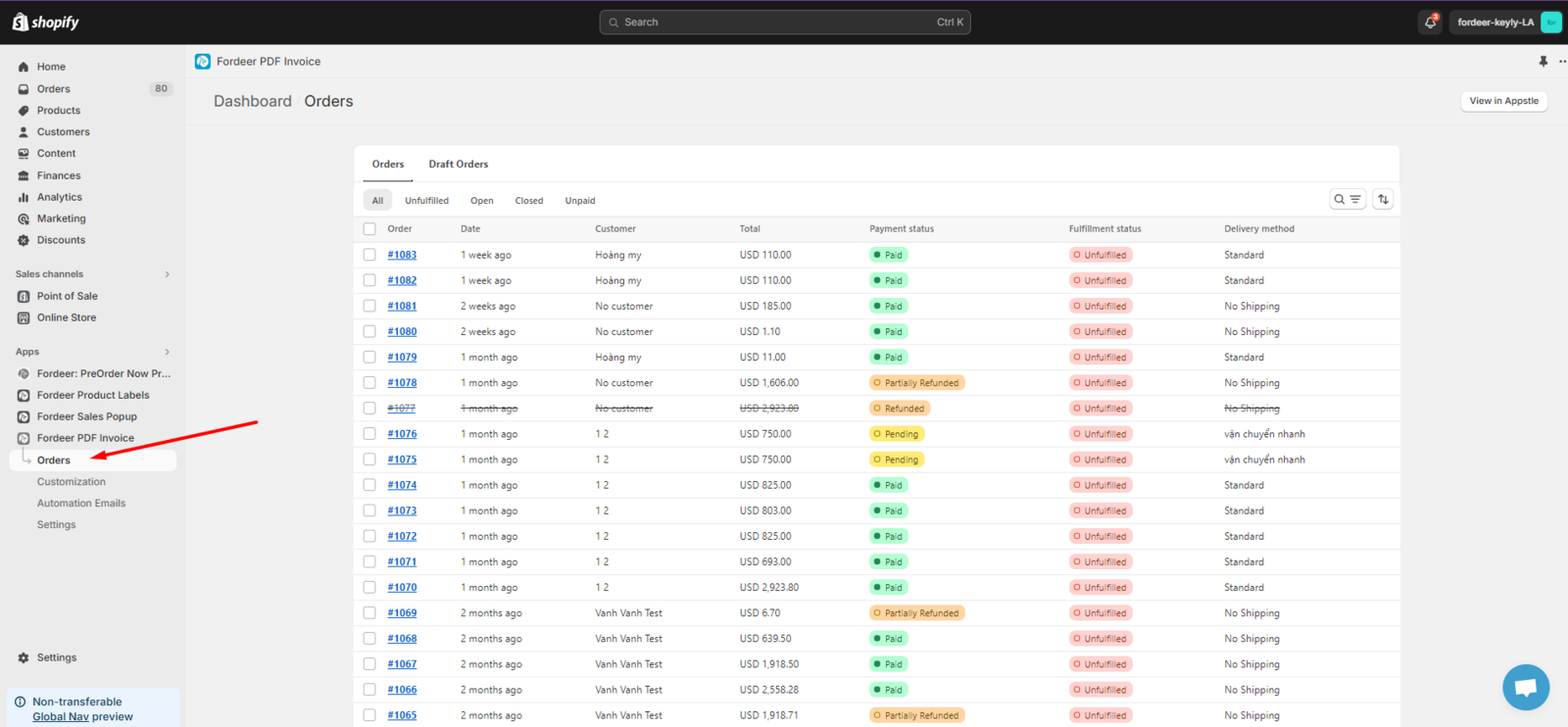
- Besides, you can also change the logo for a specific order by going to the Orders section in our app.
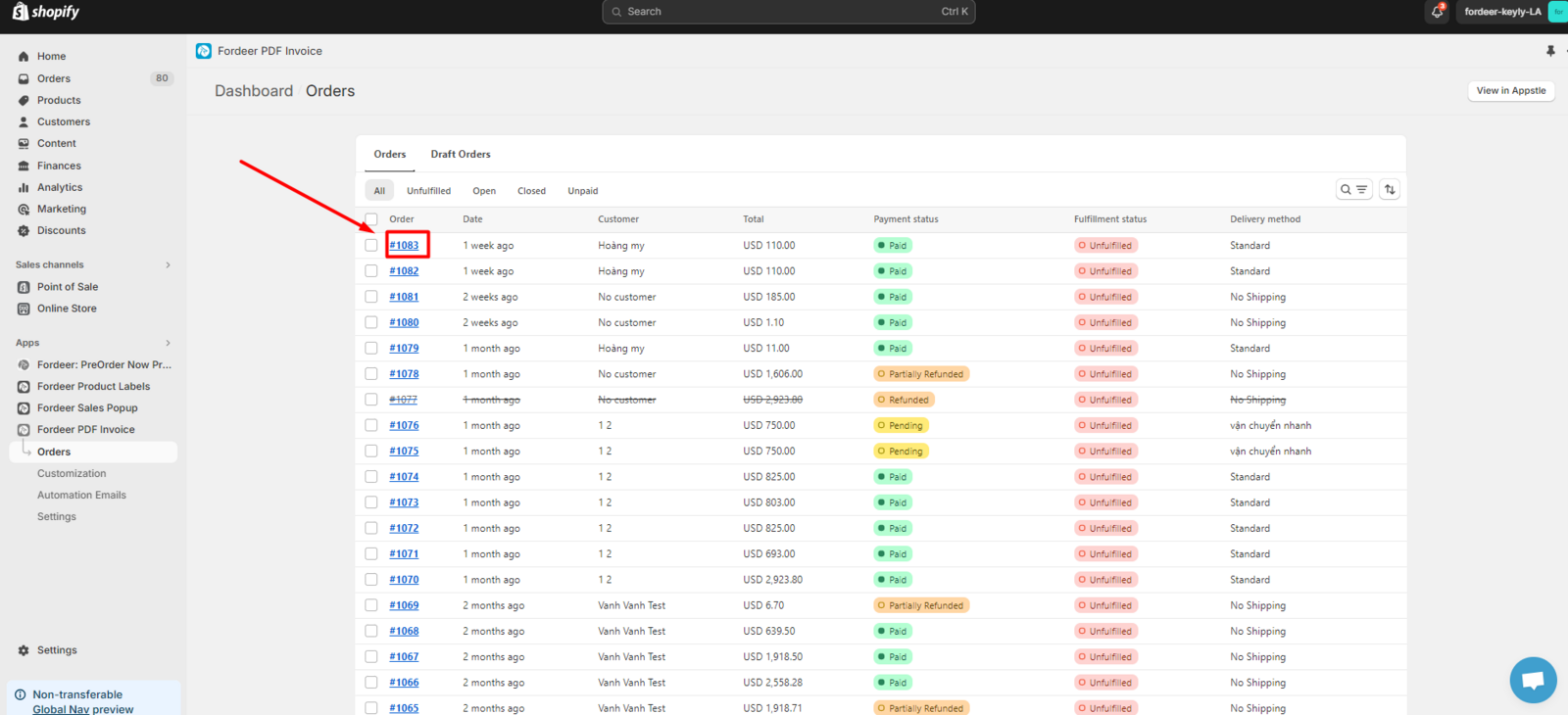
- Here you click on the order you want to edit to go to the order detail page.
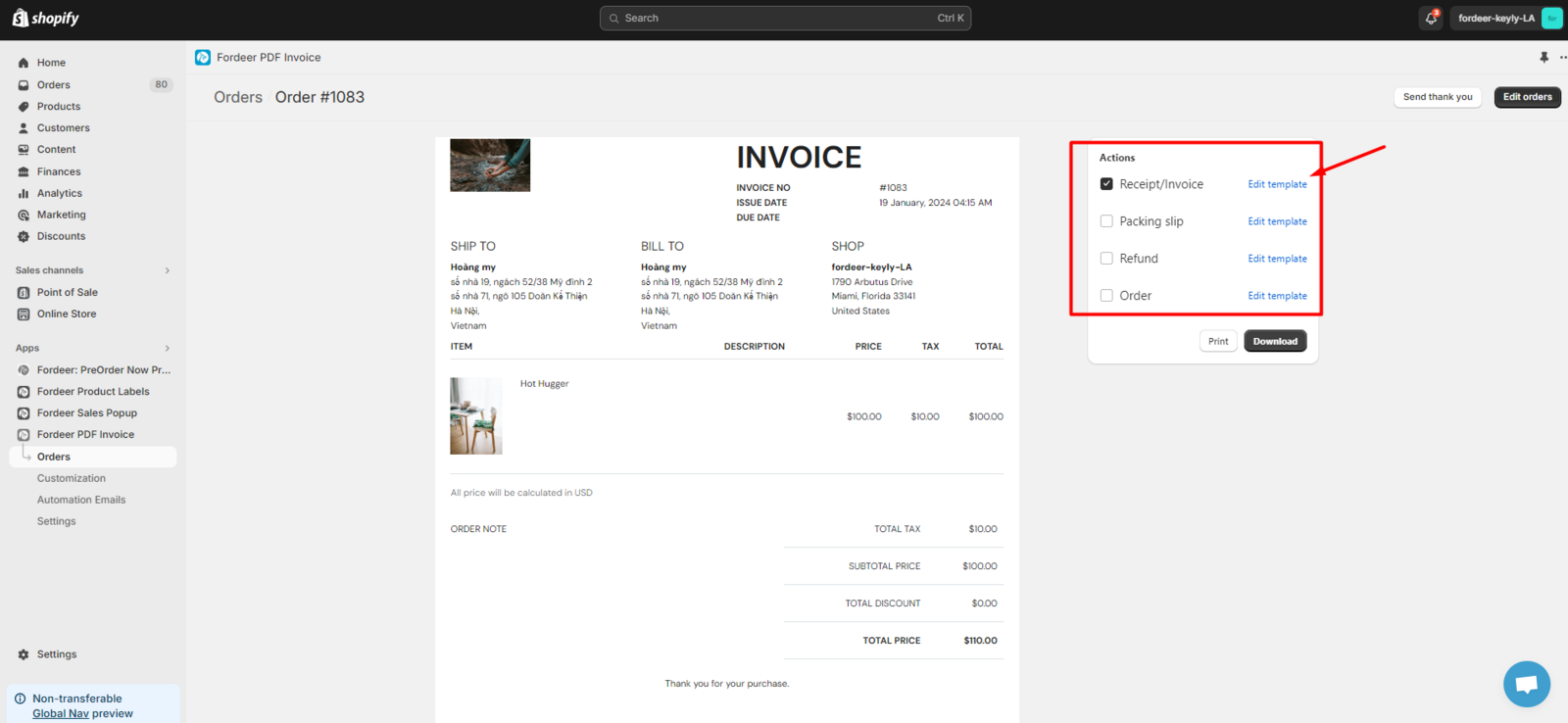
- In the order details page, please select Edit template. Here, it will appear on the Customize page, please do the same as I said above.
We value your feedback — it helps us continuously improve app and provide you with a better experience.
👉 Chat with us: Share your feedback directly with our team.
👉 Explore more apps: Discover more Fordeer apps. special deals.
🕐 Working hours: 8:30 AM – 5:00 PM (UTC+7), Monday–Friday.
We typically reply to live chats within minutes and emails within a few hours.
Need help? Feel free to reach out anytime via live chat or email!