
Before you can send out any email campaign in Fordeer, you need to have a verified sender. You have three options to add a sender:
-
Use Fordeer sender domain and email service (Default)
-
Use your email account and Fordeer email service
-
Use your email account and your custom SMTP
In this guide, we will walk you through by steps to set up your email automation configuration.
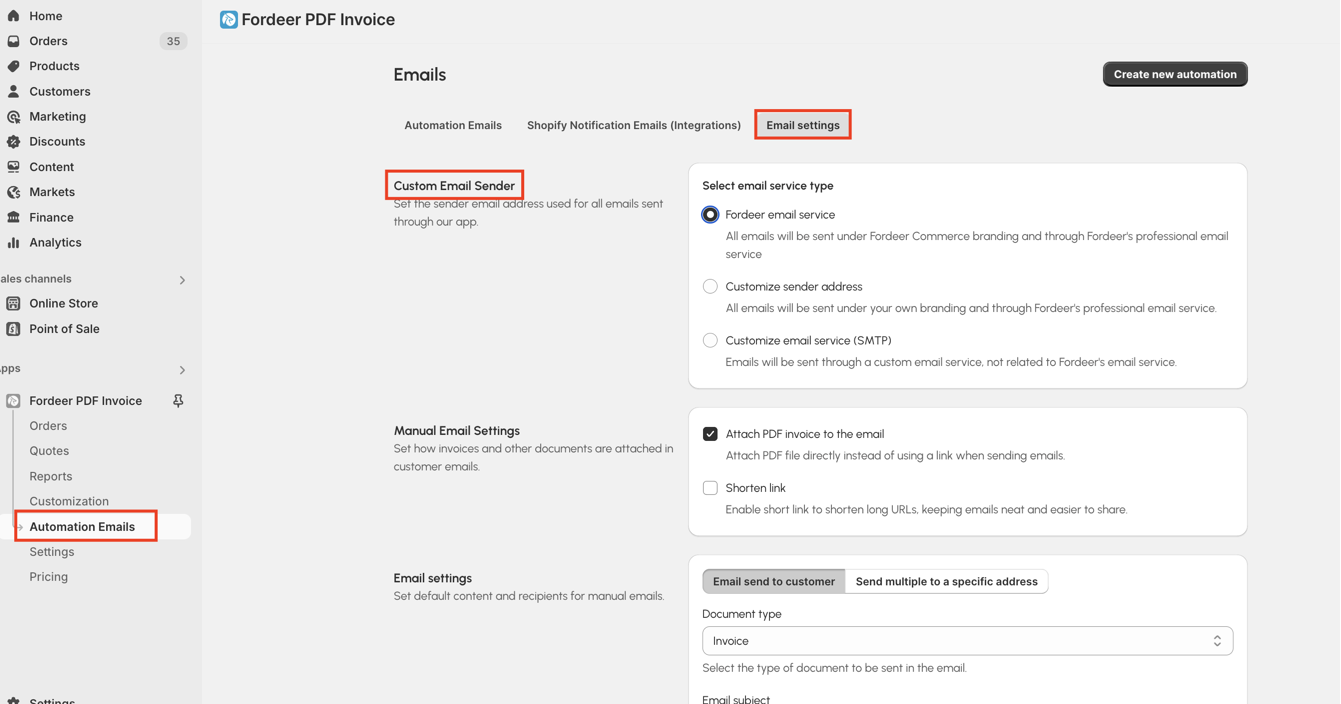
Step 1: Access “Custom Email Sender” page
Go to Automation Emails on our app, then click Email settings > Custom Email Sender . Here select email service type to meet your needs and your plan.
Step 2: Select the option that you want to follow
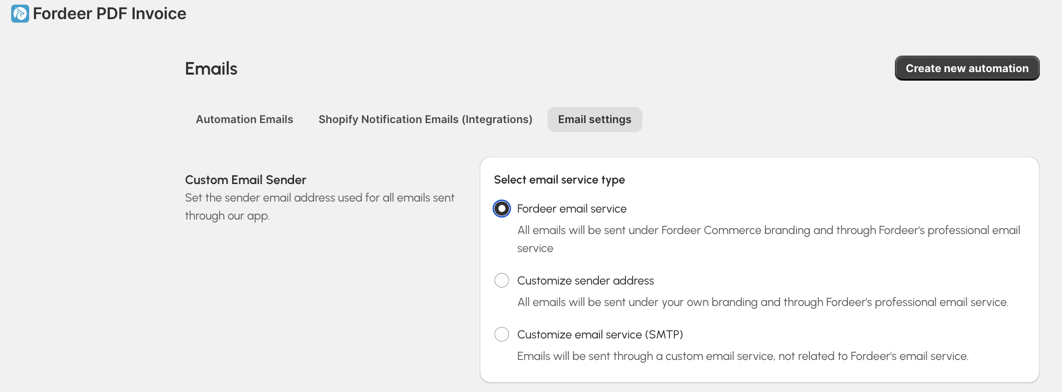
There are 3 options for you:
-
Use Fordeer sender domain and email service (Default)
-
Use your email account and Fordeer email service
-
Use your email account and your custom SMTP
Step 3: Add the sender and complete the settings
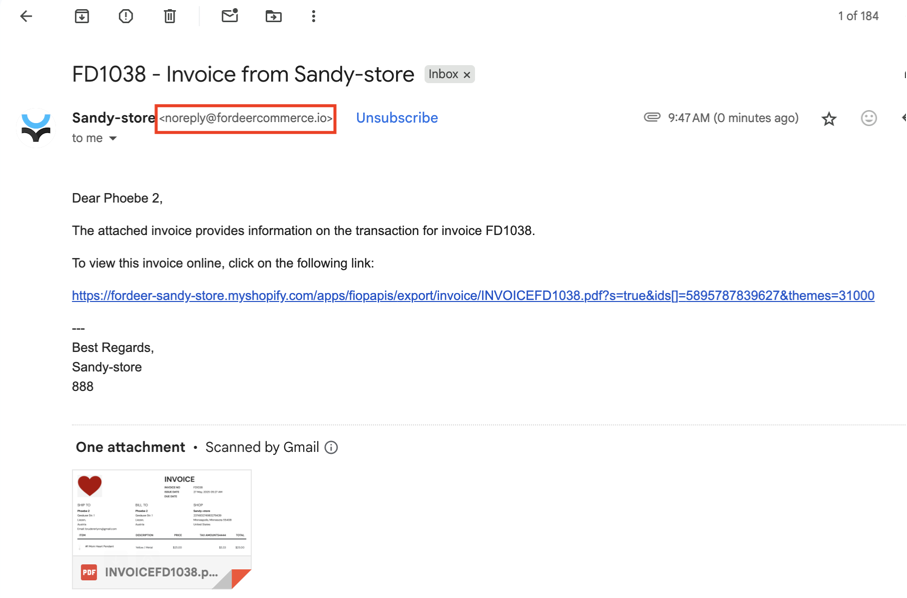
Option 1: Use Fordeer Email Service
All emails are sent from noreply@fordeercommerce.io via Fordeer's email service (Brevo Email Service).
Option 2: Customize sender address
All emails are sent from your email via Fordeer's email service (Brevo Email Service).
- Enter your Sender name and Sender email address
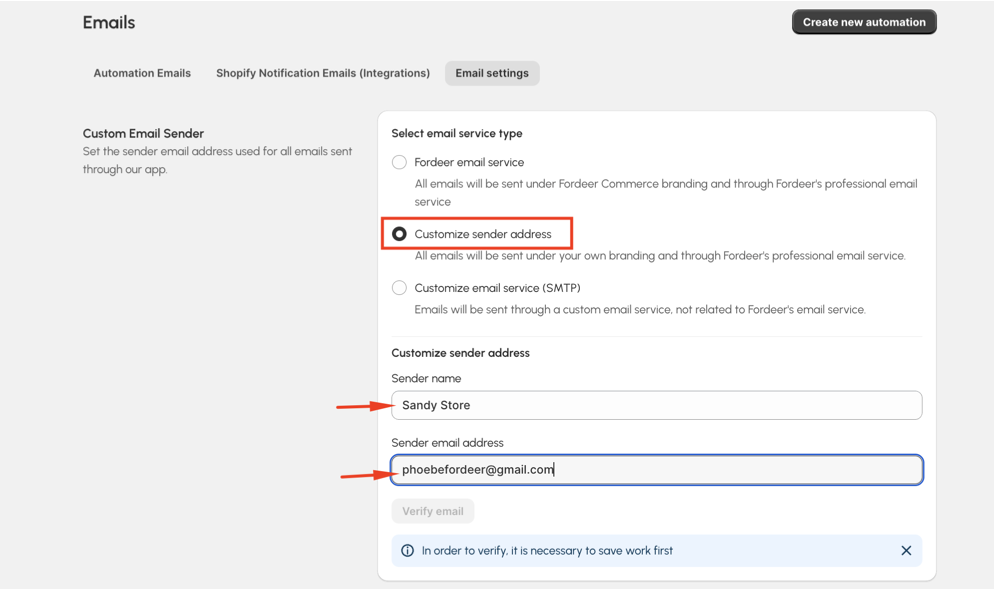
- Hit Save button and click Verify email button after that.
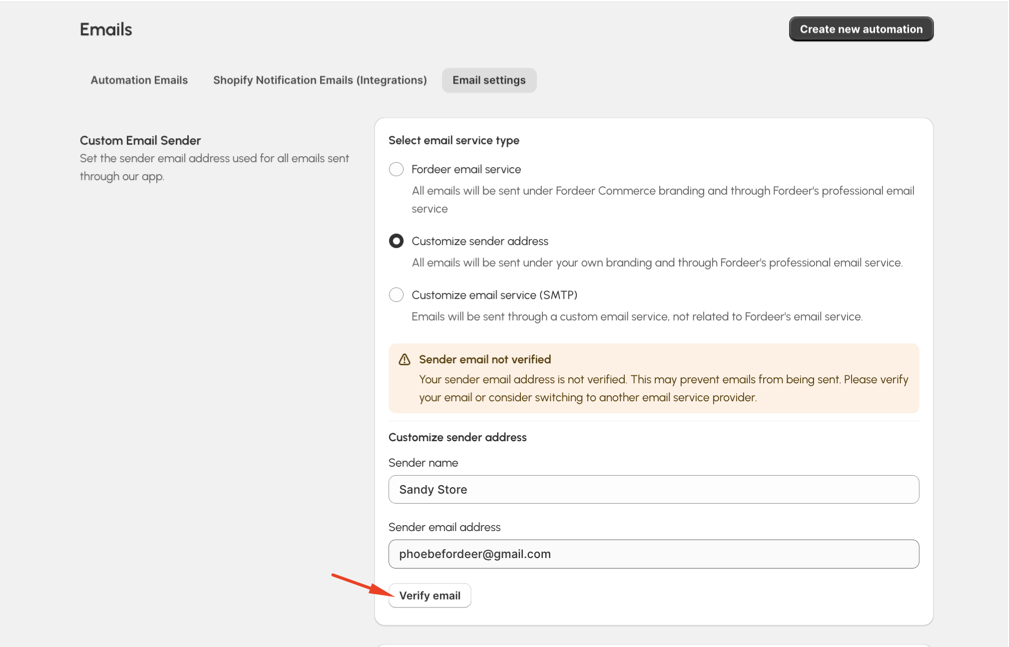
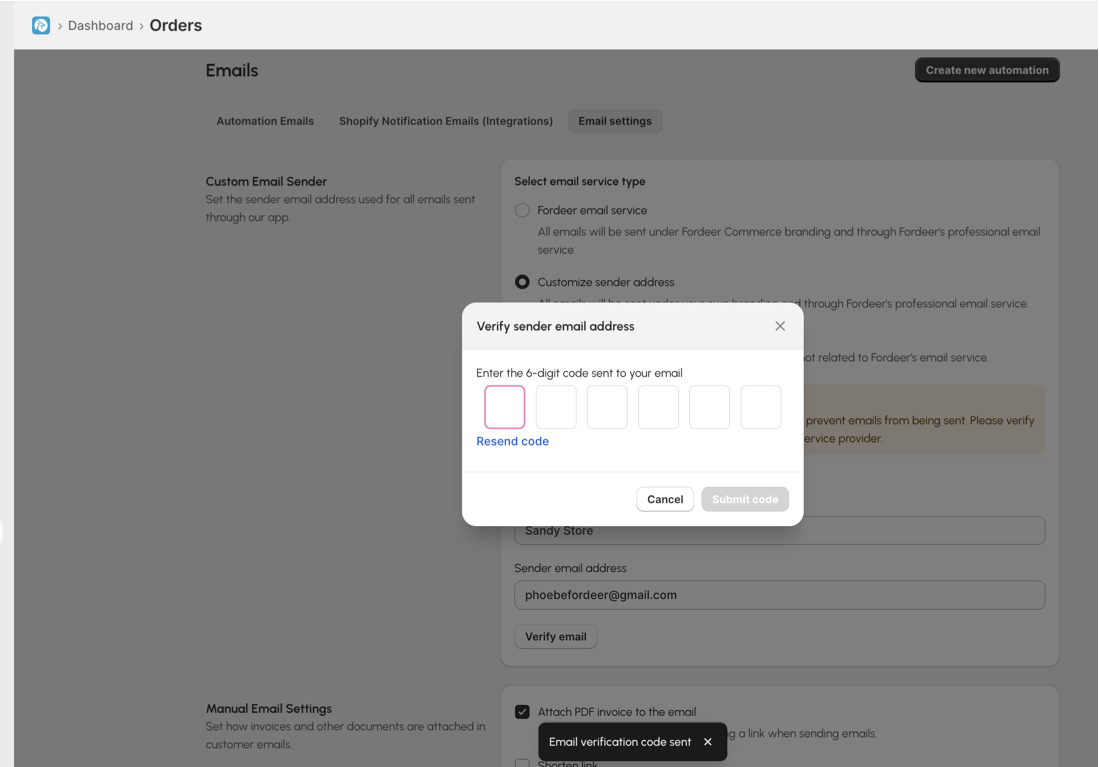
A modal will be opened and you need to fill out the code to complete the verification process.
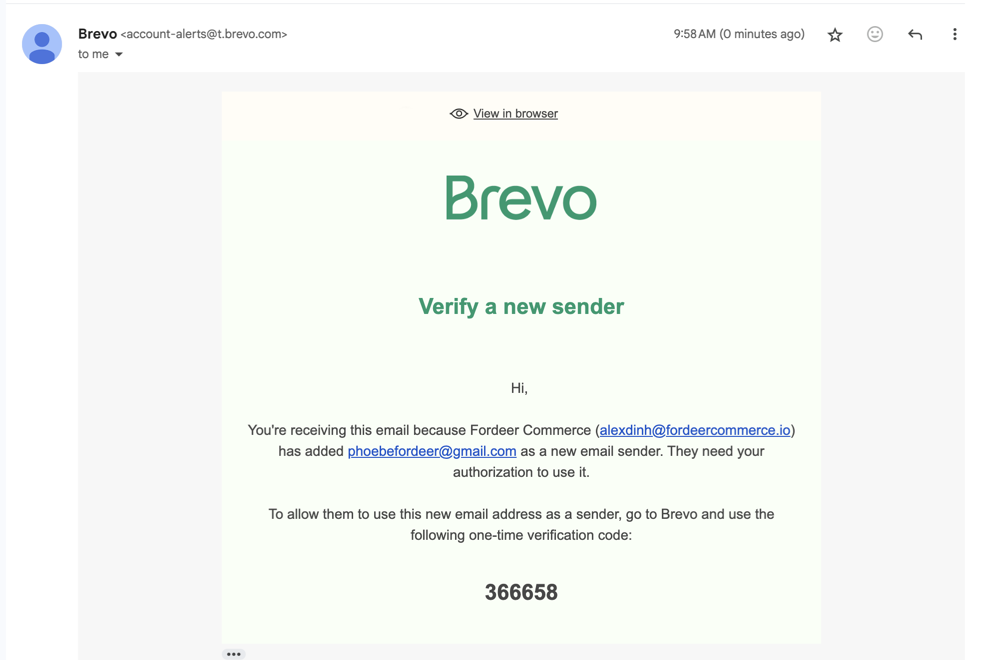
- An email will be sent to your email, open that email and get the code.
- Paste/enter the code to our app and hit Submit code button
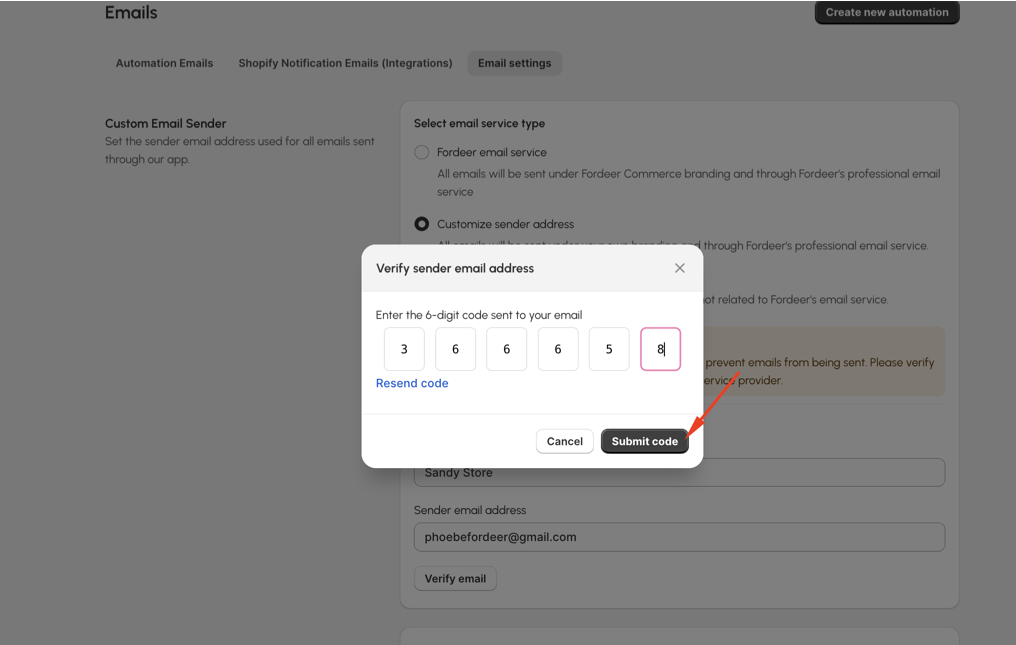
After verifying your email successfully, you can start sending your email automation by your custom sender as the default one.
If you aren't a fan of reading, you can watch the below screen recording to learn how to verify your email
Option 3: Customize email service
Different from the option 2, you can use your email account and your own custom SMTP to send all your automation campaign.
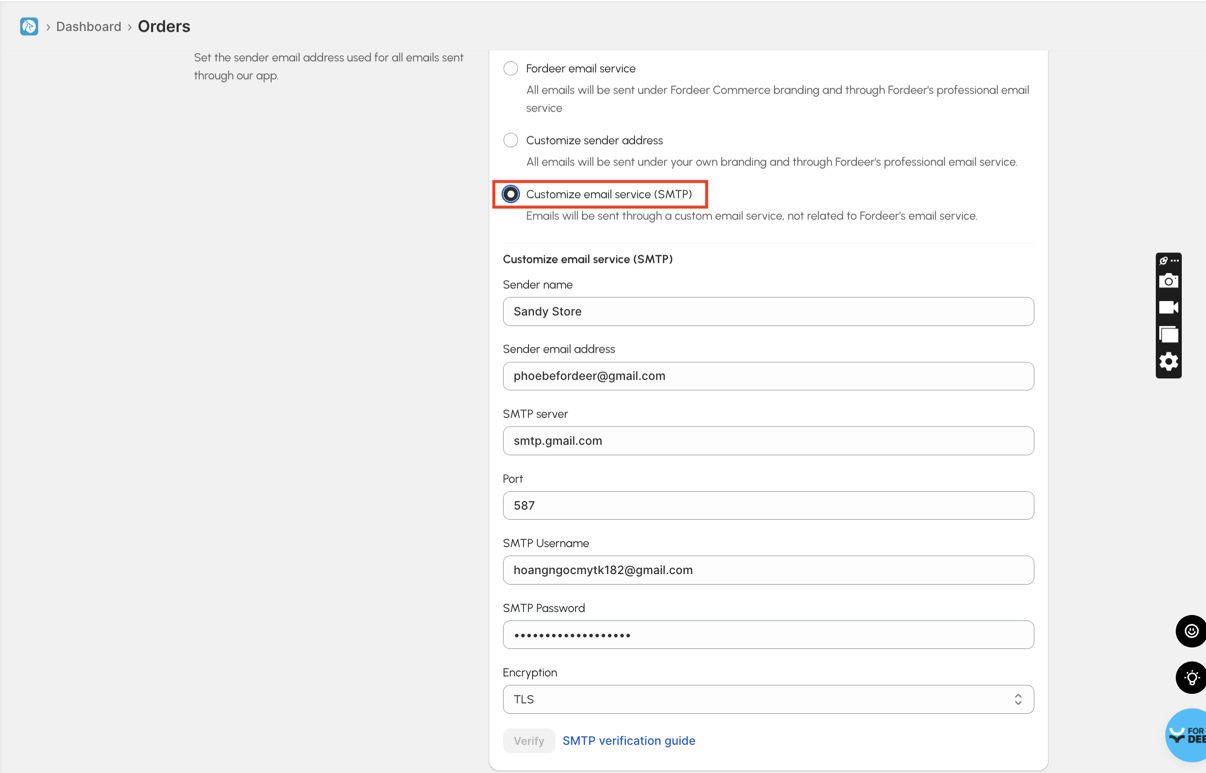
When you select this option, you need to fill up all information about your custom SMTP service.
You can refer to this article to learn how to set up your email SMTP. Check out now!
If you use Google Account, check out our helpdesk article to learn how to set up SMTP for Gmail
Please give it a try and do not hesitate to contact us if email does not send as you expect, we will be more than happy to assist you.
We value your feedback — it helps us continuously improve app and provide you with a better experience.
👉 Chat with us: Share your feedback directly with our team.
👉 Explore more apps: Discover more Fordeer apps. special deals.
🕐 Working hours: 8:30 AM – 5:00 PM (UTC+7), Monday–Friday.
We typically reply to live chats within minutes and emails within a few hours.
Need help? Feel free to reach out anytime via live chat or email!