
Hello from Fordeer,
When shipping internationally, your customers may be charged additional duties and import taxes. If you meet the requirements to charge these at checkout through Shopify, you can now display that information directly on your Fordeer invoices.
How to enable duties on your invoices?
To add the duties field to your invoice template, follow these steps:
- Open the app and go to the Customization tab.
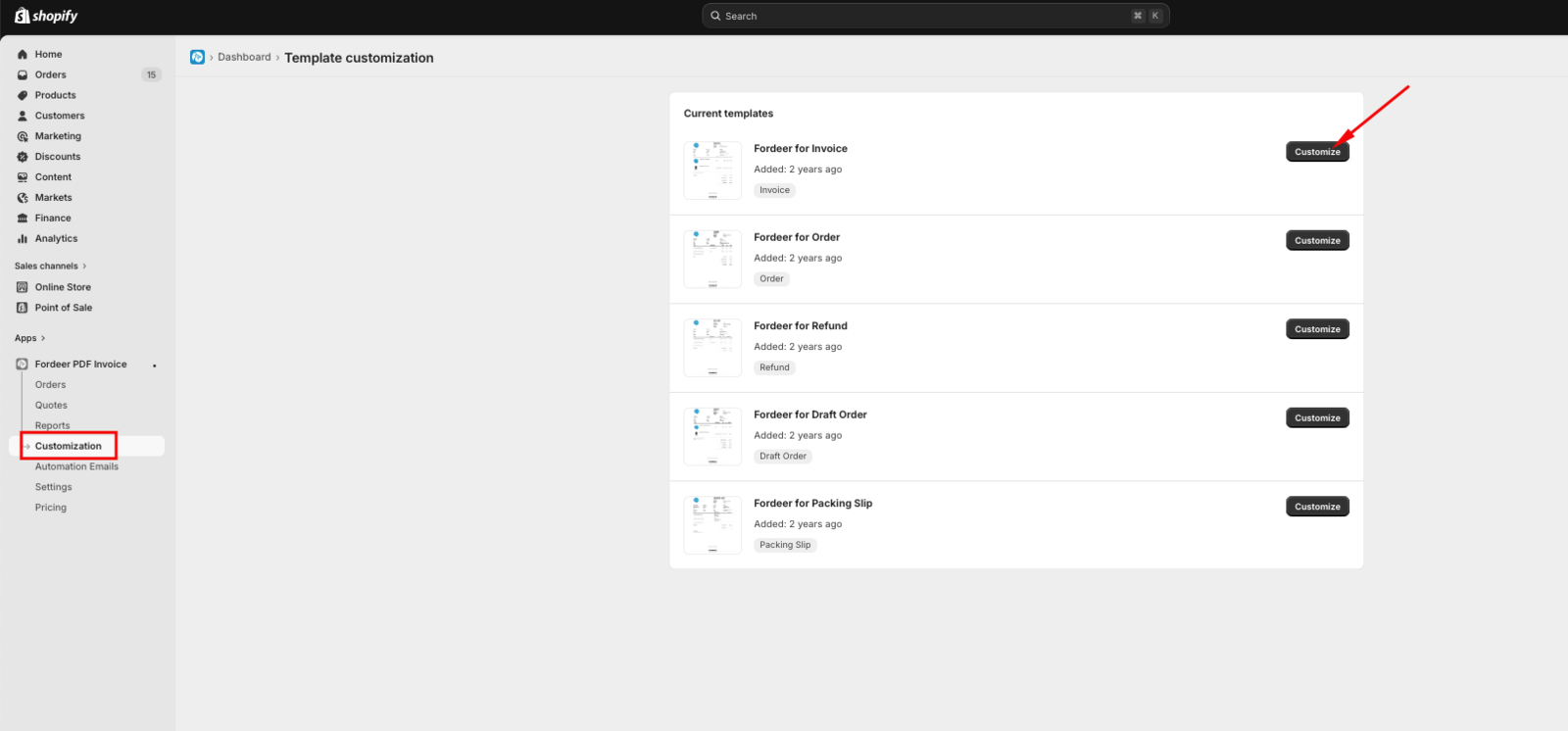
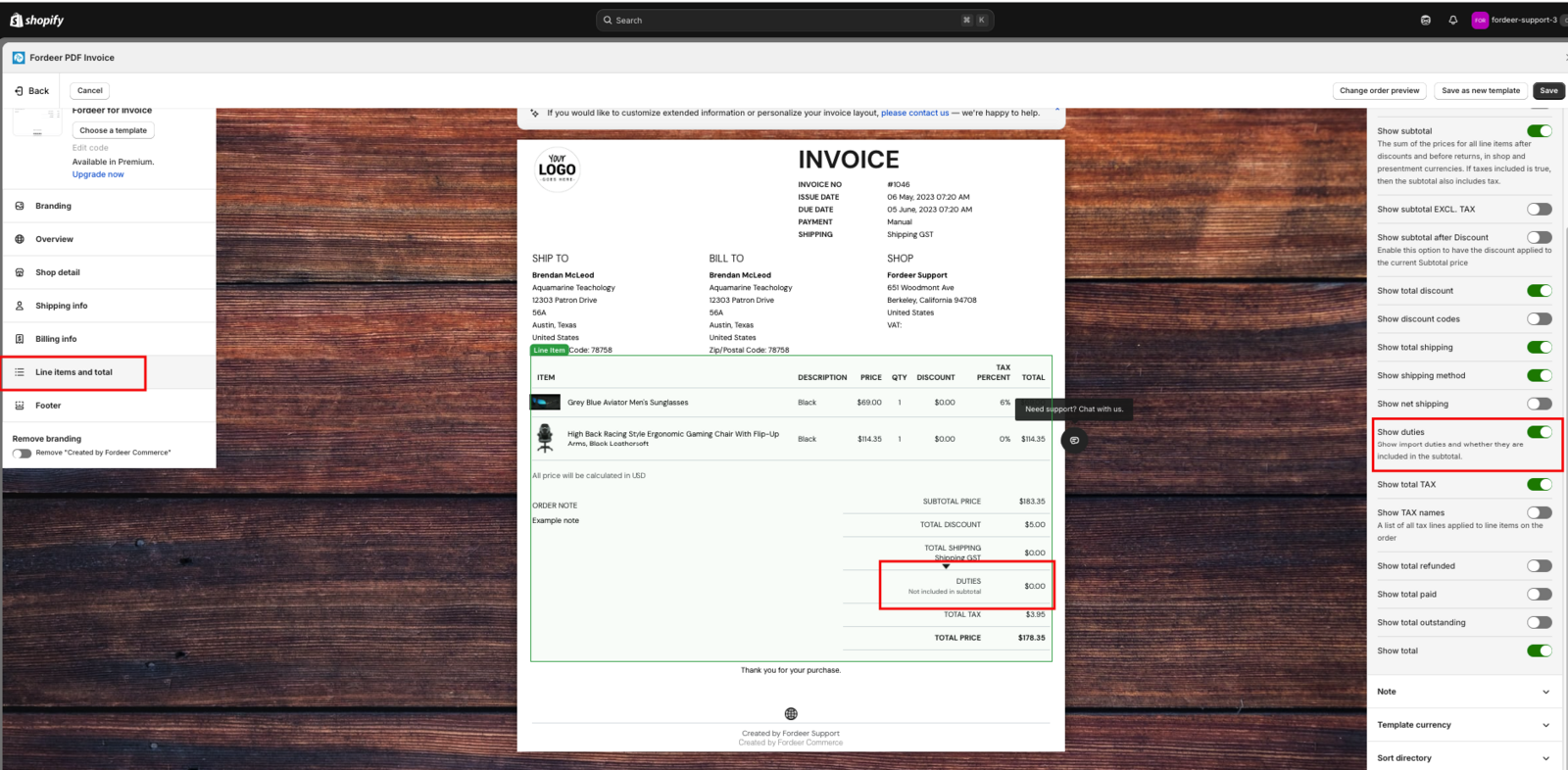
- Navigate to the Line items & total section > Select Total column > Find the Show duties feature and switch the toggle to on.
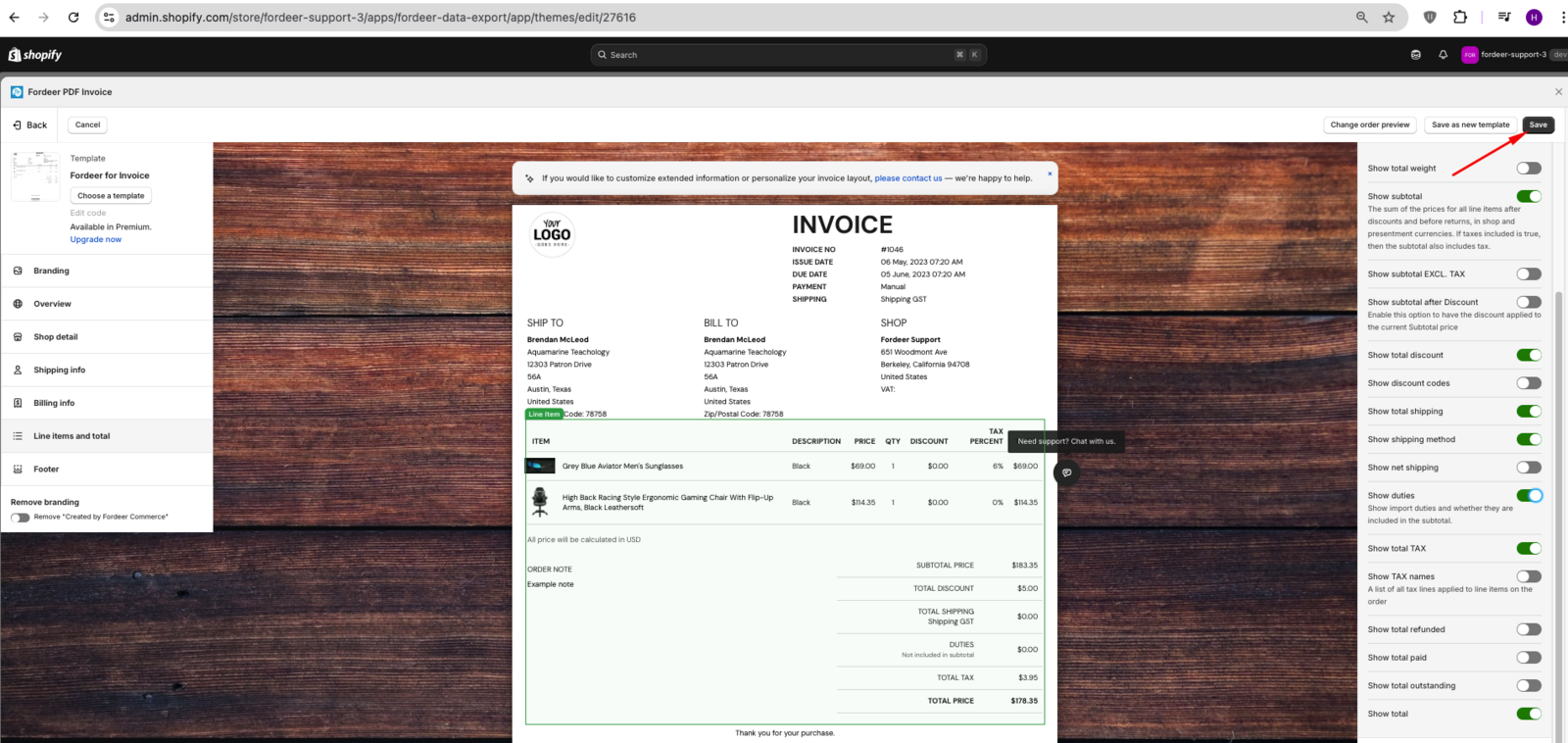
- Click Save to apply the changes.
How duties appear on your invoices?
Depending on your Shopify tax settings, duties will display in one of two ways:
Case 1: Duties as a separate line item
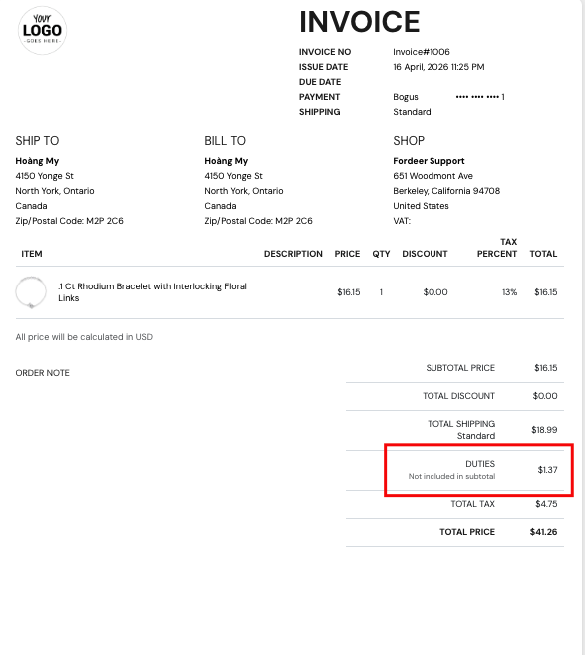
If duties are not included in your product prices, they will appear as a separate line item in the "Total" section of the invoice.
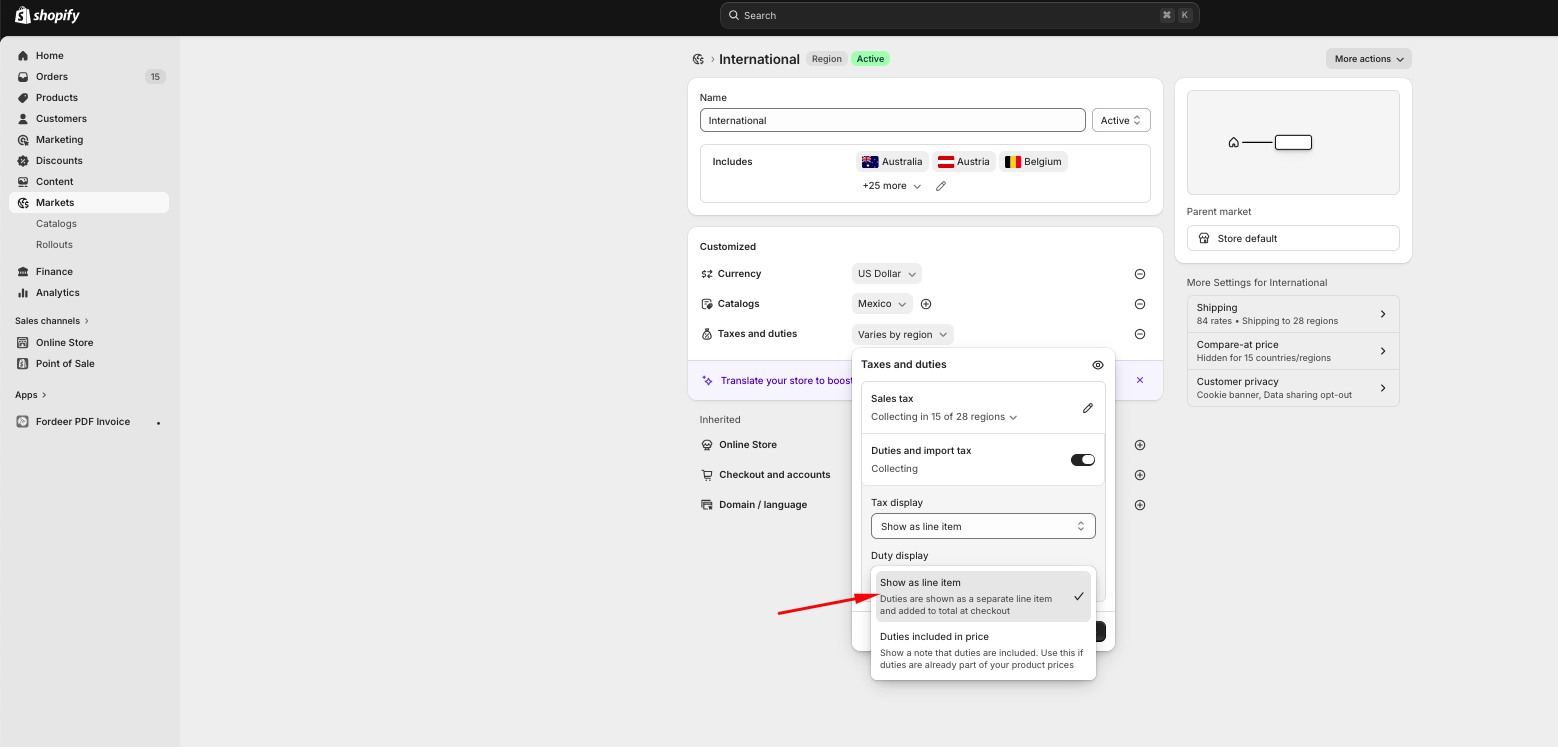
On the invoices, duties will be displayed like the image below:
Fordeer Invoice:
Default order on Shopify:
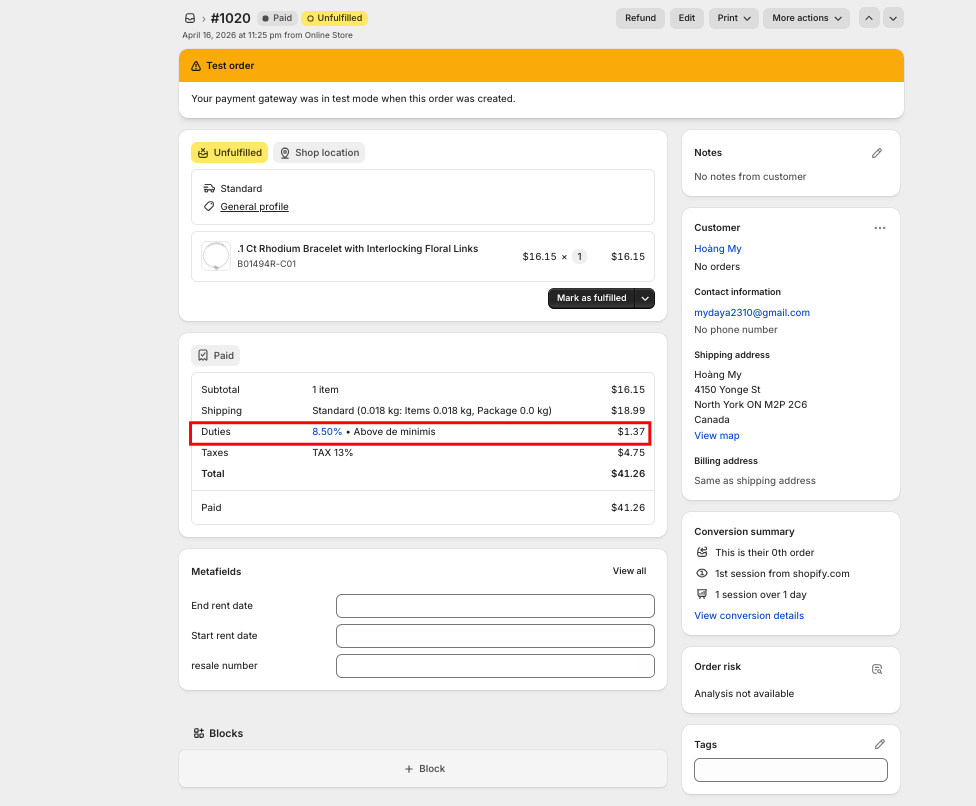
You can edit the Duties & Not included in subtotal label text to match your brand's language by visiting the Adjust translation section in our app.
Case 2: Duties included in product price
If duties are included in your product prices, the duty amount will be reflected within the subtotal rather than as a separate line.
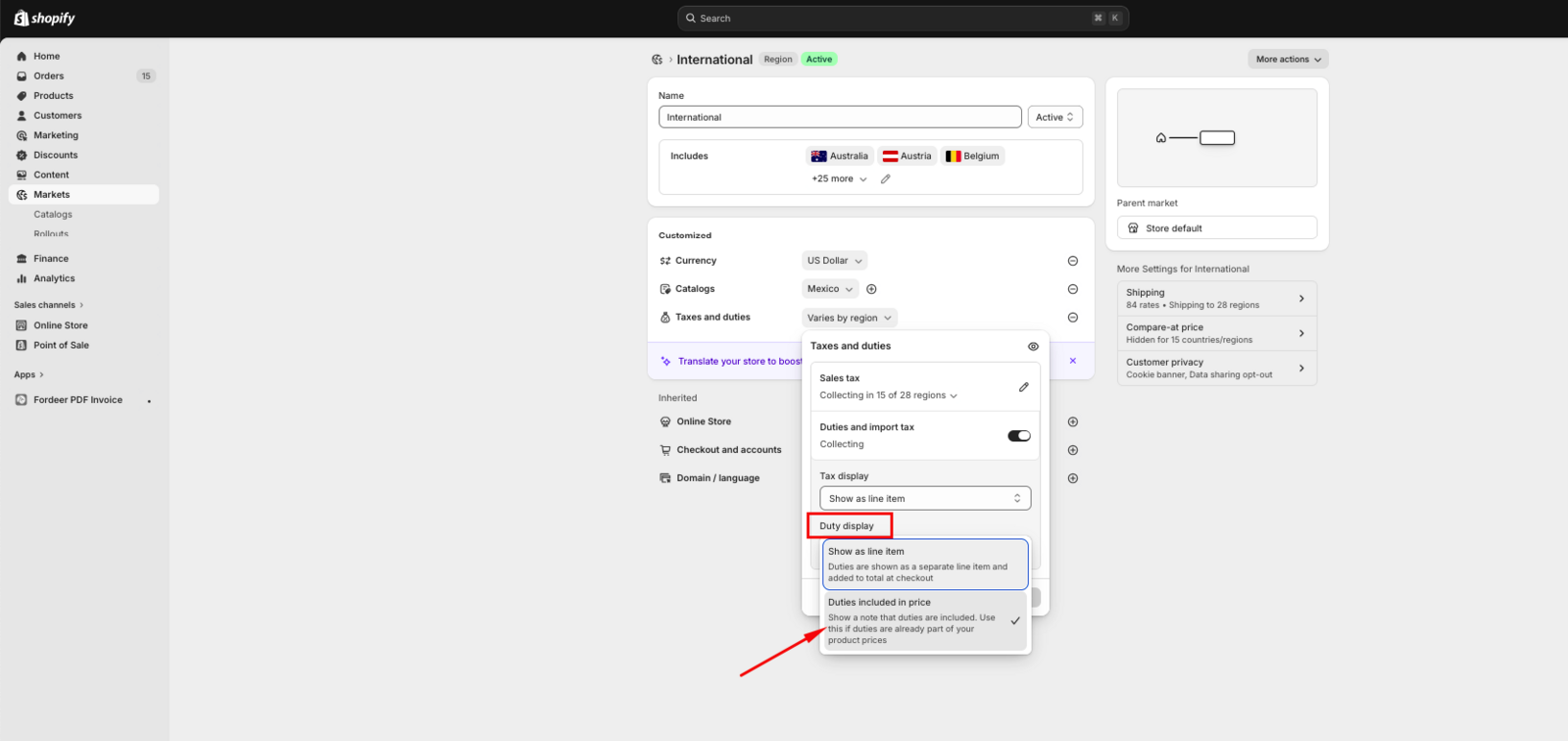
On the invoices, duties will be displayed like the image below:
Fordeer Invoice:
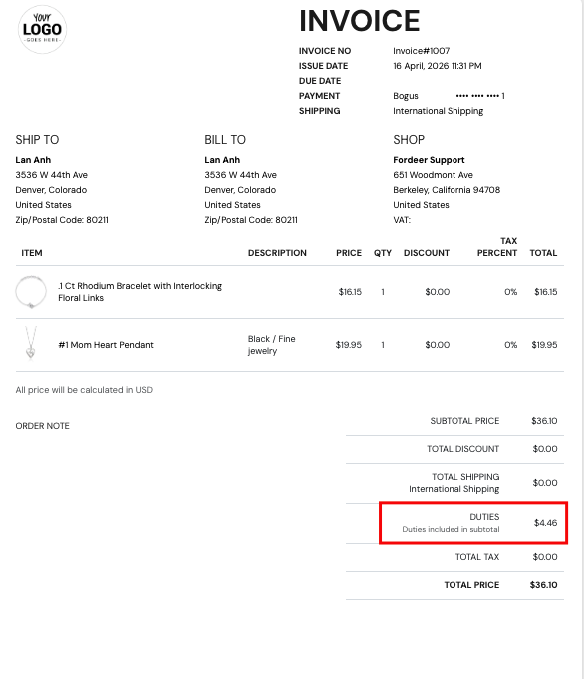
Default order on Shopify:
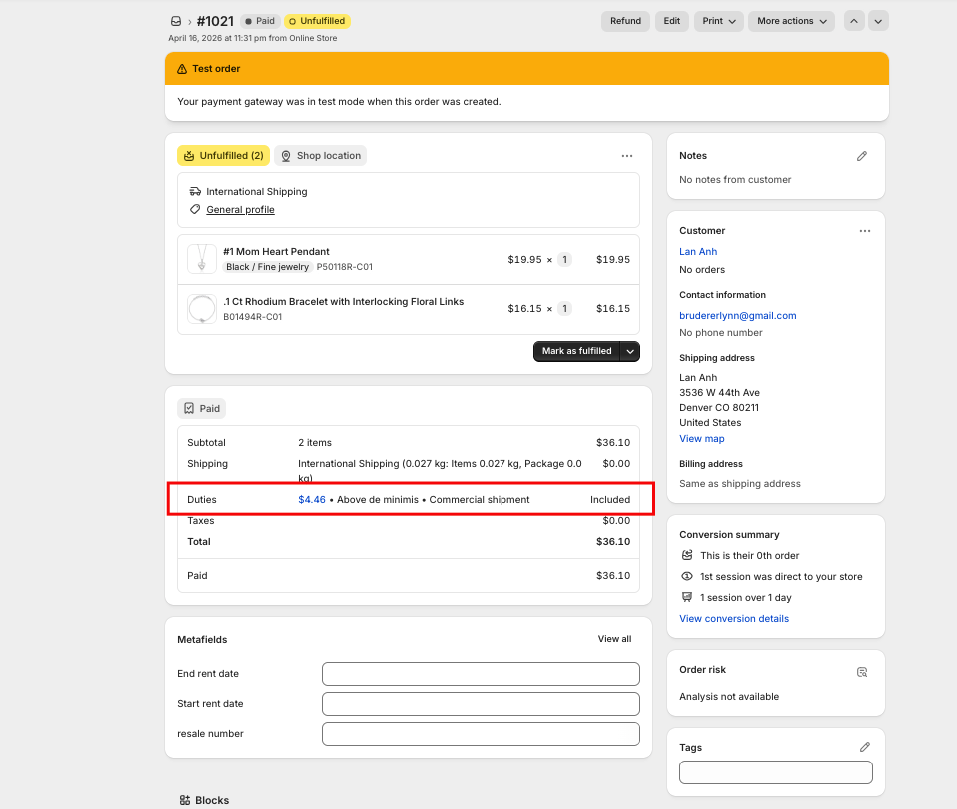
You can edit the Duties & Duties included in subtotal label text to match your brand's language by visiting the Adjust translation section in our app.
All duty and tax information is pulled directly from your Shopify Order data. Fordeer displays this information but does not calculate the amounts.
If the duty amounts appear incorrect, please double-check your Shopify tax settings first.
If you encounter any issues with how duties are displaying or need further assistance, please feel free to reach out to us. We’re here to help!
We value your feedback — it helps us continuously improve app and provide you with a better experience.
👉 Chat with us: Share your feedback directly with our team.
👉 Explore more apps: Discover more Fordeer apps. special deals.
🕐 Working hours: 8:30 AM – 5:00 PM (UTC+7), Monday–Friday.
We typically reply to live chats within minutes and emails within a few hours.
Need help? Feel free to reach out anytime via live chat or email!