
Hello from Fordeer,
Stores running on Shopify can display product prices in different currencies making your customers' experience smoother and more seamless, providing them with the ability to pay for their orders in their local currency.
If your Shopify store sells in multiple currencies, Fordeer can create and send invoices and receipts to your customers in the currency of purchase.
Our application allows you to show 2 types of currencies in the invoices. The system will automatically detect and display both currencies if the store's and customer's currencies are different.
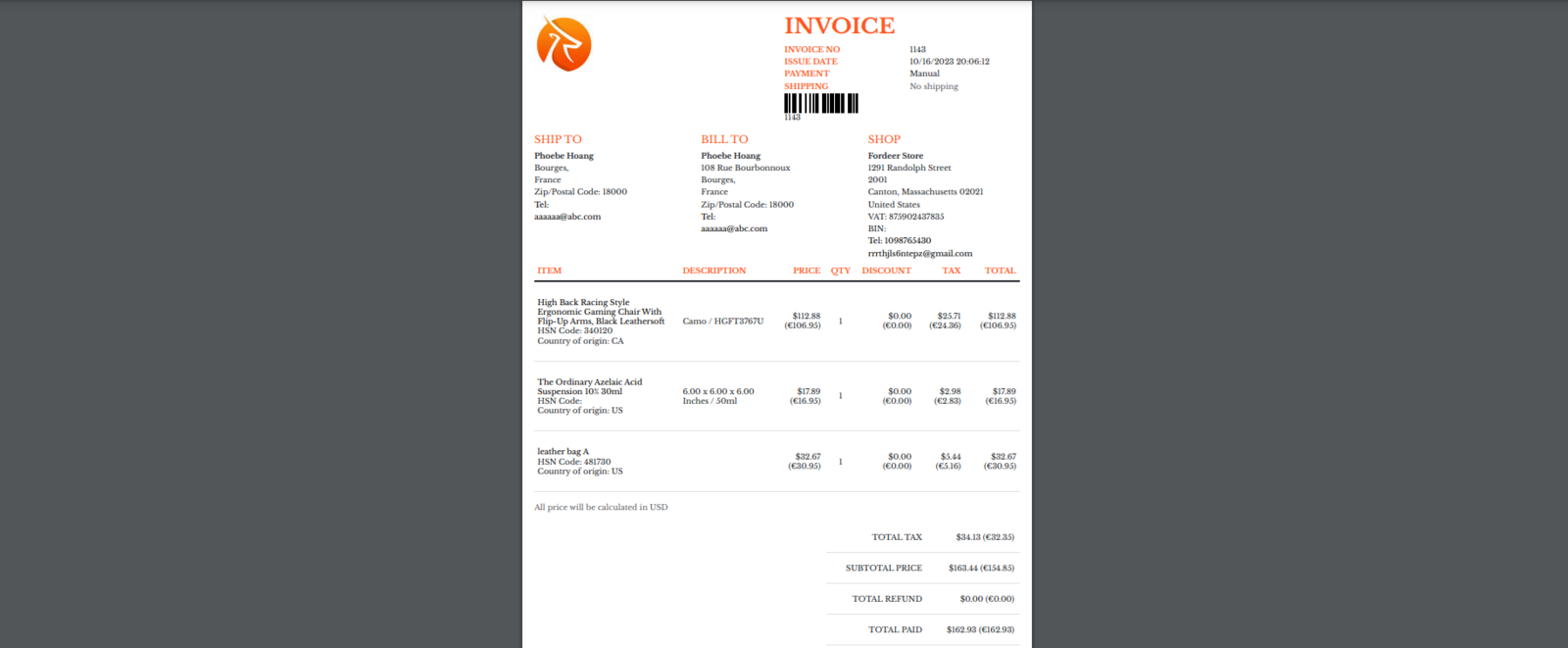
The invoice above shows two currencies ( € and $).
How to set up?
- Go to Customization page on the sidebar menu > Customize
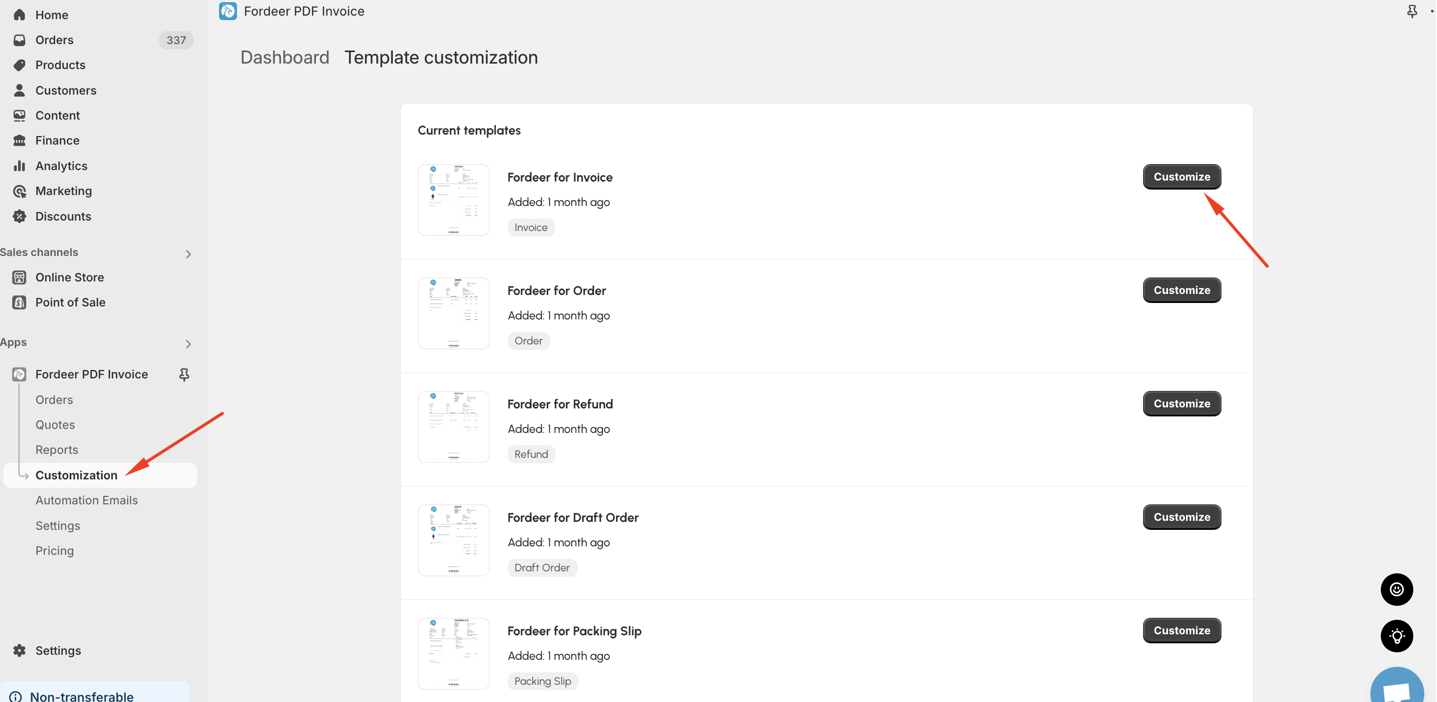
-
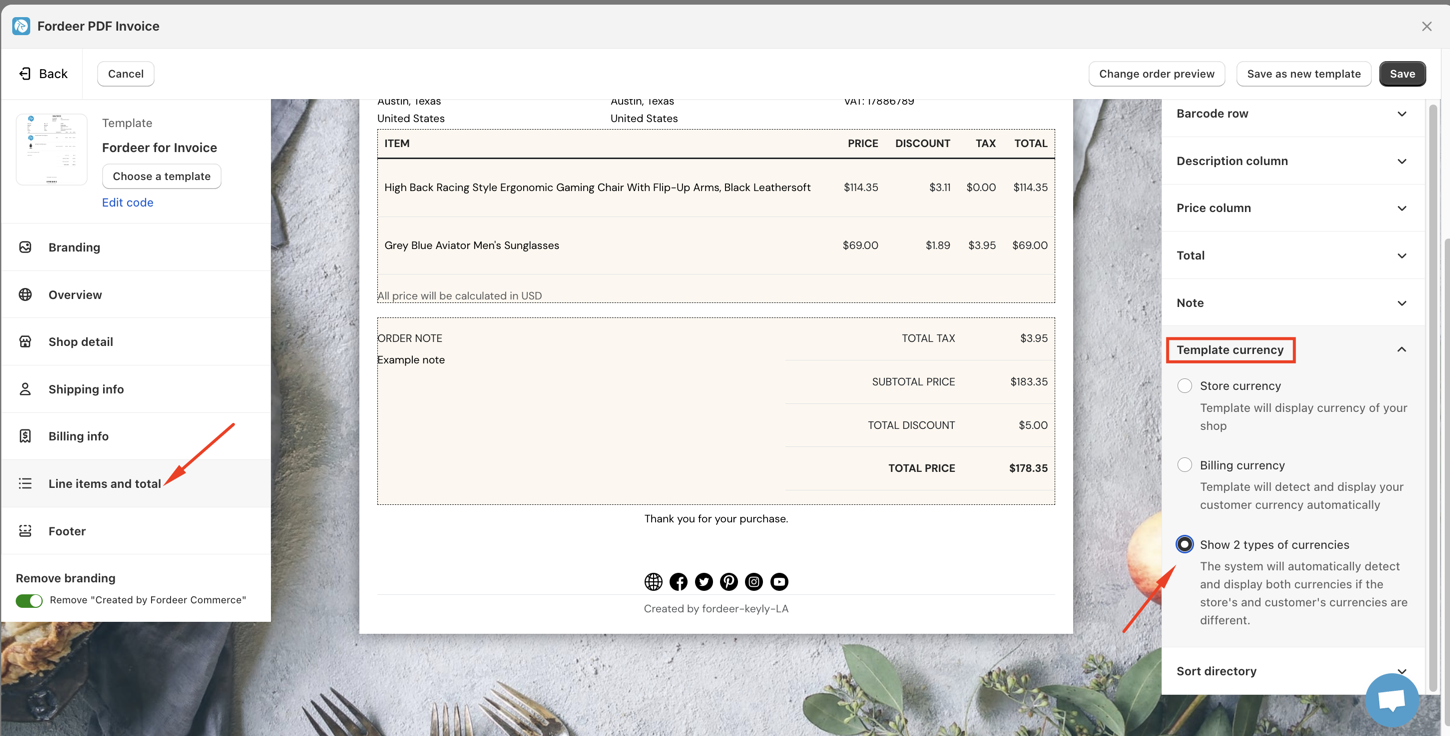
Go to Line items and total > Template currency
-
Select Show 2 types of currencies option
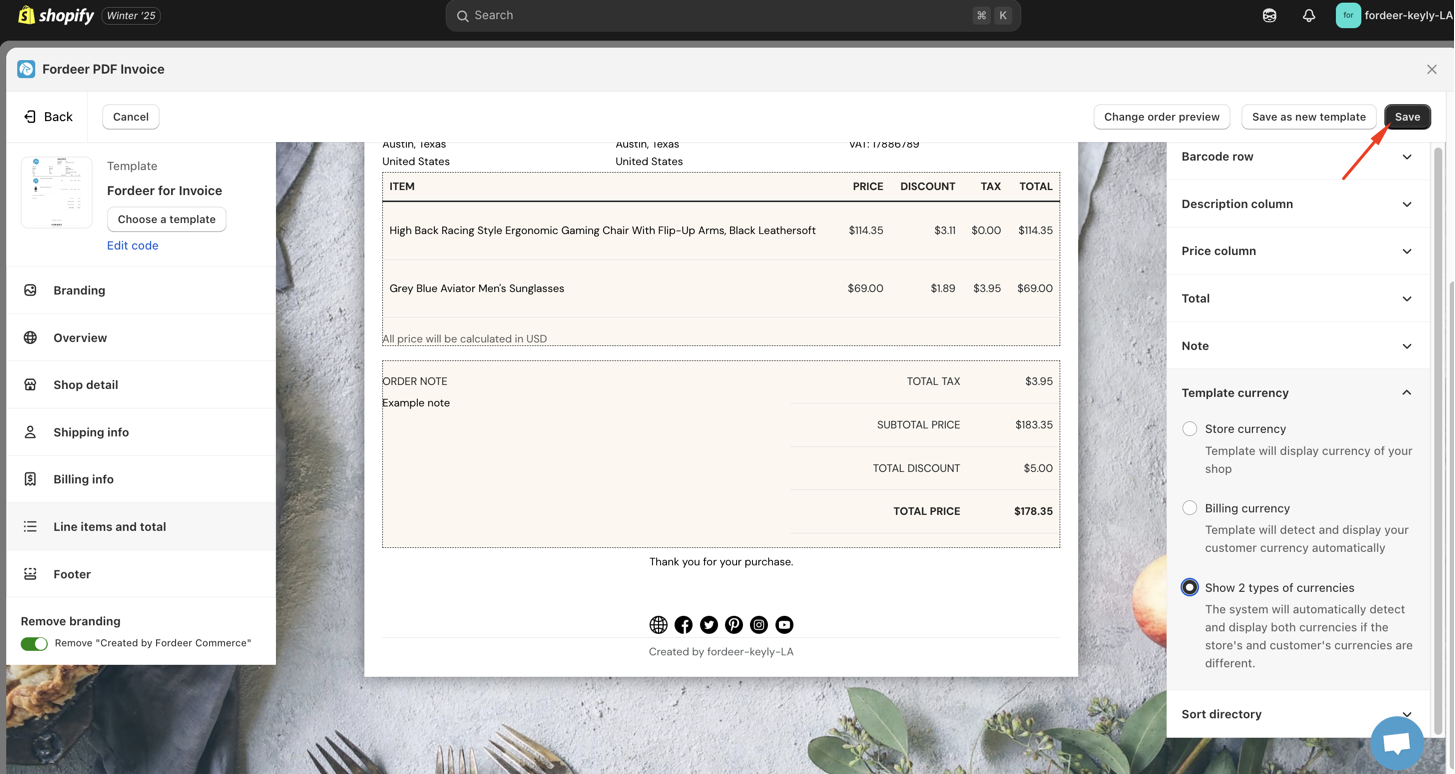
- Click Save at the end
- Download orders to check out again.
Selling and getting paid in different currencies has never been easier.
Important points to remember
-
Our app now uses data from your Shopify orders to generate invoices.
-
To ensure accurate invoice generation, please ensure your Shopify store is configured to use two currencies. Orders placed before enabling two currencies will not be reflected in our app, even after switching.
-
Only display 2 types of currencies if the store's and customer's currencies are different.
|
Please check it out and feel free to reach out to us if you have any questions along the way.
We value your feedback — it helps us continuously improve app and provide you with a better experience.
👉 Chat with us: Share your feedback directly with our team.
👉 Explore more apps: Discover more Fordeer apps. special deals.
🕐 Working hours: 8:30 AM – 5:00 PM (UTC+7), Monday–Friday.
We typically reply to live chats within minutes and emails within a few hours.
Need help? Feel free to reach out anytime via live chat or email!