
To update the currency format in your invoice process, please adhere to these instructions:
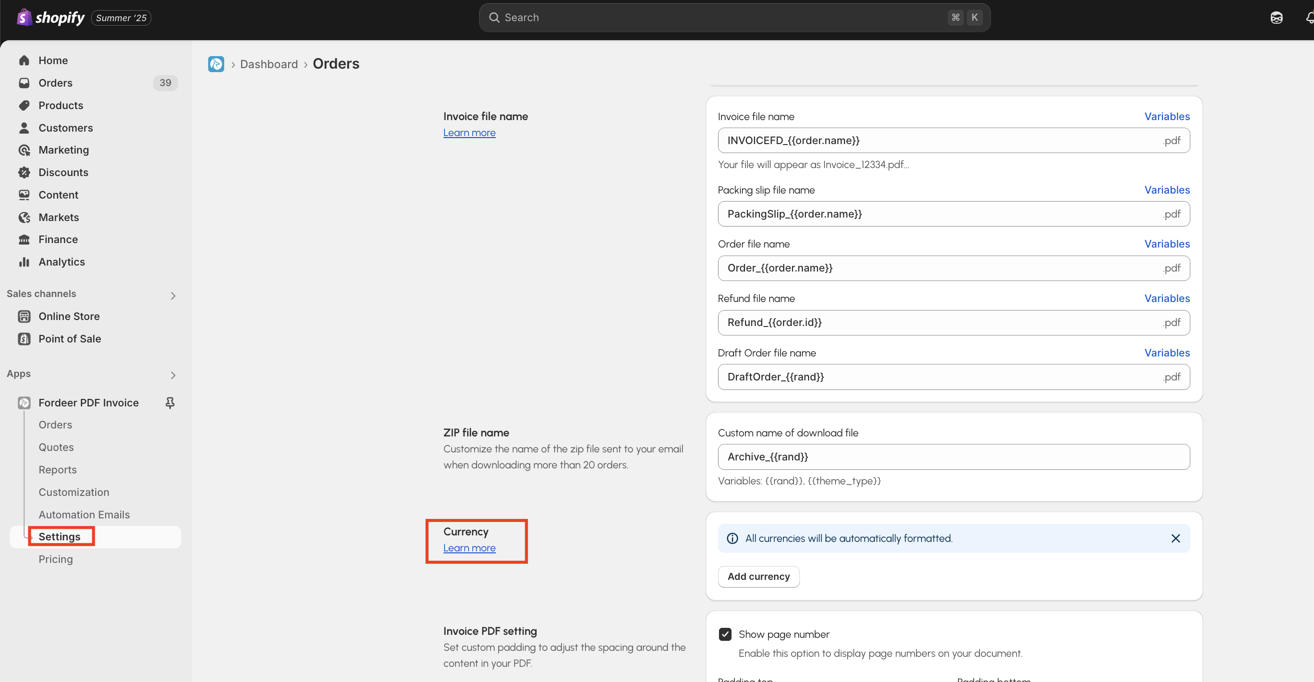
- Go to Settings on our app > **Invoice settings > Scroll to locate the Currency section.
-
Click Add button and a modal setting will appear
-
Input the currency and customize the currency format according to your requirements.
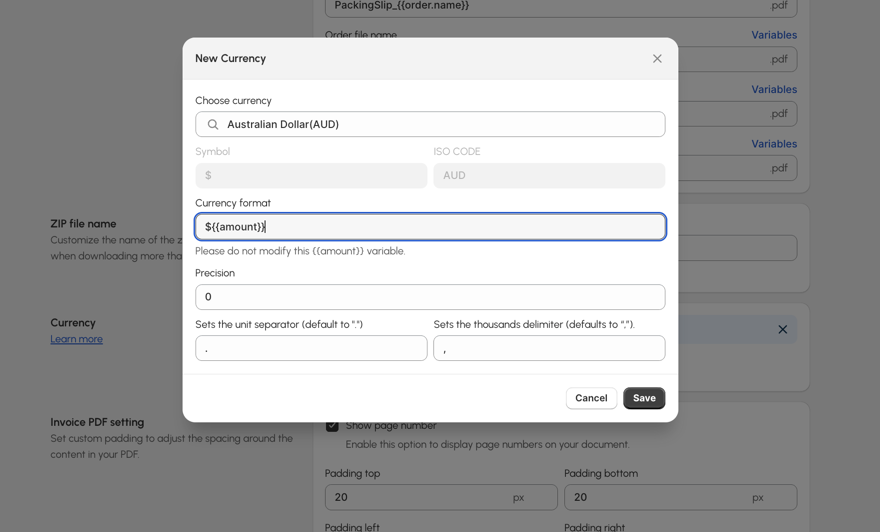
Regarding the "precision" definition, it will allow you to set up how many number of digits in a number of price
- Hit the Save button at the end.
For example
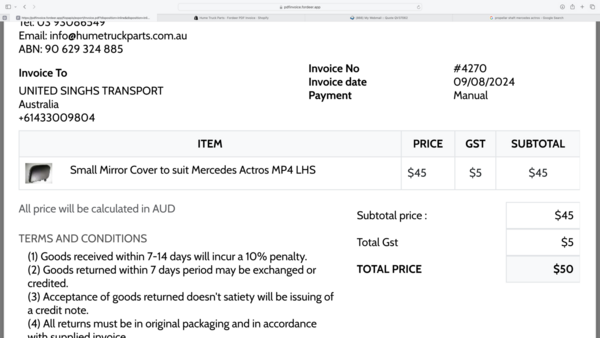
Your customers paid 49.50$ but the invoices generate 50$
Here is a workaround:
-
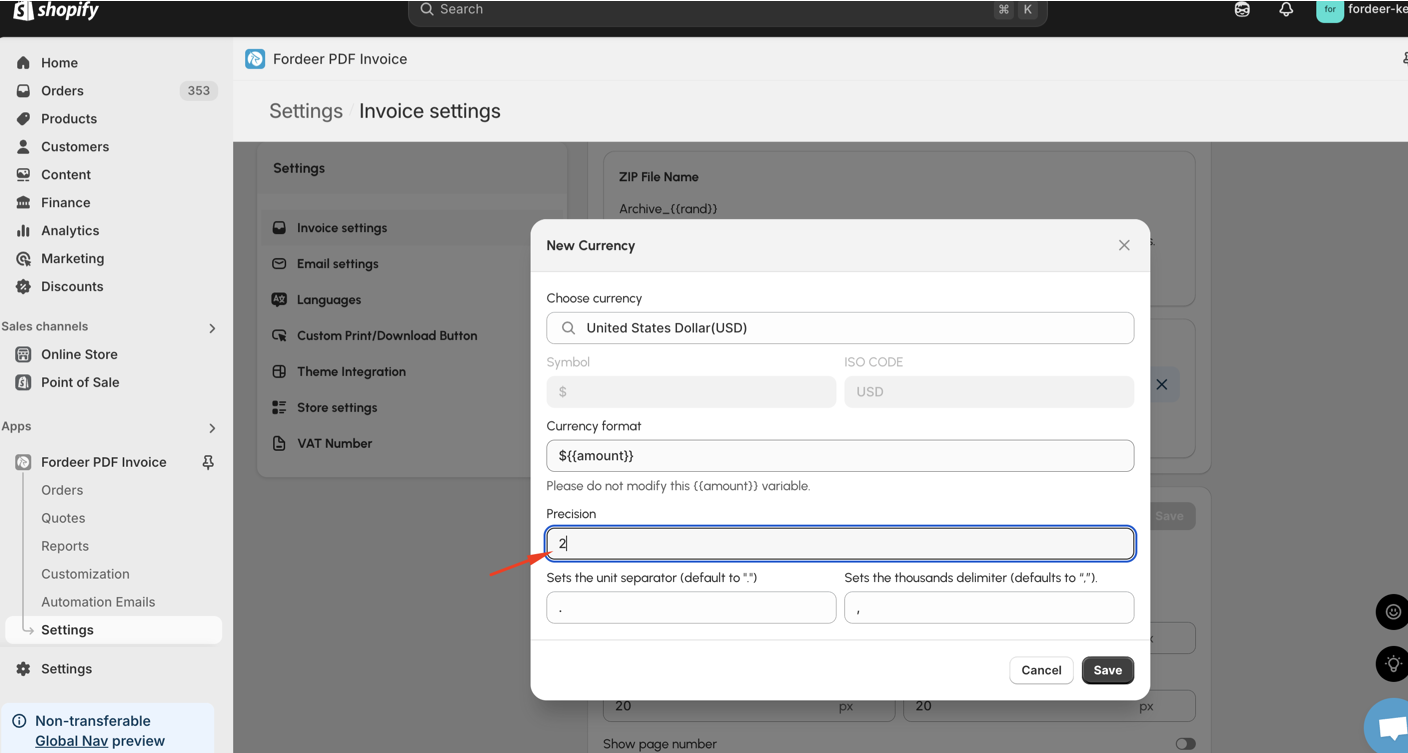
Go to Settings > Invoice settings > Currency > Add
-
Here edit the precision to 2 and click Save at the end.
By doing these steps below, you can easily change the currency format.
This feature is accessible for Professional or higher users. Upgrade your plan today to use it!
Please give them a try and do not hesitate to contact us if you have any questions along the way.
Our working time: ** 8h30-23h59 (UTC +7): Monday to Saturday
Within working hours, all chats will be replied to within minutes. All tickets via email will be replied to within hours.
We value your feedback — it helps us continuously improve app and provide you with a better experience.
👉 Chat with us: Share your feedback directly with our team.
👉 Explore more apps: Discover more Fordeer apps. special deals.
🕐 Working hours: 8:30 AM – 5:00 PM (UTC+7), Monday–Friday.
We typically reply to live chats within minutes and emails within a few hours.
Need help? Feel free to reach out anytime via live chat or email!