
**Fordeer **hello!
The article below will help you customize the content of the invoice footer note.
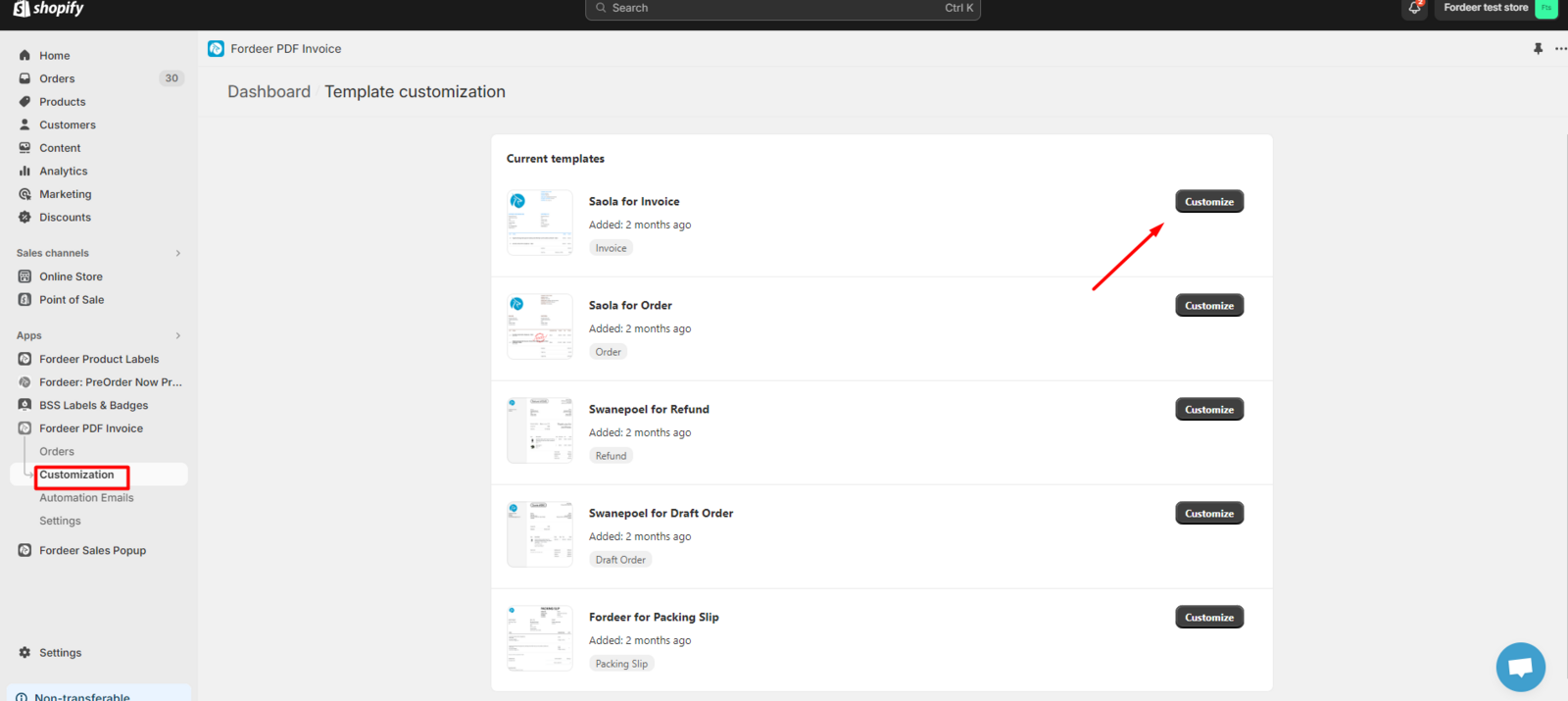
- Step 1: Visit the Customization page, then select the template you want to edit and click the Customize button.
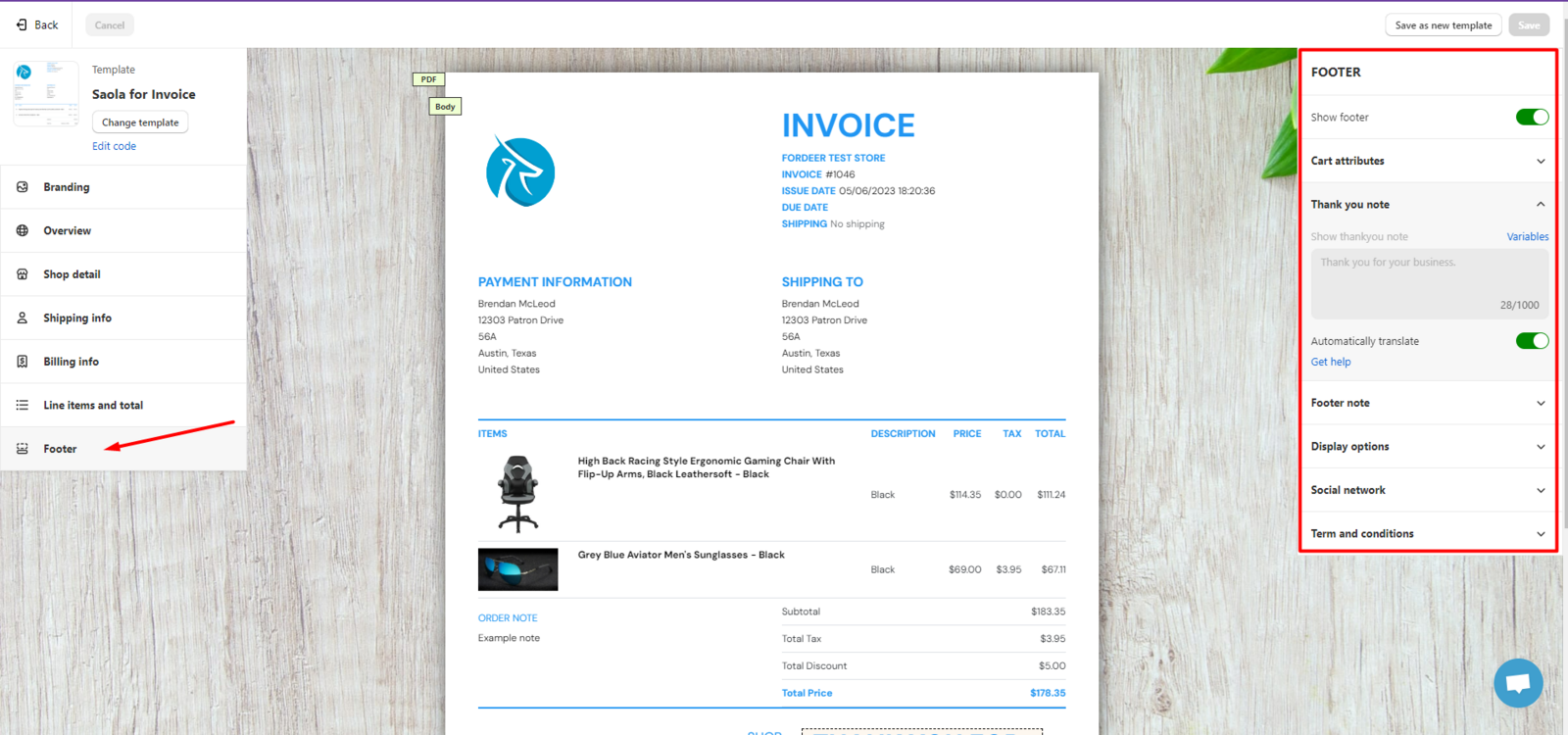
- Step 2. On the **Customize **page, please select the **Footer **section.
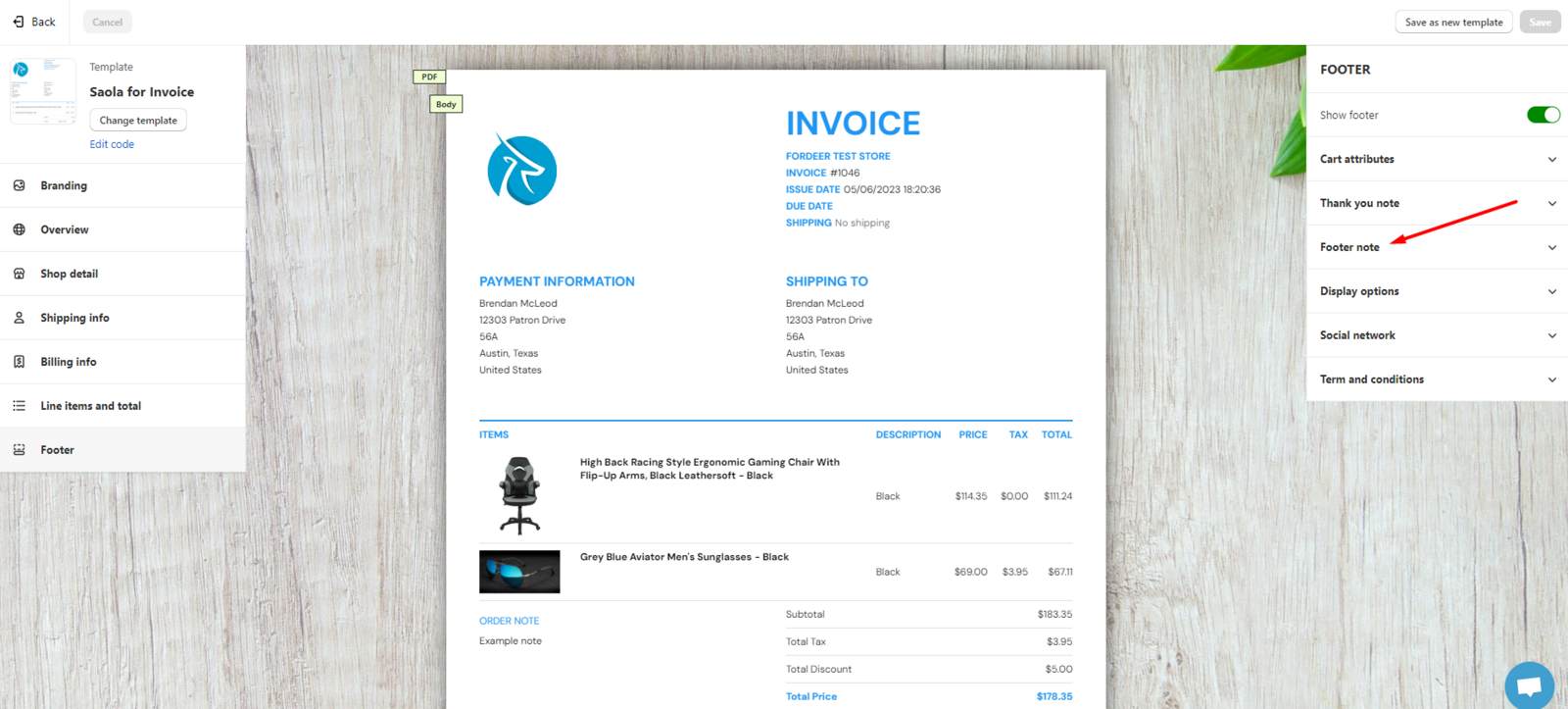
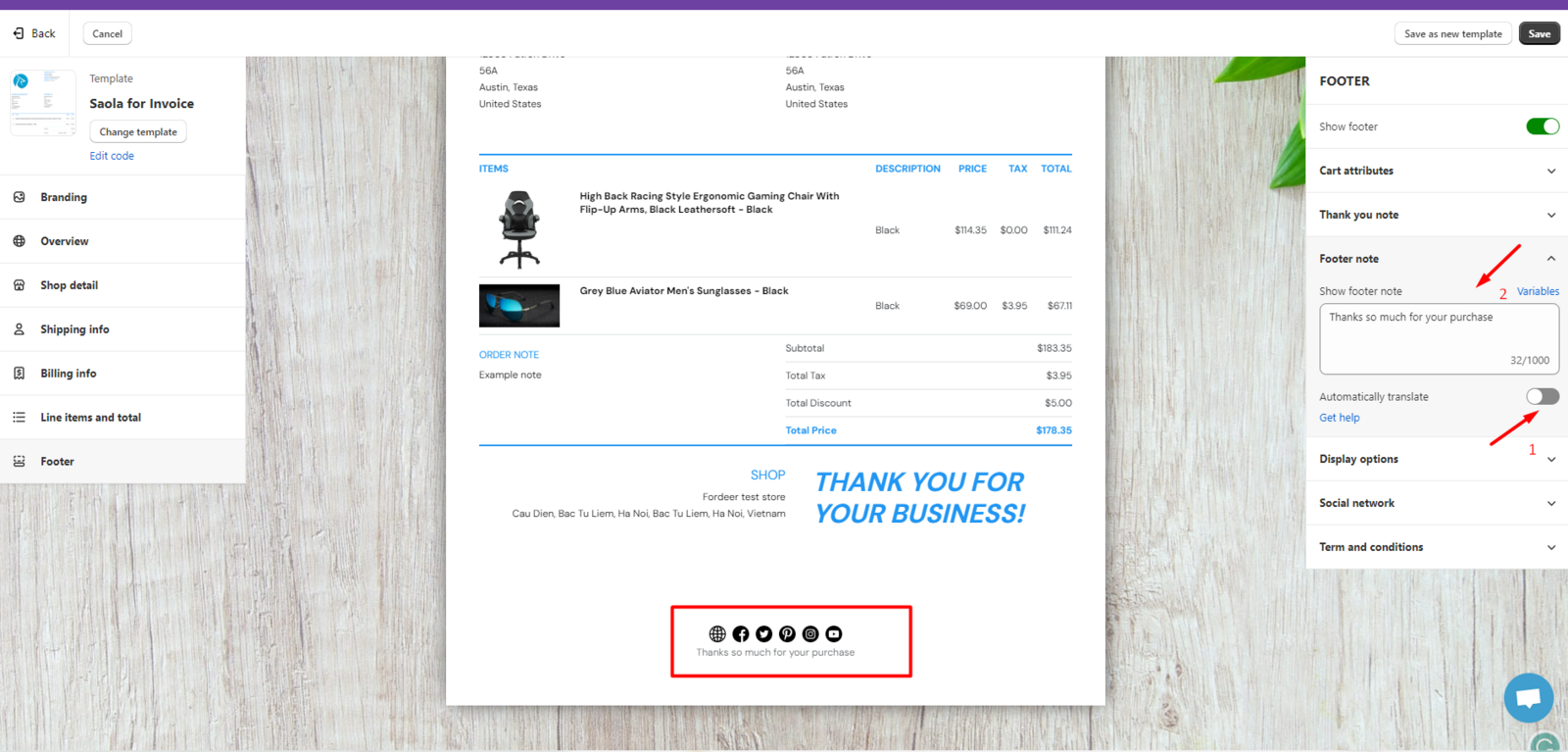
- Step 3 In the Footer section, select Footer note.
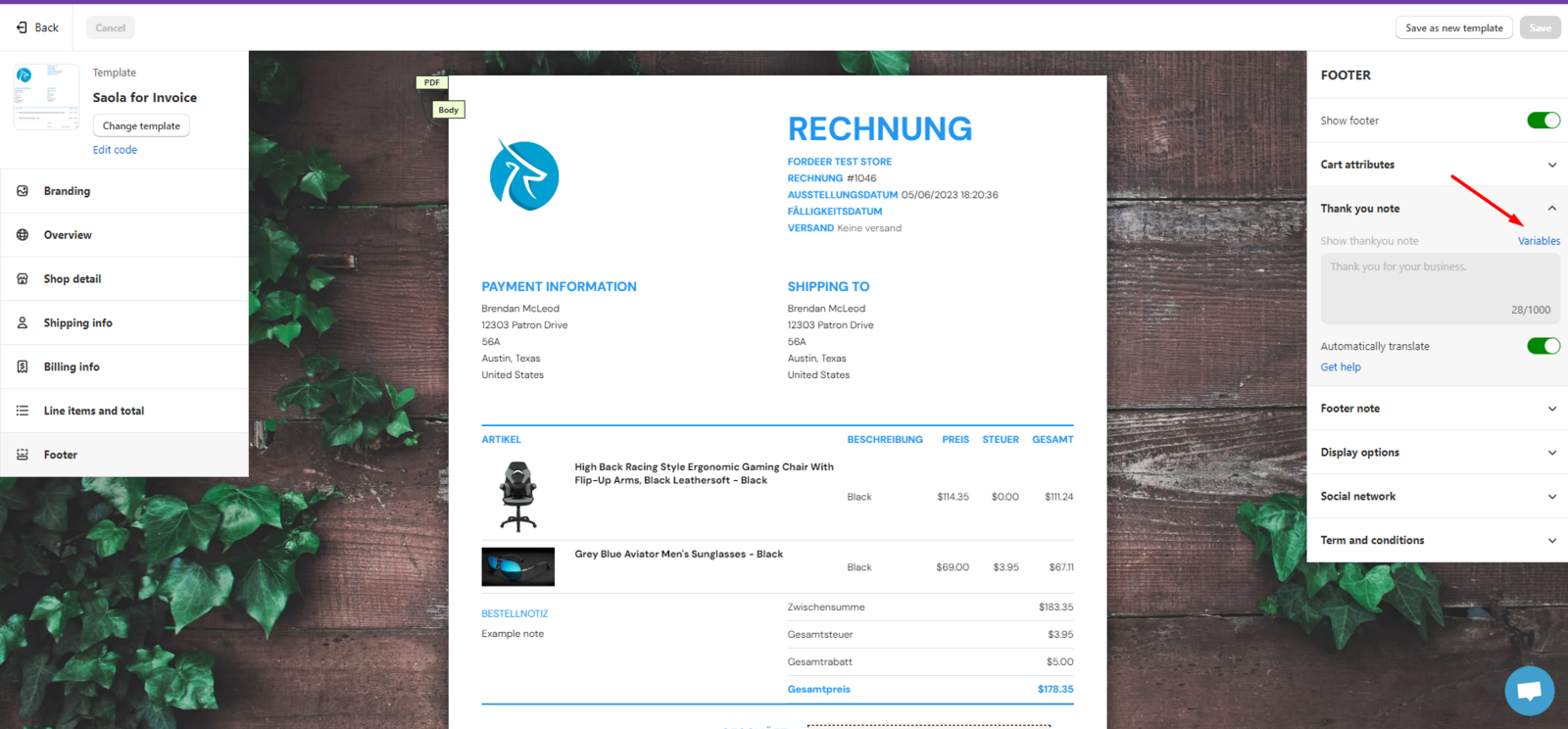
- Next, turn off the Automatically translate button and edit the content of the Footer note by selecting default variables or adding content as desired.
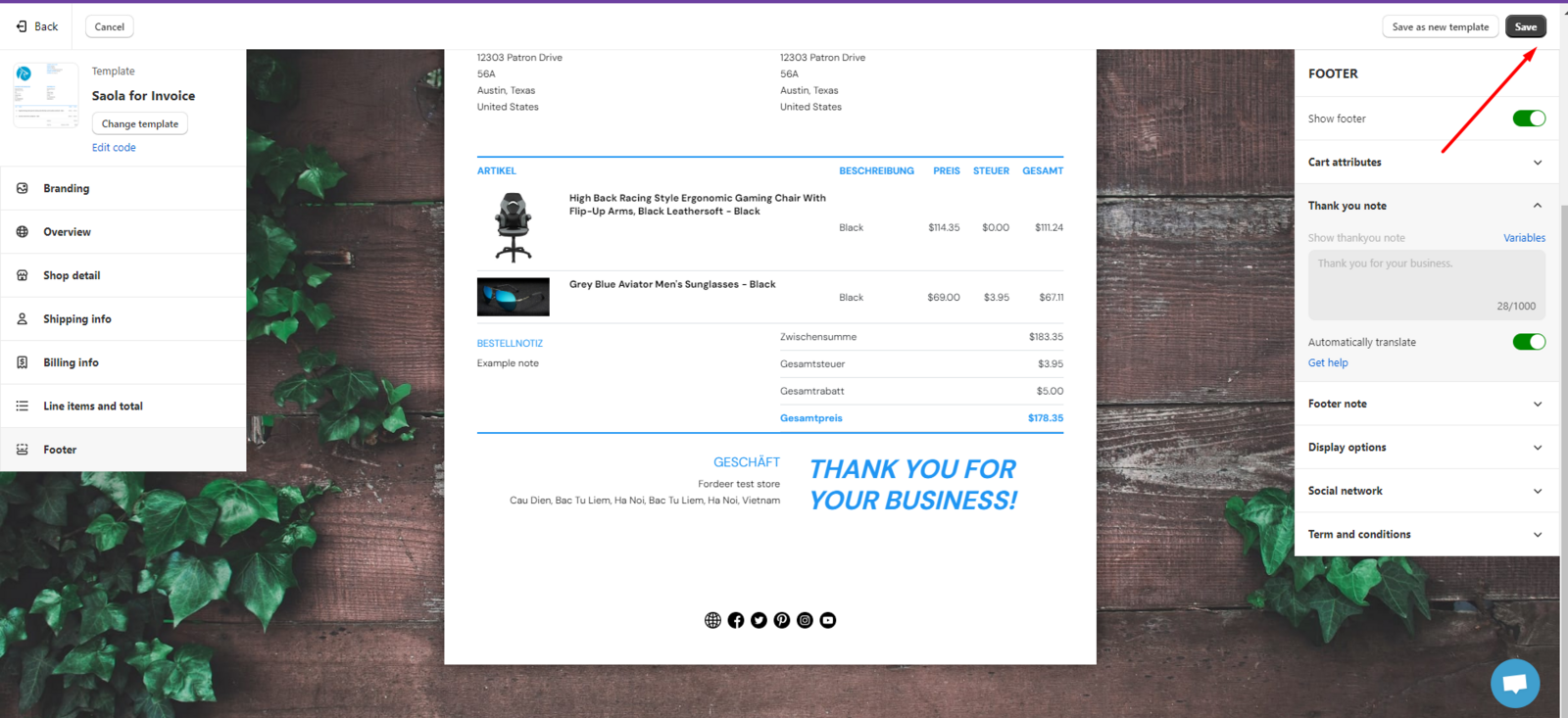
- Finally, remember to Save and finish all the modifications.
Currently, this feature is available on the Starter and higher plans. To access it, please upgrade your plan and enjoy the benefits
Please give them a try and do not hesitate to contact us if you have any questions along the way.
Our working time: ** 8h30-23h59 (UTC +7): Monday to Saturday
Within working hours, all chats will be replied to within minutes. All tickets via email will be replied to within hours.
We value your feedback — it helps us continuously improve app and provide you with a better experience.
👉 Chat with us: Share your feedback directly with our team.
👉 Explore more apps: Discover more Fordeer apps. special deals.
🕐 Working hours: 8:30 AM – 5:00 PM (UTC+7), Monday–Friday.
We typically reply to live chats within minutes and emails within a few hours.
Need help? Feel free to reach out anytime via live chat or email!