
Hello from Fordeer!
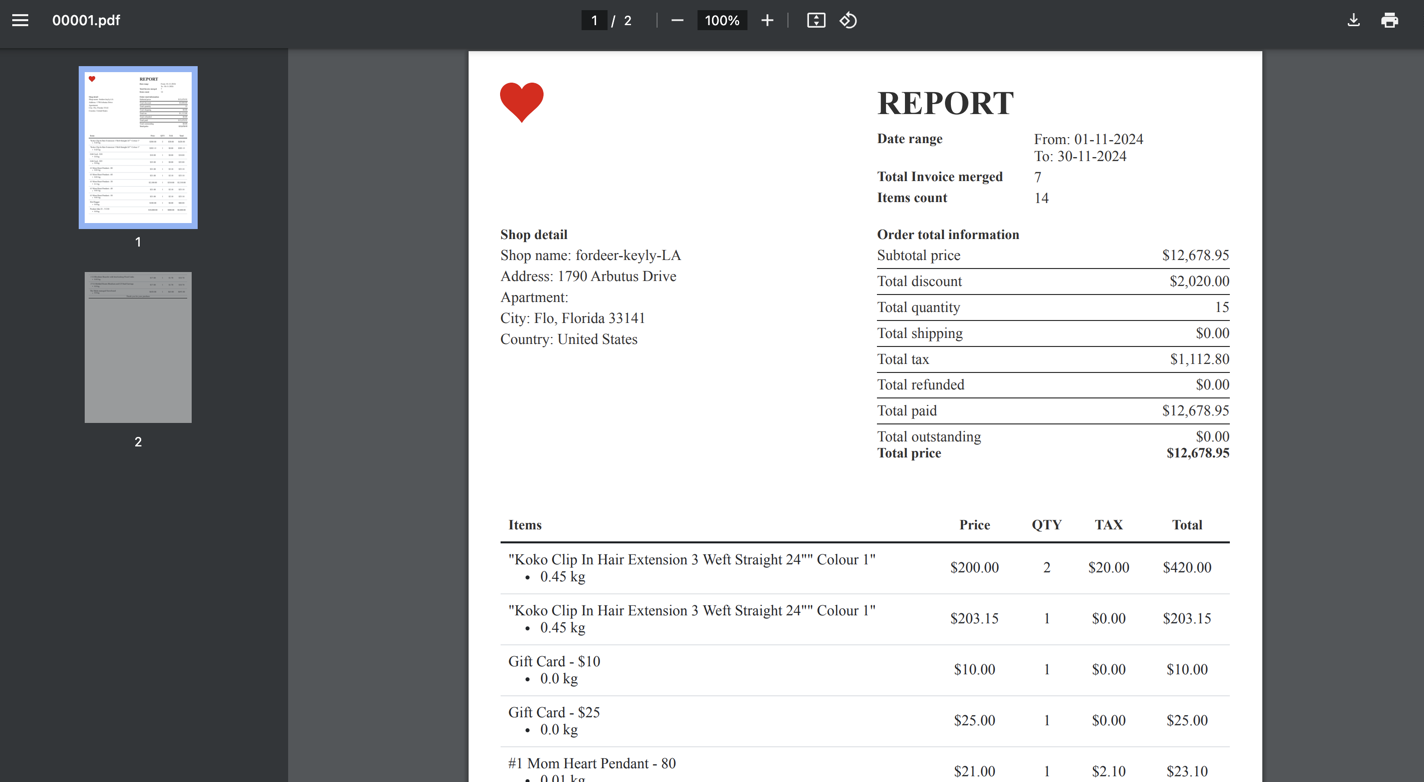
We're excited to introduce our new Reports feature, designed to streamline your business processes and provide actionable insights. With the report, you can consolidate multiple invoices into one document, making tracking customer transactions and monitoring sales performance easier.
Why use the reports feature?
-
View total sales and revenue for specific timeframes, such as: last week, last month, last year
-
Easily create, share, print, or archive concise and professional reports.
-
Track all sales, taxes, and payment statuses in one place for better financial management.
Types of reports supported
Our app currently supports two types of reports:
-
Merged Invoice Report: Combines data from multiple orders into a single document for streamlined analysis.
-
Transaction Report: Lists all transactions for a selected date range.
Note: One order may include multiple transactions.
In this article, we will walk you through how to create a merged invoice report and customize it:
How to create a merged invoice report?
Step 1: Go to the Reports section in the app's sidebar menu and click the Create Report button.
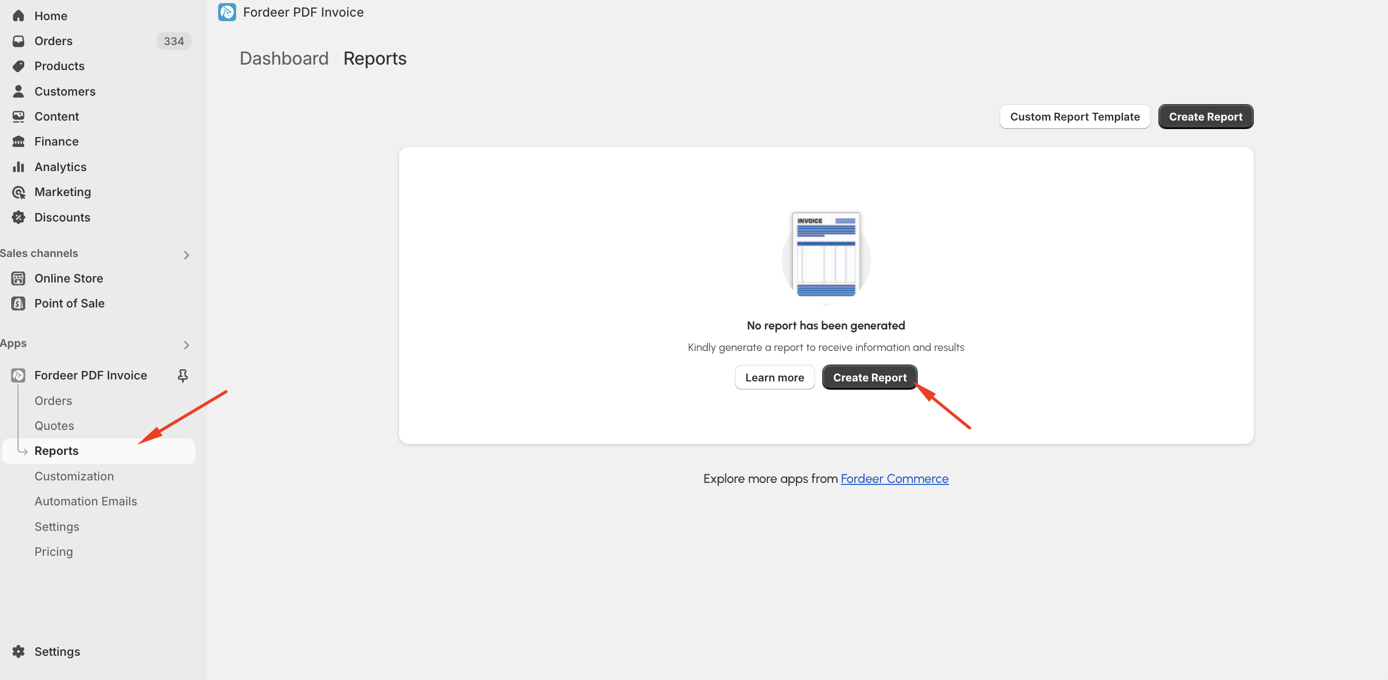
Step 2: Select Report
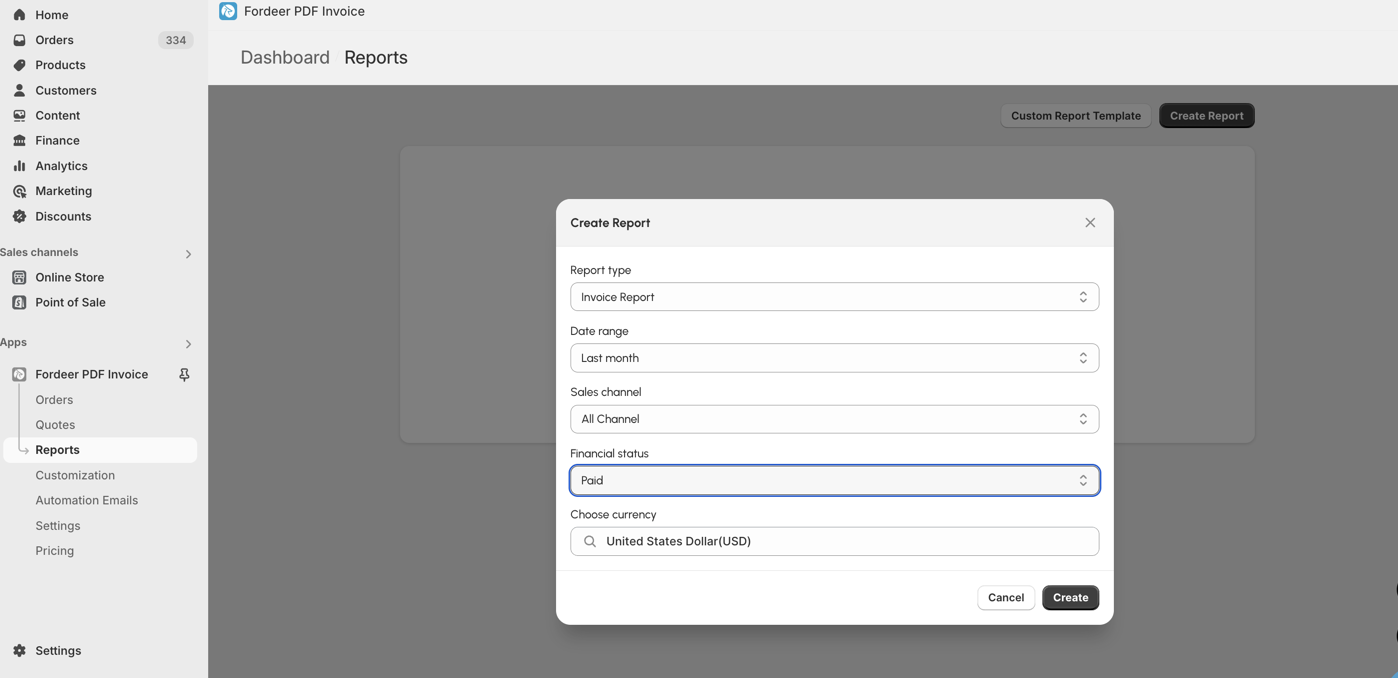
In the pop-up modal, set the following options:
-
Report Type: Choose Invoice report or Transaction report
-
Date Range: Select the time range orders were created
-
Sales Channel: Specify the channels where orders were created.
-
Financial Status: Choose order statuses (e.g., Paid, Fulfilled).
-
Currency: Select the order currency.
Step 3: Click Create
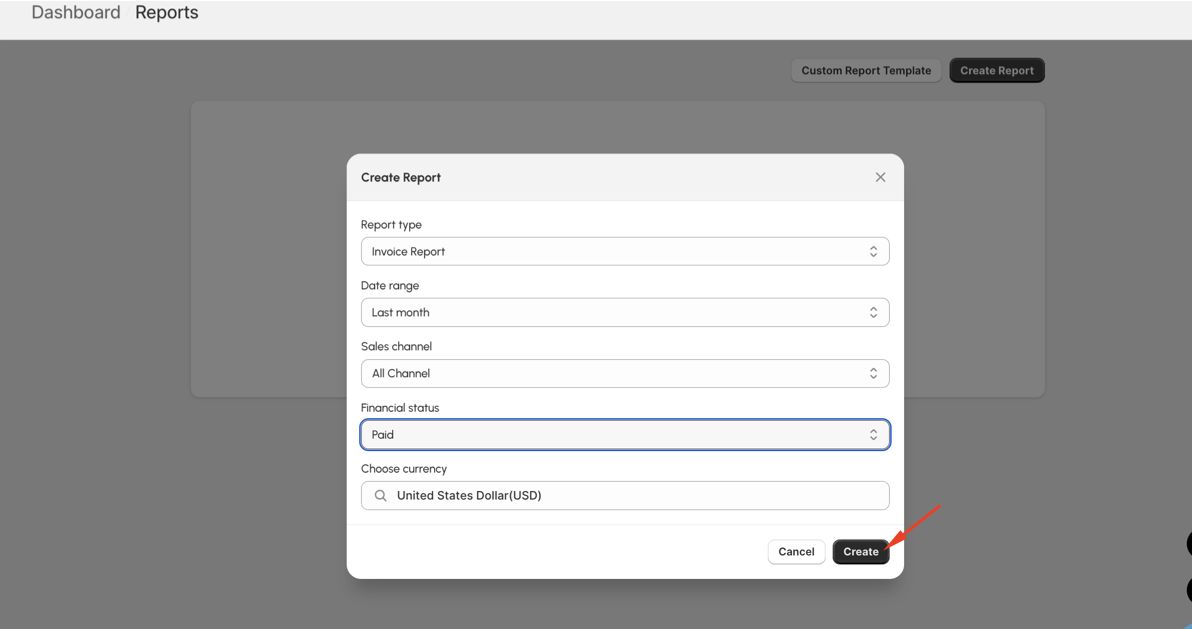
The report will appear in the Report List. Wait for the progress bar to update from "Processing" to "Success."
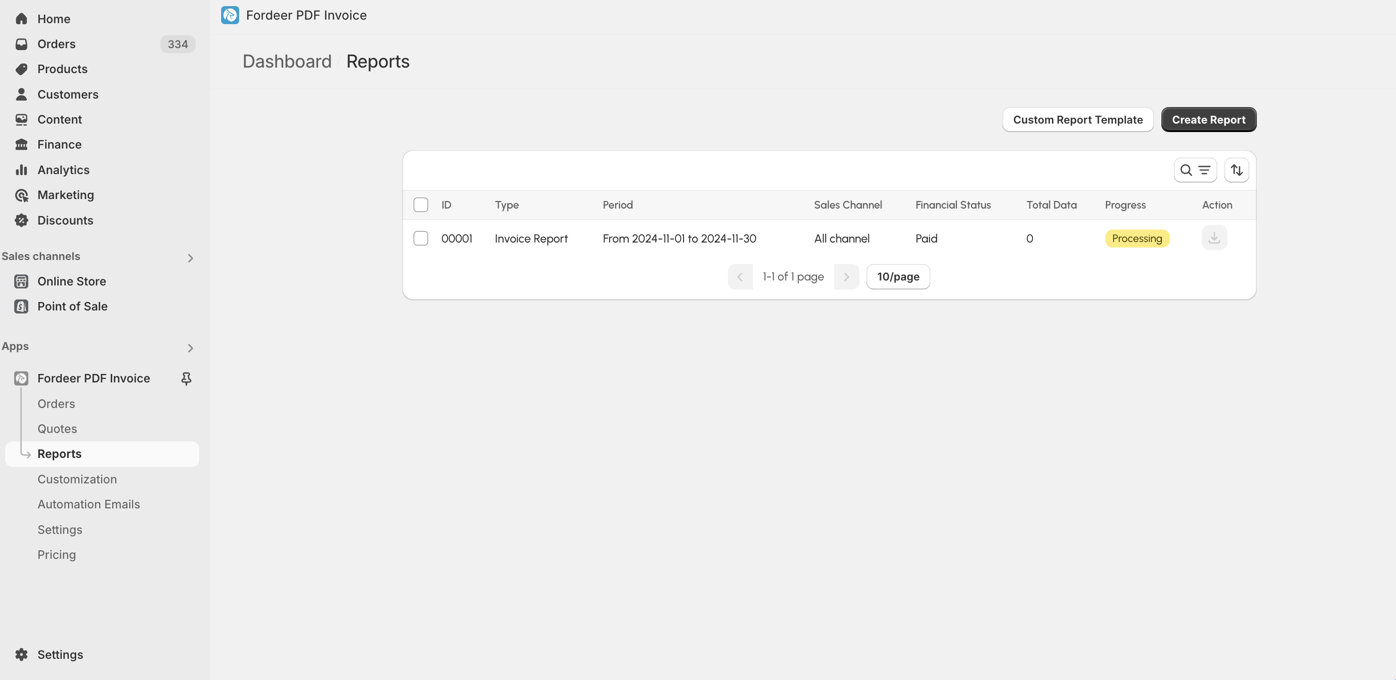
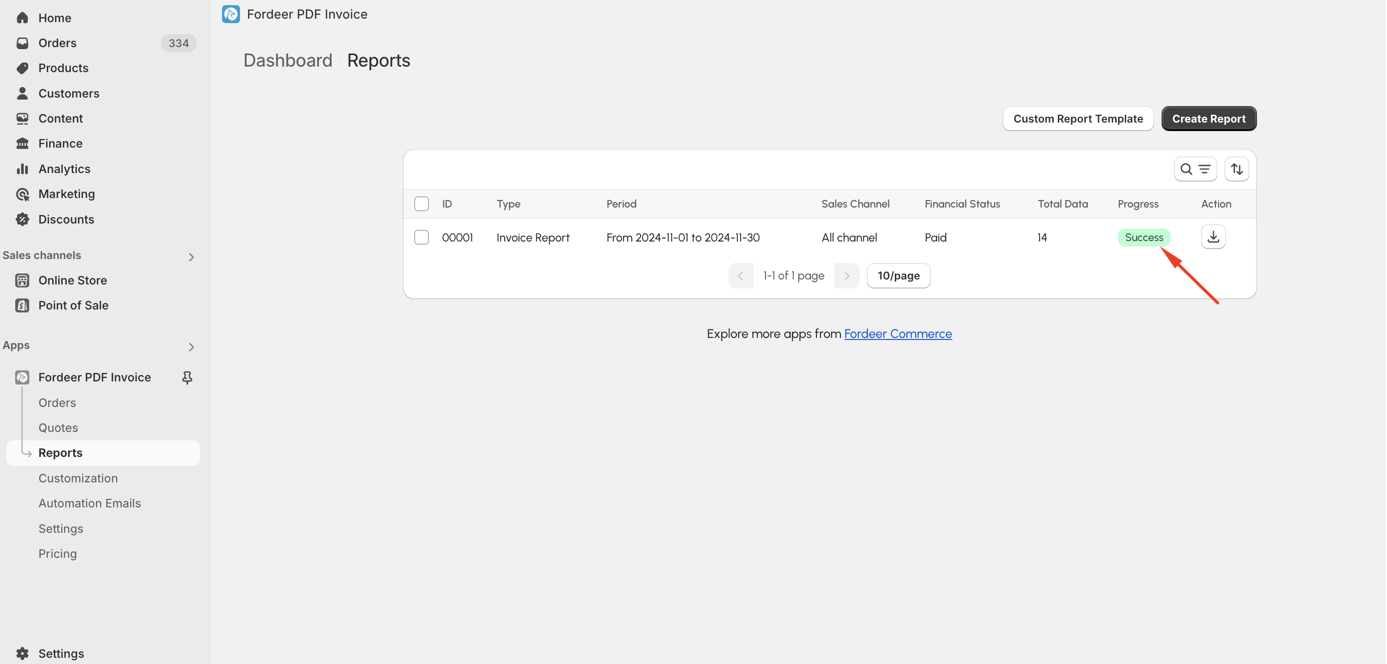
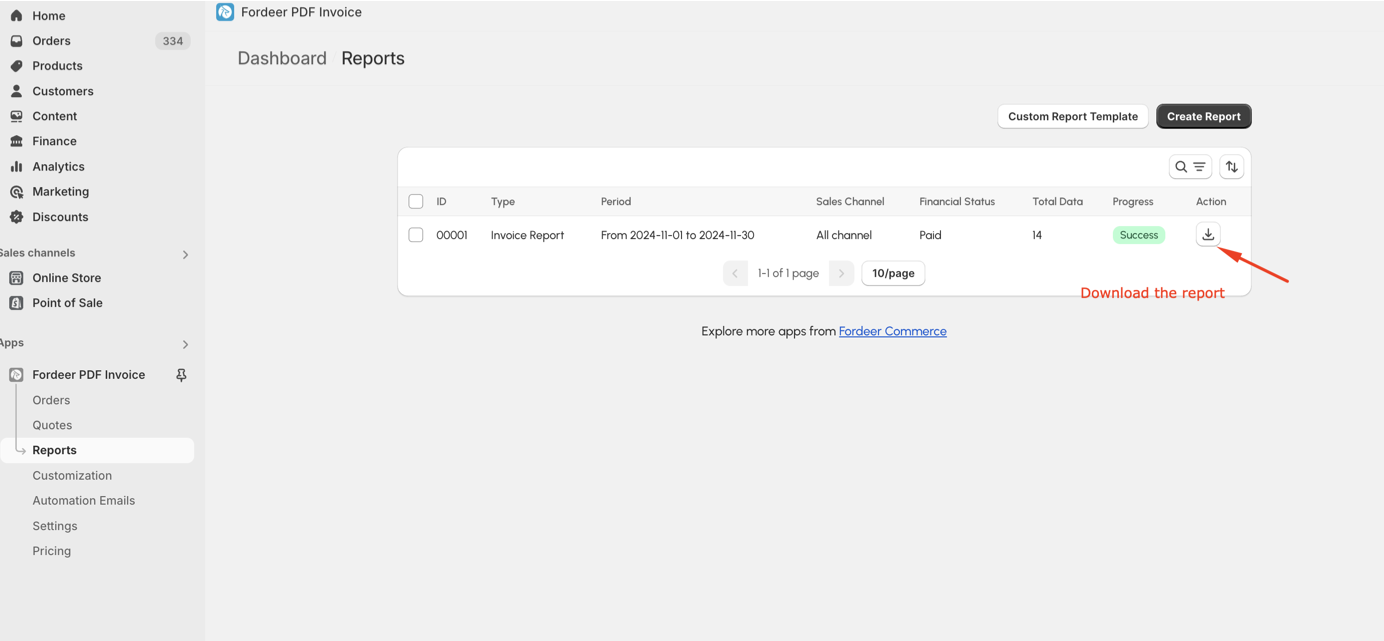
Step 4: Once completed, download the report to review the generated data.
How to customize a report?
If the generated report doesn't meet your needs, you can customize it as follows:
Step 1: Go to the Report List page.
Step 2: Click Custom Report Template and select Merged Invoice Report.
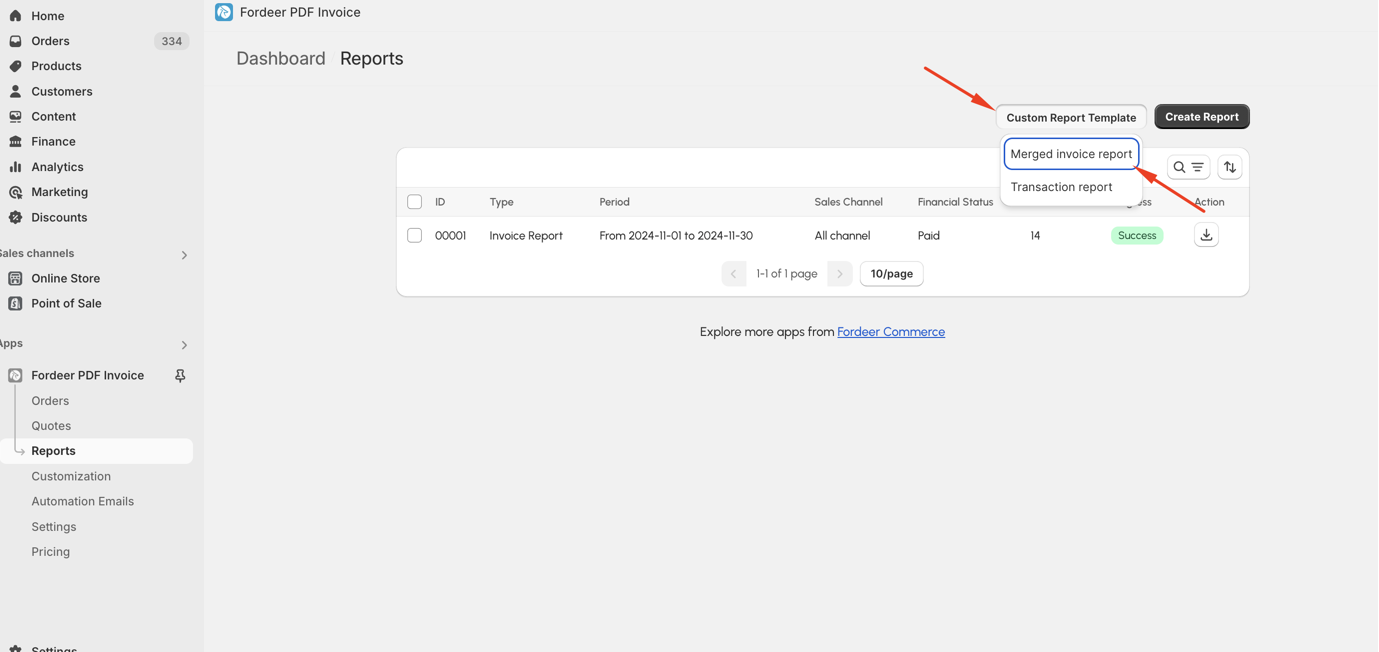
Step 3: Use the Customization page to adjust the report layout easily.
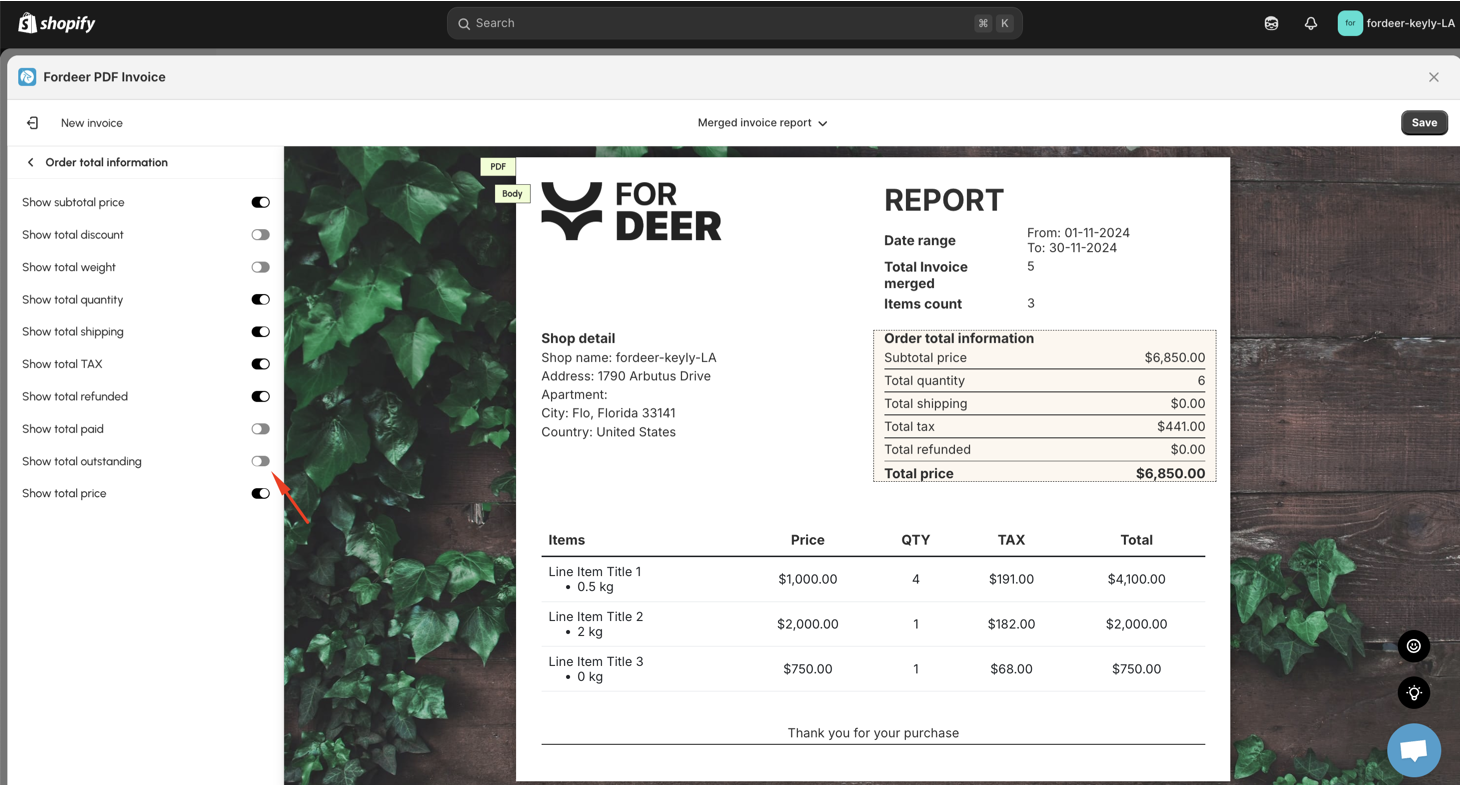
=> If you require additional fields in the report, let us know! Our team is happy to assist you with customization.
Step 4: Click Save at the end
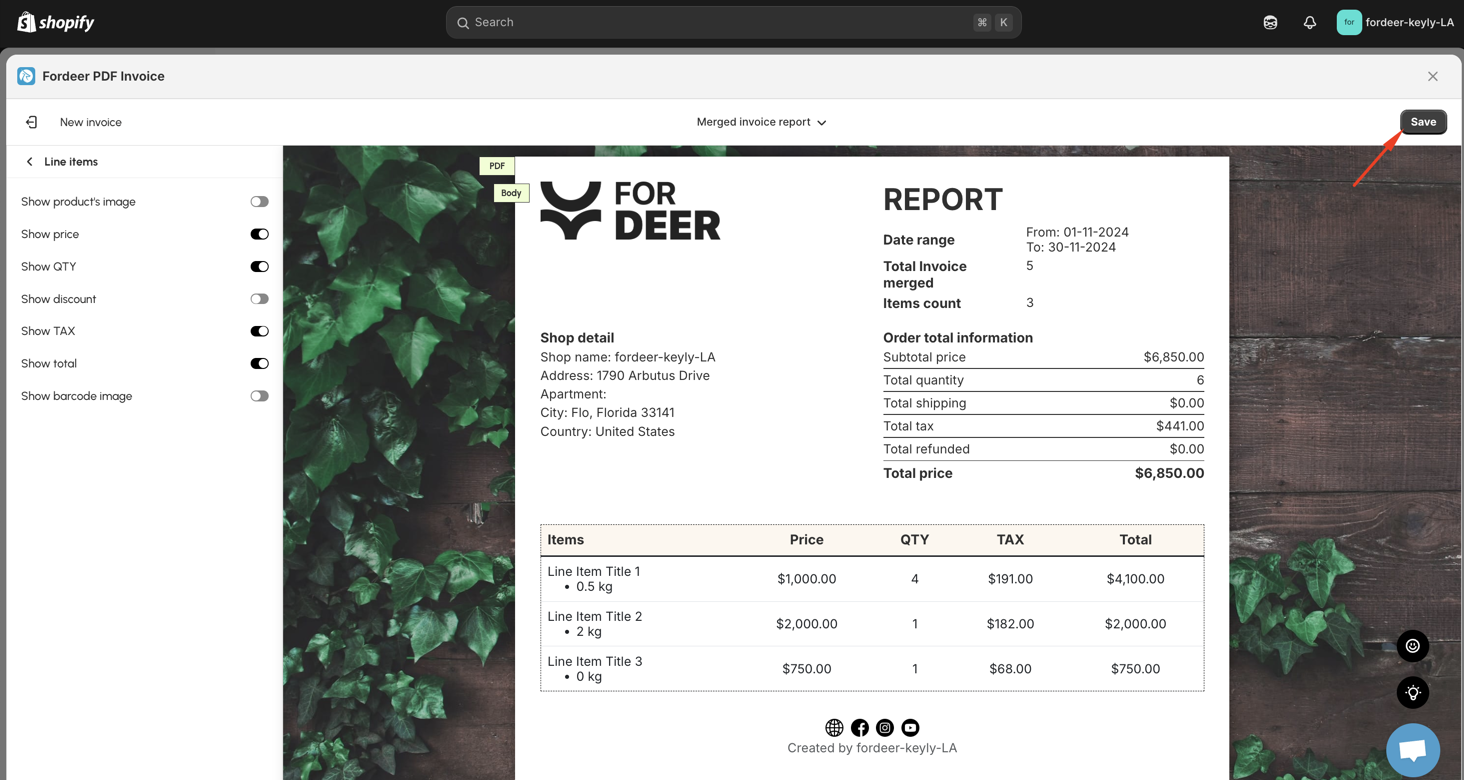
Step 5: Create a new report to see the updates (if needed)
Customizing the transaction template follows the same process.
By using merged invoice reports, you'll gain a better understanding of your business's financial health while saving time and improving efficiency.
Currently, this feature is available on the Professional Plan or higher. To access it, please upgrade your plan and enjoy the benefits
Please give them a try and do not hesitate to contact us if you have any questions along the way.
We value your feedback — it helps us continuously improve app and provide you with a better experience.
👉 Chat with us: Share your feedback directly with our team.
👉 Explore more apps: Discover more Fordeer apps. special deals.
🕐 Working hours: 8:30 AM – 5:00 PM (UTC+7), Monday–Friday.
We typically reply to live chats within minutes and emails within a few hours.
Need help? Feel free to reach out anytime via live chat or email!