
Fordeer hello to you,
To enable Fordeer to capture VAT registration numbers on your Shopify store, you can easily add a VAT registration number field to both the Customer registration and Cart pages.
The "show tax number" feature only displays tax numbers collected through the Fordeer Invoice app. It does not display tax numbers collected by third-party apps.
This article will help you to add the field to your theme.
1. Adding VAT Number Field to Customer Registration Page:
-
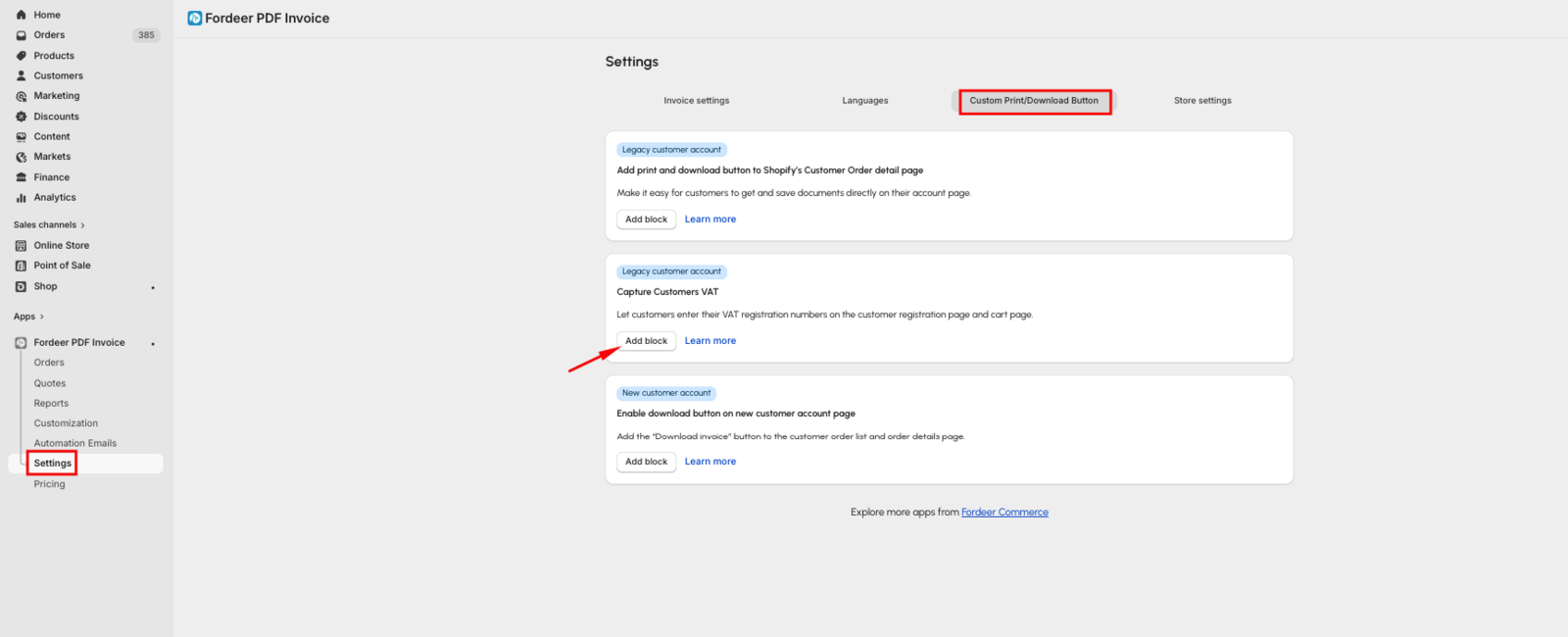
Go to the Settings page in our app and navigate to the Custom Print/Download Button section.
-
Click the Add block button on the Capture Customers VAT option.
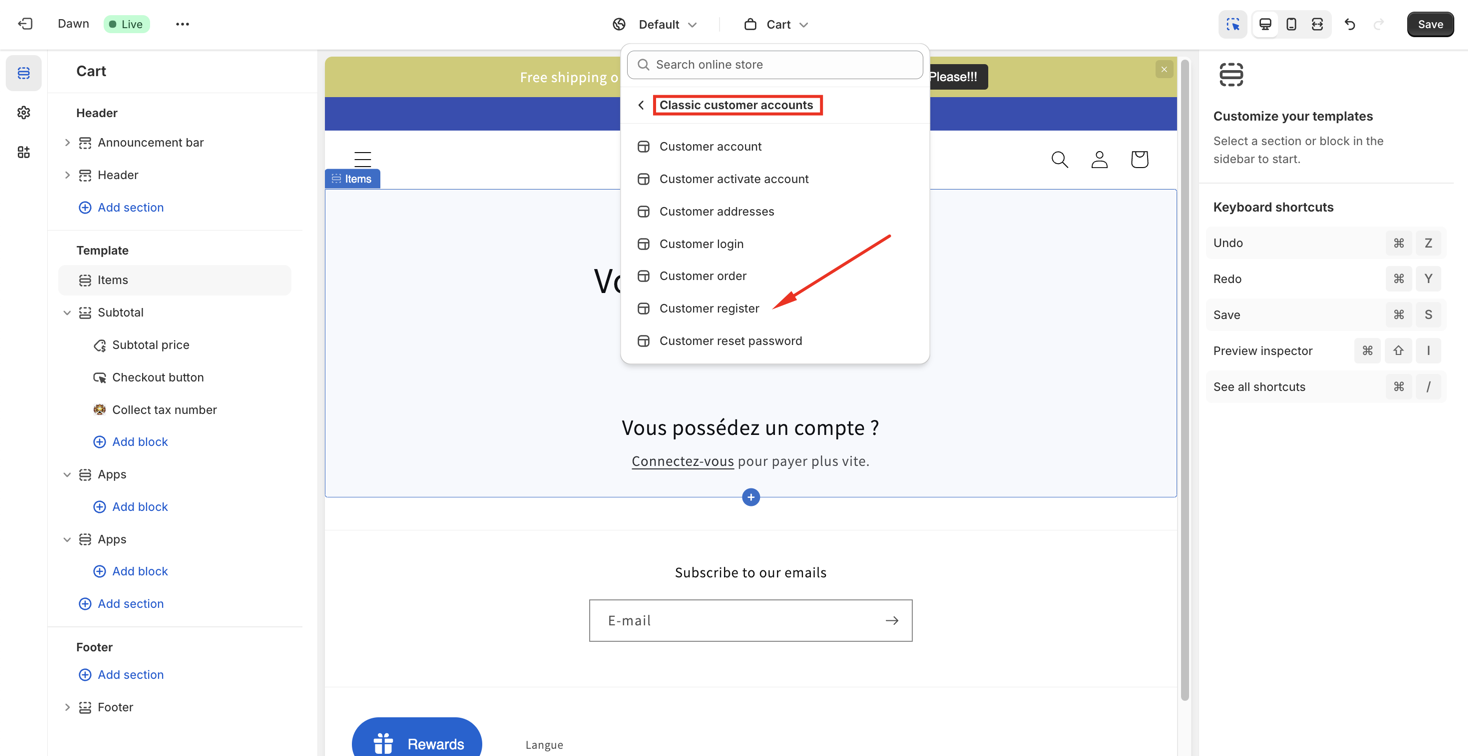
- You'll be directed to the Theme Editor. Select the Customer register page.
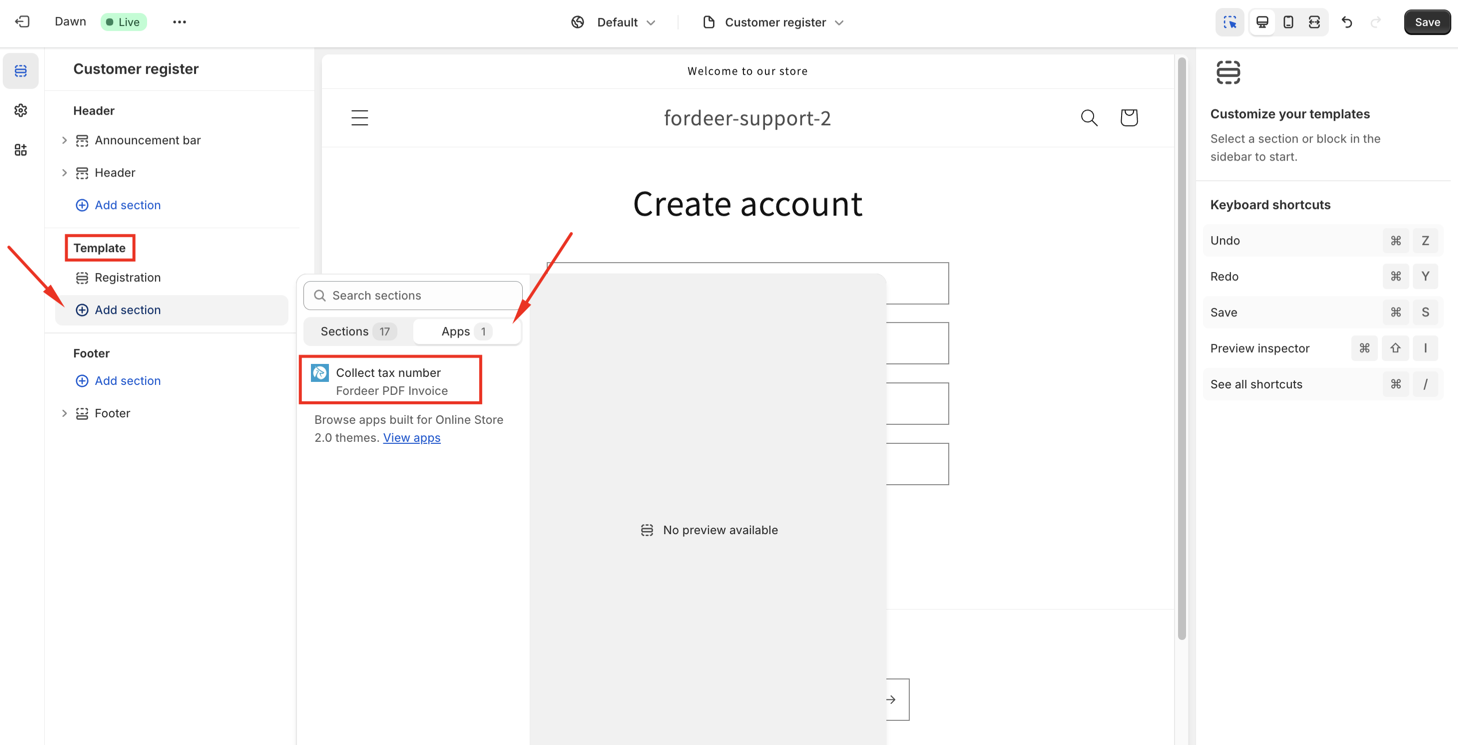
- Add the Fordeer: Collect Tax Number section from the Apps section.
- Customize the content as needed.
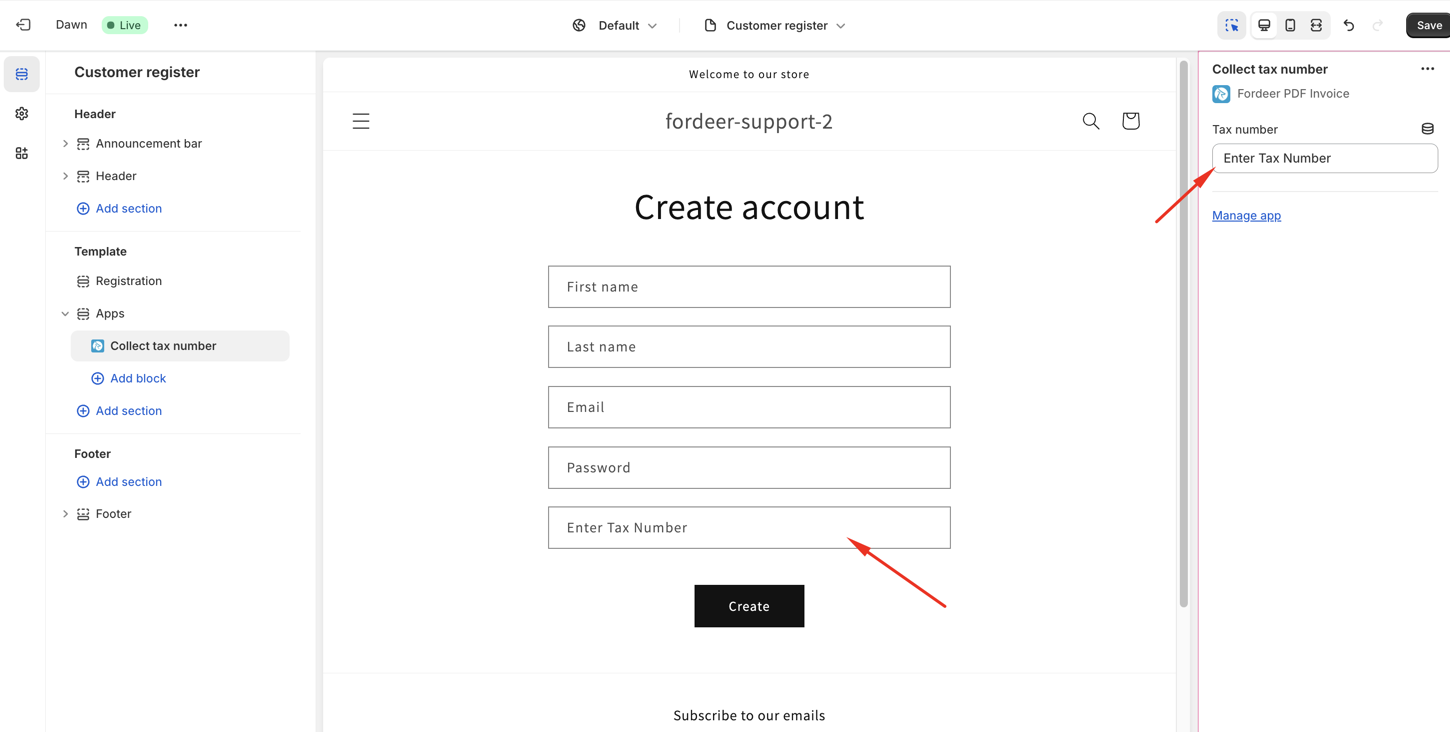
- Save your changes.
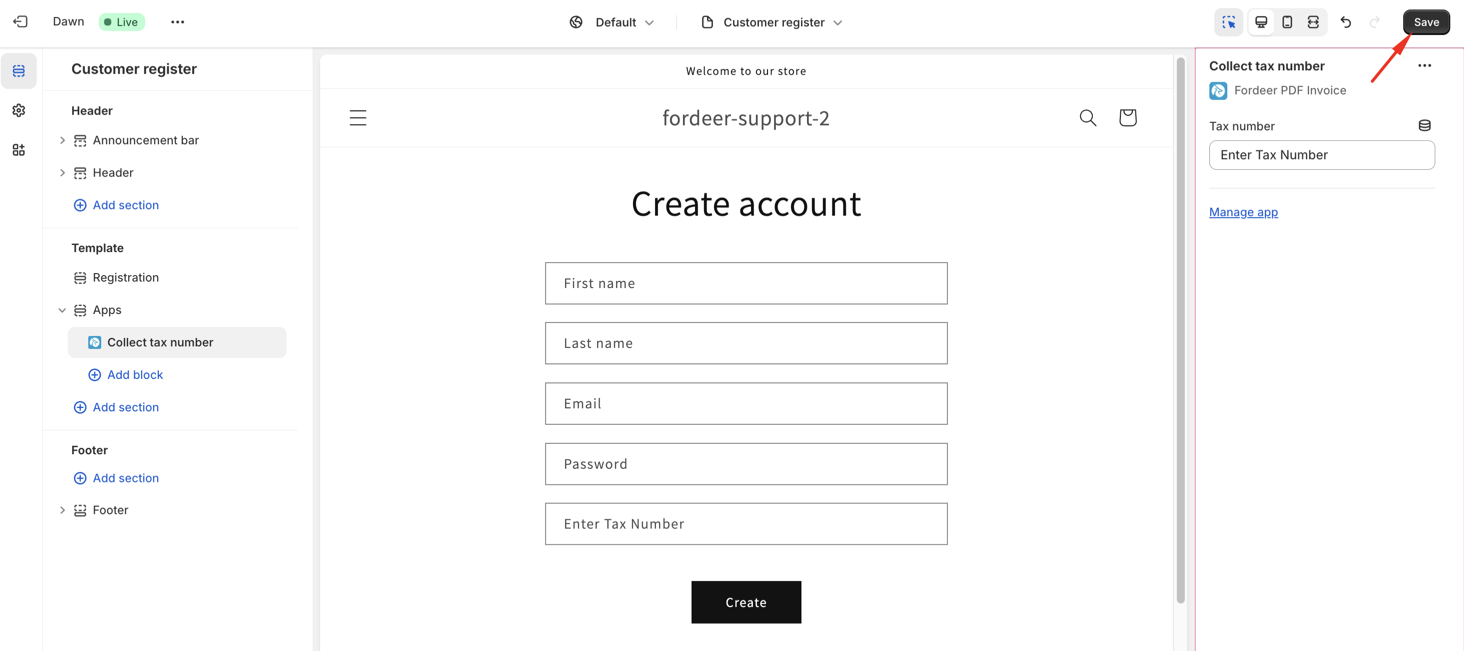
The VAT registration number entered by customers will be stored in your Shopify admin as part of their customer information.
To display it on invoices, head to the Customization page on our app, navigate to the Billing info section, and enable the Show tax number option.
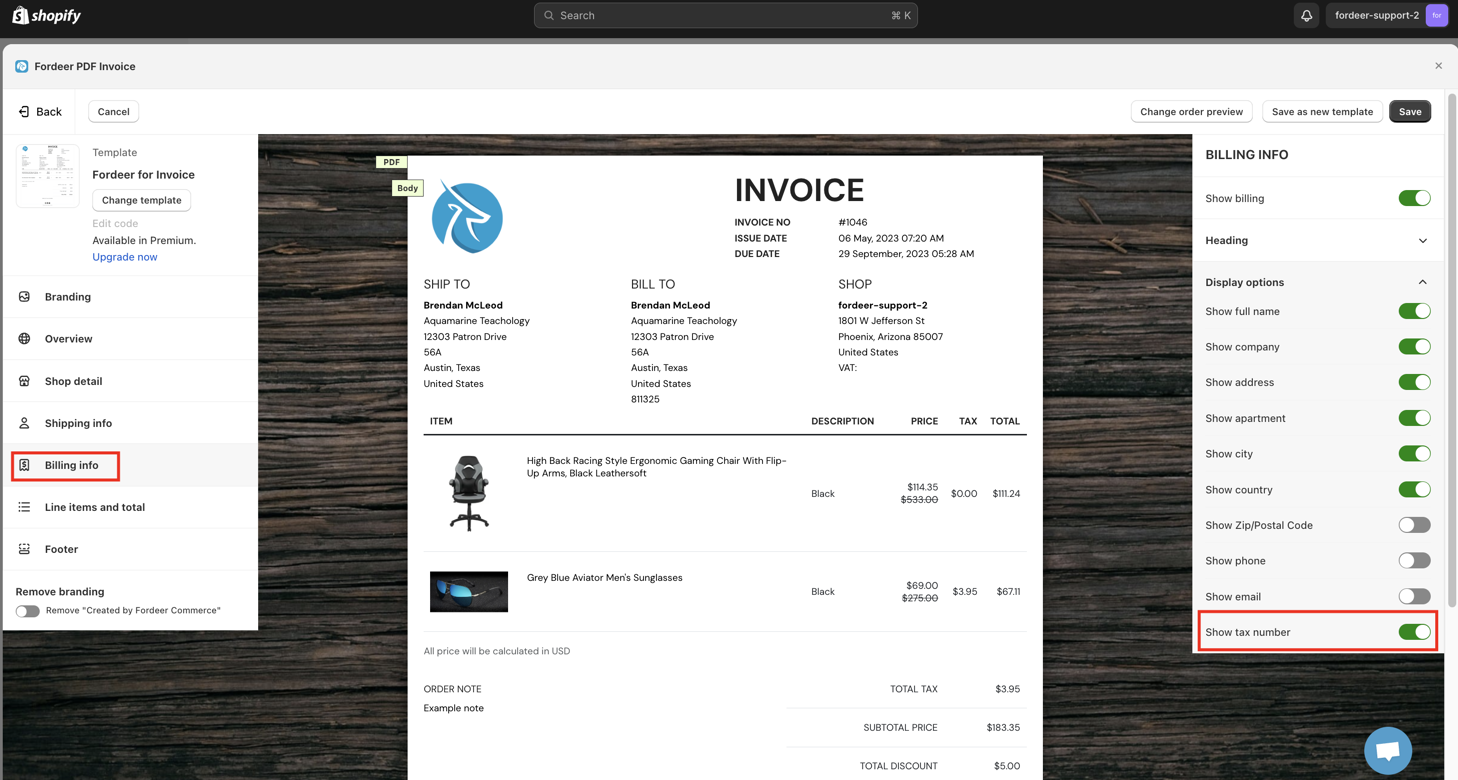
The "show tax number" feature only displays tax numbers collected through the Fordeer Invoice app. It does not display tax numbers collected by third-party apps.
This feature is part of the Professional Plan. Upgrade today to enjoy a 7-day free trial and receive 30% off for 3 months as part of our deal!
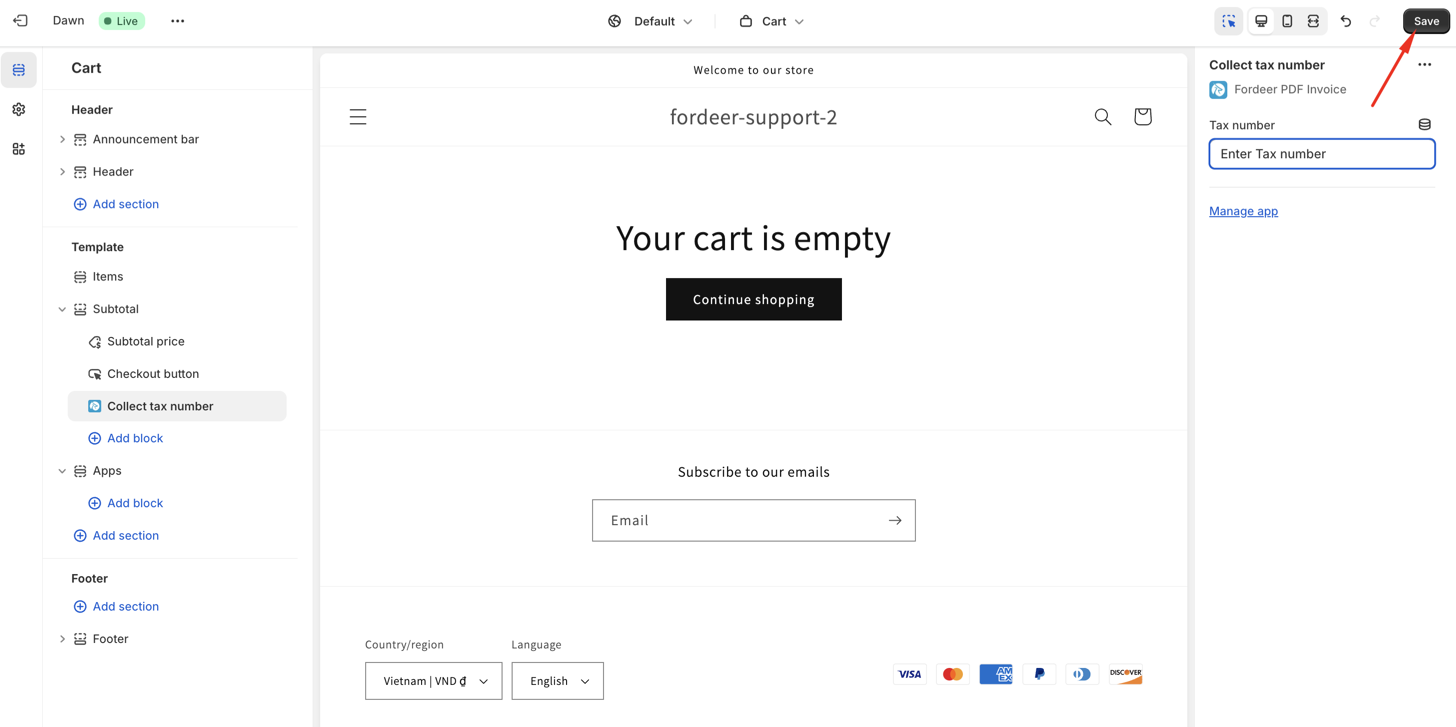
2. Adding VAT Number Field to Customer Cart Page:
-
Follow the same steps as above to enable the Capture Customers VAT option in the Settings page.
-
You'll be redirected to the Theme Editor on the Cart page, then add the Fordeer: Collect Tax Number block from the Apps section.
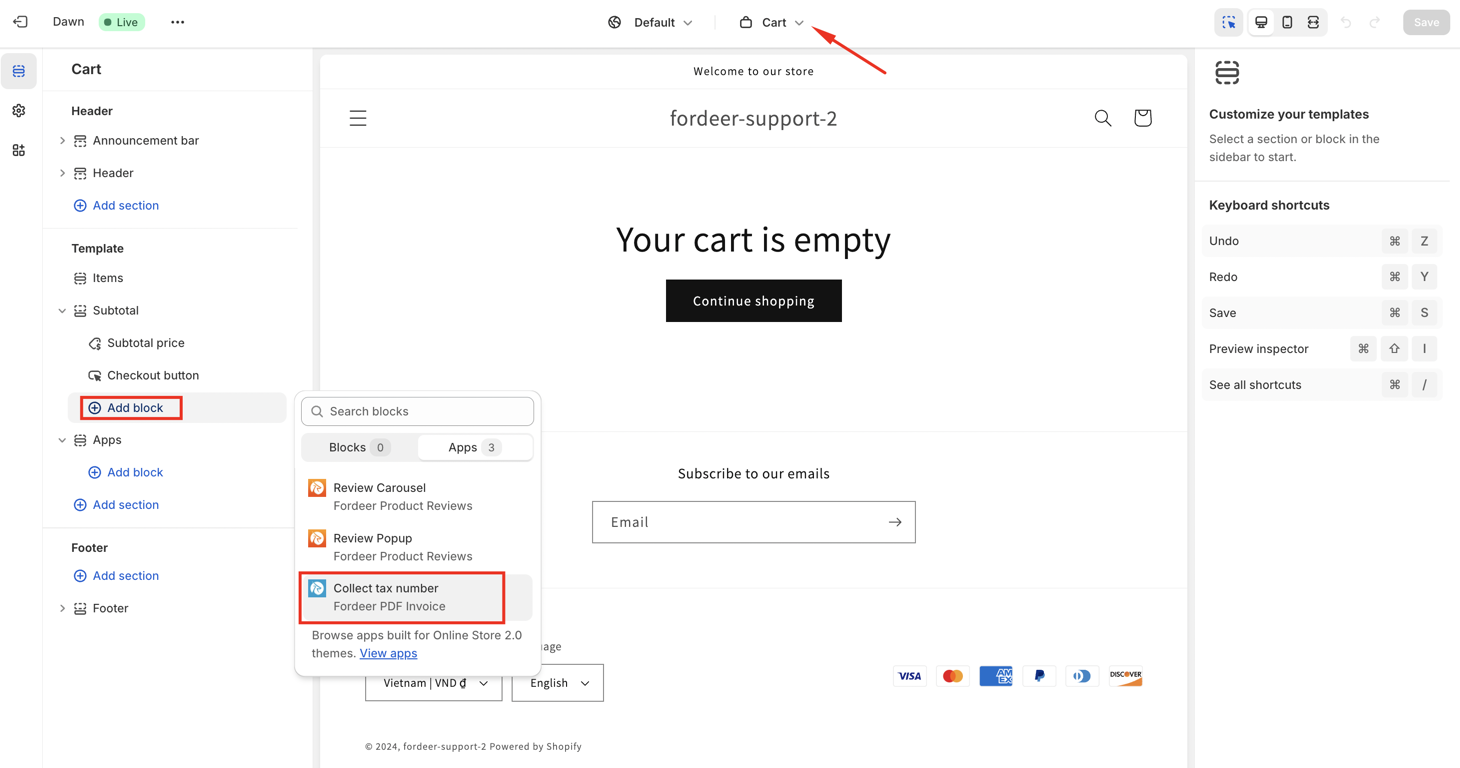
- Customize the content as needed.
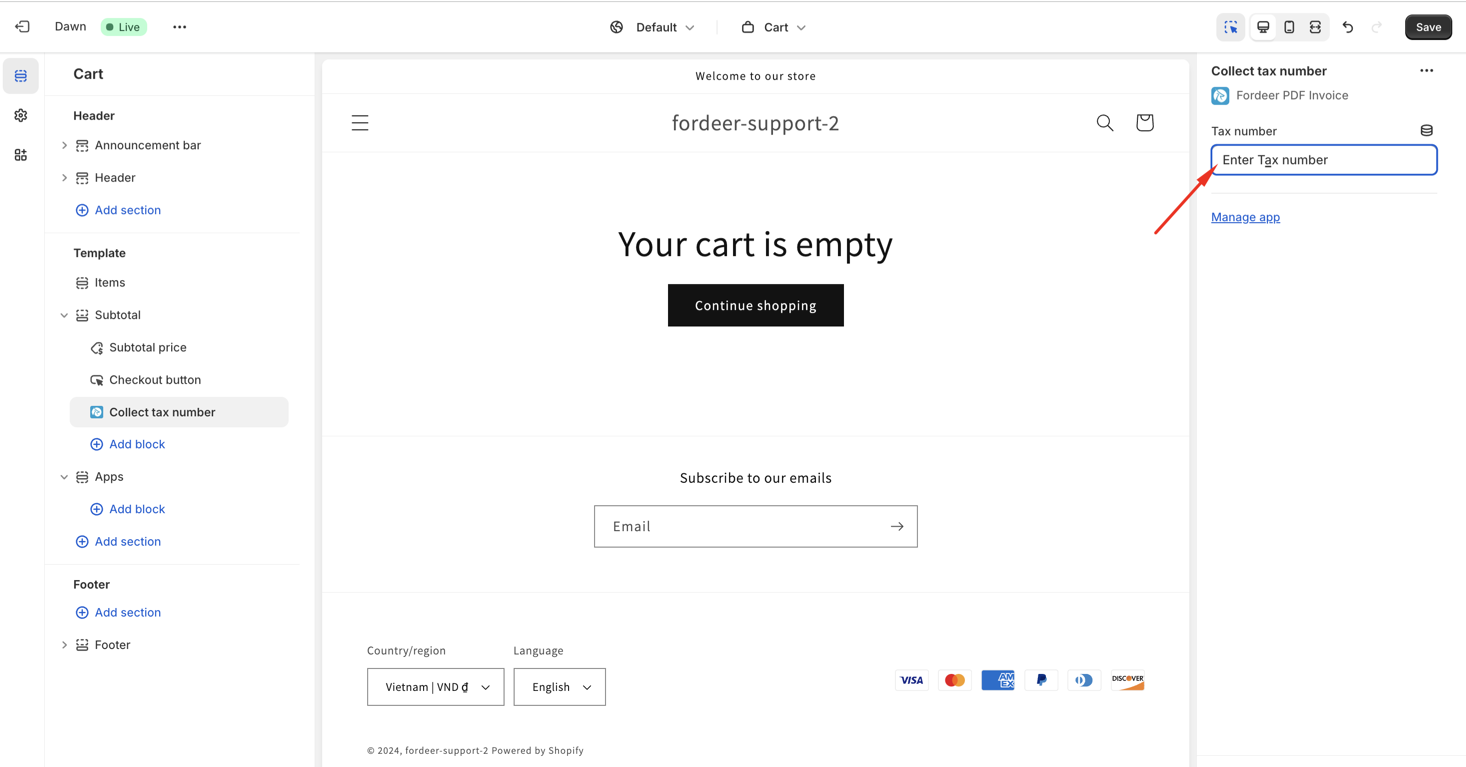
- Save your changes.
With these fields in place, you can easily print and download invoices from the Orders section in our app to view customer VAT numbers on invoices.
We value your feedback — it helps us continuously improve app and provide you with a better experience.
👉 Chat with us: Share your feedback directly with our team.
👉 Explore more apps: Discover more Fordeer apps. special deals.
🕐 Working hours: 8:30 AM – 5:00 PM (UTC+7), Monday–Friday.
We typically reply to live chats within minutes and emails within a few hours.
Need help? Feel free to reach out anytime via live chat or email!