
Automating your invoicing process saves time and ensures your customers receive their documents instantly. With the Fordeer PDF Invoice integration, you can trigger custom emails based on specific actions in your Shopify store.
Plan requirements
-
Starter plan: Access to send automated emails via Shopify Flow.
-
Professional plan & higher: Ability to fully customize the email content (Layout, text, and branding).
USE THIS DISCOUNT CODE: FDWELCOME2 TO GET 20% OFF FOR 3 MONTHS
Step 1: Create your workflow in Shopify Flow
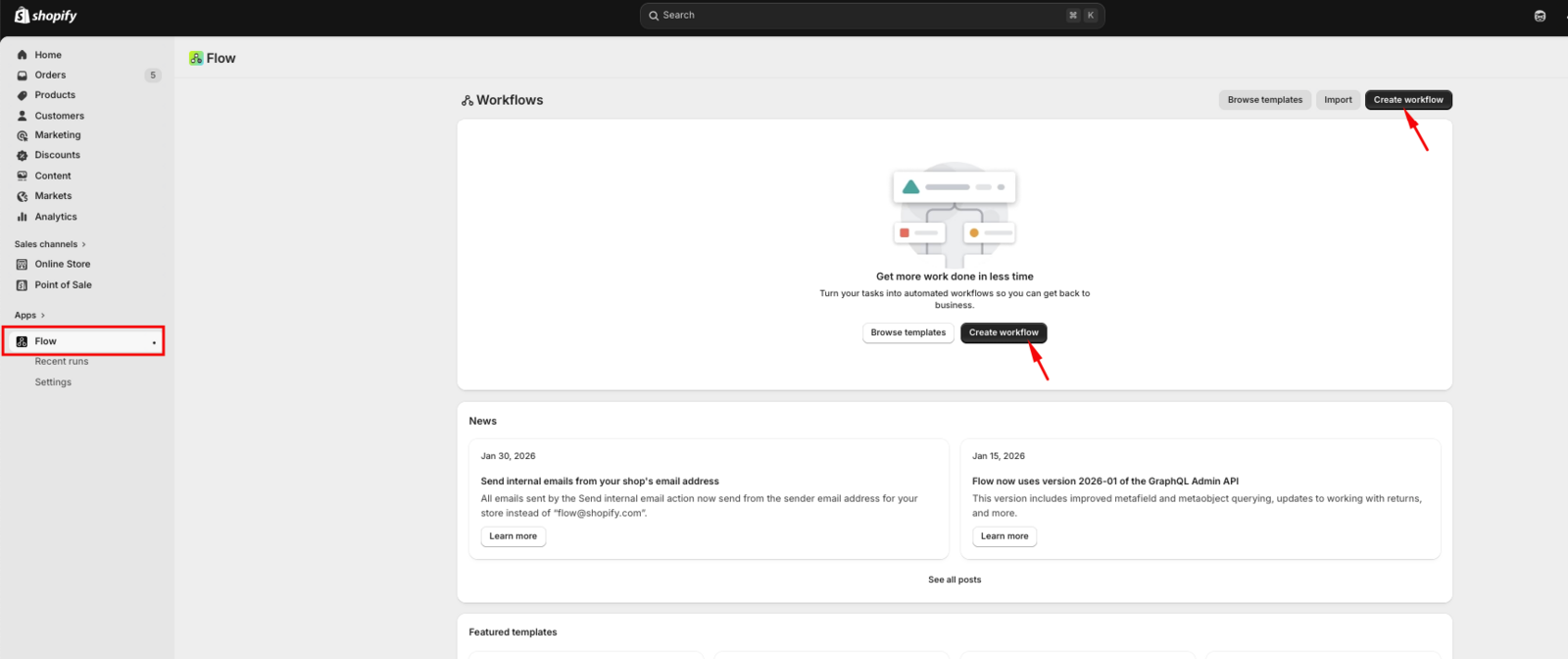
- Open the Shopify Flow app and click Create workflow.
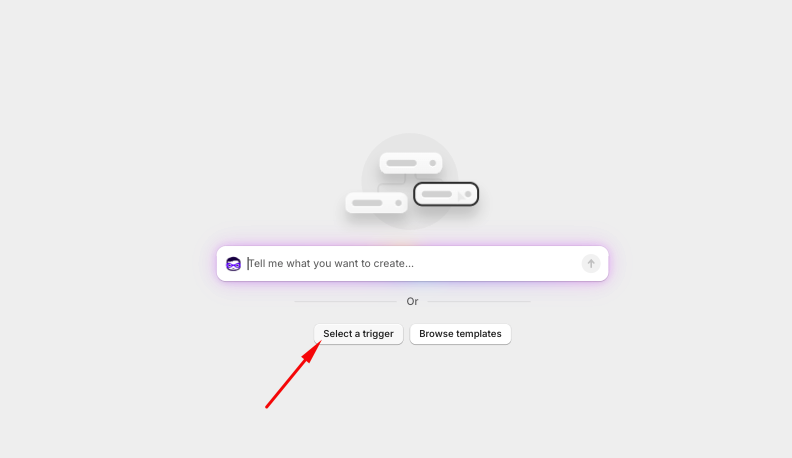
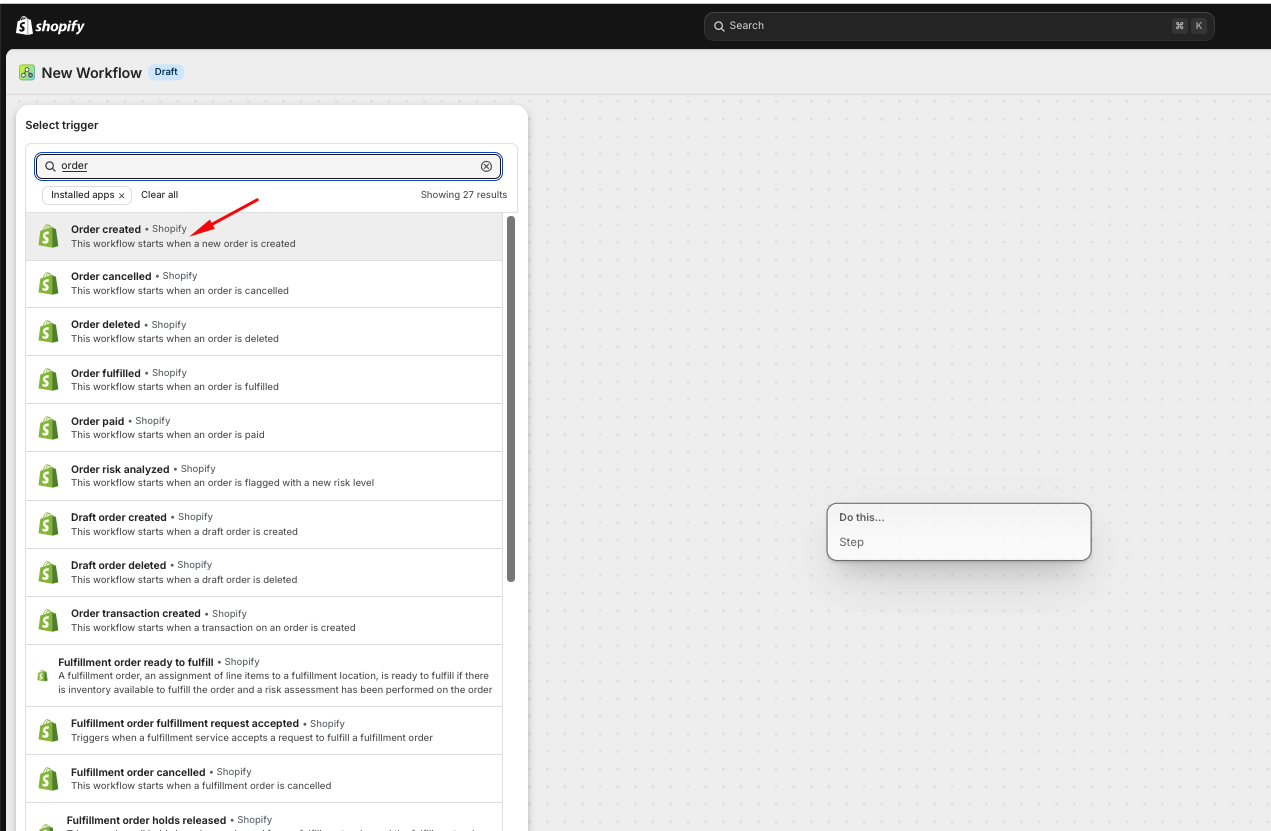
- Select a trigger: Choose the event that will start the automation (e.g., Order created or Order paid).
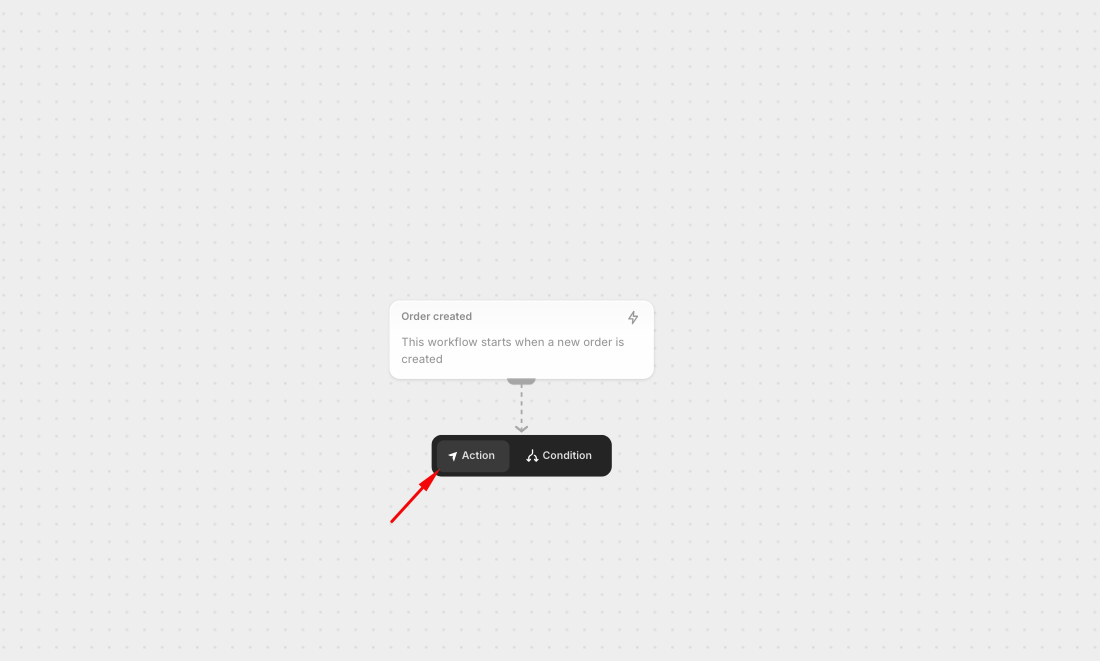
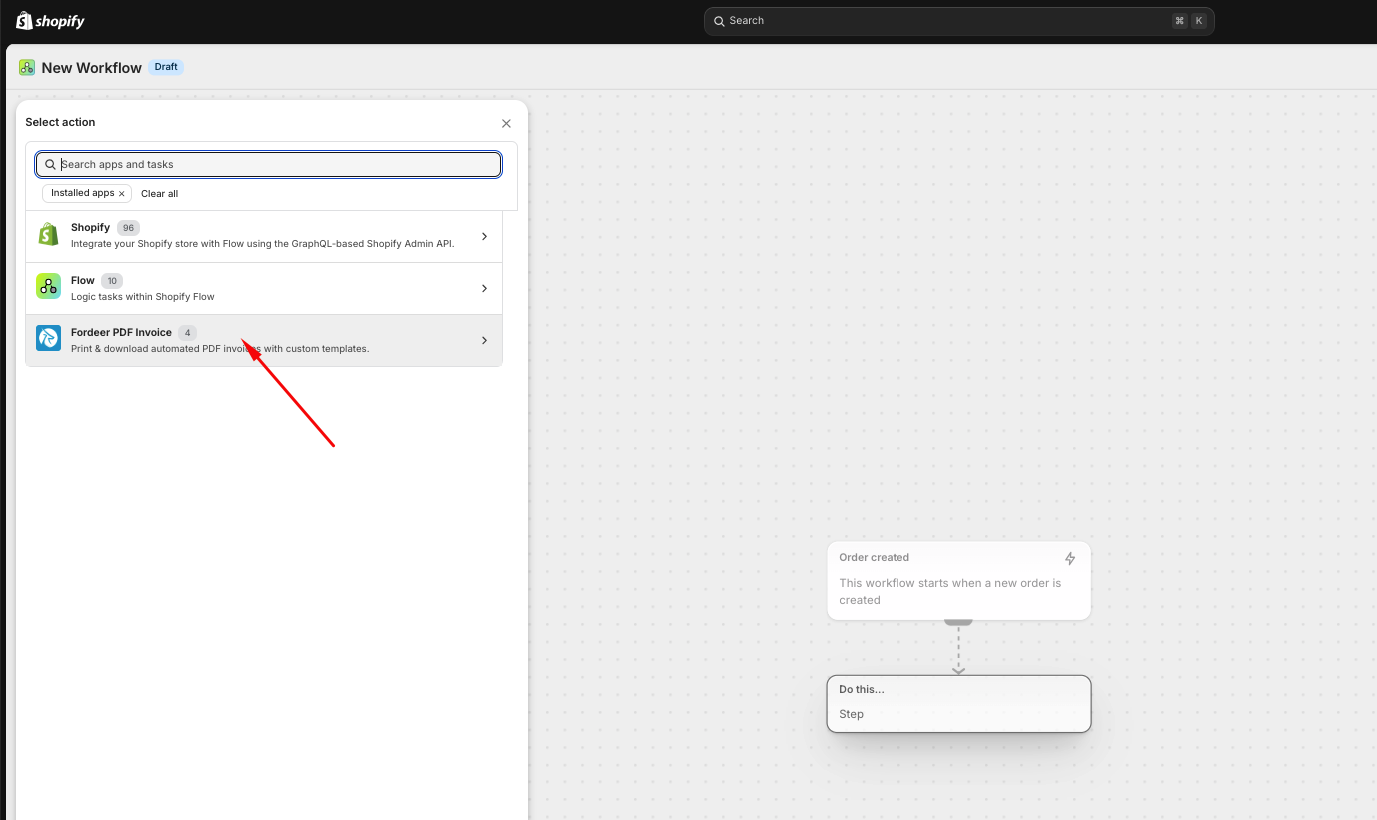
- Add an Action: Click the plus (+) icon and select Fordeer: PDF Invoice from the list of installed apps.
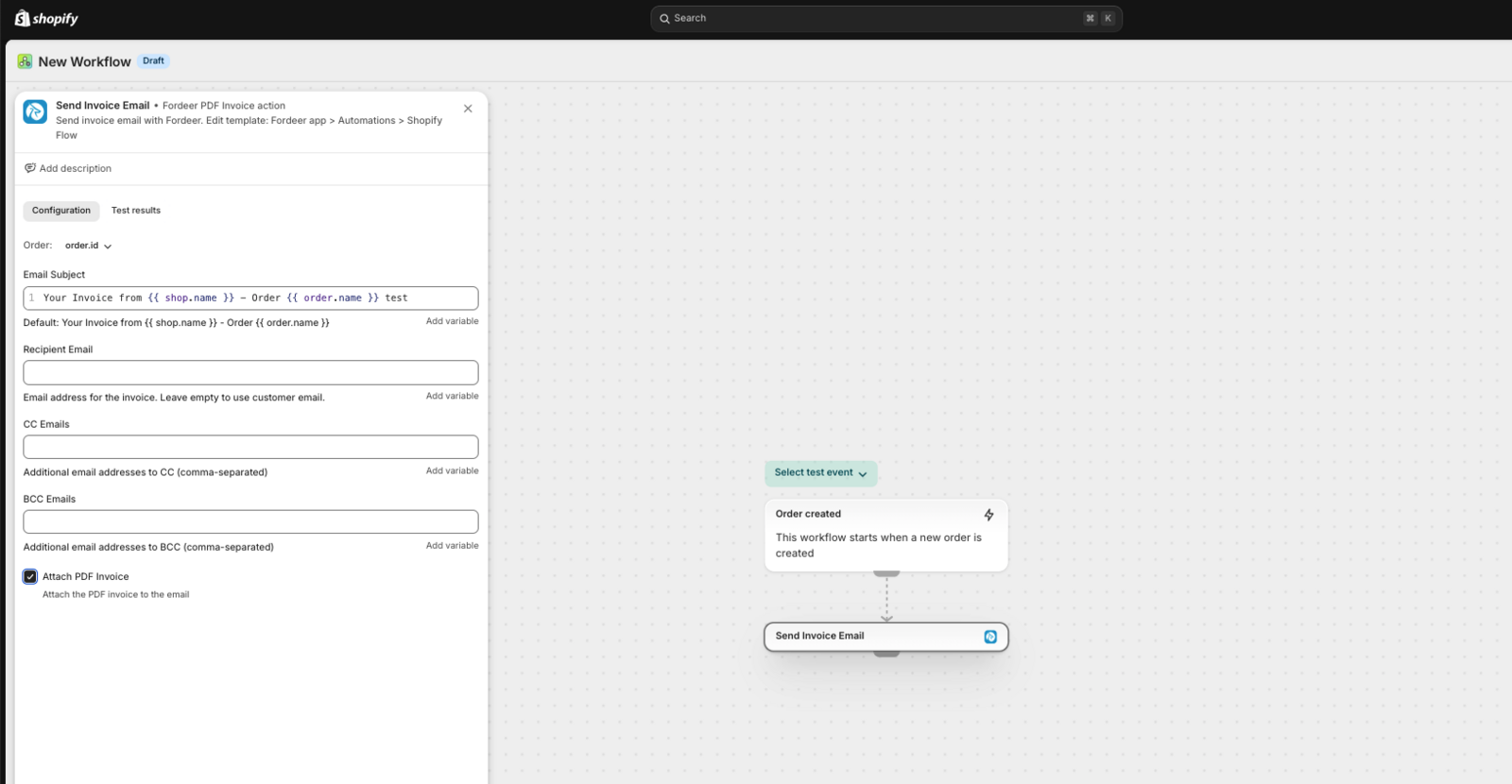
- Configure the Action:
-
Select template: Choose the document type you want to send (e.g., Invoice).
-
Customize delivery: You can edit the Email Subject, Recipient Email, CC, and BCC fields.
-
Attachment: Choose whether or not to attach the PDF invoice directly to the email.
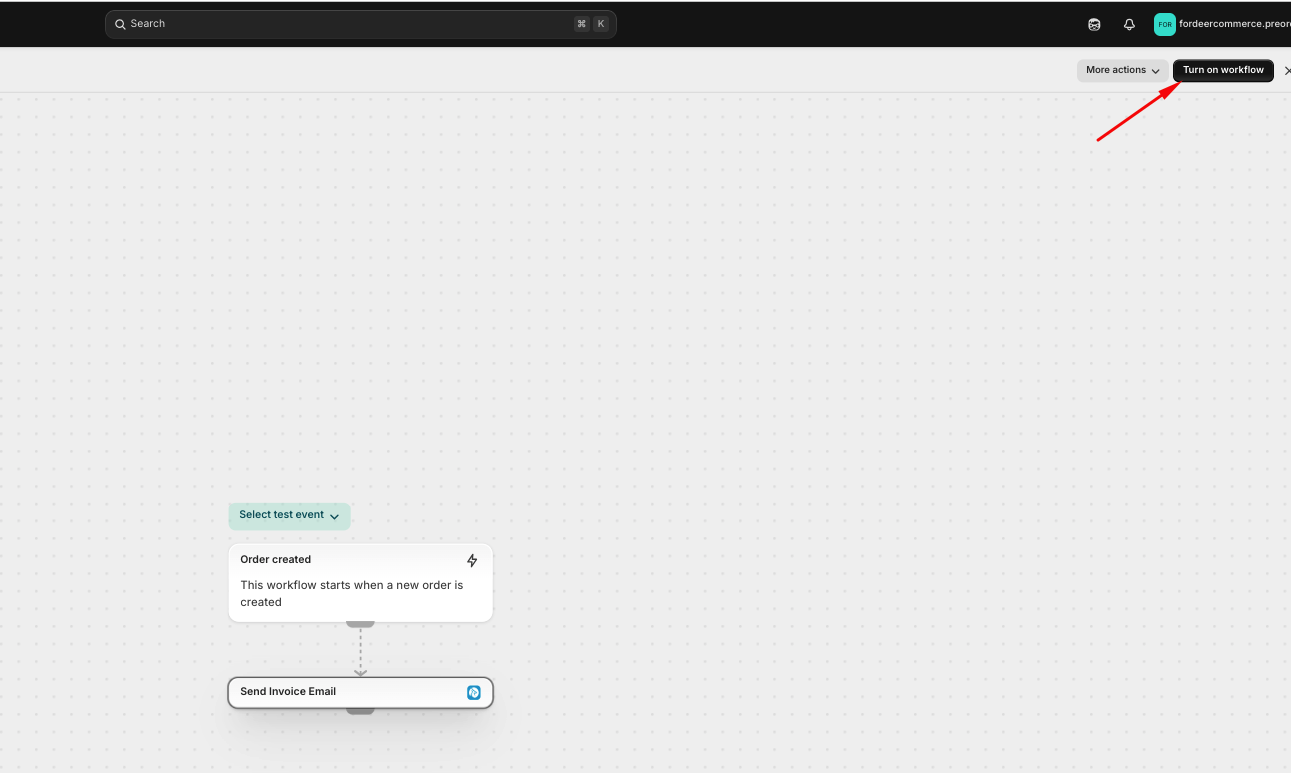
- Click Turn on workflow in the top right corner.
Pro-Tip: To test your workflow, create a test order in your Shopify Admin. You can track the success of your automation in theRecent runstab within Shopify Flow.
Step 2: Customizing the Email Content
If you are on a Professional plan or higher, you can edit the specific message your customers receive.
-
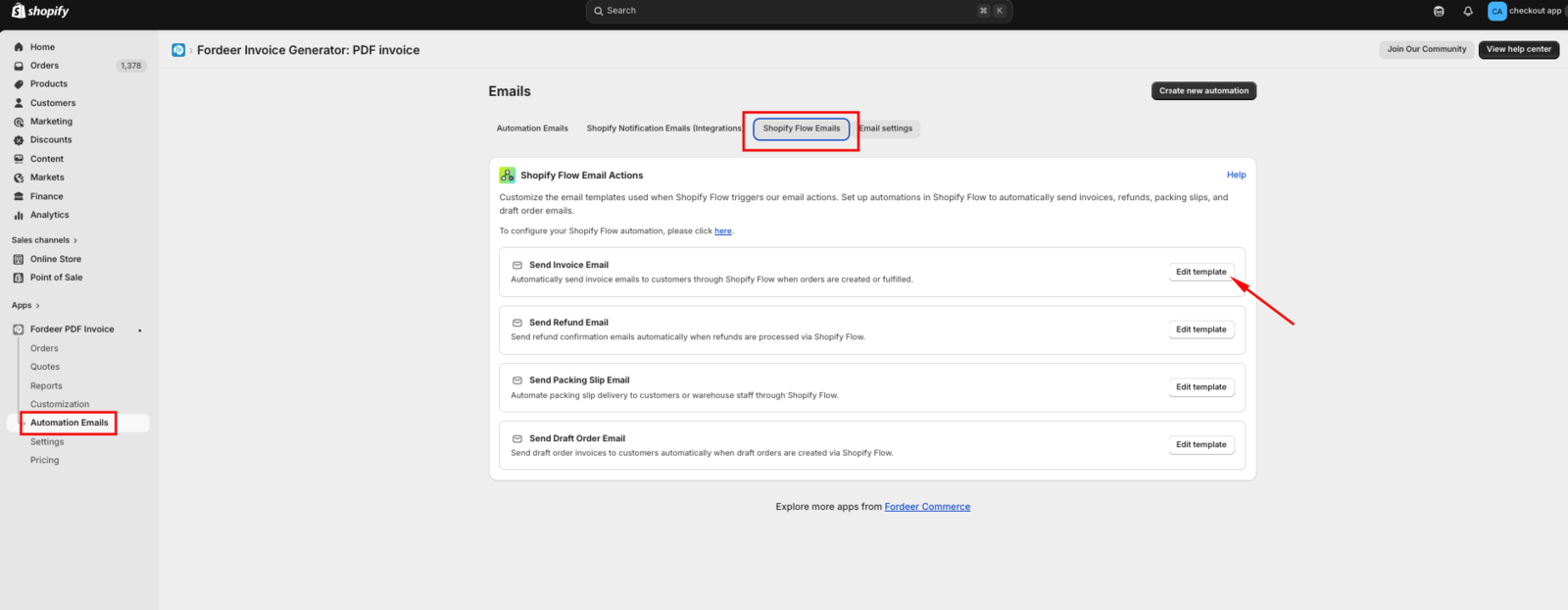
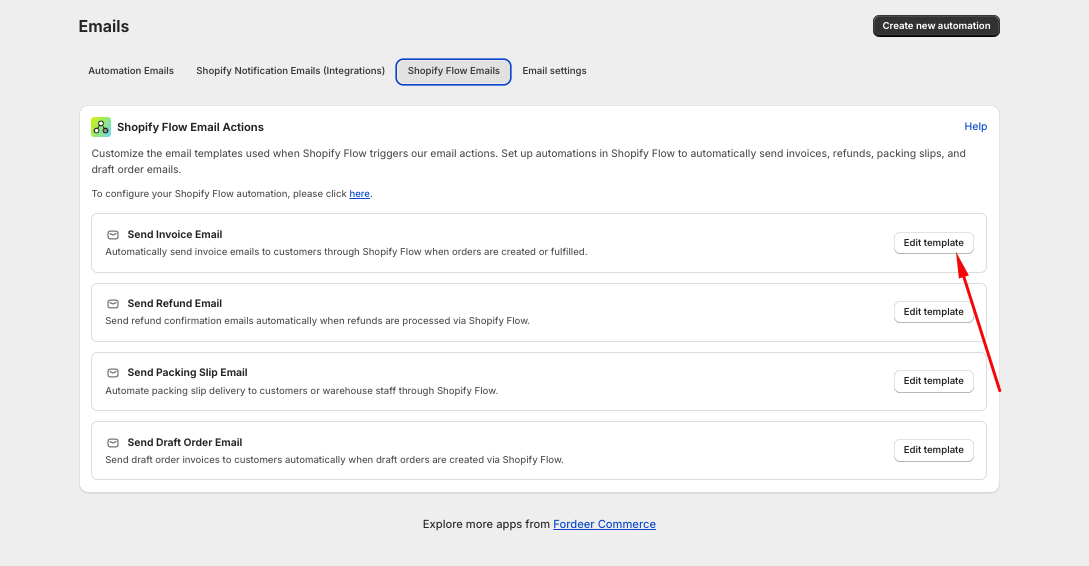
In the Fordeer app, go to Automation Emails.
-
Select the Shopify Flow tab.
-
Here, you will see all supported templates: Invoice, Refund, Draft Order, and Packing Slip.
-
Click Edit template on the specific document you are using in your Flow.
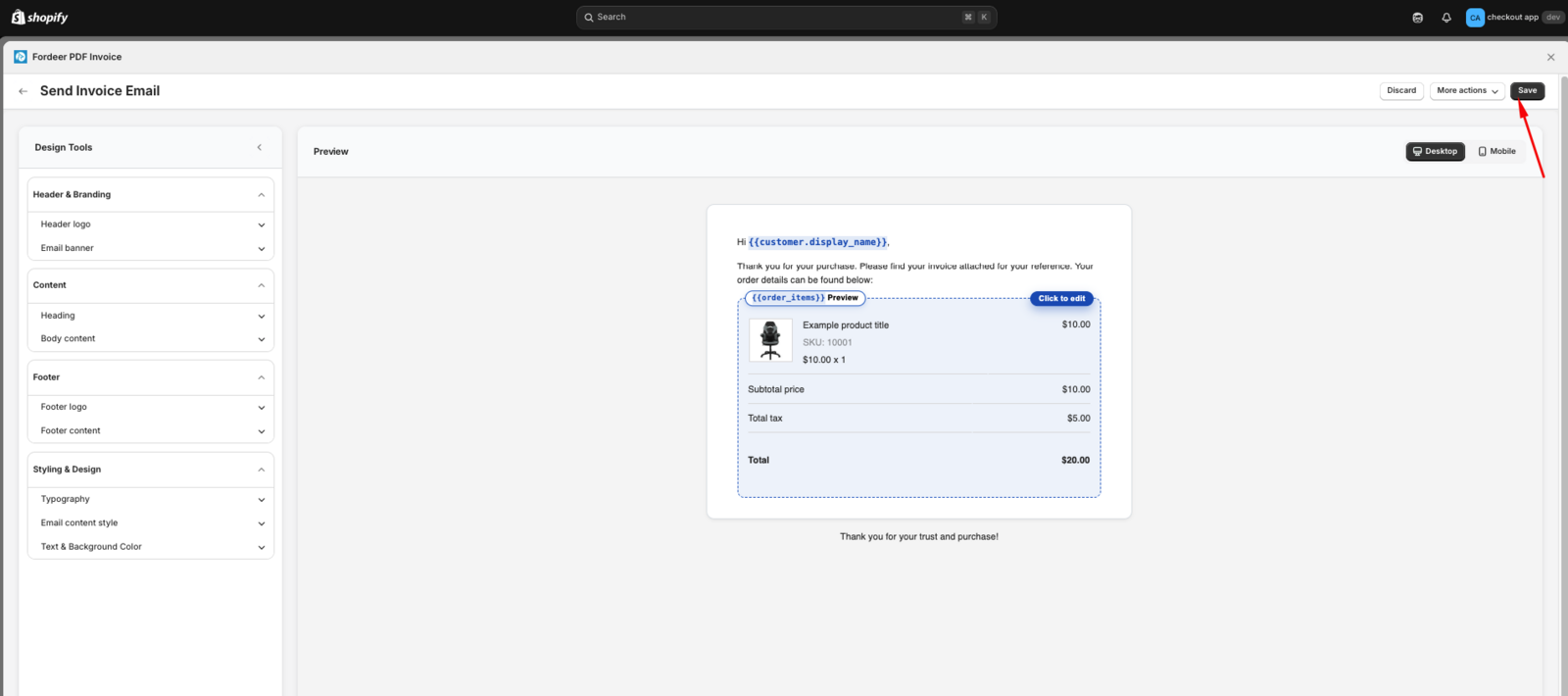
- Use the editor to update the text, branding, and layout to meet your requirements, then hit Save.
If your workflow isn't triggering correctly or you need help mapping your metafields, please reach out to our support team.
We value your feedback — it helps us continuously improve app and provide you with a better experience.
👉 Chat with us: Share your feedback directly with our team.
👉 Explore more apps: Discover more Fordeer apps. special deals.
🕐 Working hours: 8:30 AM – 5:00 PM (UTC+7), Monday–Friday.
We typically reply to live chats within minutes and emails within a few hours.
Need help? Feel free to reach out anytime via live chat or email!