
Fordeer Hello to you! 😃
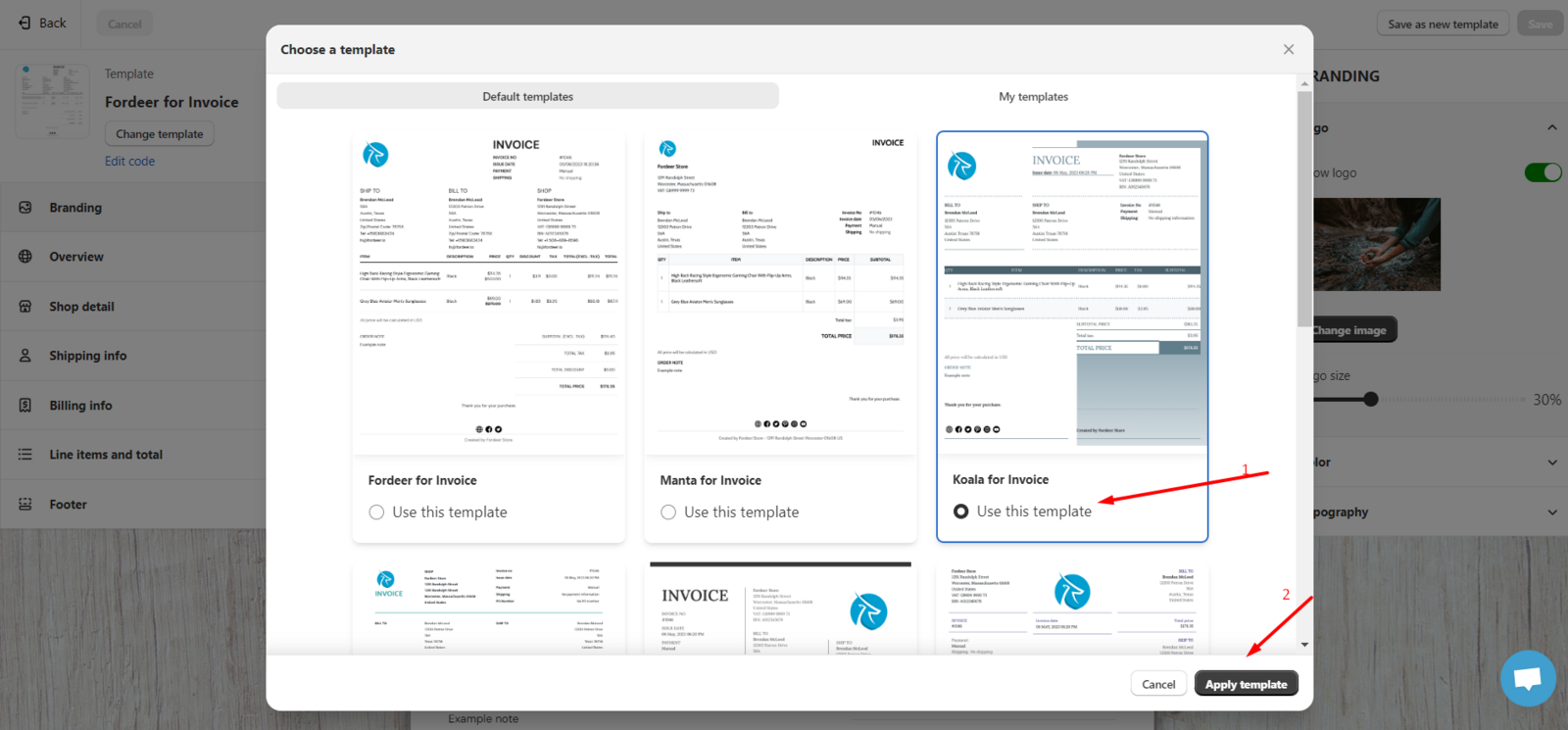
Currently, Fordeer PDF Invoice Printer is providing a list of available templates including 9 templates including Fordeer, Manta, Koala, Dolphin, Pika, Amur, Panda Swanepoel and Saola templates, so you can change and choose based on the unique needs and style of your business.
With Fordeer, to change the invoice template, please follow the steps below:
- Step 1: Go to the Customization section in our app, then select Customize.
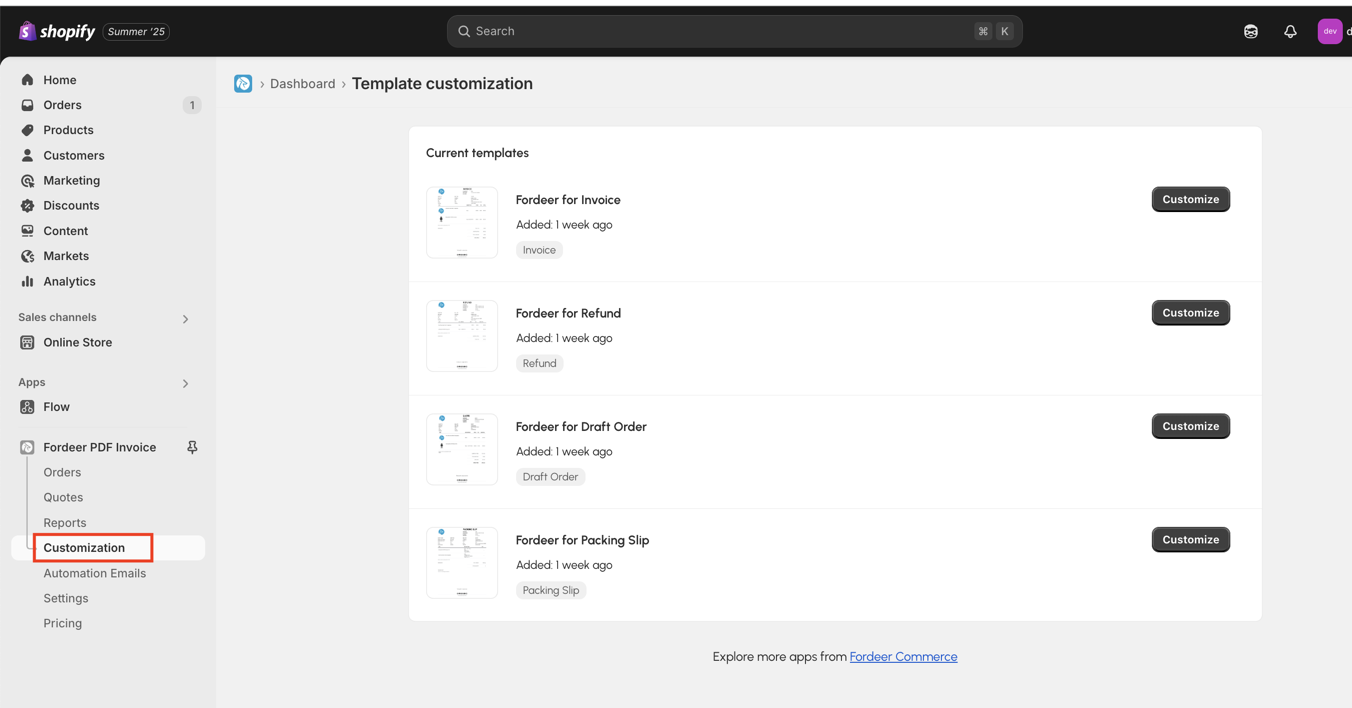
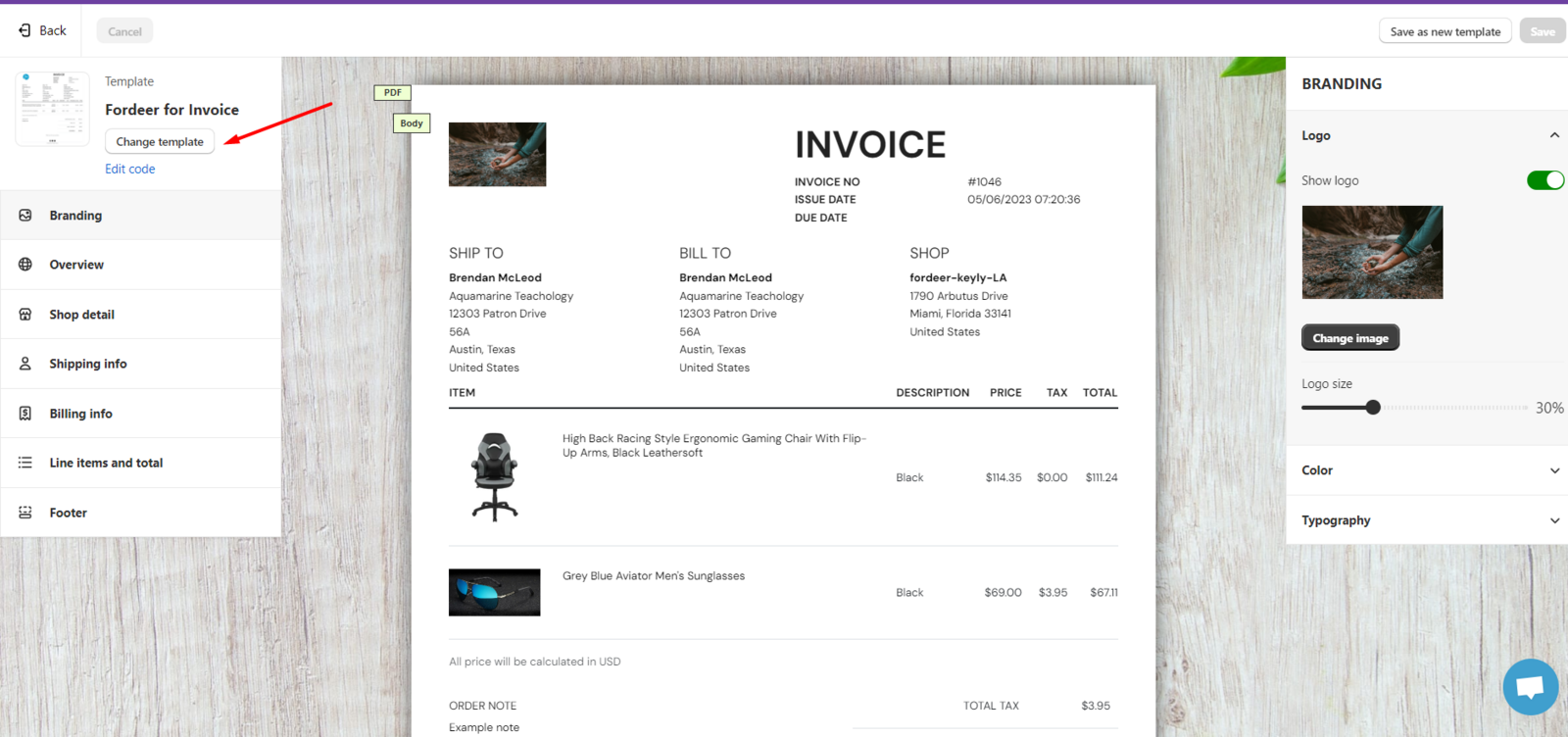
- Step 2: Here, you can see the preview of the invoice template. If you want to change, please click the Change template button.
- Step 3. Here, you can choose the default templates as I mentioned above and click the Apply template button.
In case you want to create your template.
-
To begin with, you can choose one of the default templates and then customize it as you wish like all the steps I told above.
-
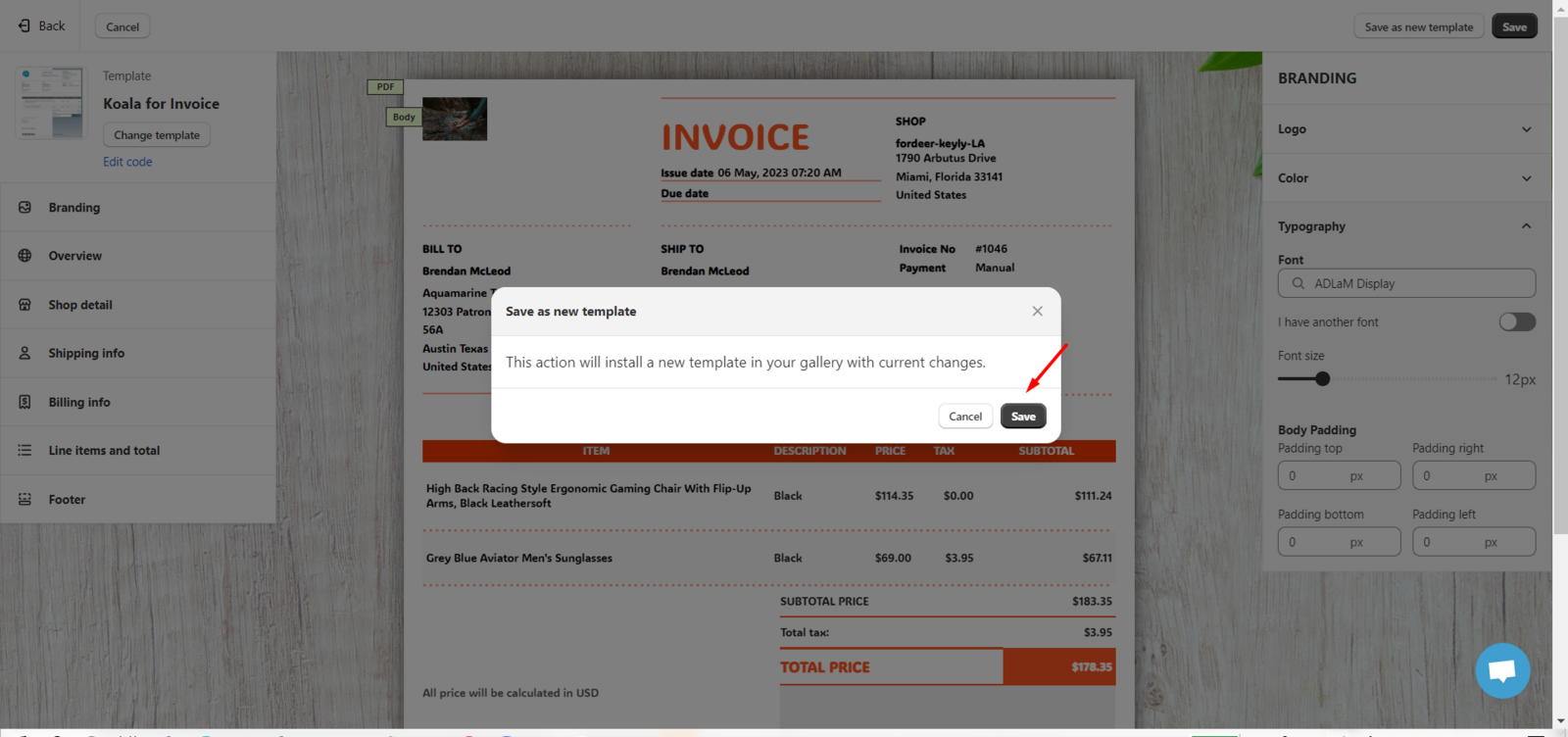
Next, press the Save as new template button to create your own invoice template. This function allows you to save your own template that you adjust based on the default template in our app.
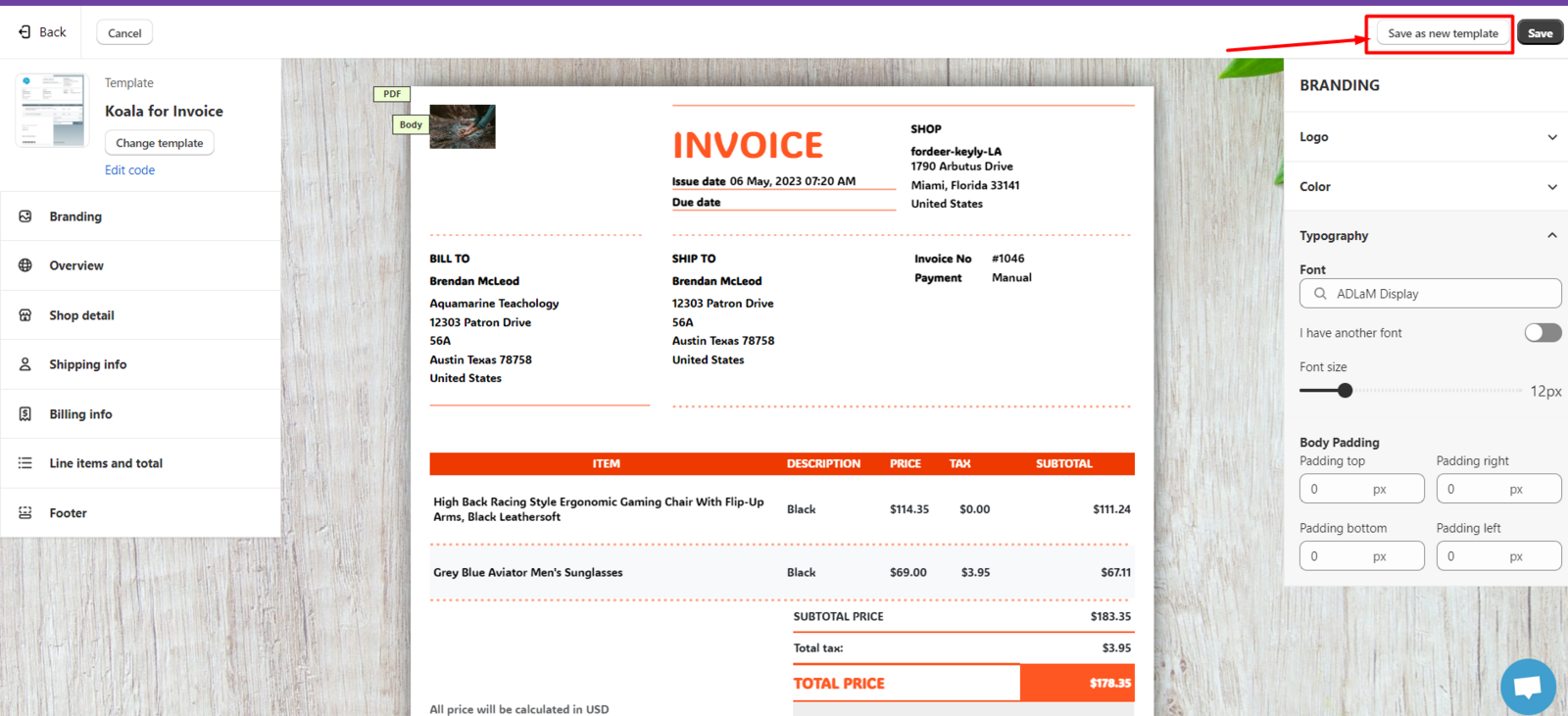
- After that, you can receive a notification that This action will install a new template in your gallery with current changes. Kindly click **Save **to save your template.
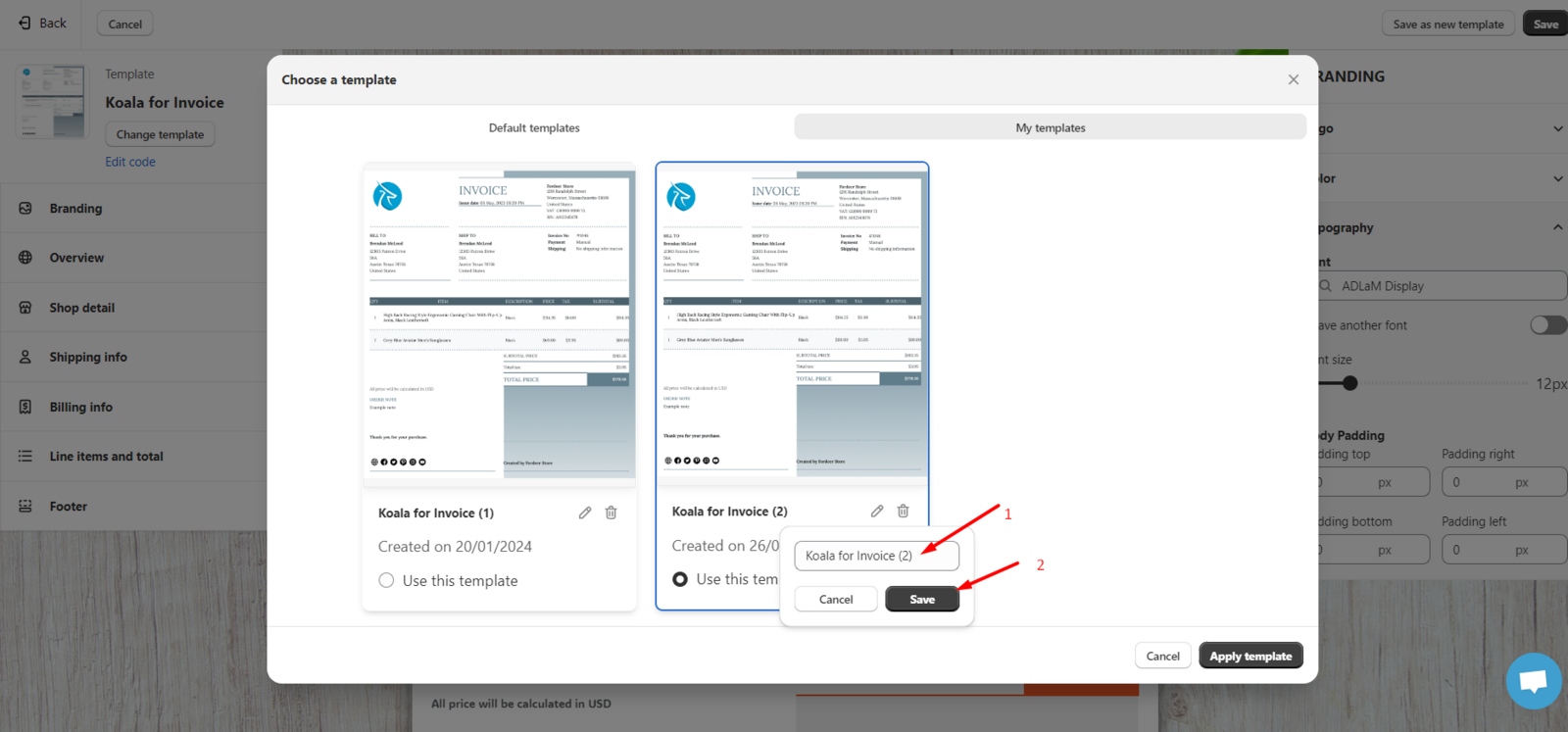
- You can edit the name of your own template you have just set up and click the Save button.
We value your feedback — it helps us continuously improve app and provide you with a better experience.
👉 Chat with us: Share your feedback directly with our team.
👉 Explore more apps: Discover more Fordeer apps. special deals.
🕐 Working hours: 8:30 AM – 5:00 PM (UTC+7), Monday–Friday.
We typically reply to live chats within minutes and emails within a few hours.
Need help? Feel free to reach out anytime via live chat or email!