
Hello from Fordeer,
On this article, we will walk you through how to set up the attributes properly.
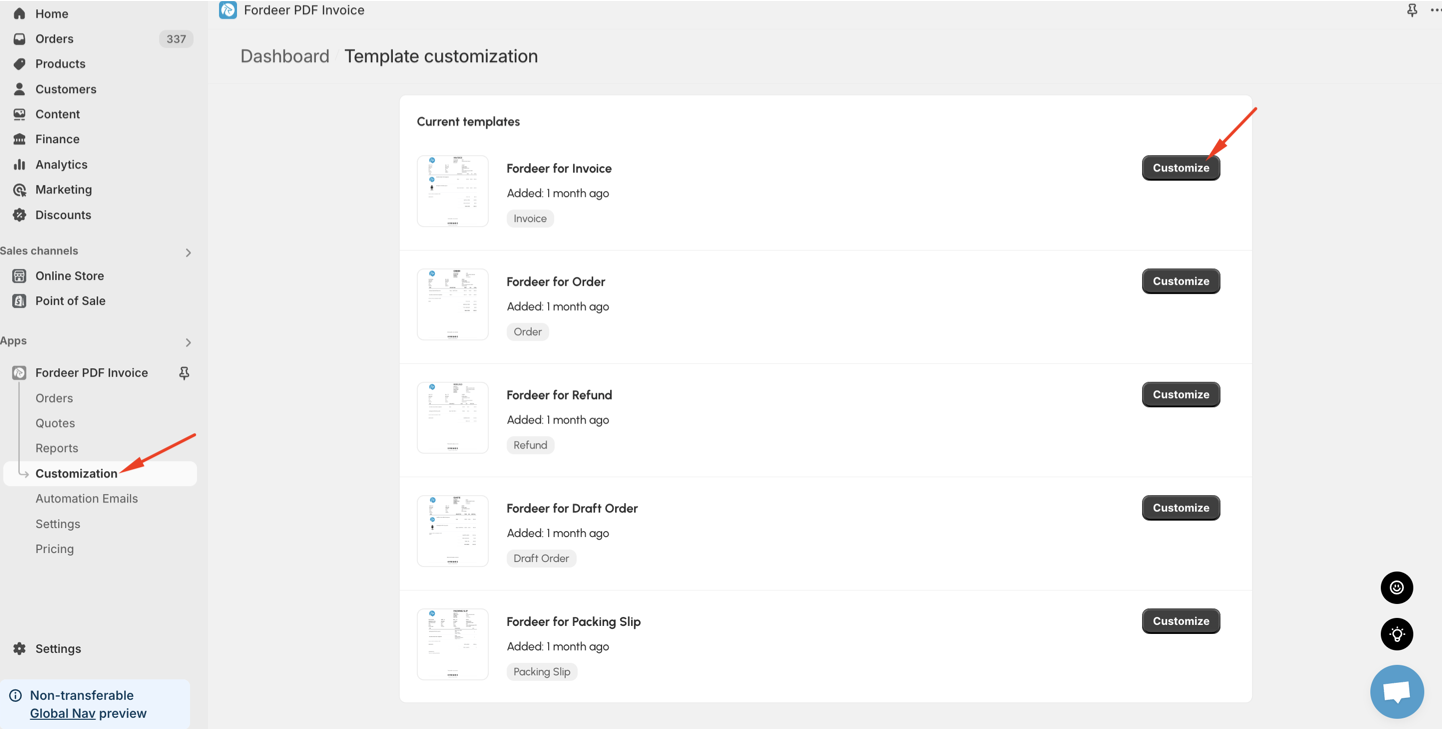
- Please go to Customization tab on the sidebar menu, then click Customize
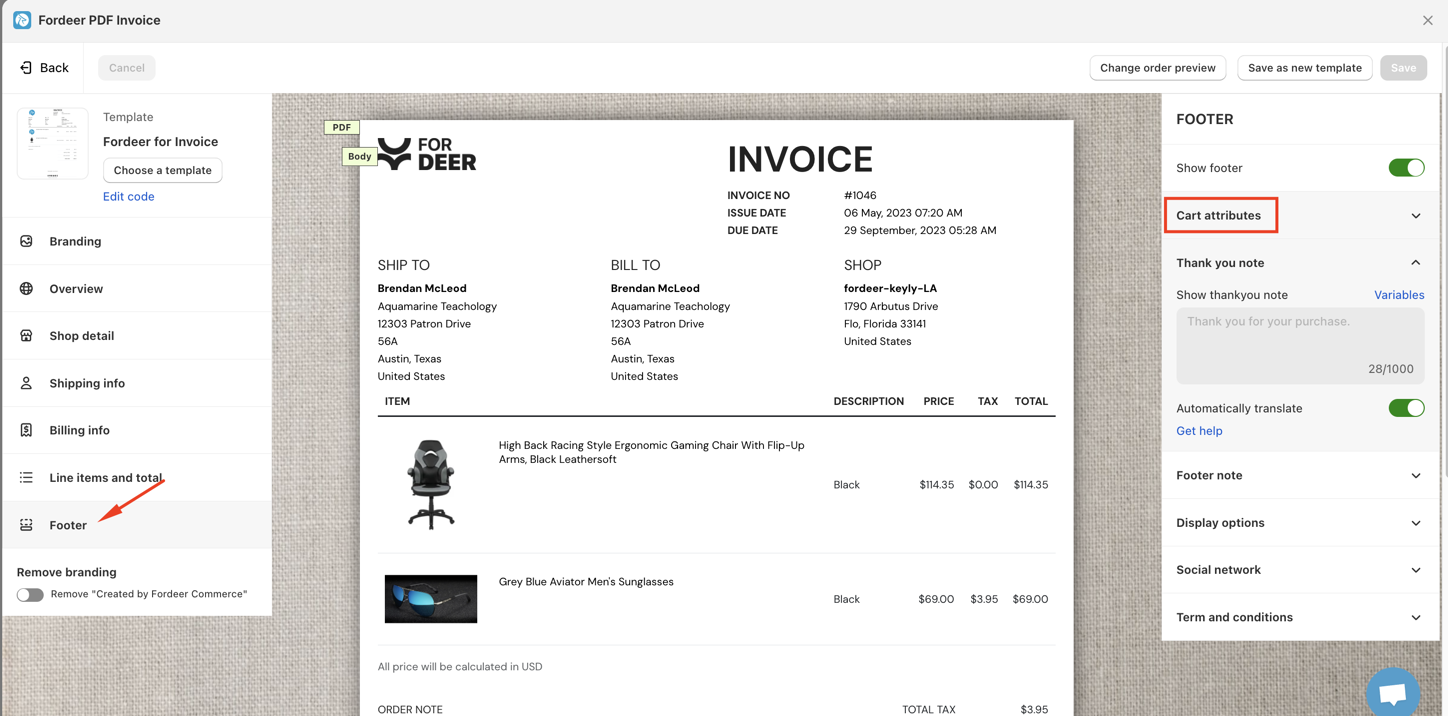
- Select the Footer section and you see the Custom attributes option.
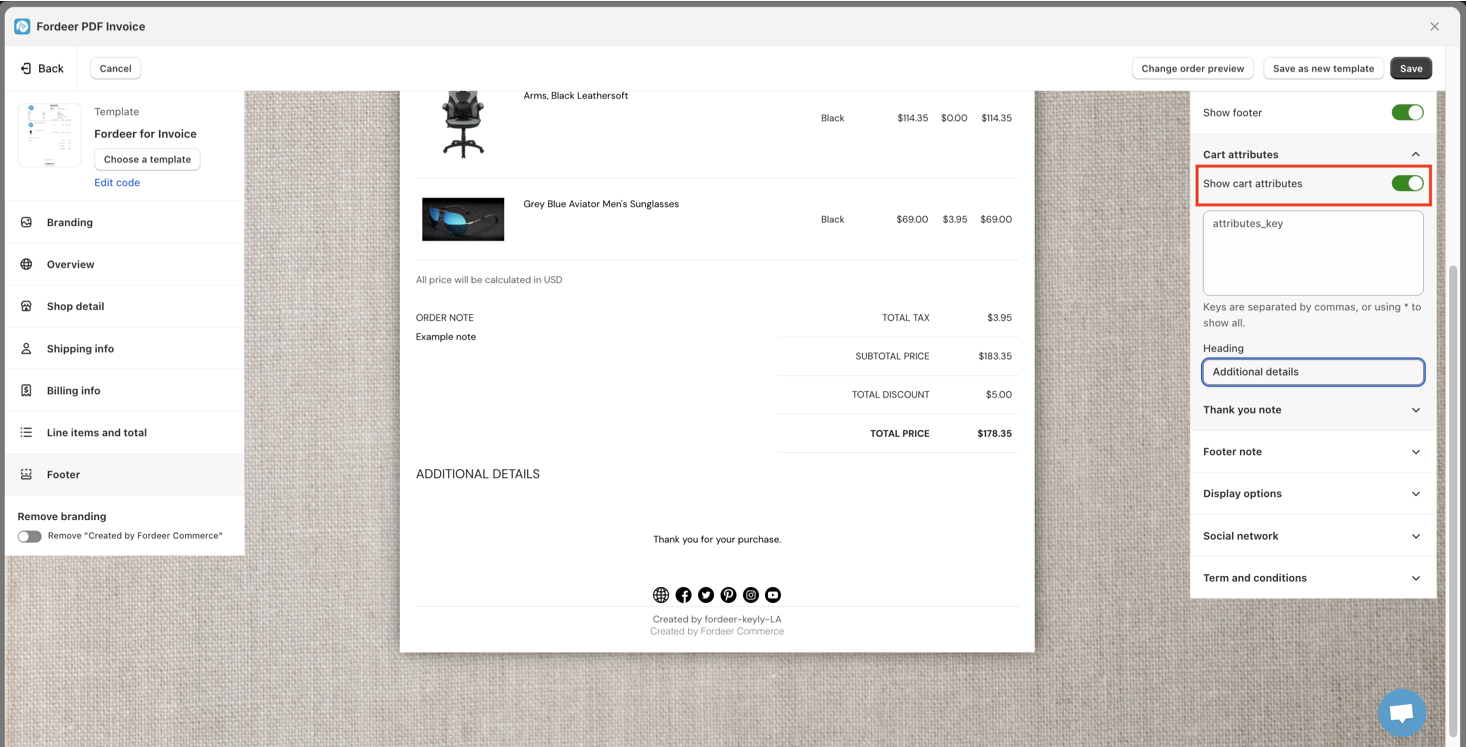
- Turn on the Show custom attributes to be able to customize this field.
- Enter the heading to meet your need
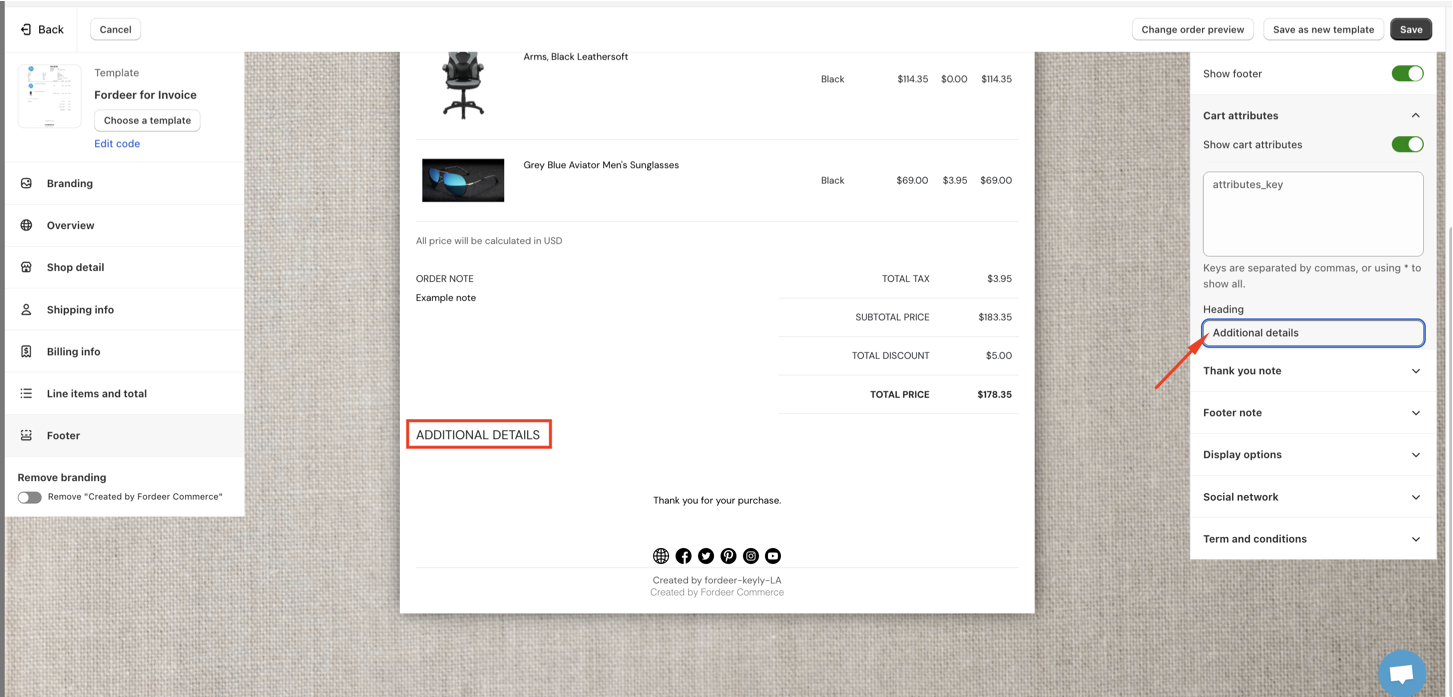
- Here, you can enter the option titles of the attributes and commas separate them, or you can use * to show all.
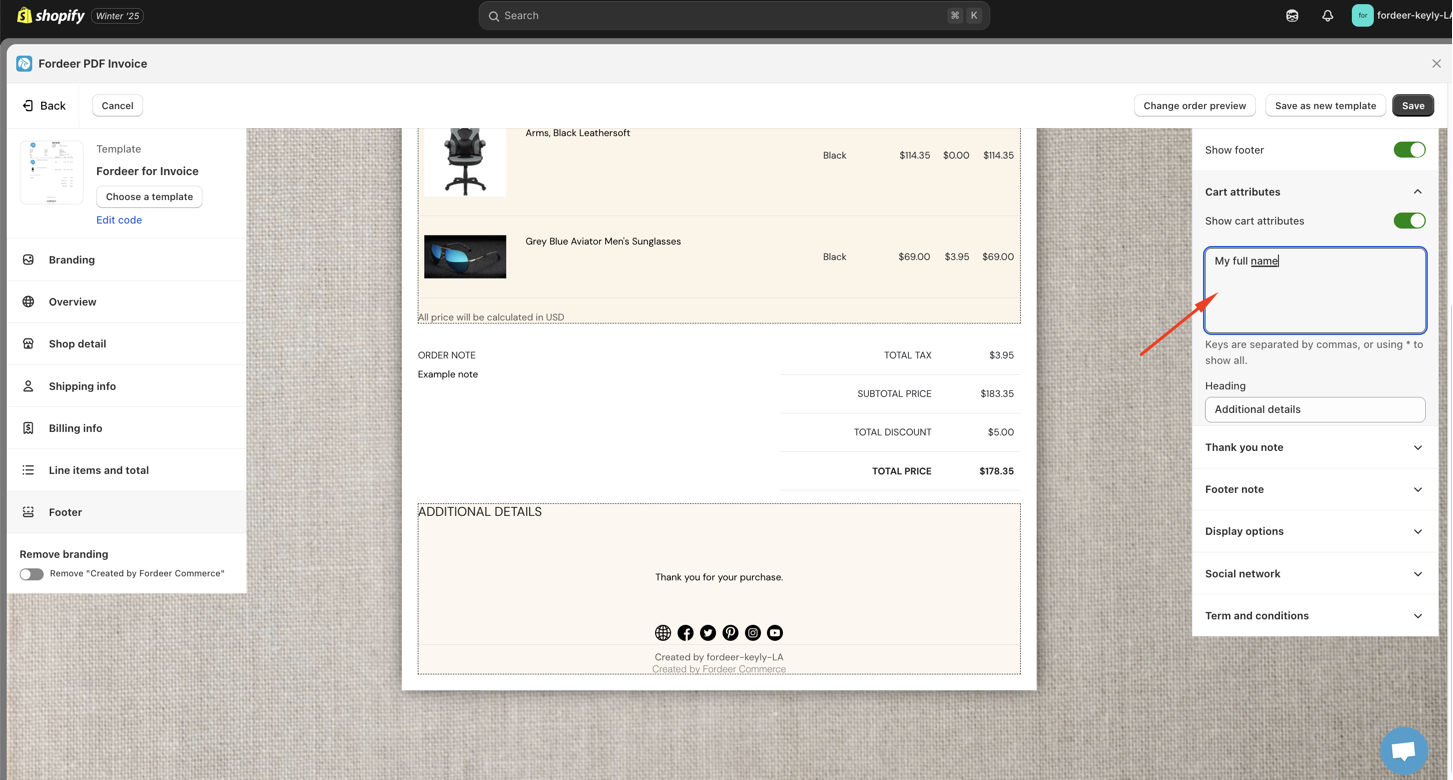
- Click **Save **at the end to save all the changes.
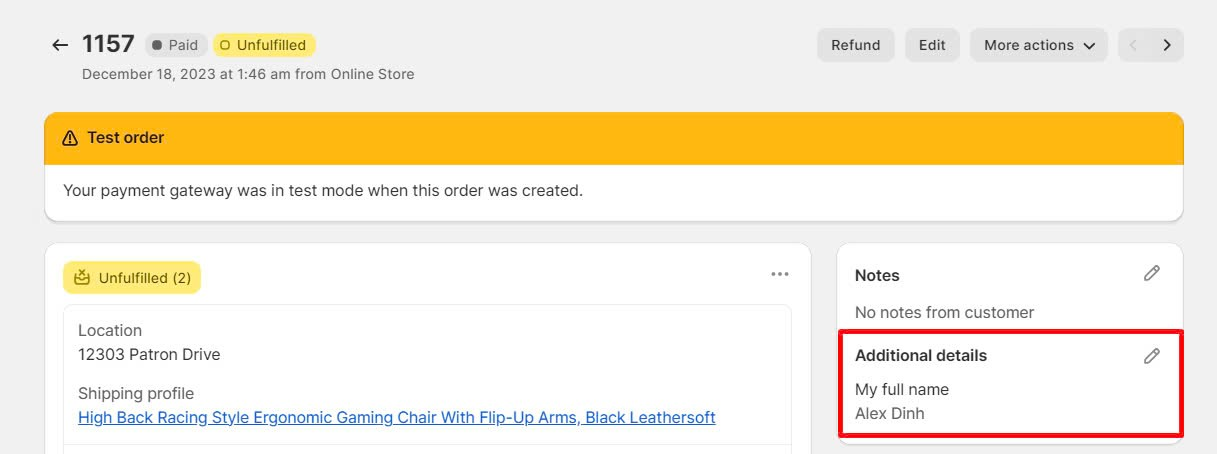
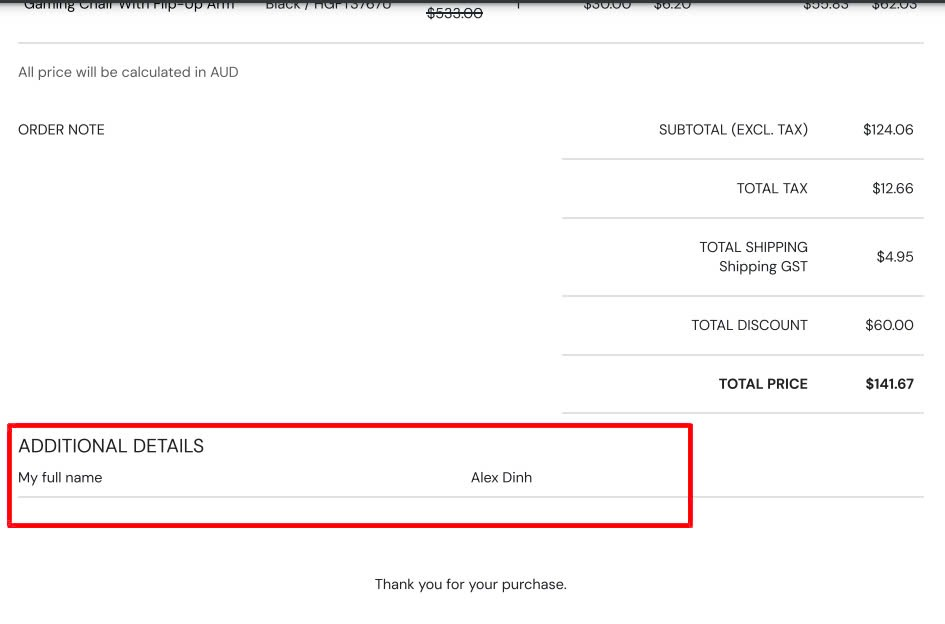
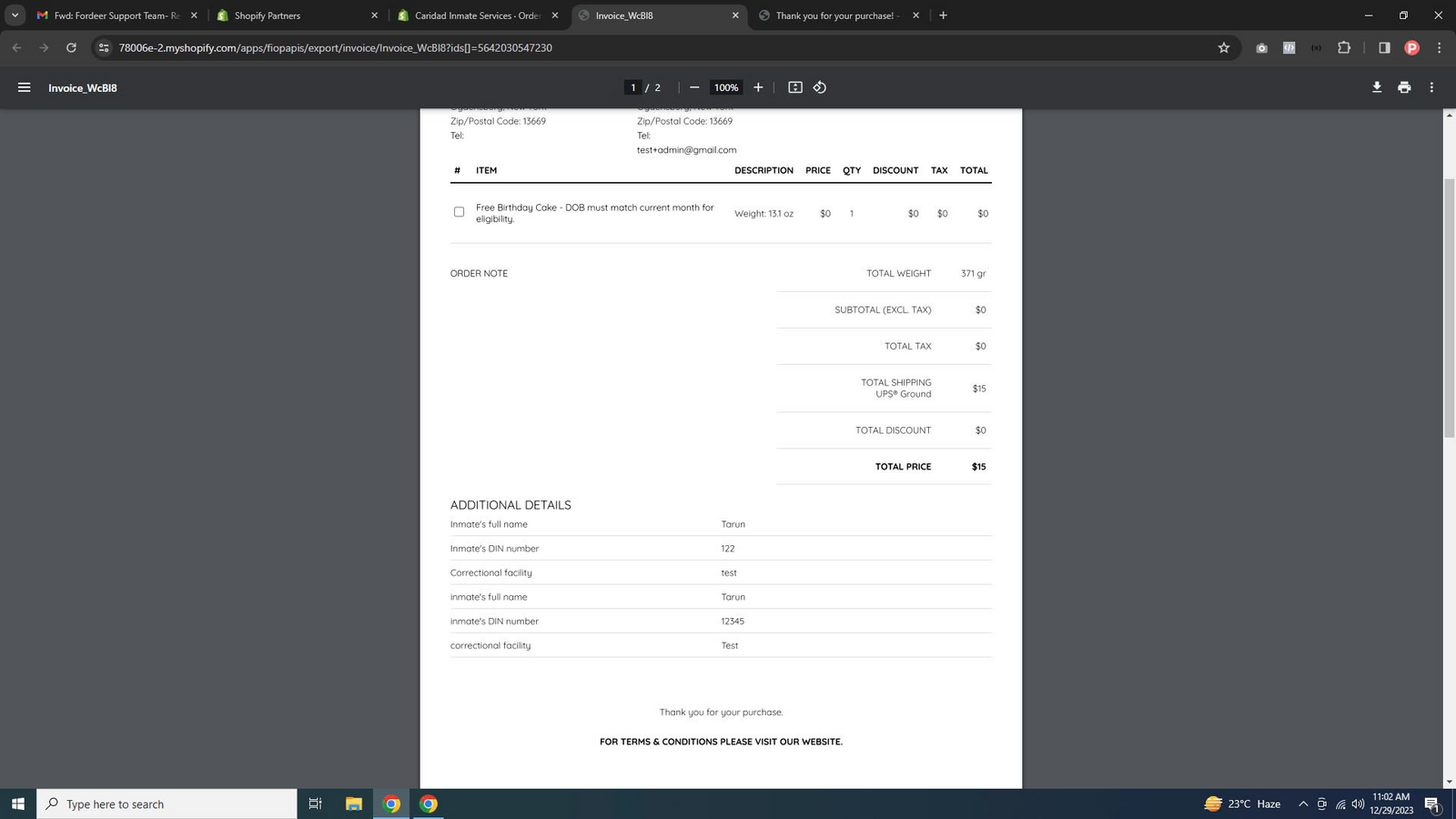
Here is the result:
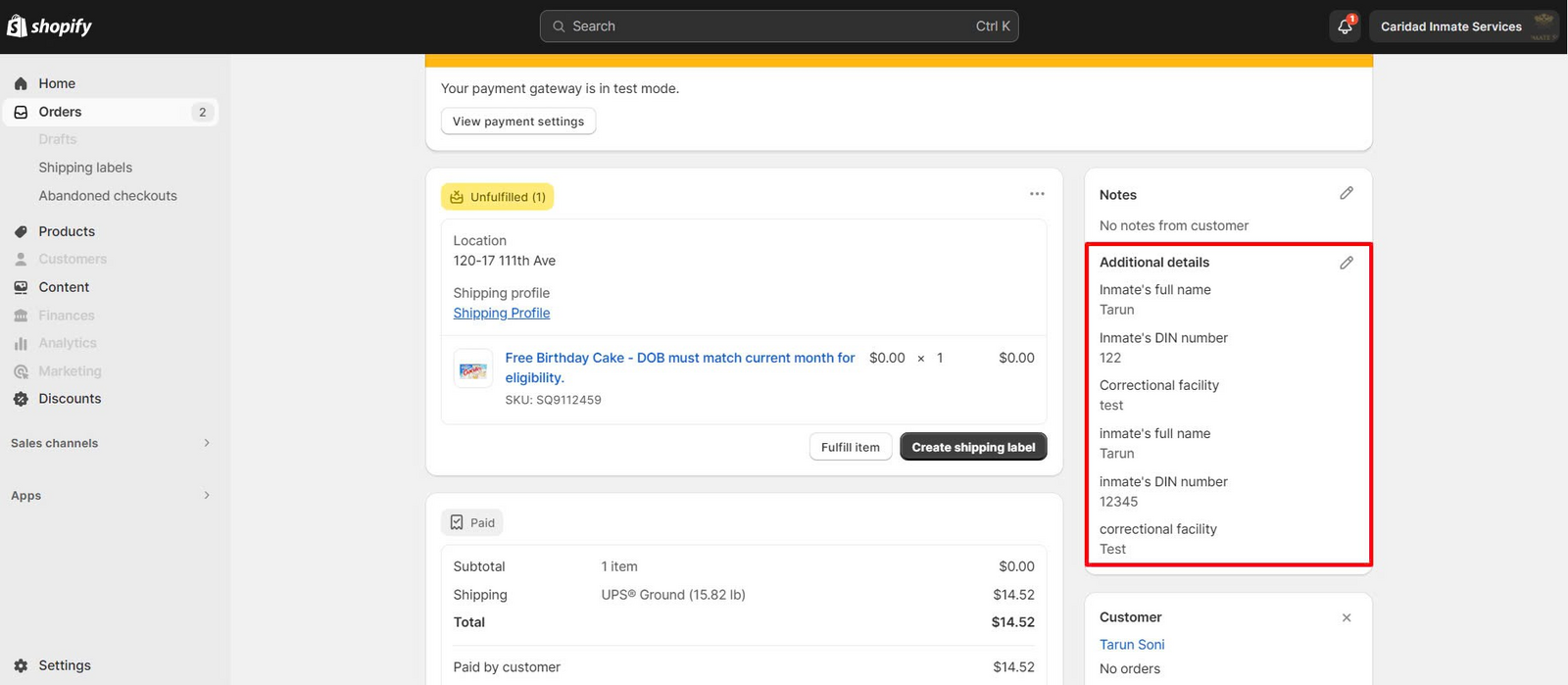
Or you can use * to show all cart attributes like this:
Now this feature is available on PREMIUM plan. Upgrade plan to easily access it.
Please check it out and feel free to reach out to us if you have any questions along the way.
We value your feedback — it helps us continuously improve app and provide you with a better experience.
👉 Chat with us: Share your feedback directly with our team.
👉 Explore more apps: Discover more Fordeer apps. special deals.
🕐 Working hours: 8:30 AM – 5:00 PM (UTC+7), Monday–Friday.
We typically reply to live chats within minutes and emails within a few hours.
Need help? Feel free to reach out anytime via live chat or email!