
Hello Fordeer users,
We have streamlined the process for exporting CSV orders, enabling you to do this directly within our system without the need for any third-party CSV applications. Here's a simple guide to help you through the process:
-
Firstly, go to Orders and select the order you want to export CSV files.
-
After selecting the order, click Three dots next Download button > Export CSV⇒ Export order
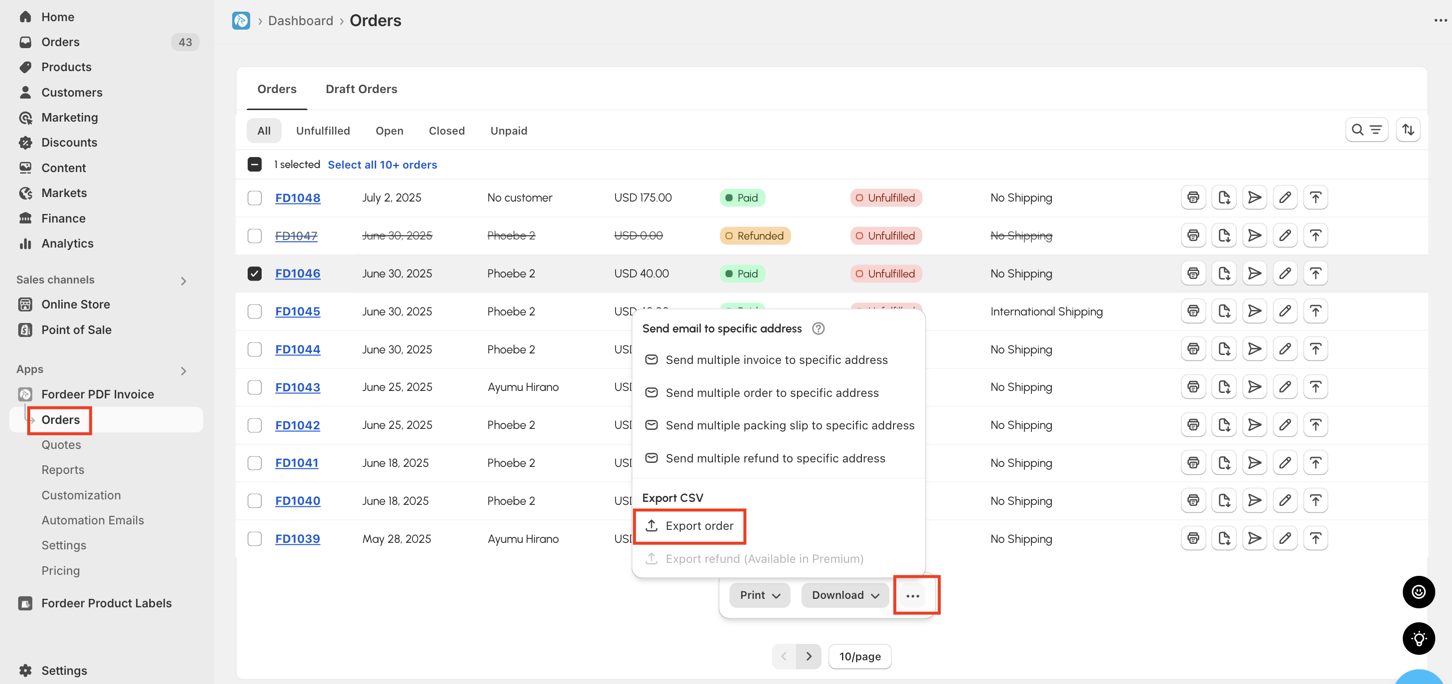
If you need to export multiple orders in bulk, follow the same process. The CSV files will be automatically downloaded to your computer.
Kindly take note that this feature is Free for all users.
This intuitive process eliminates the need for external tools, making it more efficient and seamless for you to manage your orders.
Besides, you can do the same with refund orders. Here is guidelines how to do it
-
Select the refund orders
-
Click Export CSV action button and click Export refund
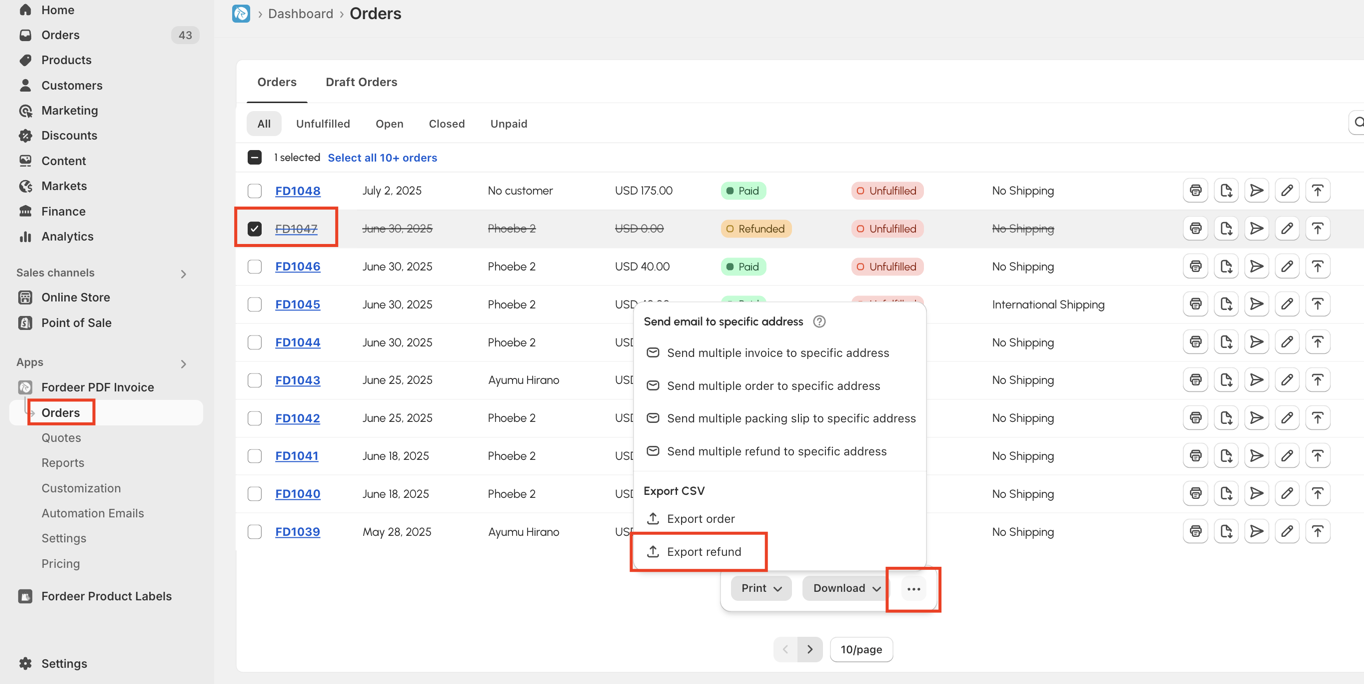
The file will be downloaded to your computer.
Kindly take note that this feature is only available for Premium users
We value your feedback — it helps us continuously improve app and provide you with a better experience.
👉 Chat with us: Share your feedback directly with our team.
👉 Explore more apps: Discover more Fordeer apps. special deals.
🕐 Working hours: 8:30 AM – 5:00 PM (UTC+7), Monday–Friday.
We typically reply to live chats within minutes and emails within a few hours.
Need help? Feel free to reach out anytime via live chat or email!