
If you have active email automation campaigns running, you will likely want to verify whether your customers are receiving your emails.
To help you monitor this, Fordeer includes an Email Automation History feature. This tool allows you to track every email sent to your customers and easily resend any that fail.
Before you can track your history, you must have:
-
An active or drafted automation email campaign.
-
At least one order that has triggered the automation event. (New to automations? Learn how to create an automation campaign here)
How to access your email history
To view and track your automated emails, follow these steps:
-
Open the app and navigate to Automation Emails.
-
Click on the Auto Email History tab.
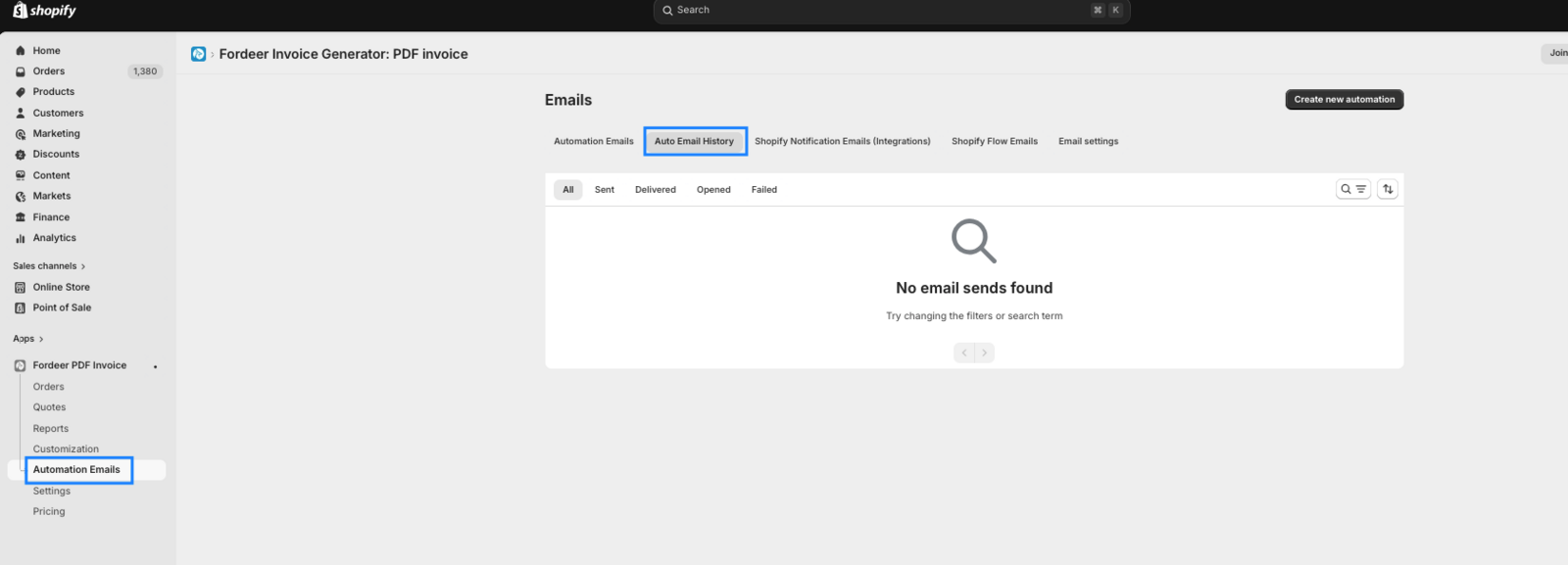
From this dashboard, you can monitor the real-time status of your sent emails. We partner with Brevo as our email service provider to give you accurate tracking data for the following statuses: Sent, Delivered, Failed, Opened.
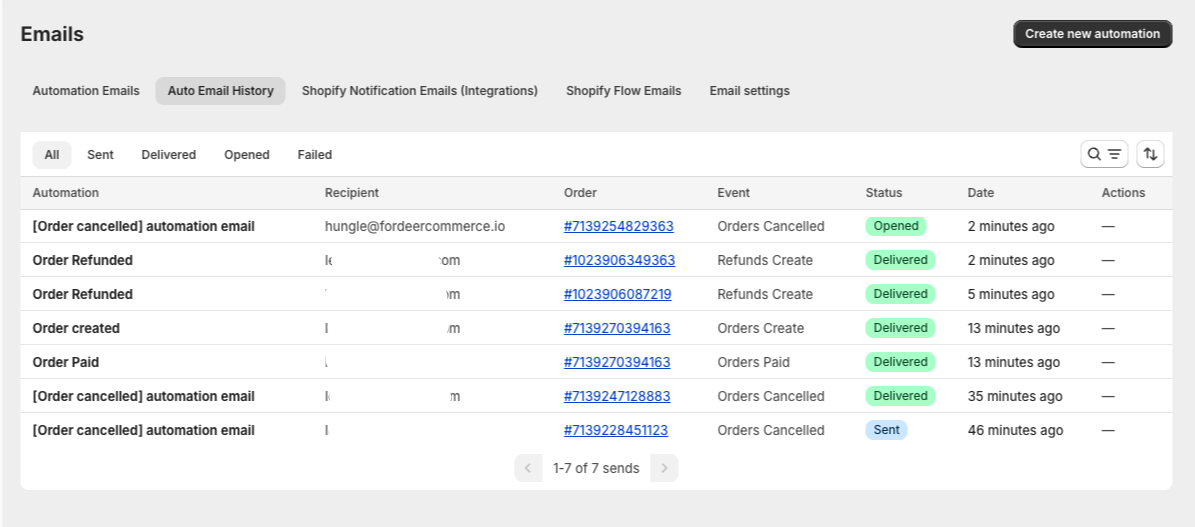
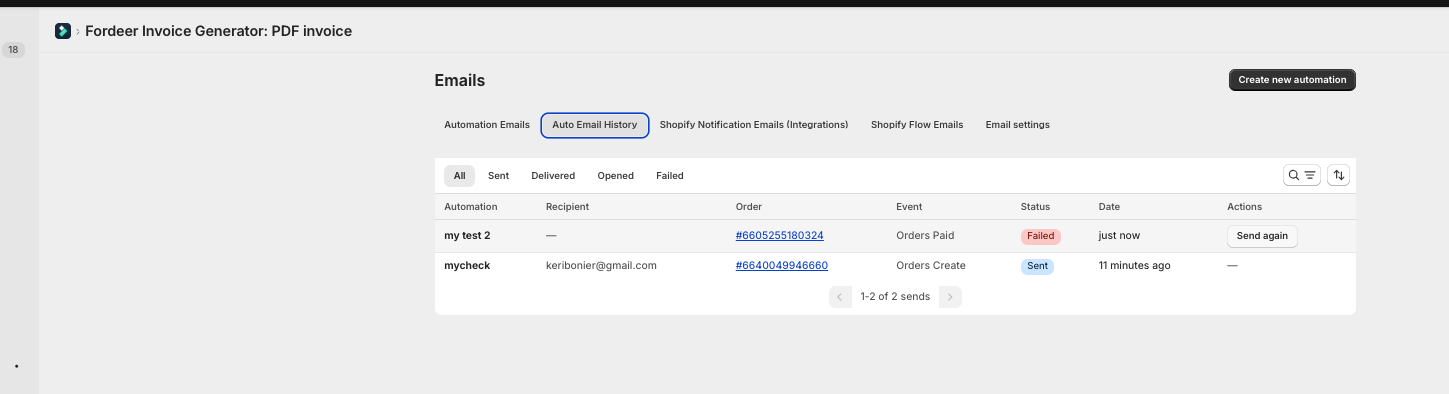
Resending Failed Emails
If an email status shows as Failed, a Resend button will appear next to the order. This allows you to quickly address the issue and ensure your customer receives their invoice or notification.
Important Notes
⚠️ Do not delete campaigns: If you permanently delete an email campaign, its tracking history will be completely erased. If you want to stop a campaign but keep its data, change its status to Draft instead.
ℹ️ Open status tracking: Please note that if a customer blocks or disables external images in their email inbox, our system cannot accurately detect the "Delivered" or "Opened" status.
Need help or have suggestions to make this feature better? Feel free to reach out to our support team anytime, we are always happy to help!
We value your feedback — it helps us continuously improve app and provide you with a better experience.
👉 Chat with us: Share your feedback directly with our team.
👉 Explore more apps: Discover more Fordeer apps. special deals.
🕐 Working hours: 8:30 AM – 5:00 PM (UTC+7), Monday–Friday.
We typically reply to live chats within minutes and emails within a few hours.
Need help? Feel free to reach out anytime via live chat or email!