
When a customer redeems a gift card at checkout, you may want that transaction to be clearly documented on their invoice. With the Fordeer PDF Invoice app, you can easily display the gift card as a payment method and show the specific amount applied.
Follow these steps to update your templates:
So if you want to show it as a payment method on the invoices and the amount customers use it, we all got you covered. In this helpdesk aritlce, we will guide you how to do it.
Step 1: Navigate to your Shopify admin, go to the Apps section, and open Fordeer PDF Invoice.
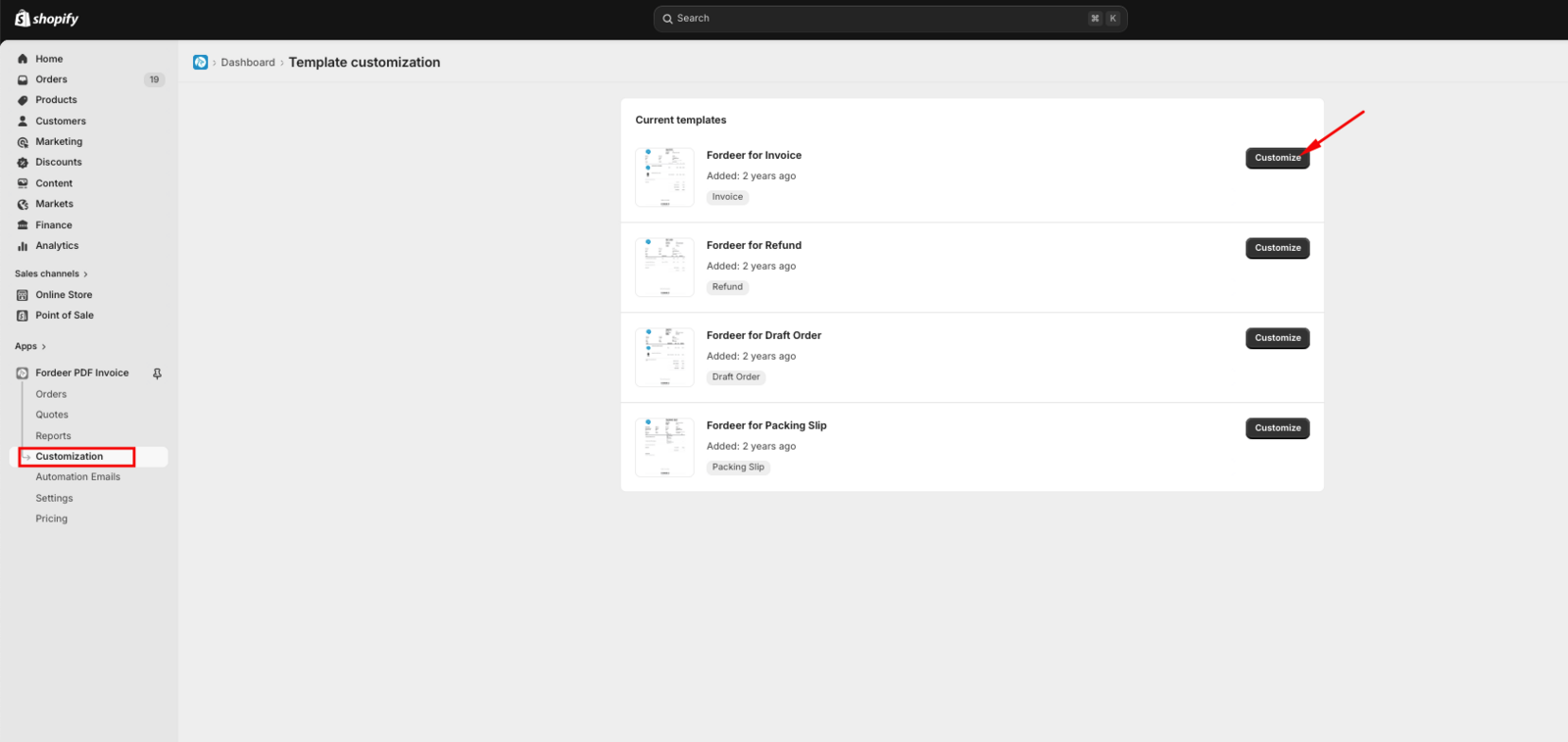
Step 2: Click Customization in the sidebar menu. Choose the Invoice or Refund template you wish to edit and click Customize.
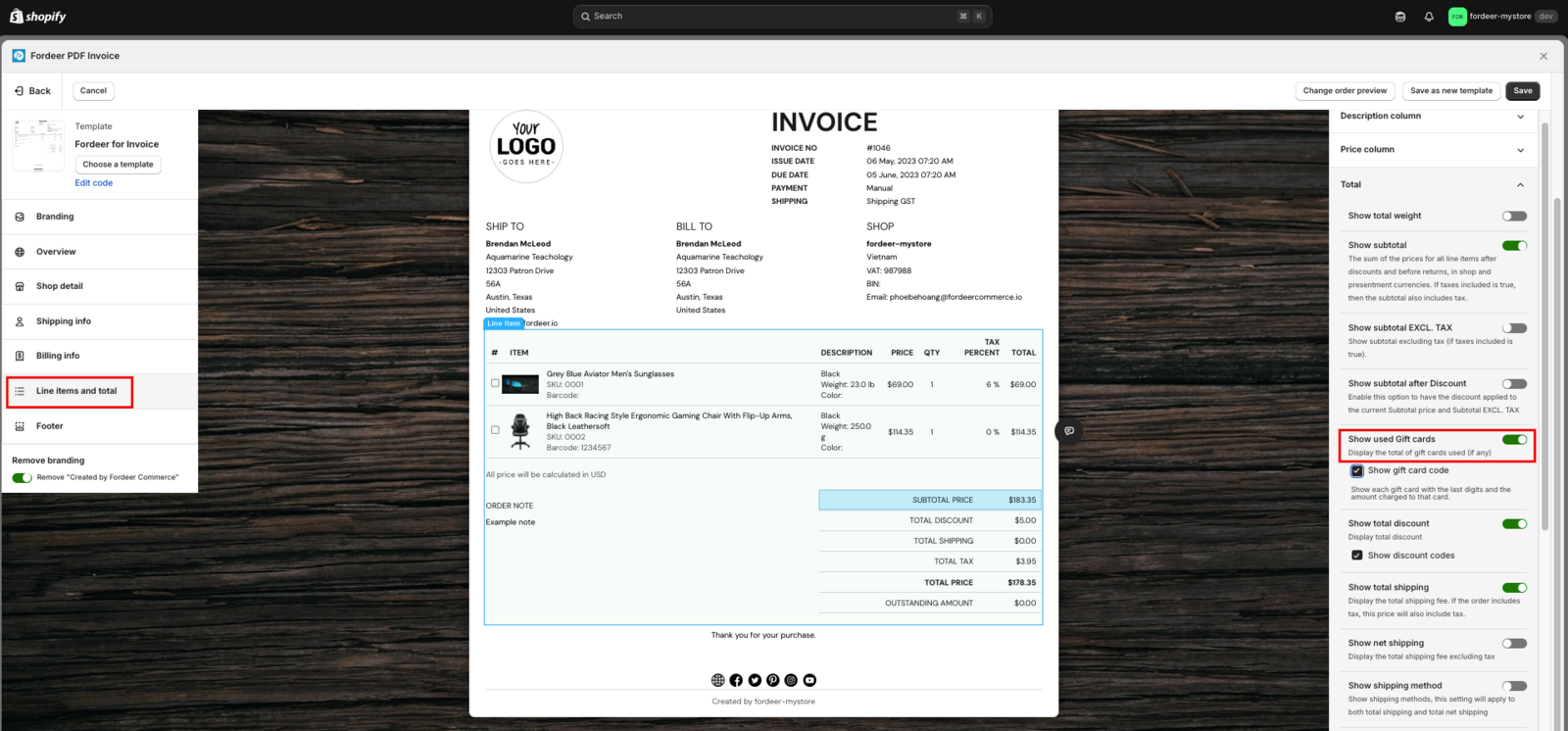
Step 3: Enable Gift Card Totals:
-
Navigate to Line items and total > Total section.
-
Toggle on the Show used gift cards feature. This displays the balance deducted from the gift card.
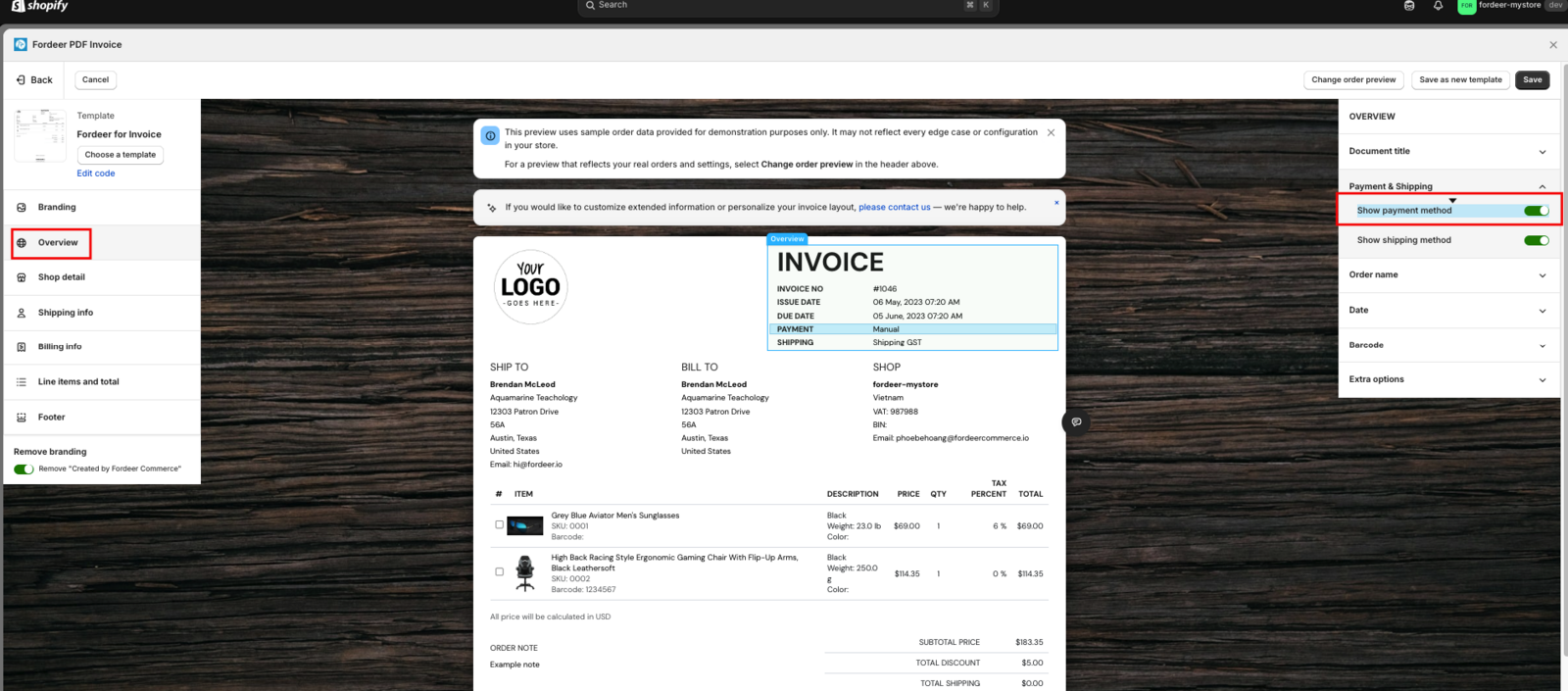
Step 4: Show Payment Method:
-
Go to Overview > Payment & shipping.
-
Ensure Payment method is turned on.
Step 5: Hit Save after that.
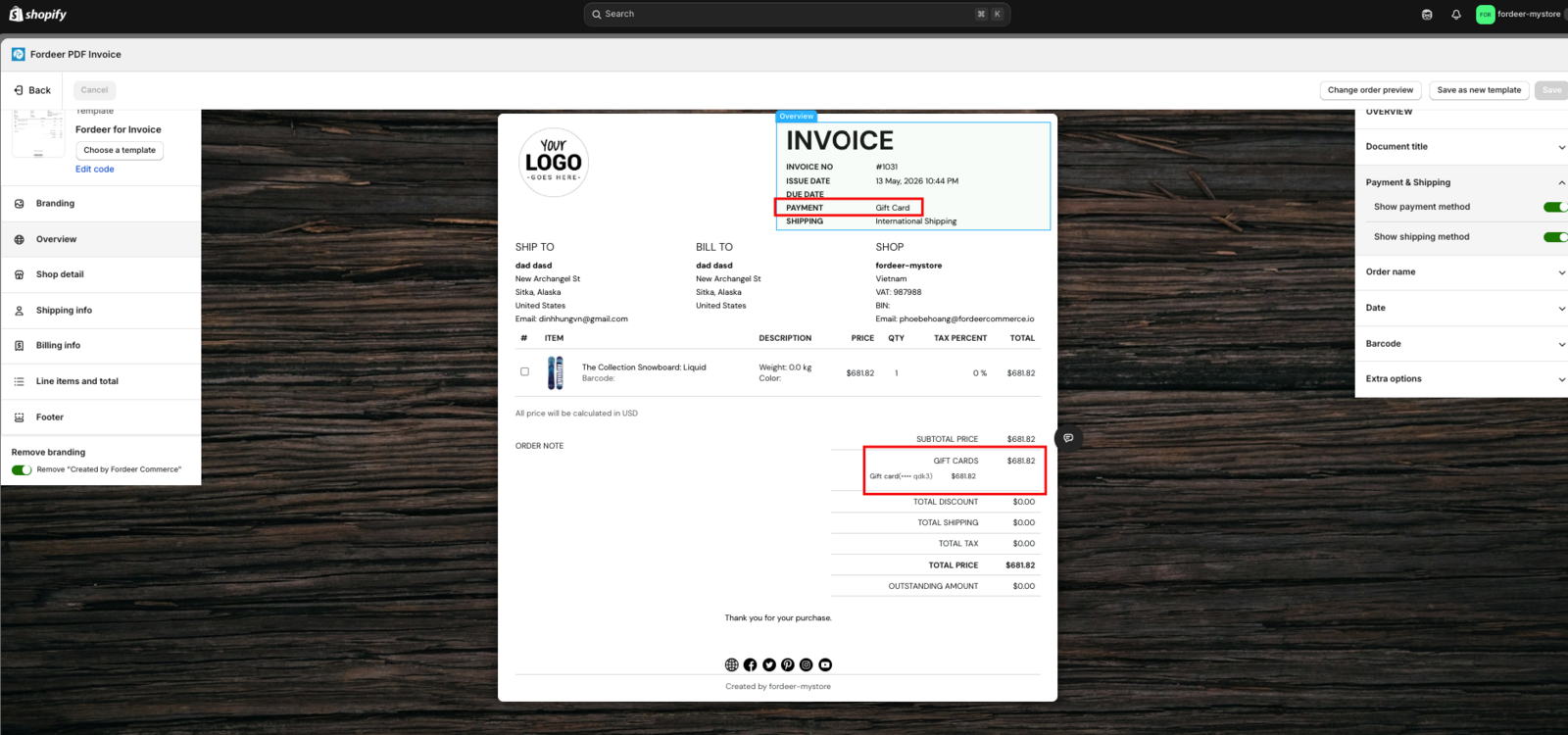
Step 6: Preview an existing order that used a gift card to ensure the layout and totals appear correctly.
If you prefer to call "Gift Card" something else (like "Voucher" or "Store Credit"), you can customize the text:
- Go to Settings > Languages > Adjust translations.
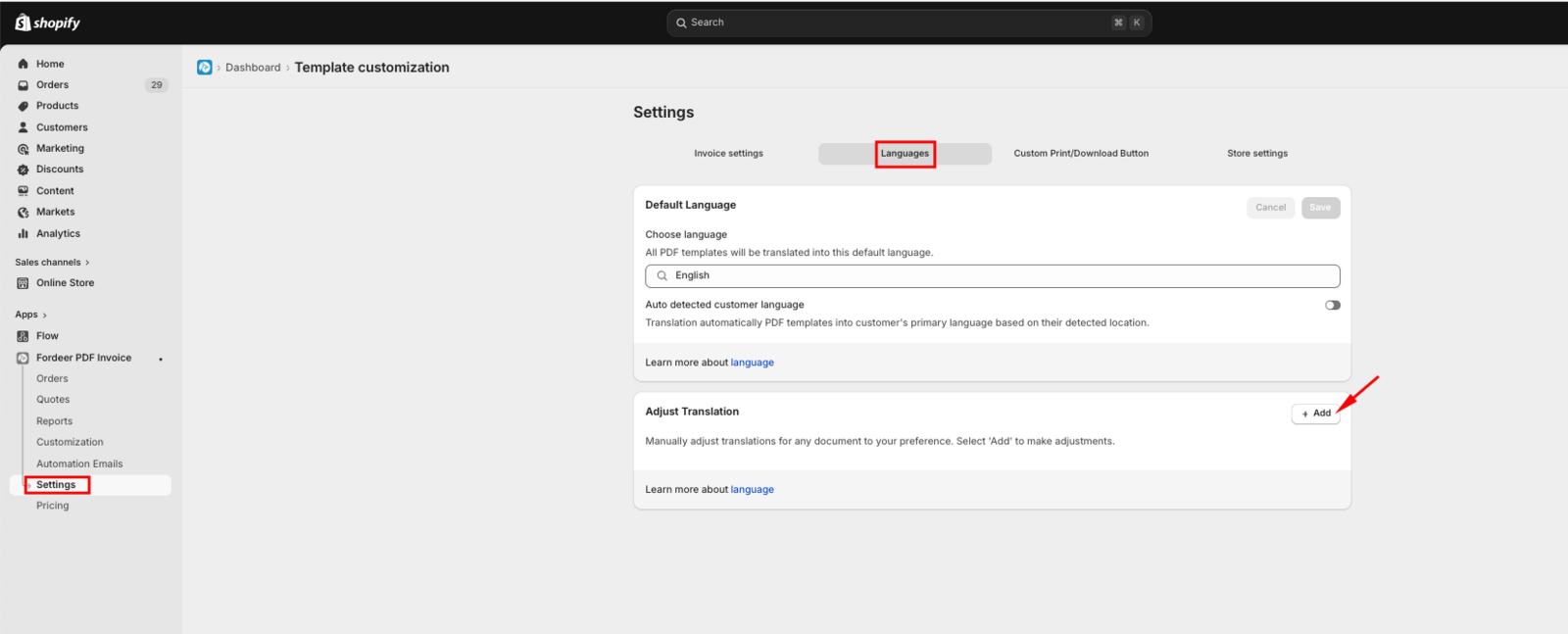
- Select your active language.
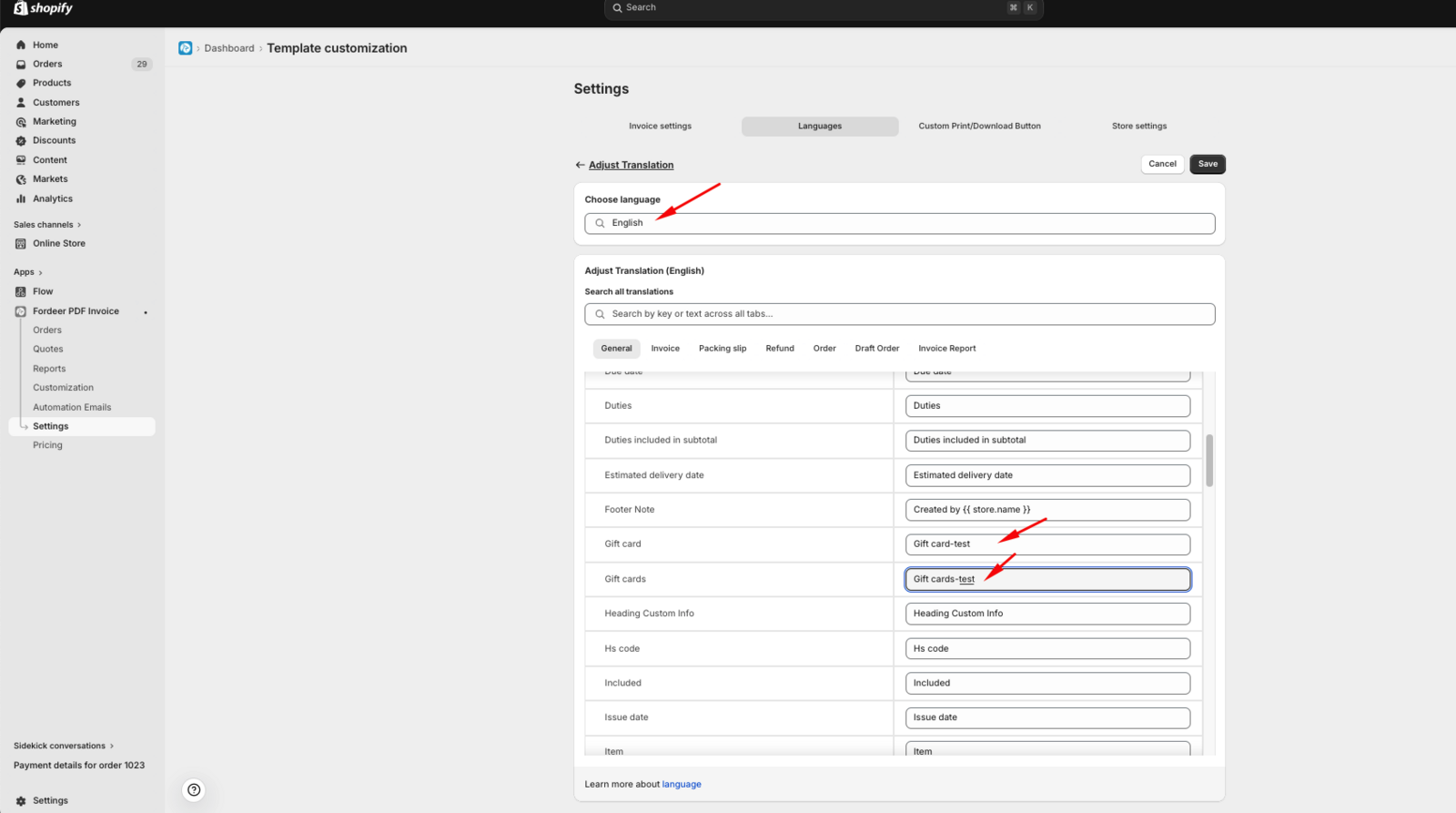
- Locate the Gift card field and edit the text to your preferred term.
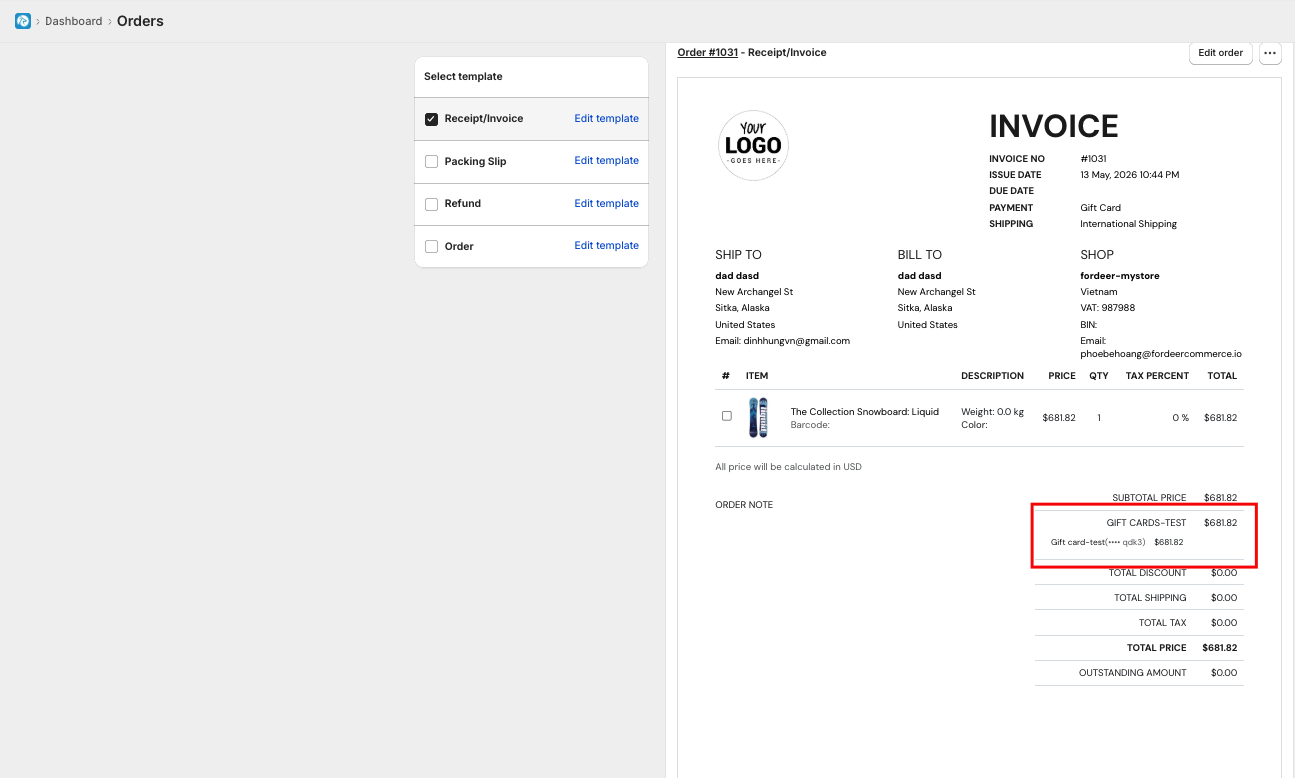
Tip: Always perform a test preview after saving to ensure the "Total" section remains clean and easy for your customers to read.
If you have any questions during the setup, feel free to reach out to our support team!
We value your feedback — it helps us continuously improve app and provide you with a better experience.
👉 Chat with us: Share your feedback directly with our team.
👉 Explore more apps: Discover more Fordeer apps. special deals.
🕐 Working hours: 8:30 AM – 5:00 PM (UTC+7), Monday–Friday.
We typically reply to live chats within minutes and emails within a few hours.
Need help? Feel free to reach out anytime via live chat or email!