
You can personalize the printing or downloading file names.
- Kindly go to **Settings **on our app > Invoice settings > Invoice file name. You can change the names of the invoice/ packing slip/ draft order/refund download file
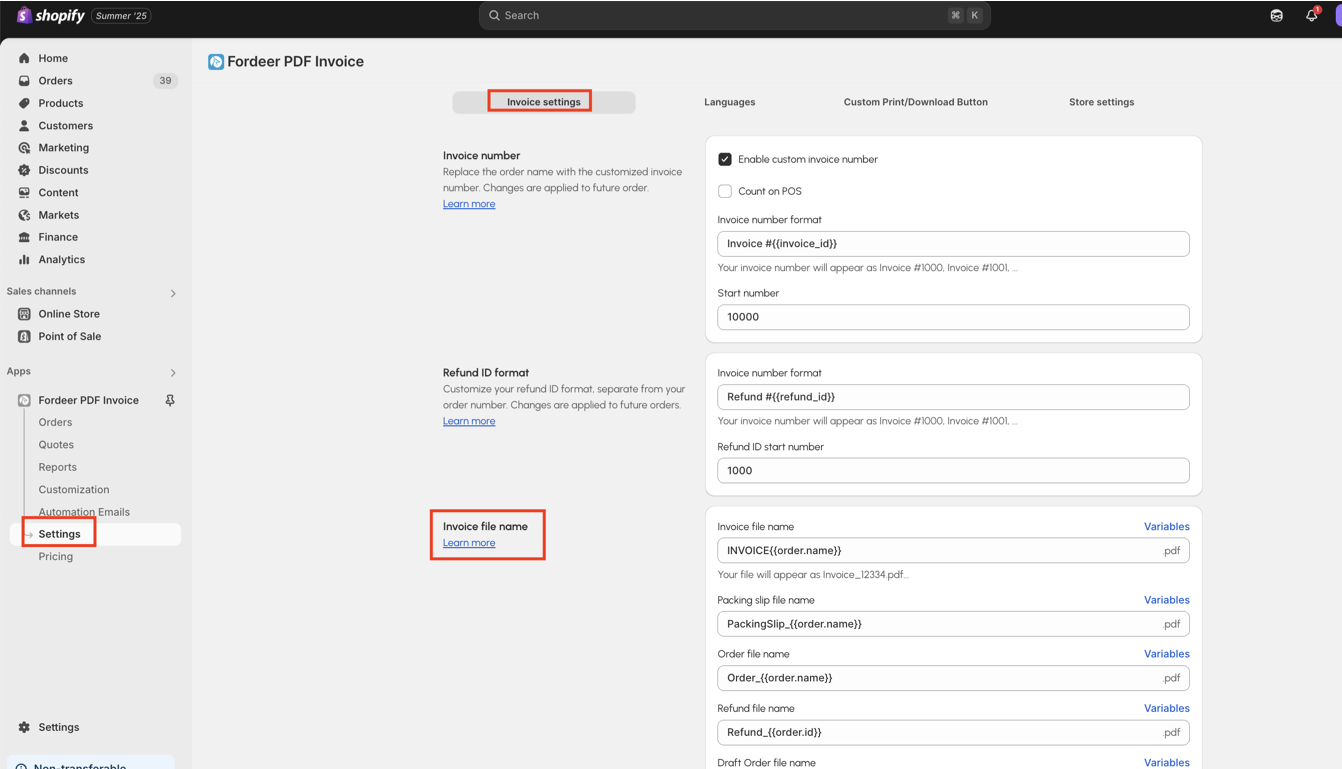
- You can type the name you want on each settings box
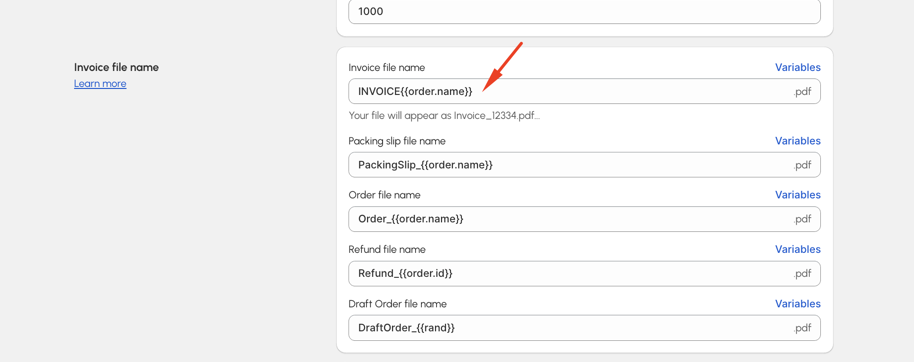
We provide some variables for you to change the name of the files including {{order.id}}, {{rand}}, {{order.name}}.
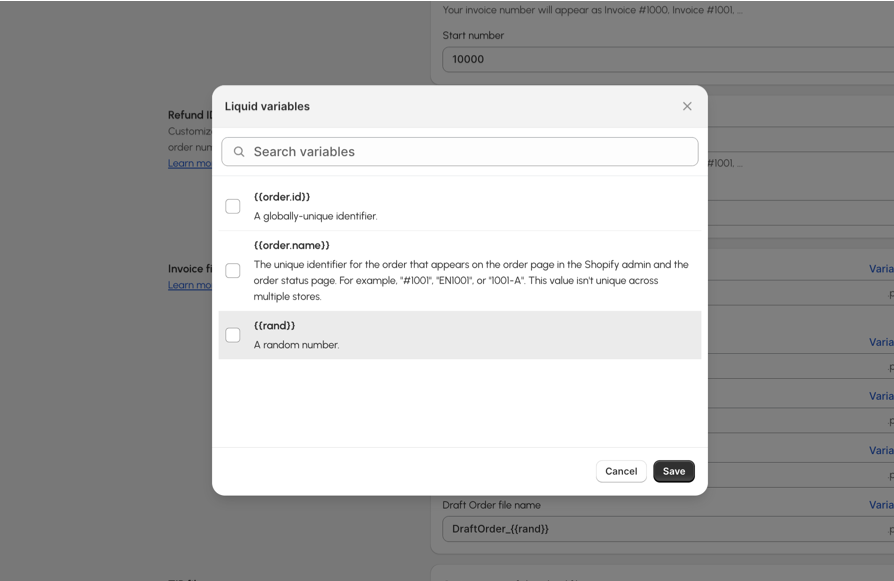
- Don’t forget to click Save to save all the changes.
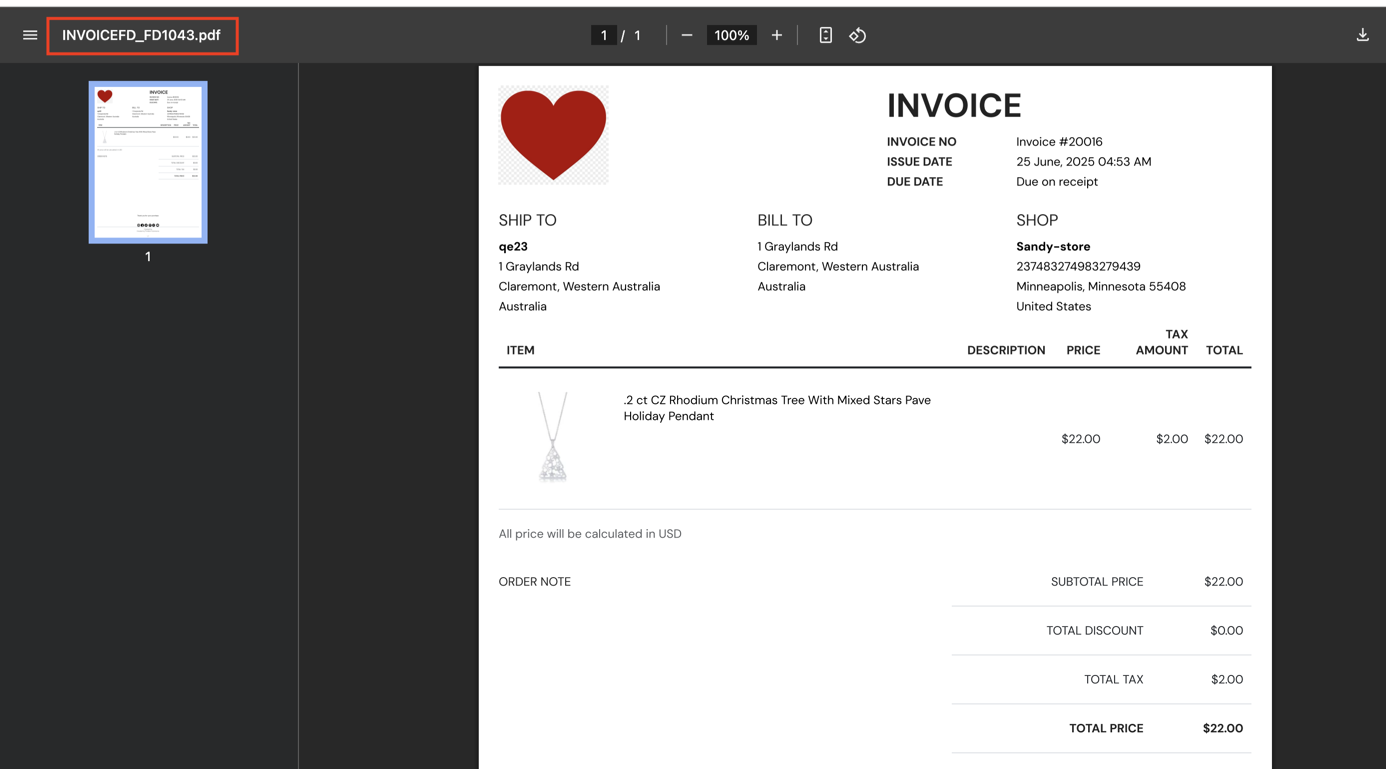
To check it out, kindly go to Orders or Draft Orders in our app, and try to download any orders/draft orders to see the changes in the names
At the moment, you need to upgrade to Starter plan to use this advanced feature. You can use discount code SUPSTA3M15 to get 15% off for 3 months when upgrading to Starter plan.
Contact our friendly support 24/7 with our superior client services to upgrade your plan now!
If you are in need of any advanced features, feel free to let us know. We will do our best to assist you with the most appropriate spending.
We value your feedback — it helps us continuously improve app and provide you with a better experience.
👉 Chat with us: Share your feedback directly with our team.
👉 Explore more apps: Discover more Fordeer apps. special deals.
🕐 Working hours: 8:30 AM – 5:00 PM (UTC+7), Monday–Friday.
We typically reply to live chats within minutes and emails within a few hours.
Need help? Feel free to reach out anytime via live chat or email!