
Greetings from Fordeer Commerce!
As you may know, currently, our app does not support adding long or rich text directly to invoices as it may disrupt the invoice format. However, we have a solution for you.
You can utilize the Add second page attachment feature to include additional content such as terms and conditions or policies. Here's how:
-
Navigate to the Customization page from the sidebar menu and select the template you wish to edit.
-
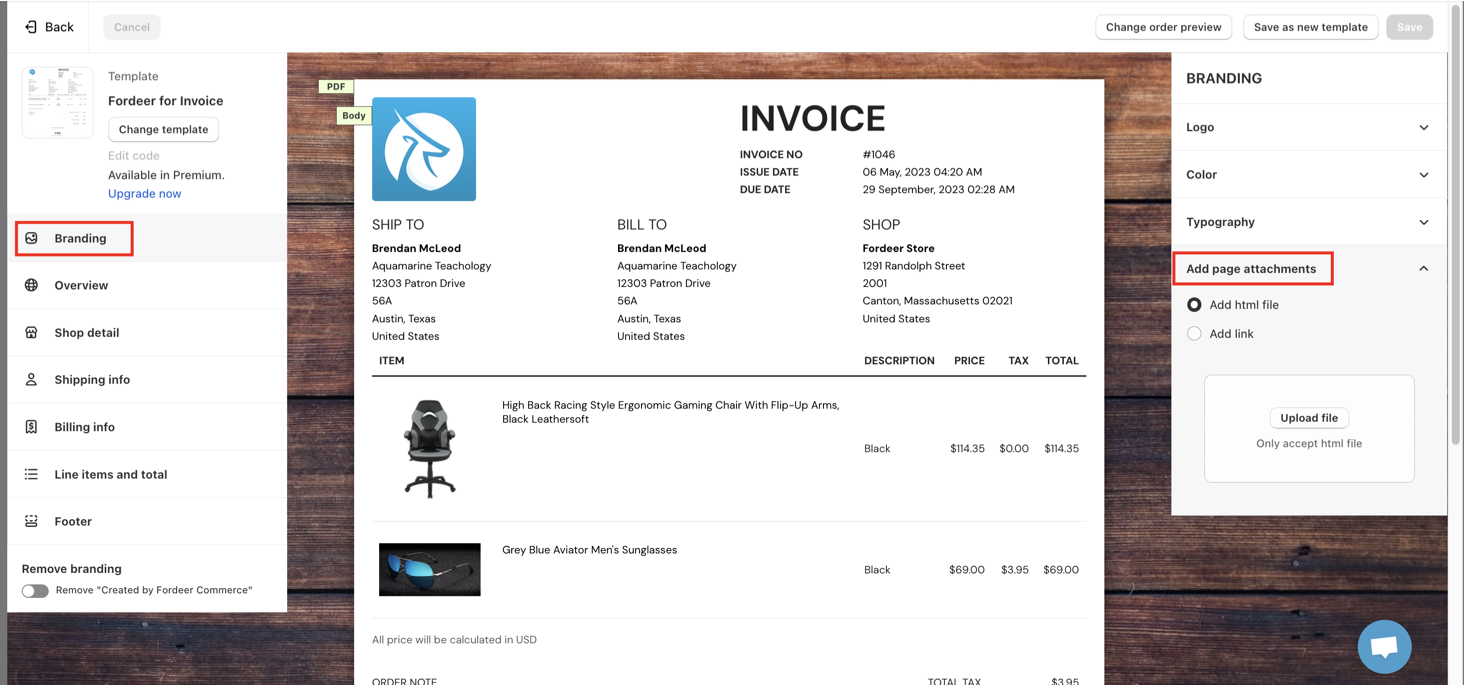
Click on Branding in the left tab.
-
Under the Secondary page attachments section on the right tab, select either Add HTML file or Add link.
-
Upload your HTML file or enter the Web URL containing your additional content.
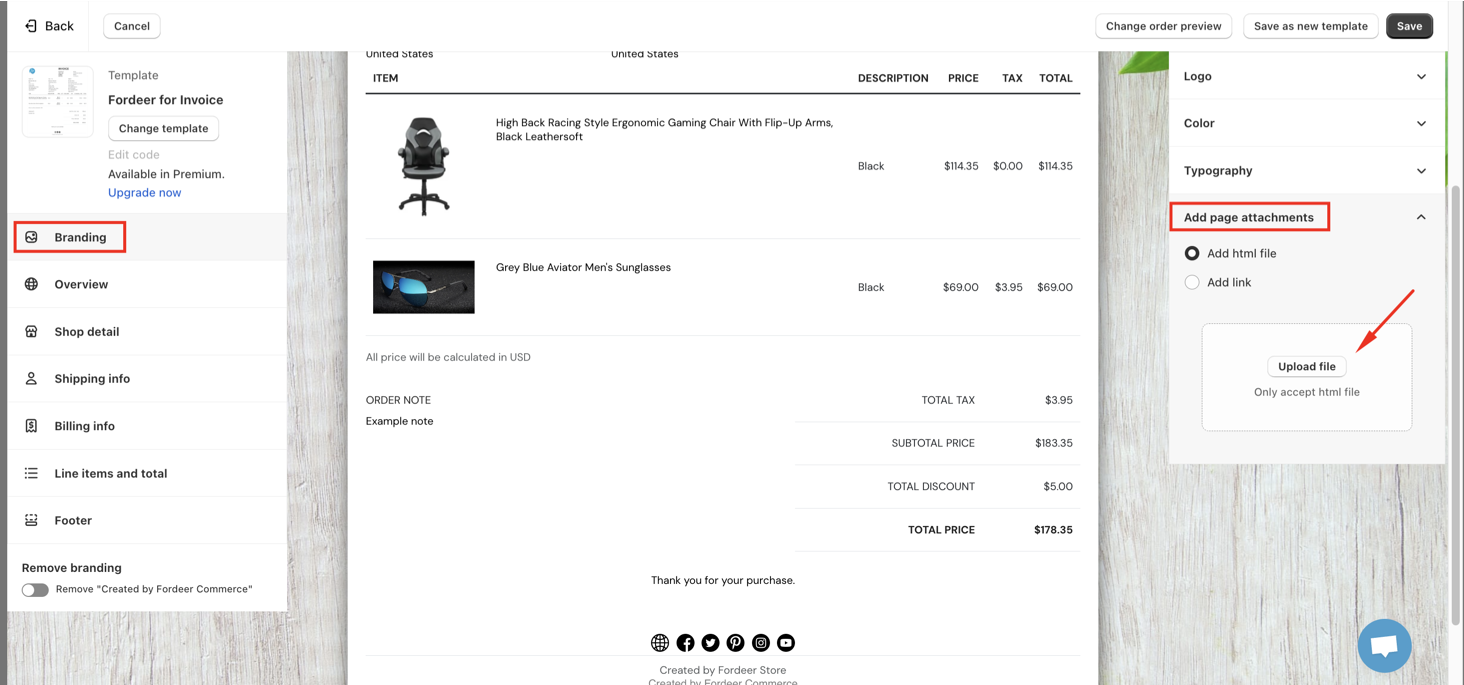
- Don't forget to click Save at the end to apply the changes.
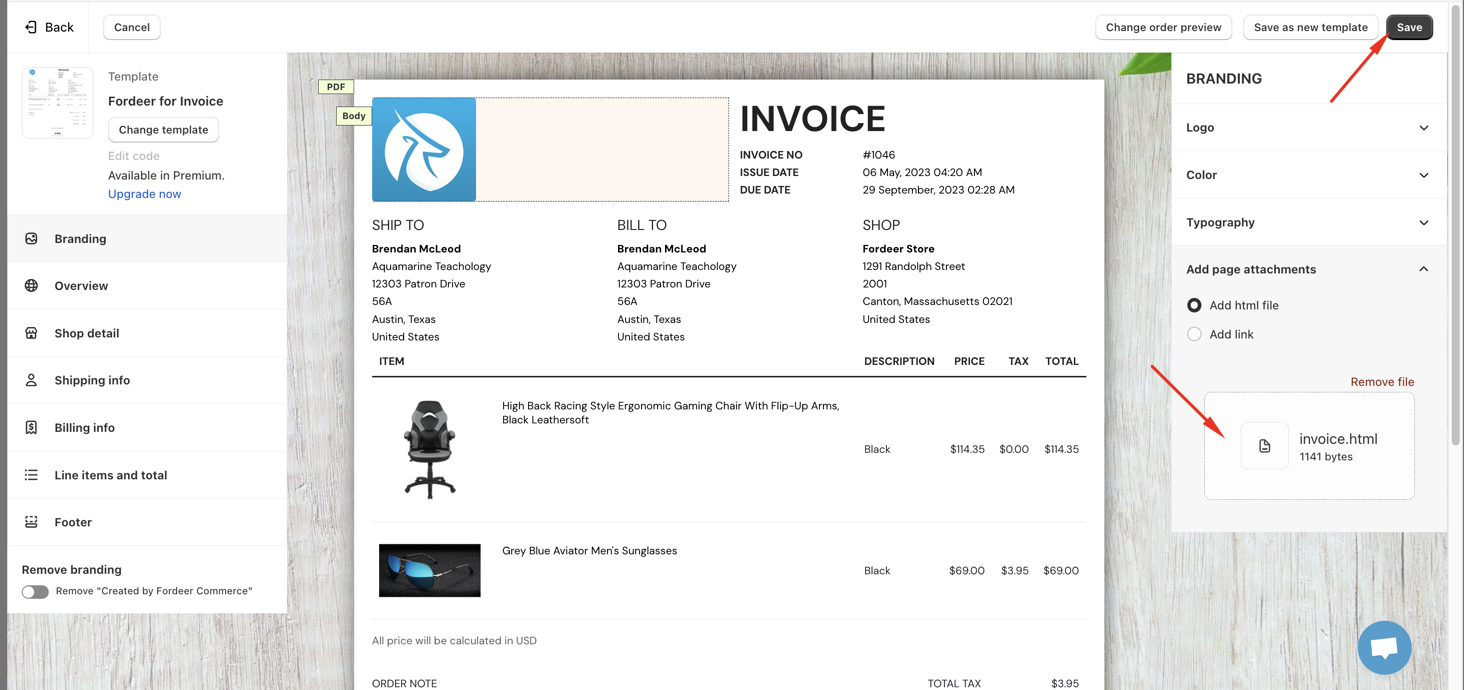
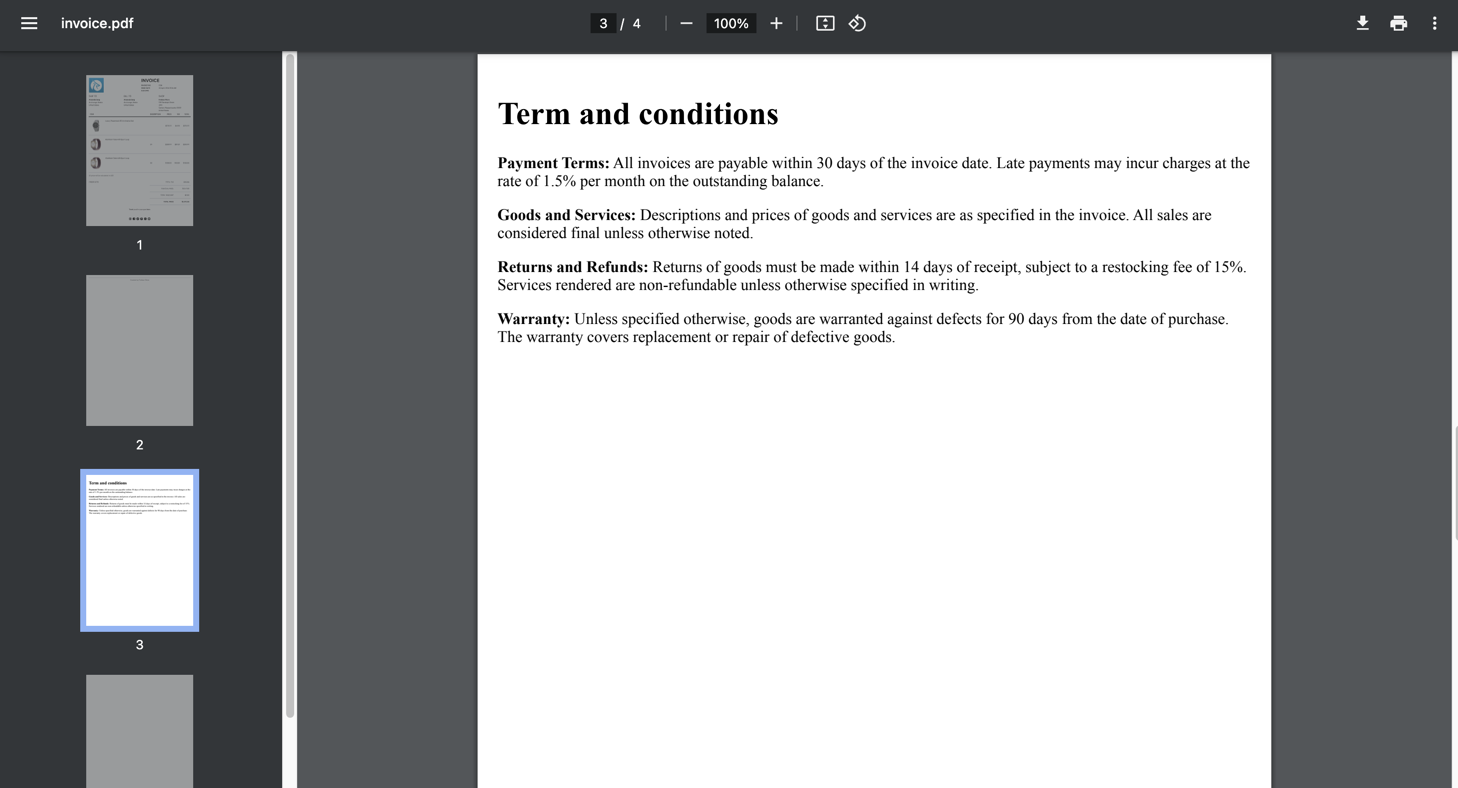
Please note that secondary page attachments will not appear in the invoice preview within theCustomizationpage. You will only see them when print ing or downloading the invoices.
This feature is now available from Professional Plan. Contact our live chat agent for discount code to try out this feature right away
We value your feedback — it helps us continuously improve app and provide you with a better experience.
👉 Chat with us: Share your feedback directly with our team.
👉 Explore more apps: Discover more Fordeer apps. special deals.
🕐 Working hours: 8:30 AM – 5:00 PM (UTC+7), Monday–Friday.
We typically reply to live chats within minutes and emails within a few hours.
Need help? Feel free to reach out anytime via live chat or email!