
Hello Fordeer Users!
In today's dynamic business world, achieving efficiency is crucial. That's where our Fordeer Invoice App comes into play, offering a powerful automated email feature to streamline your operations.
Let's walk you through the process of creating an automated email:
Steps to Follow:
-
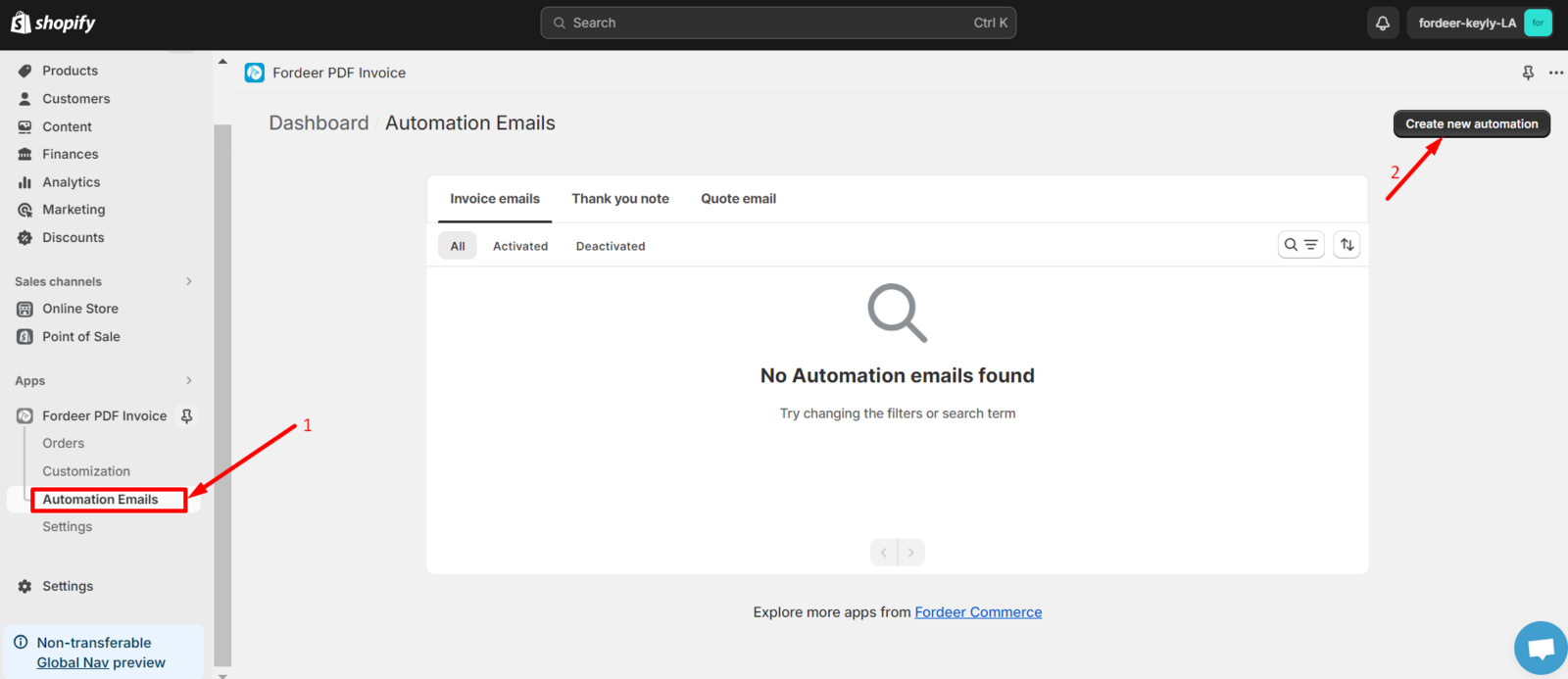
Navigate to Automation Emails on the sidebar menu.
-
Select Create new automation.
-
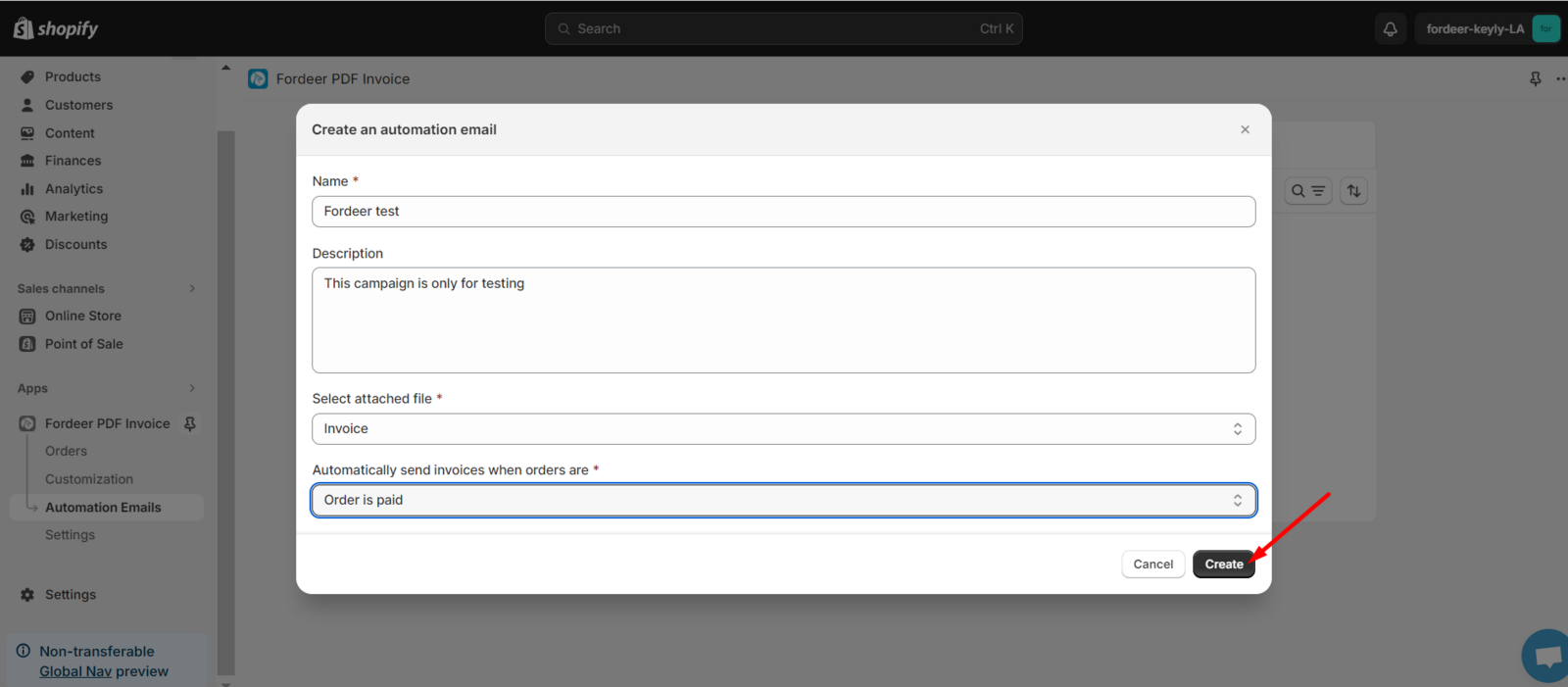
A pop-up window will appear where you can name your campaign, attach files for your customers, and set the trigger conditions.
-
Click Create to establish your new campaign.
Once you've created your campaign, you might want to add more personal touches or specific details. To do this, we recommend checking out our helpful articles below:
👉 How to modify email automation campaign?
👉 How to modify email information?
They're designed to assist you in fine-tuning your email campaign to perfectly align with your business needs.
This feature is currently available on the Professional plan. Upgrade today to enjoy a 7-day free trial and receive 30% off the annual plan as part of our deal!
Please check it out and feel free to reach out to us if you have any questions along the way.
We value your feedback — it helps us continuously improve app and provide you with a better experience.
👉 Chat with us: Share your feedback directly with our team.
👉 Explore more apps: Discover more Fordeer apps. special deals.
🕐 Working hours: 8:30 AM – 5:00 PM (UTC+7), Monday–Friday.
We typically reply to live chats within minutes and emails within a few hours.
Need help? Feel free to reach out anytime via live chat or email!