
Fordeer hello to you! 😃
Sending invoices manually to your customers post-purchase offers numerous benefits. It not only confirms the transaction details but also enhances customer relations by acknowledging their purchase.
Additionally, it provides a personal touch, potentially increasing customer loyalty and satisfaction.
Here’s a step-by-step guide on how to send a personalized thank-you note to your customers:
-
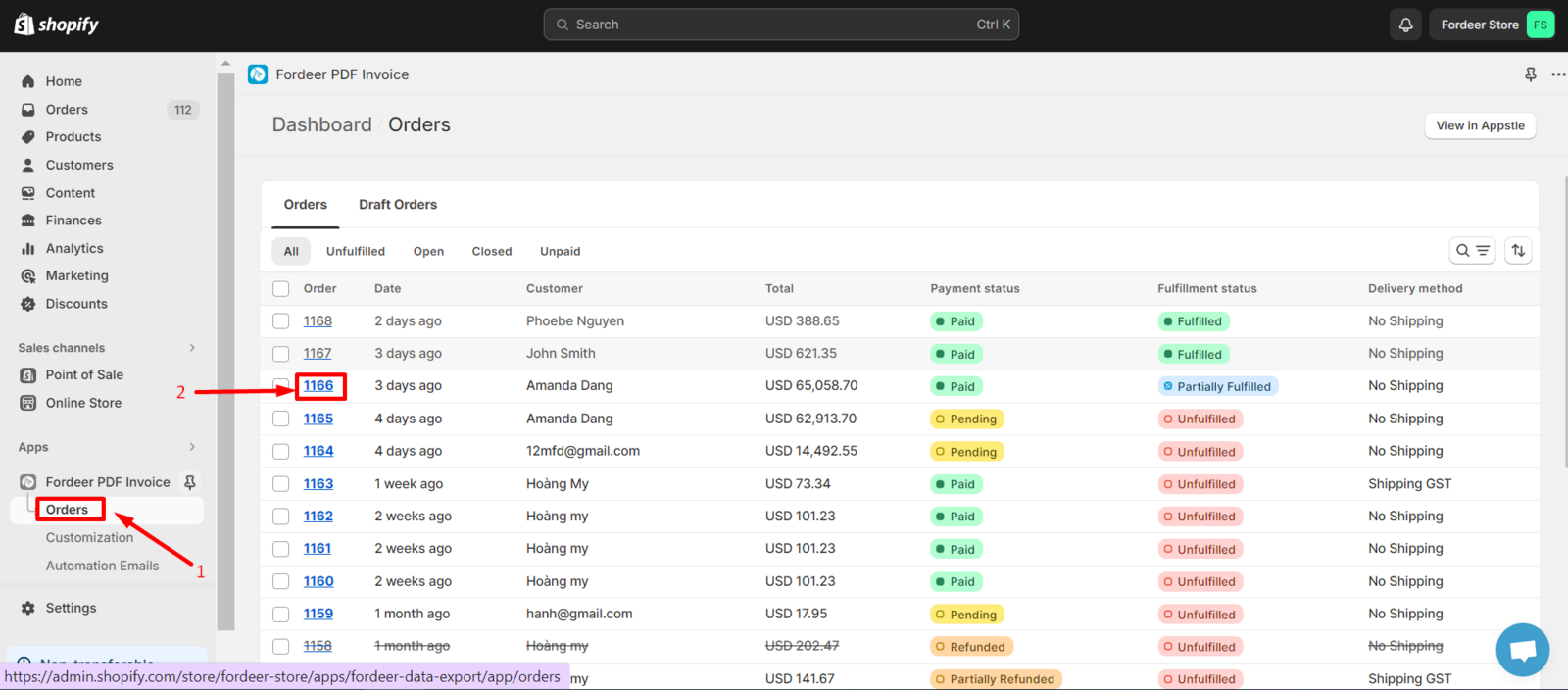
Navigate to the Orders section in the sidebar menu.
-
Choose the specific order for which you want to send the thank you note.
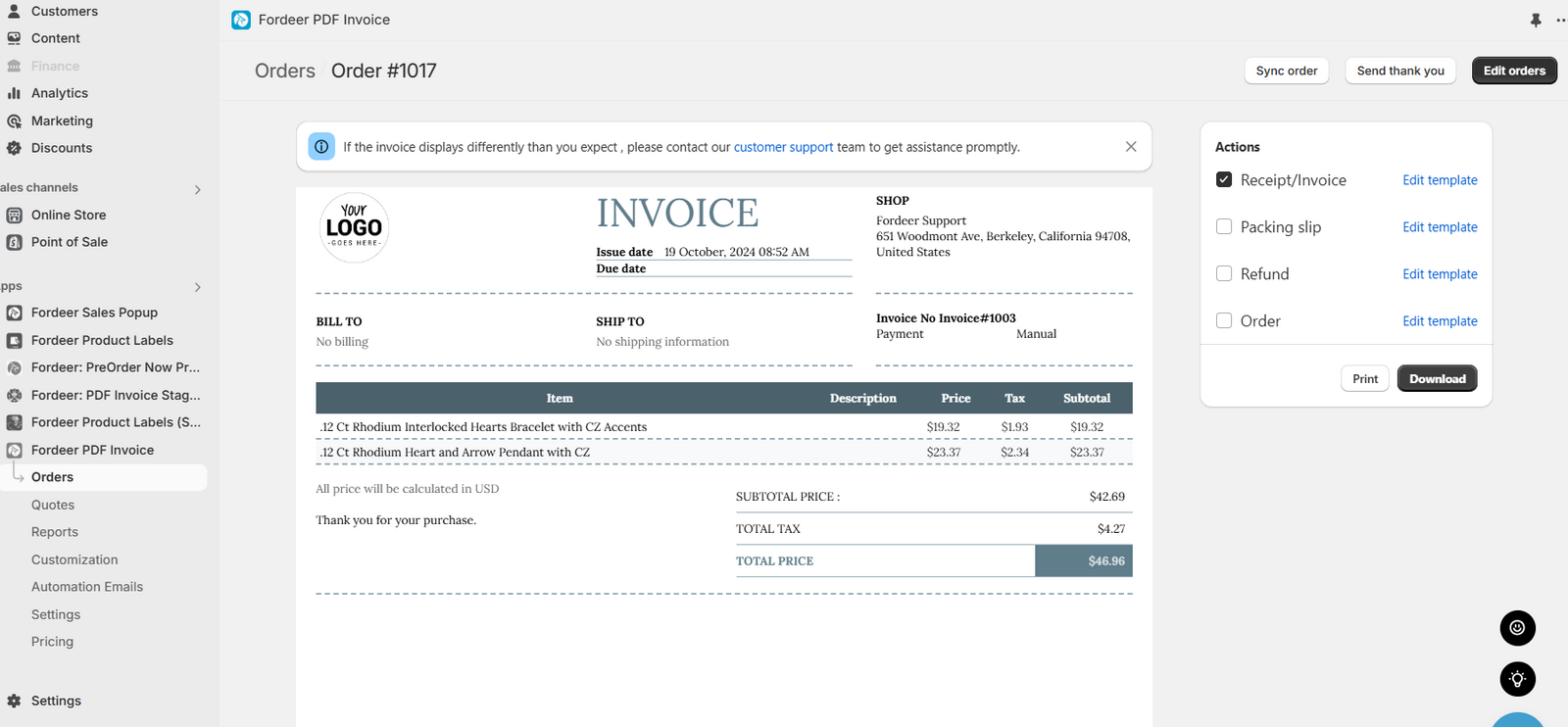
- Click on Send thank you button.
-
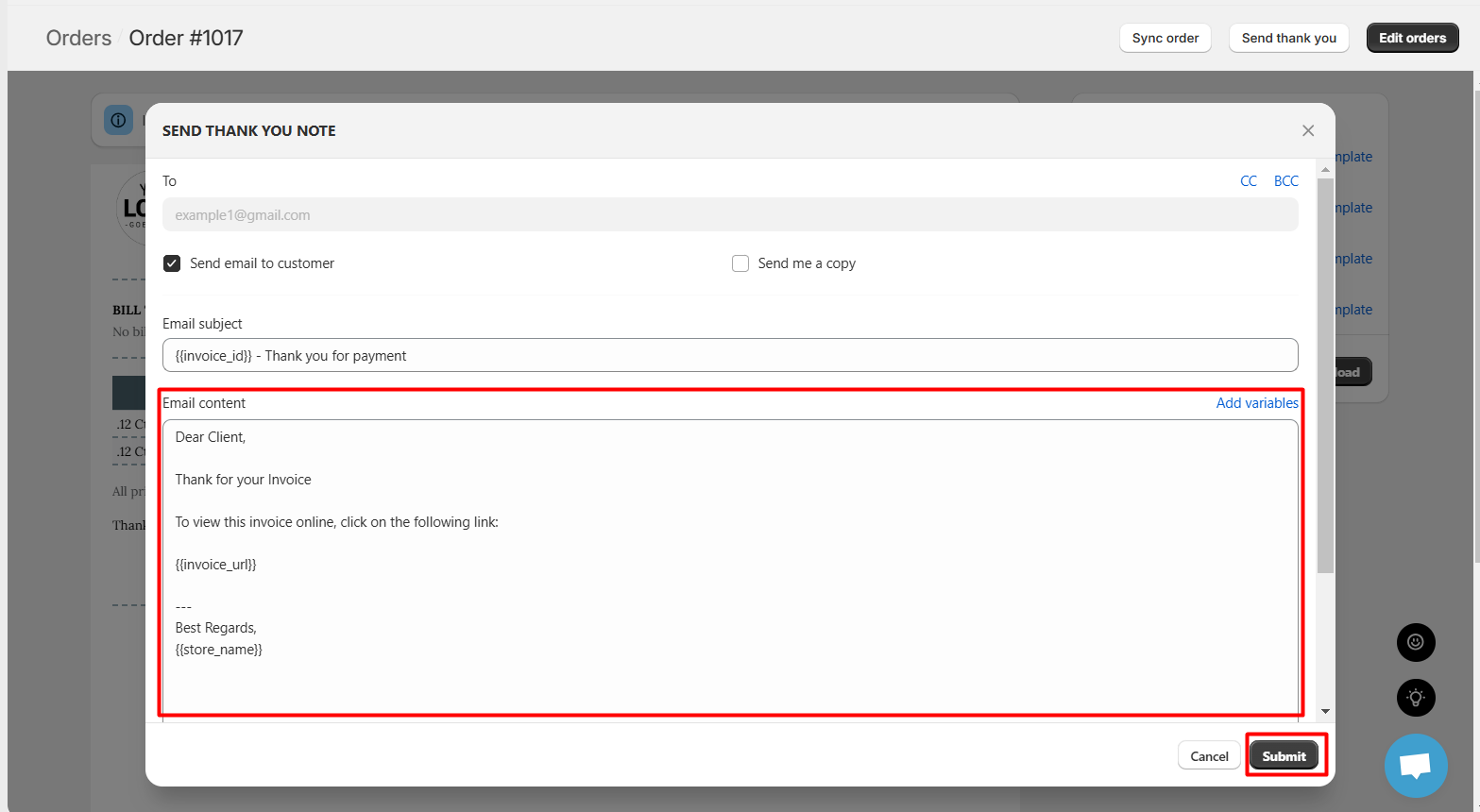
Customize Your Message: A modal will appear where you can tailor the content of the thank you note. You have the flexibility to modify the message, add email CC & BCC, and even attach files as per your requirements.
-
Send Your Note: After customizing, click Submit to successfully dispatch your personalized invoice and thank you note to the recipient.
By following these steps, you can effectively communicate with your customers, making them feel valued and appreciated.
If you want to skip the manual work! Fordeer's Email Automation features can automatically send invoices with your personalized thank you note. You can read out this helpdesk here to know how to create an email automation campaign on our app.
We value your feedback — it helps us continuously improve app and provide you with a better experience.
👉 Chat with us: Share your feedback directly with our team.
👉 Explore more apps: Discover more Fordeer apps. special deals.
🕐 Working hours: 8:30 AM – 5:00 PM (UTC+7), Monday–Friday.
We typically reply to live chats within minutes and emails within a few hours.
Need help? Feel free to reach out anytime via live chat or email!