
Hello from Fordeer,
You can edit the content of thank you note on the invoices by following the steps:
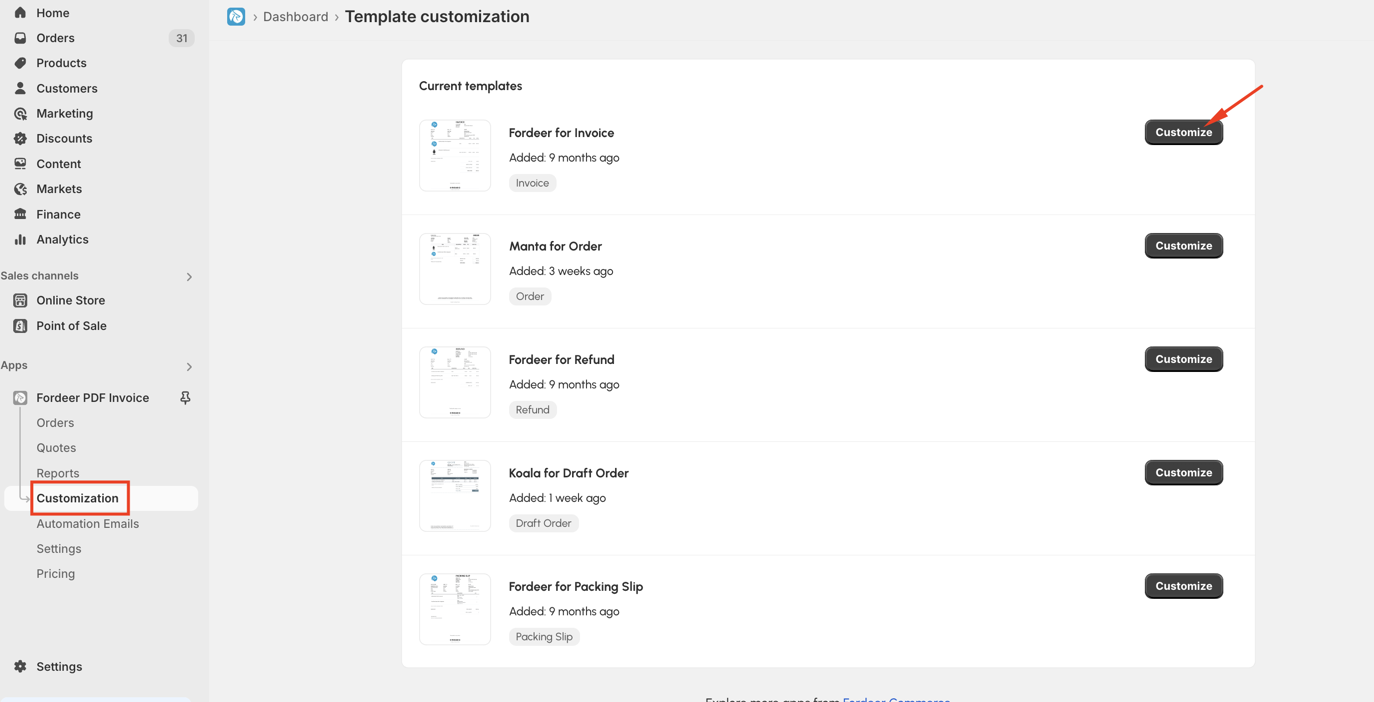
Step 1: Go to Customization page > click Customize button on the template you want to customize
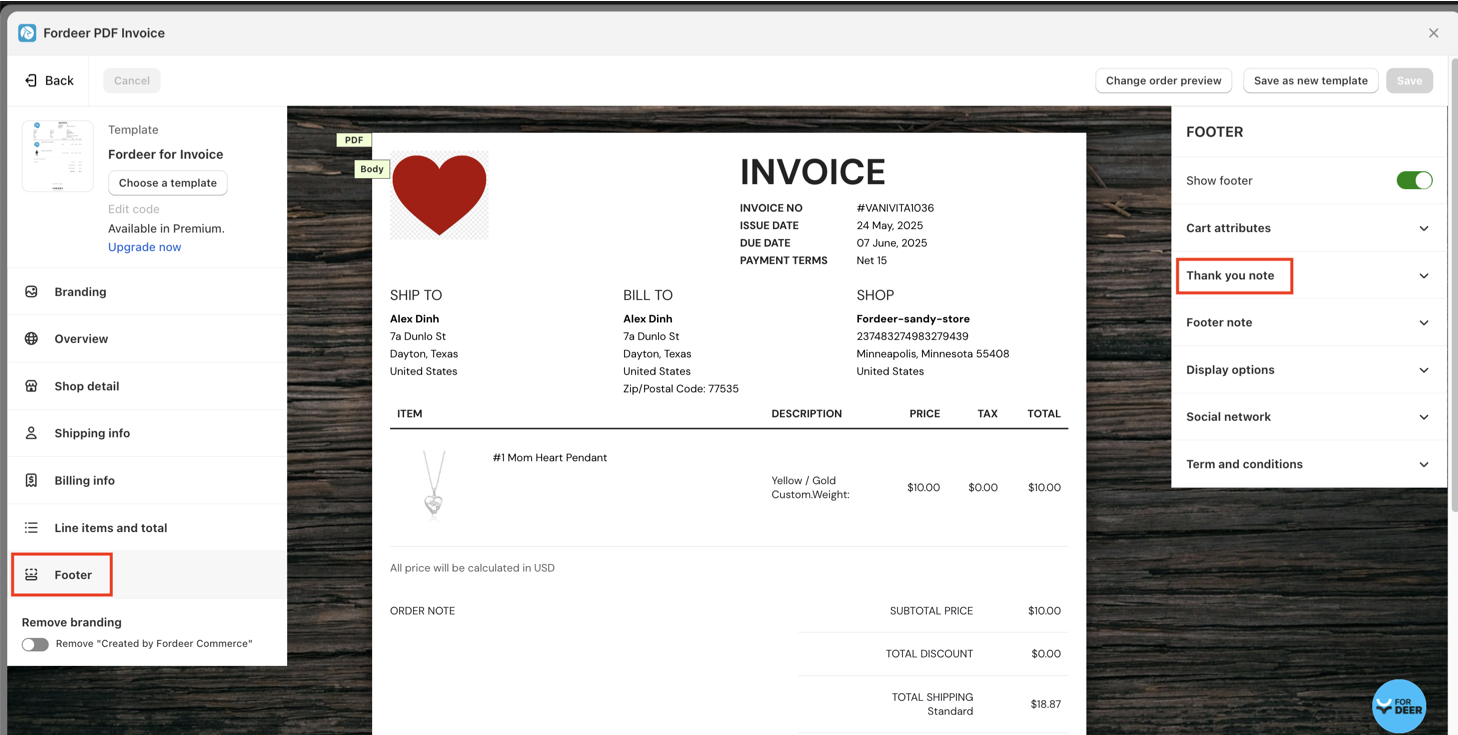
Step 2: Go to Footer section > Thank you note
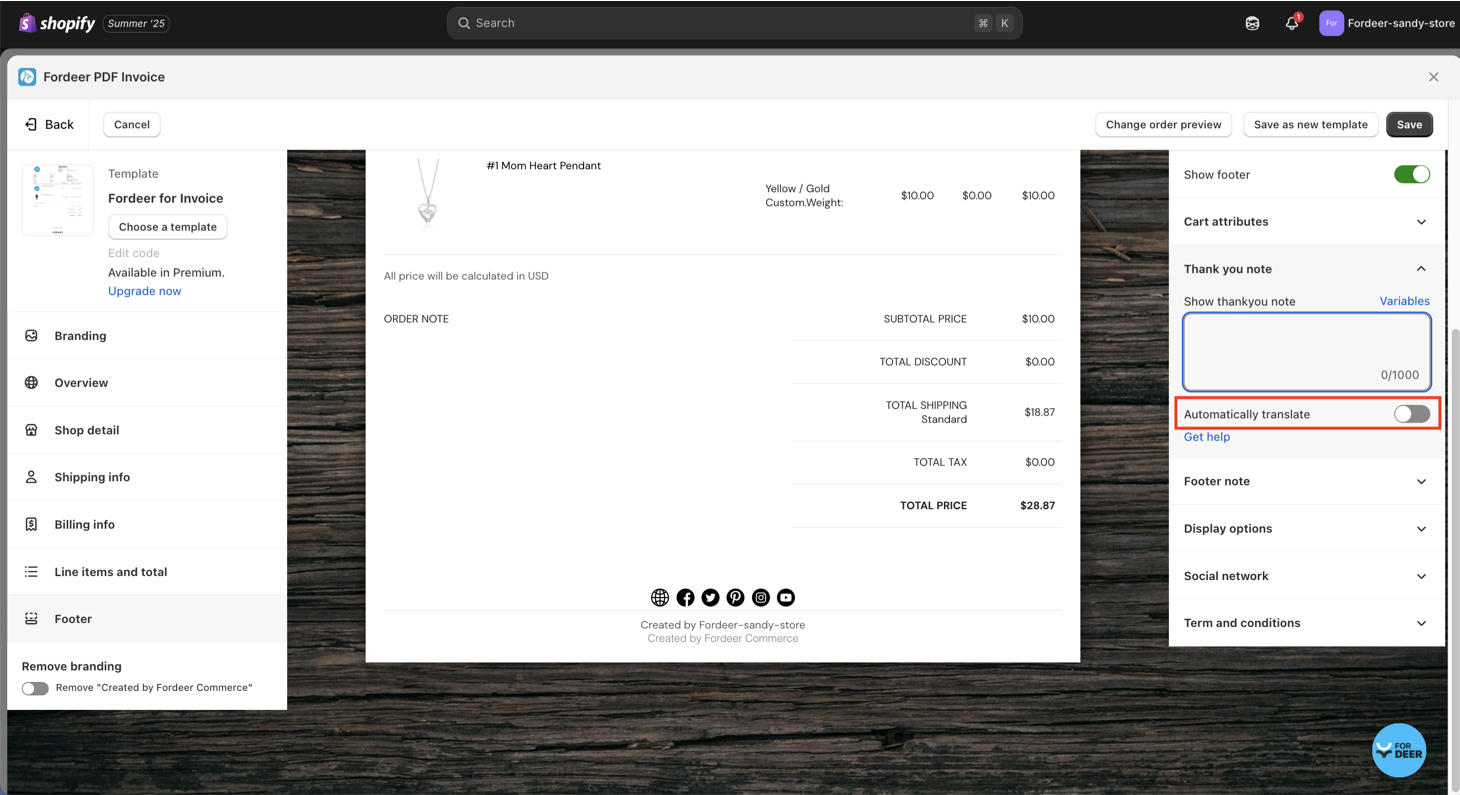
Step 3: Toggle to turn off the feature: Automatically translate
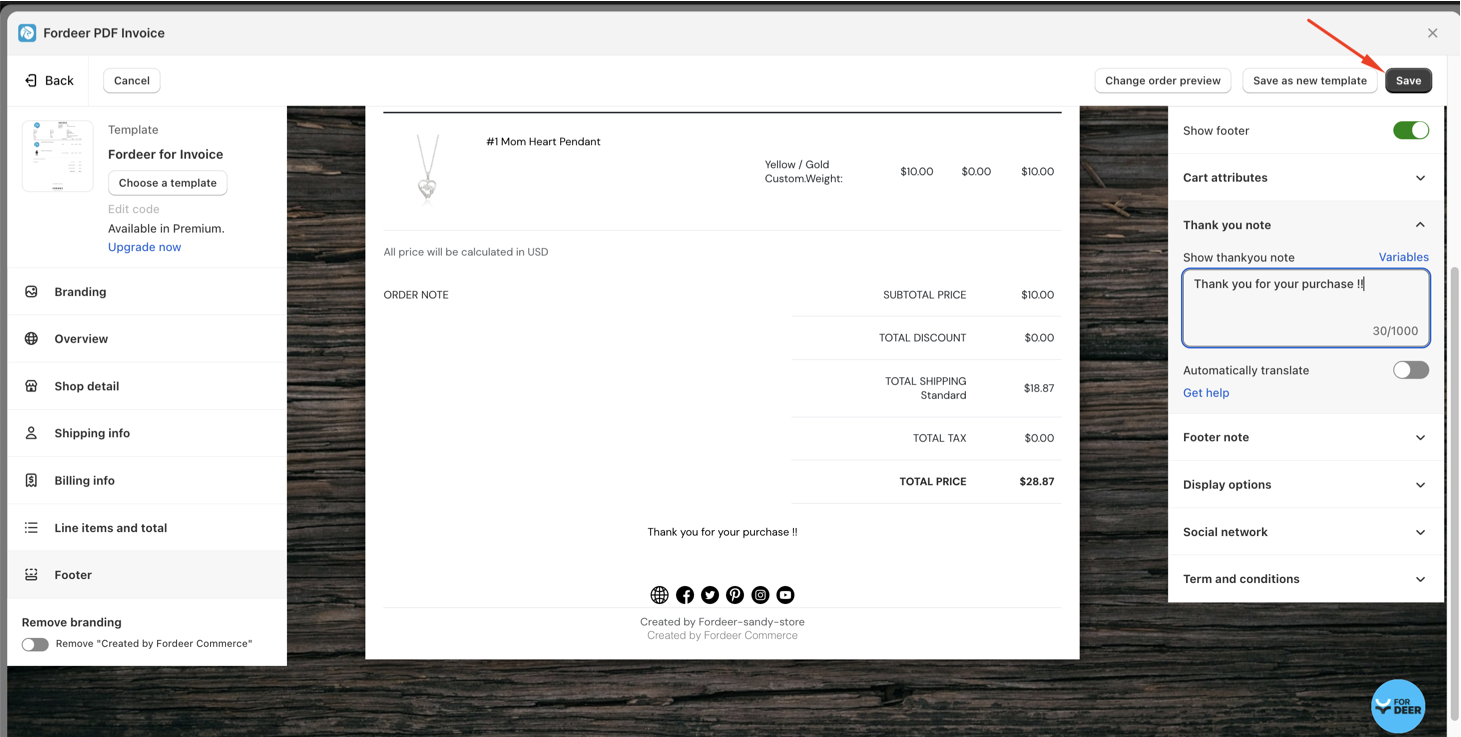
Step 4: Change or remove the content on the Show thank you note box. You can use our app variables
Step 5: Click Save button at the end.
We value your feedback — it helps us continuously improve app and provide you with a better experience.
👉 Chat with us: Share your feedback directly with our team.
👉 Explore more apps: Discover more Fordeer apps. special deals.
🕐 Working hours: 8:30 AM – 5:00 PM (UTC+7), Monday–Friday.
We typically reply to live chats within minutes and emails within a few hours.
Need help? Feel free to reach out anytime via live chat or email!