
Welcome to Fordeer!
Thank you for choosing Fordeer! Here’s a quick guide to help you download invoices in bulk efficiently:
To download invoices in bulk, please follow the guidelines below:
-
Go to the Orders tab located on the left-hand side of your Dashboard.
-
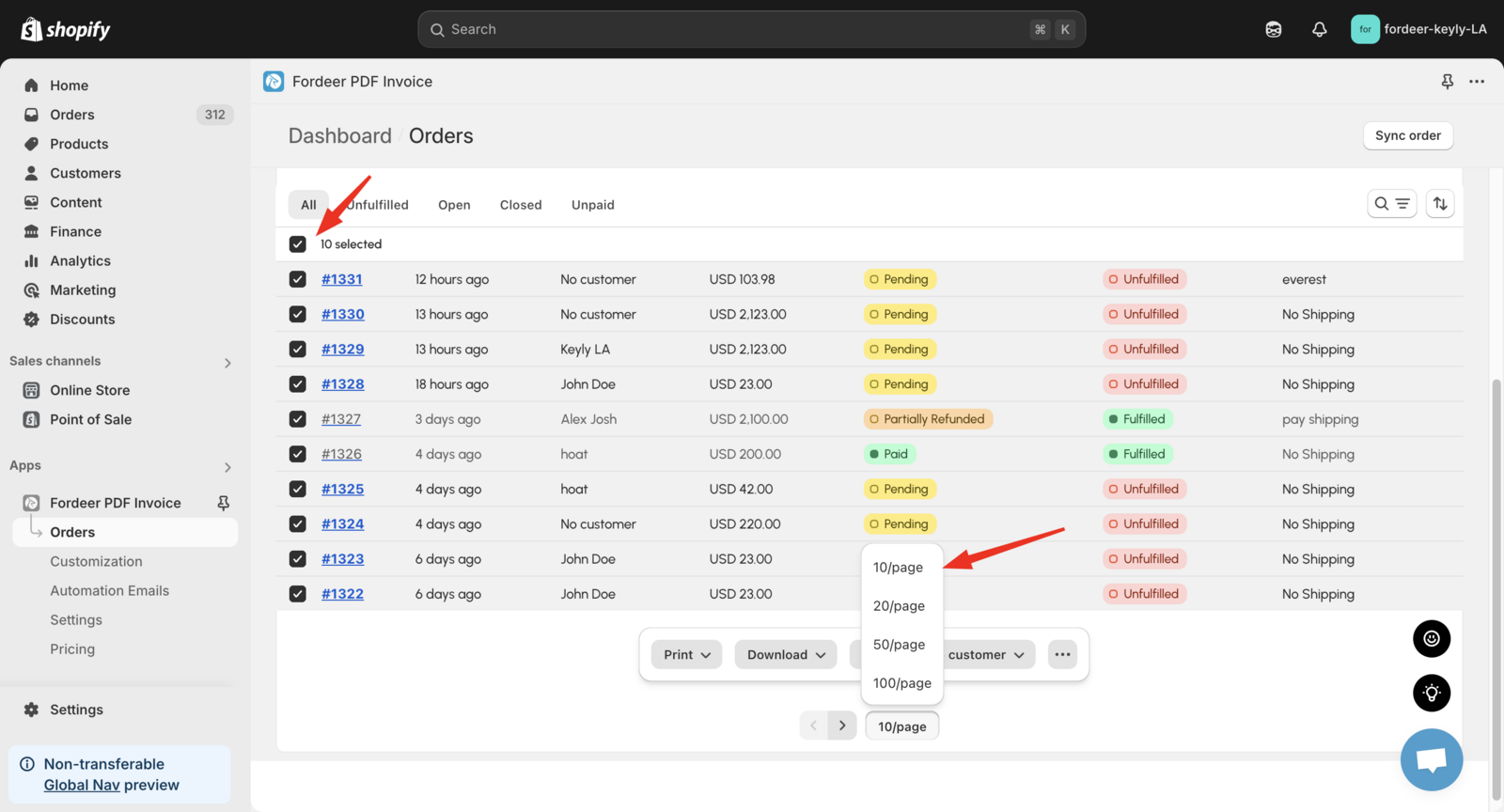
Select all orders on the page by ticking the box on the left of the Order column.
-
Adjust the number of orders displayed per page based on your needs (e.g., 10/page, 20/page, etc.).
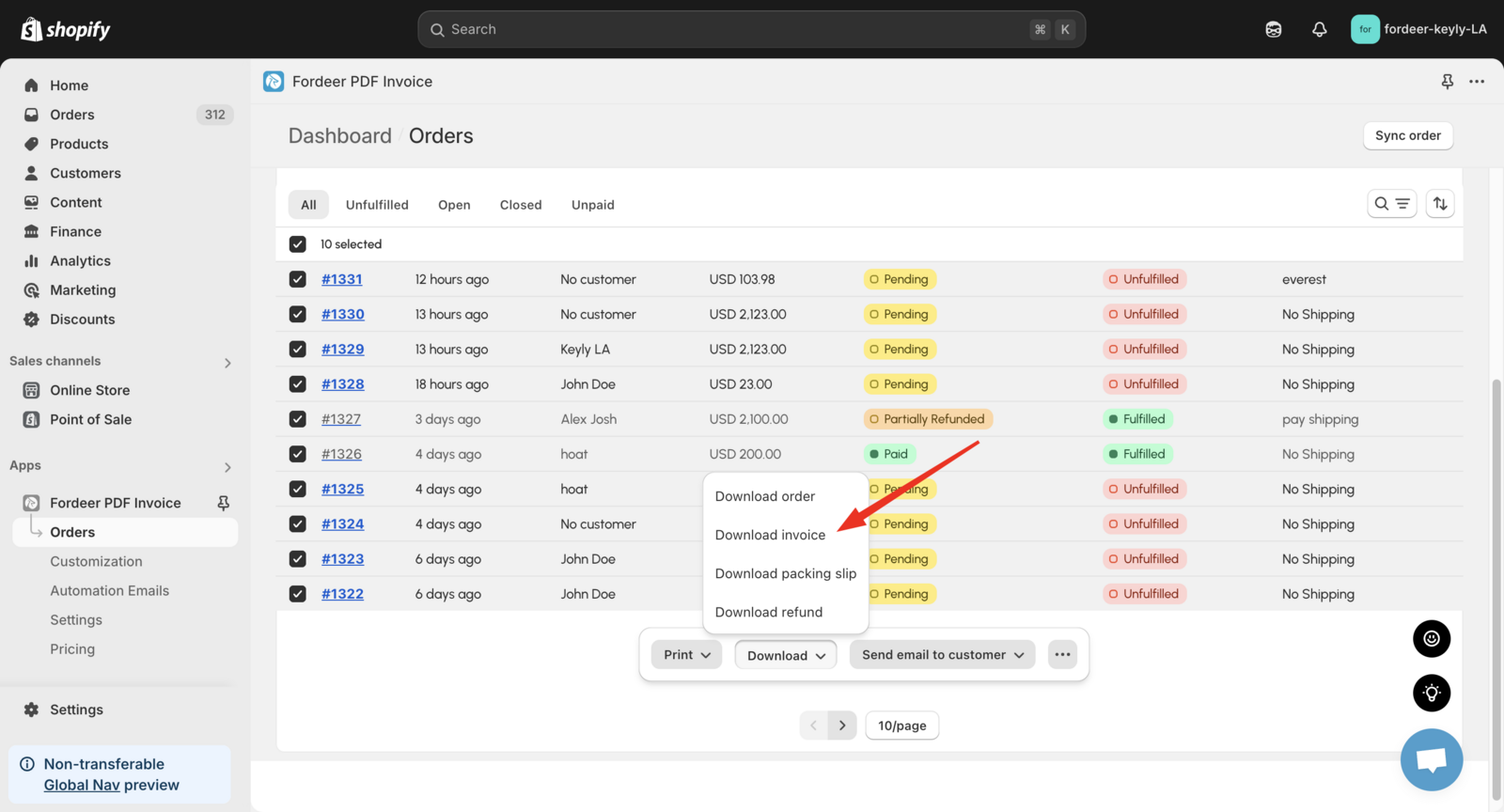
- After selecting the orders, click on Download Invoice to start the download process.
Plans and download limits:
-
Free & Starter plans: Download up to 10 orders at a time.
-
Professional plan: Download up to 100 orders at once (using board with 100 orders)
-
Premium plan: Enjoy unlimited downloads with full features.
If you need to download more than 20 orders, the invoices will be sent directly to your email as attachments.
Please check it out and feel free to reach out to us if you have any questions along the way.
We value your feedback — it helps us continuously improve app and provide you with a better experience.
👉 Chat with us: Share your feedback directly with our team.
👉 Explore more apps: Discover more Fordeer apps. special deals.
🕐 Working hours: 8:30 AM – 5:00 PM (UTC+7), Monday–Friday.
We typically reply to live chats within minutes and emails within a few hours.
Need help? Feel free to reach out anytime via live chat or email!