
Hello from Fordeer,
Shopify Metafields is powerful features that allow you to add custom data to your store’s products, variants, customers, orders and with Fordeer, you can show all of them on the invoices.
This guide will walk you through everything you need to know about using metafields and ensuring they appear correctly on your invoices.
Before you start, please ensure that you have already created metafield definitions and added values.
If you haven't, please follow these instructions to create a metafield easily.
Product metafields
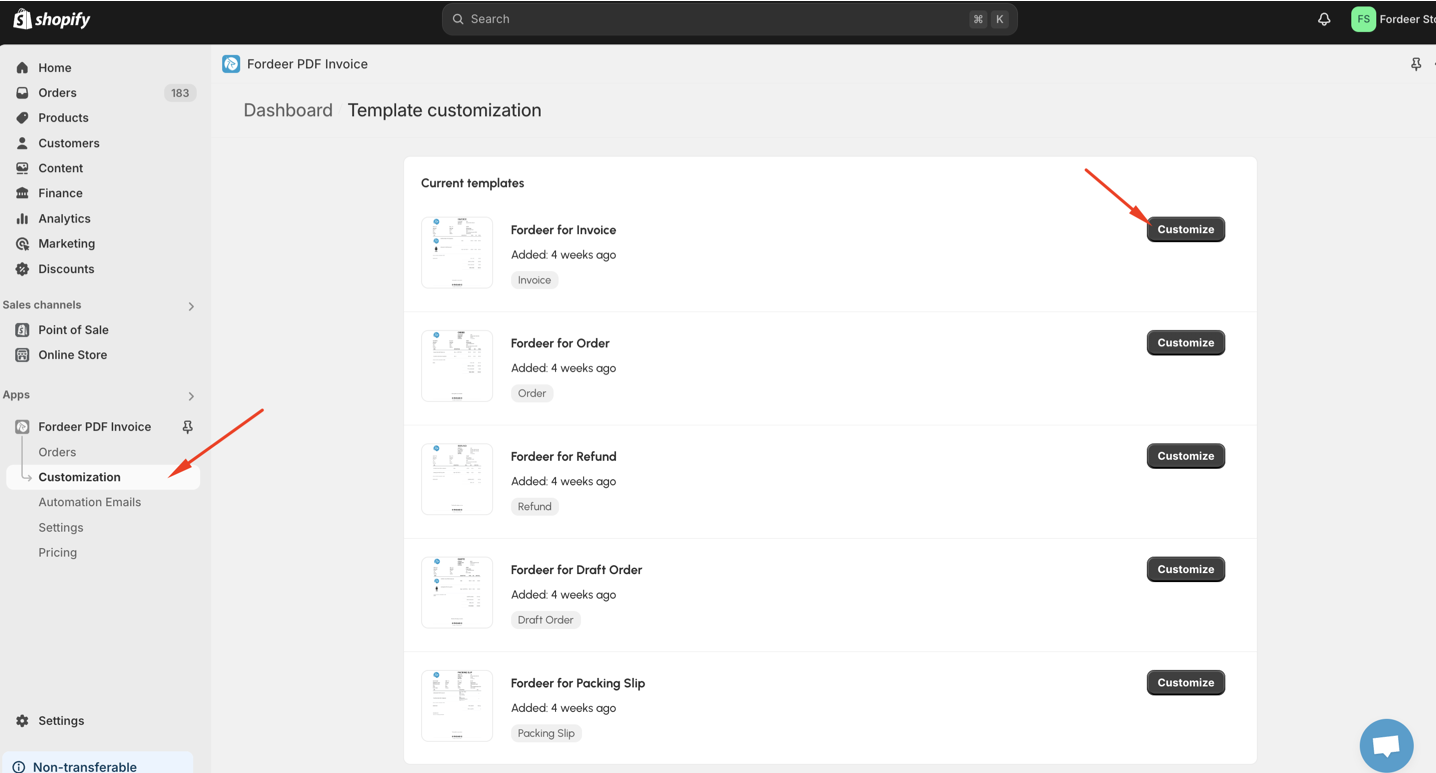
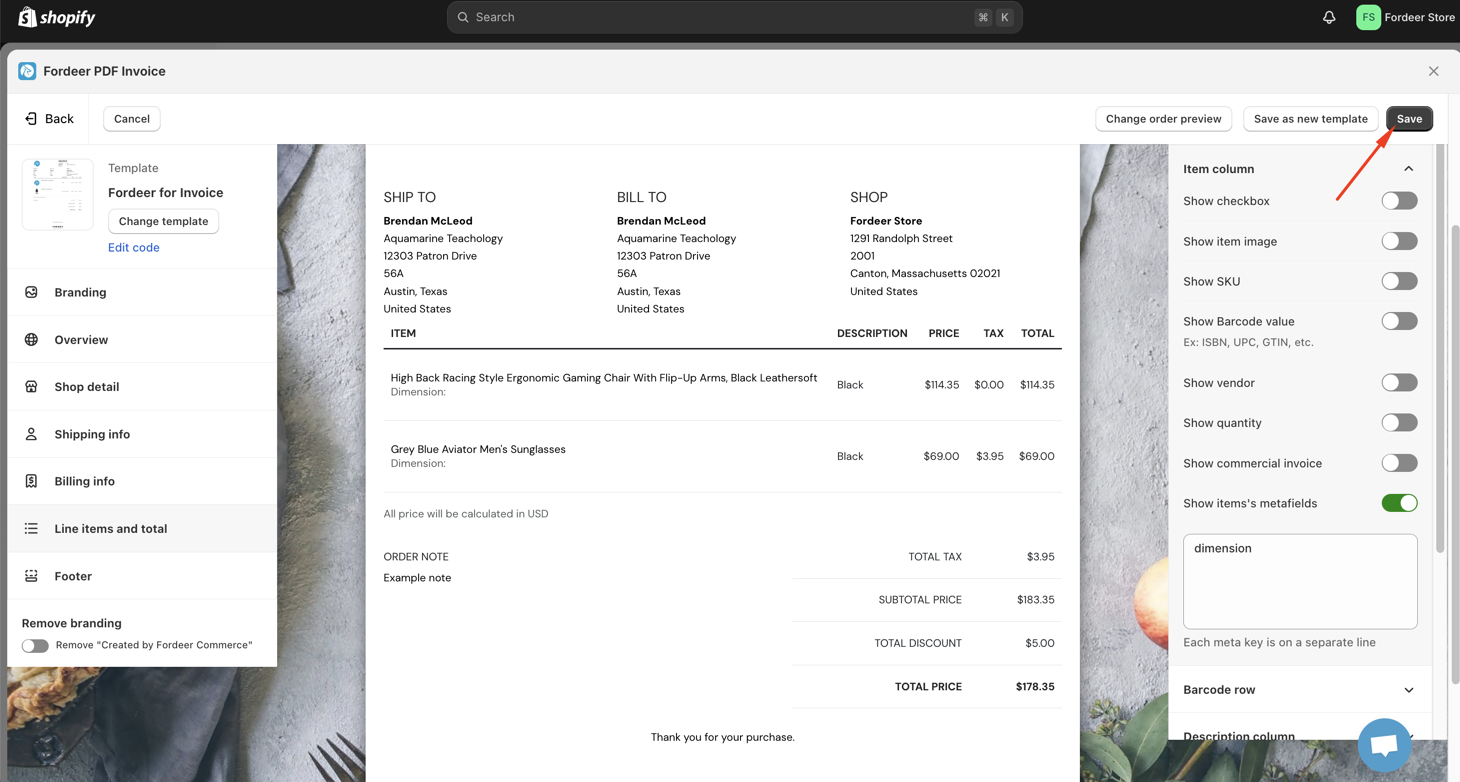
- Go to Customization page ⇒ Select the template you want to add the product metafields and click Customize
- Select Line items & total section
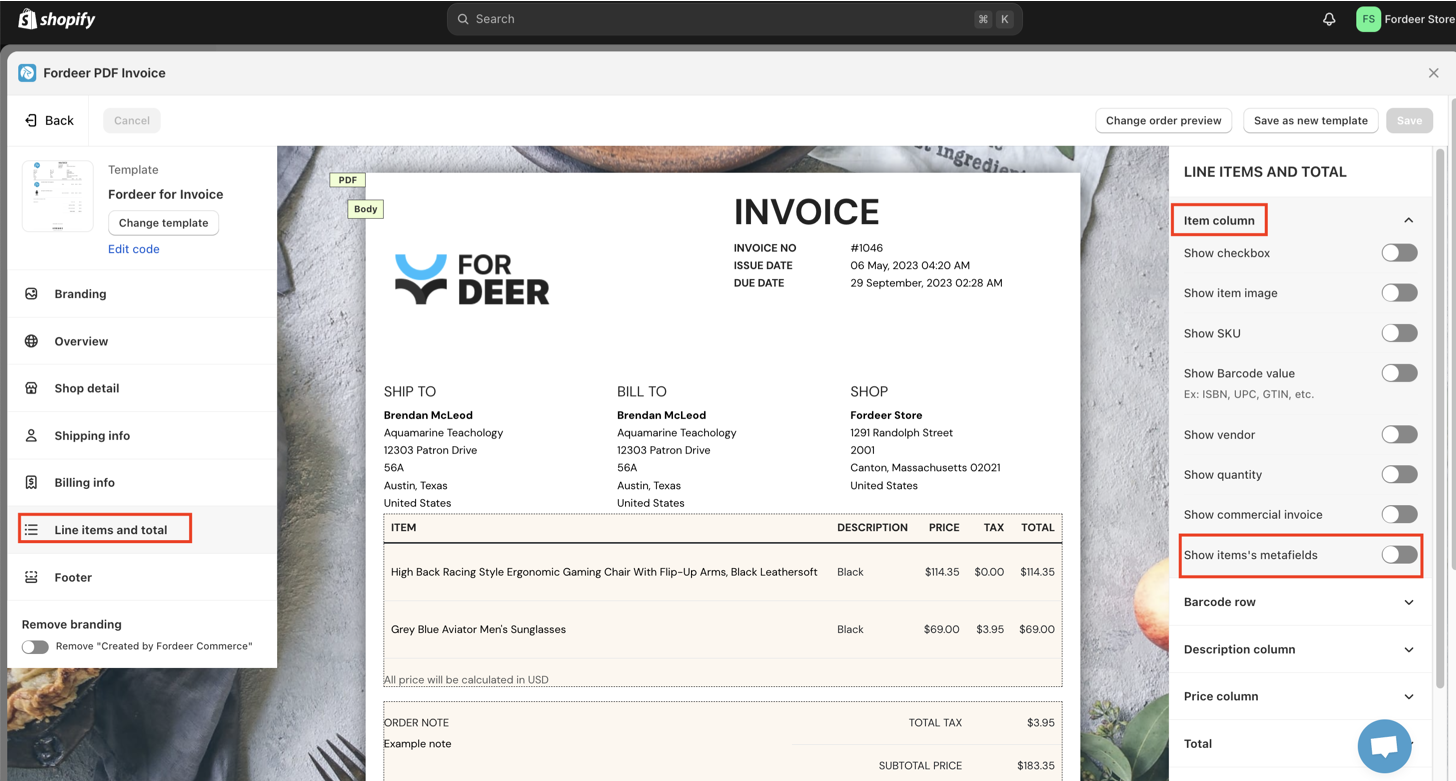
- On Item column, activate the option: Show item’s metafields
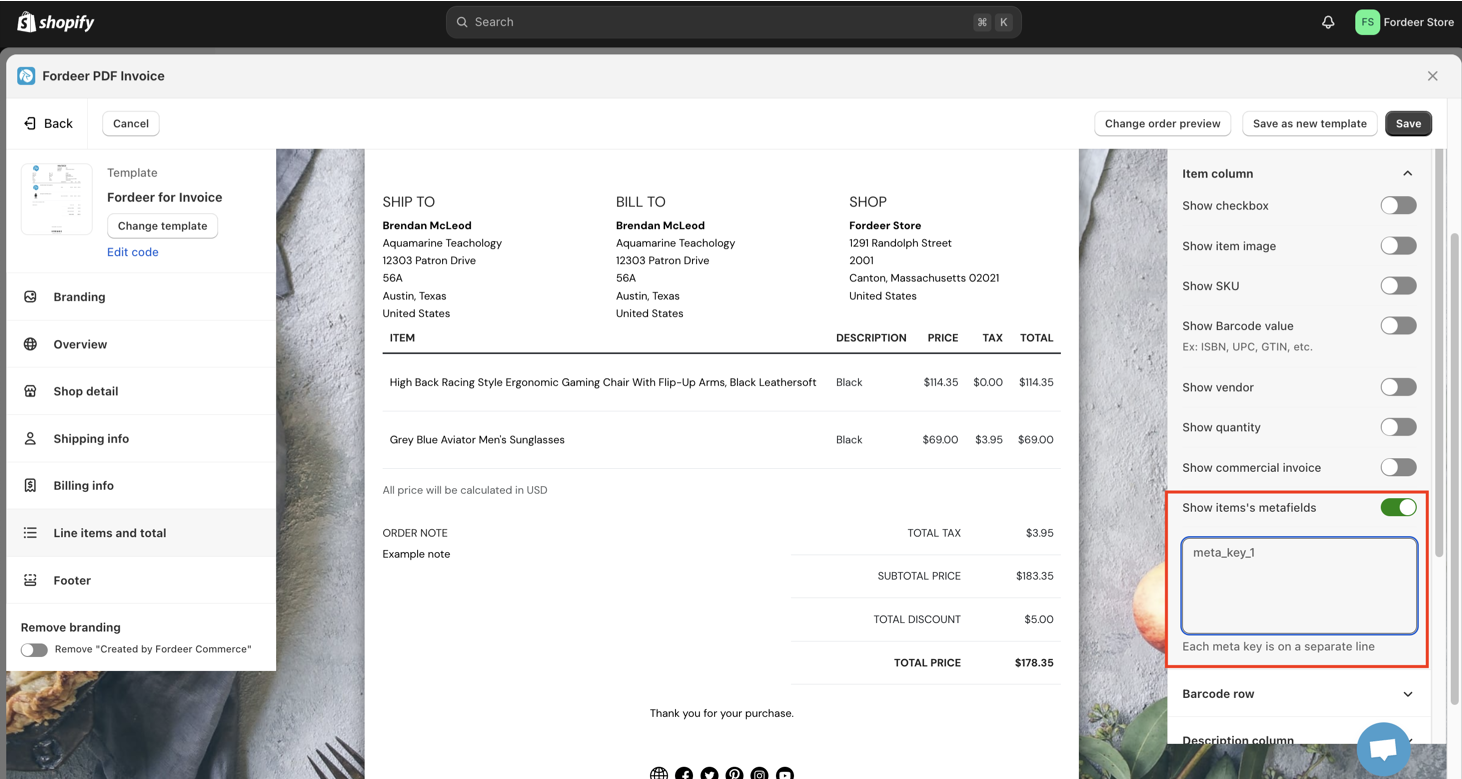
- Enter the meta_key. Each meta key is on a separate line
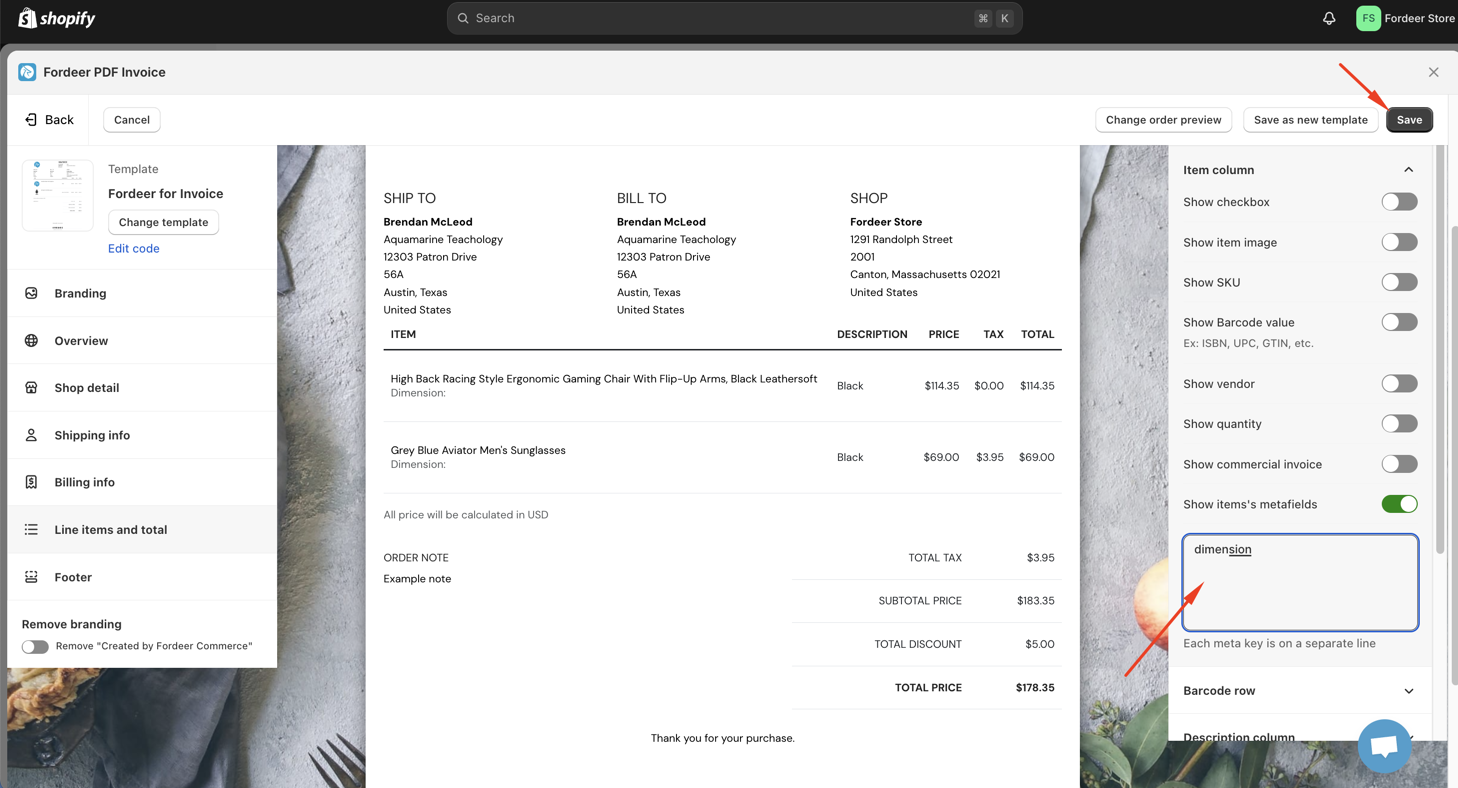
Where to find the meta_key?
- Please go to Settings on the Shopify admin => Custom data => Products
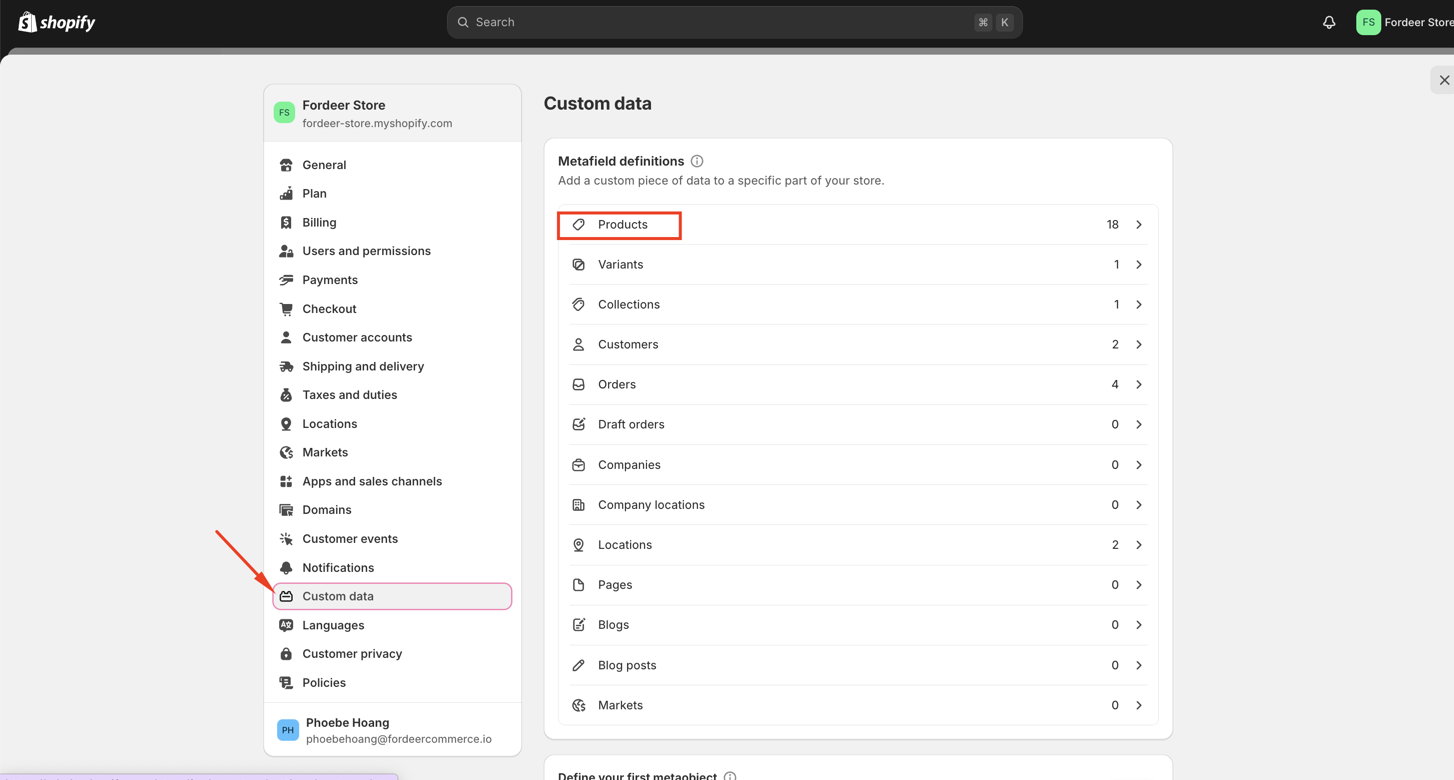
-
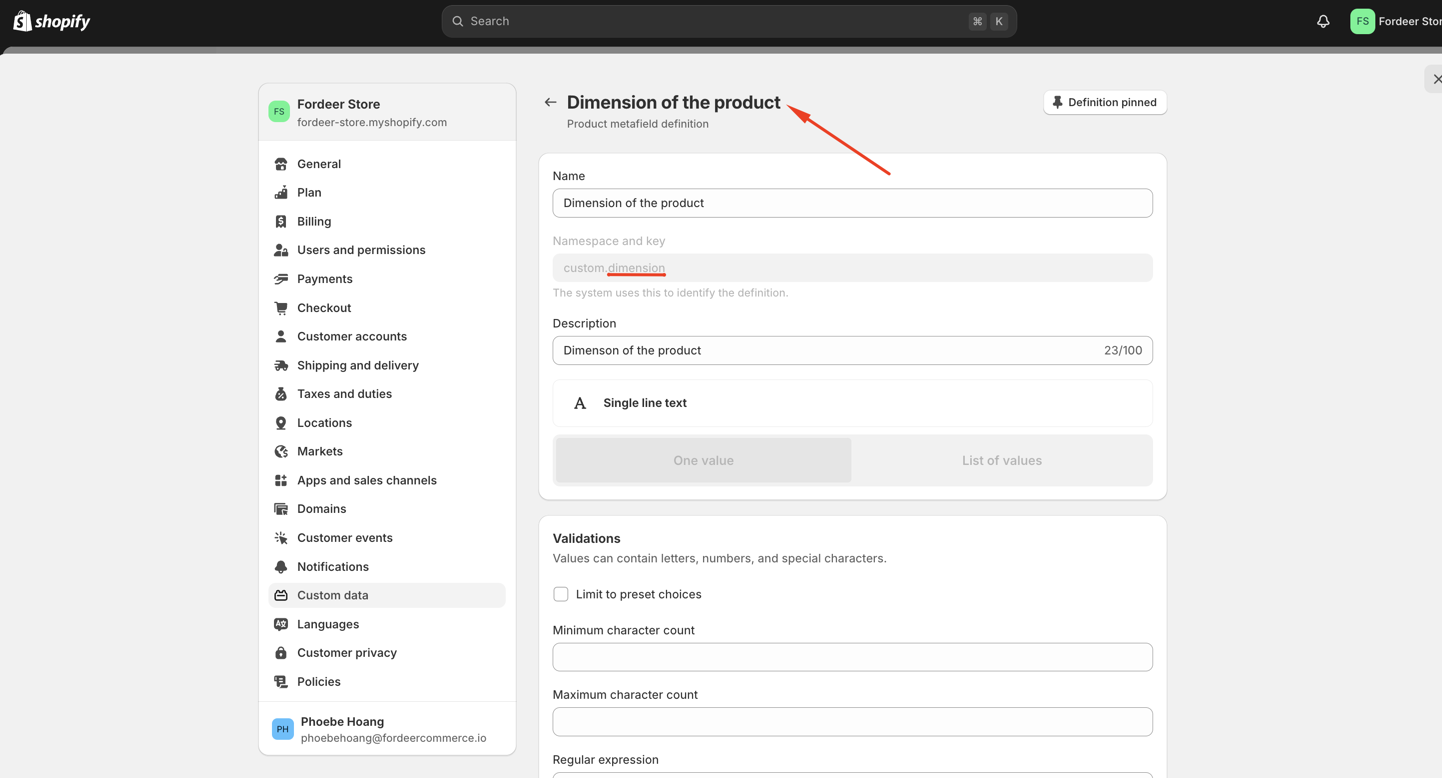
Then select one of metafields you are having
-
Copy the key after custom.
- Click Save the end to save all the changes
- Check out the metafield display on the invoices
Please go to Orders on our app, select orders and click Print/download invoices to check out.
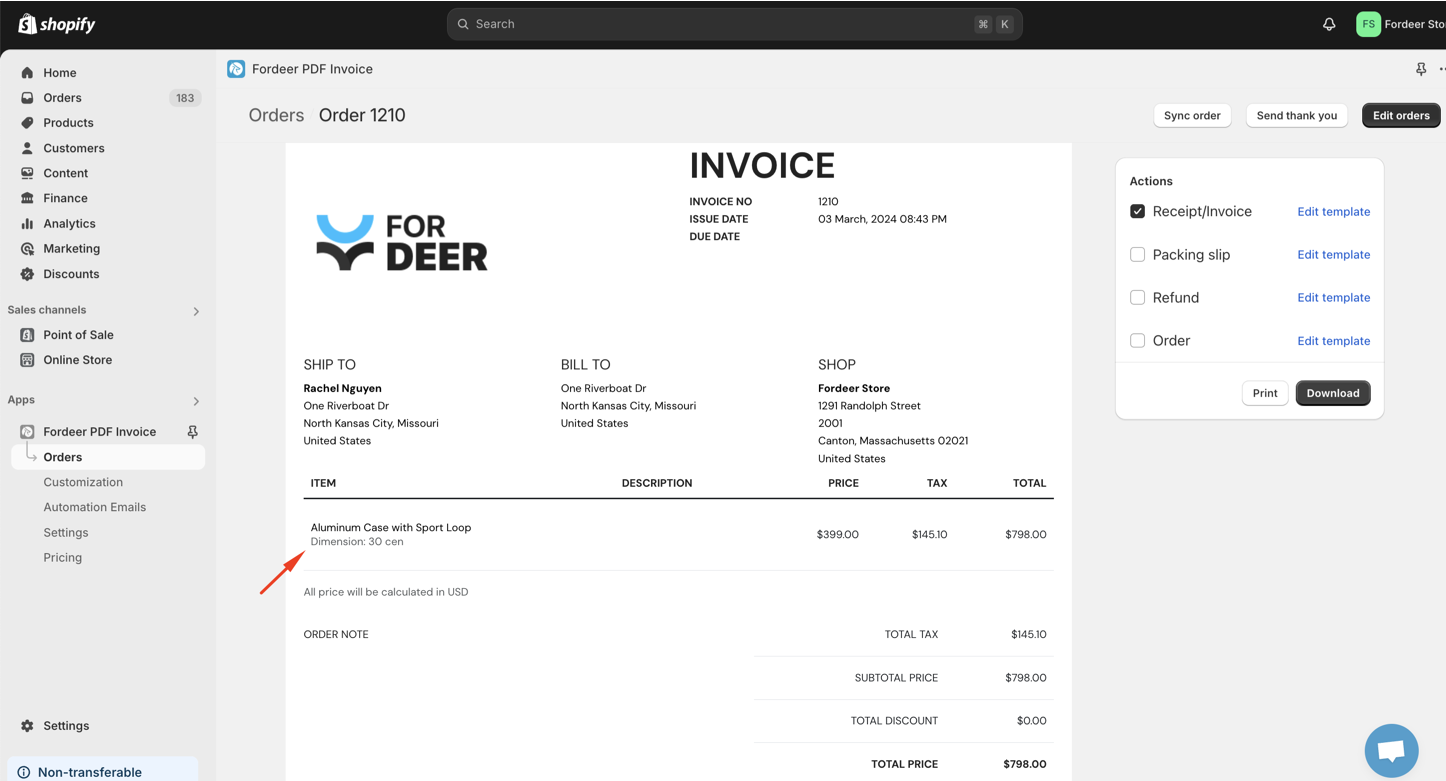
If the metafields display correctly, that’s great! For more details on why this is necessary, please refer to this article.
This feature is now available for Professional users.
Variant metafields
- On the Line items and total section, go to Description column
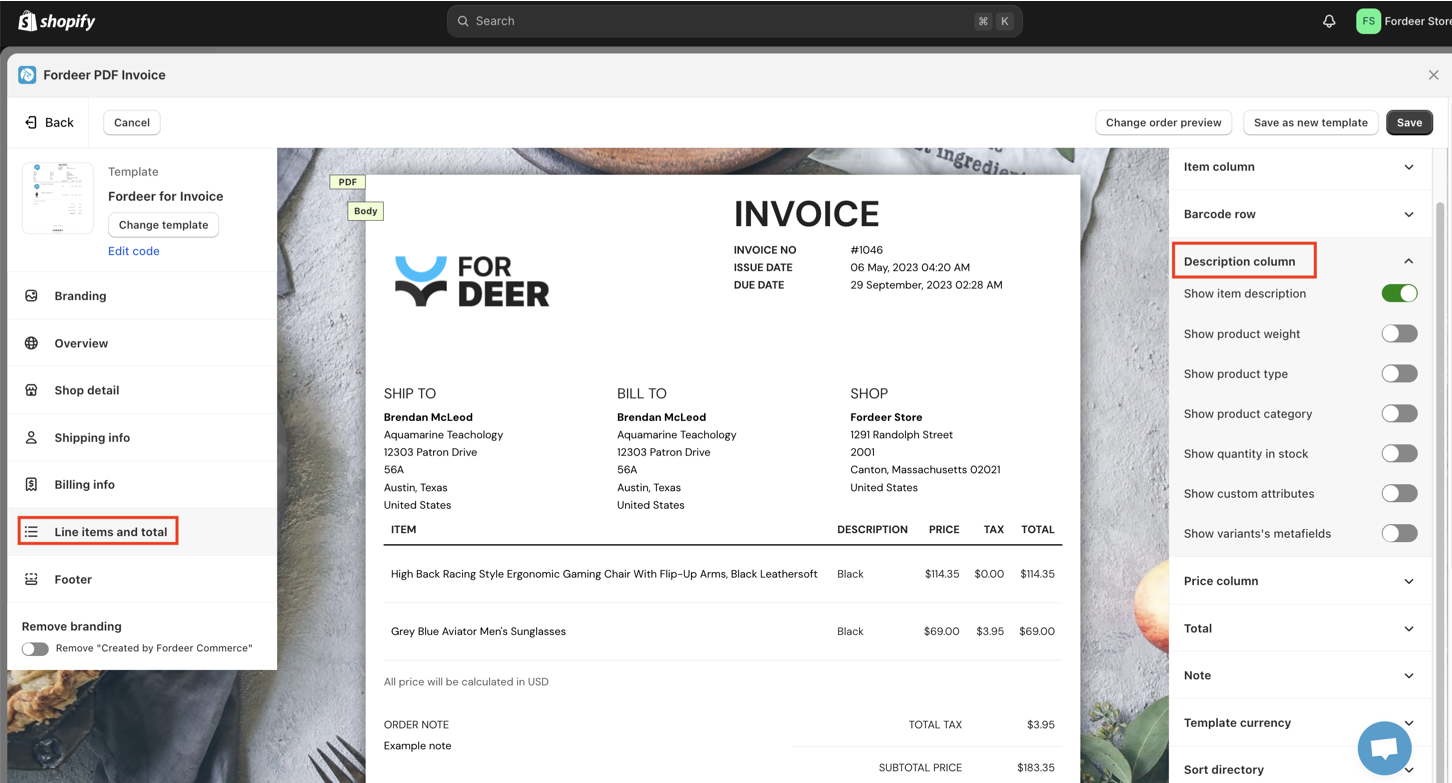
- Activate the option: Show variant’s metafields
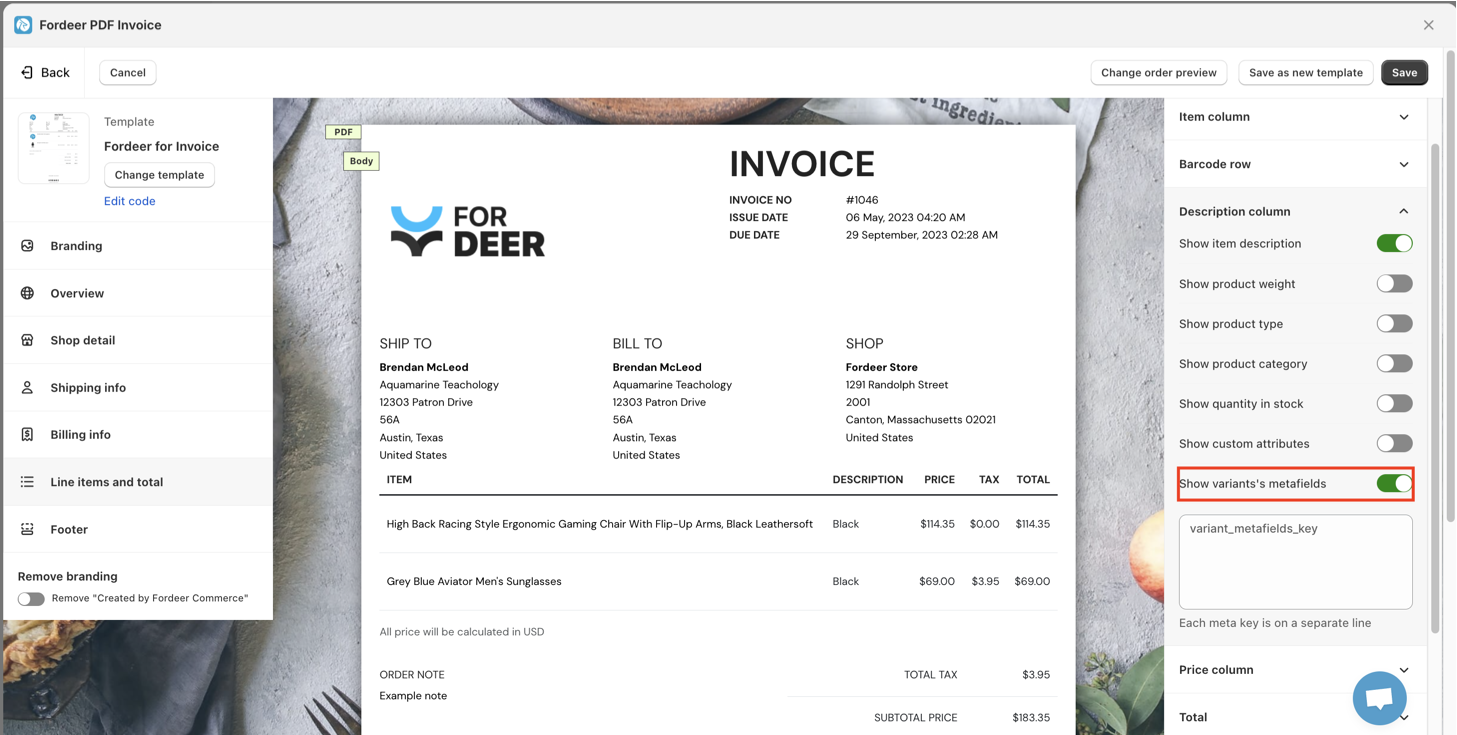
- Enter the variant metafield key and click Save at the end
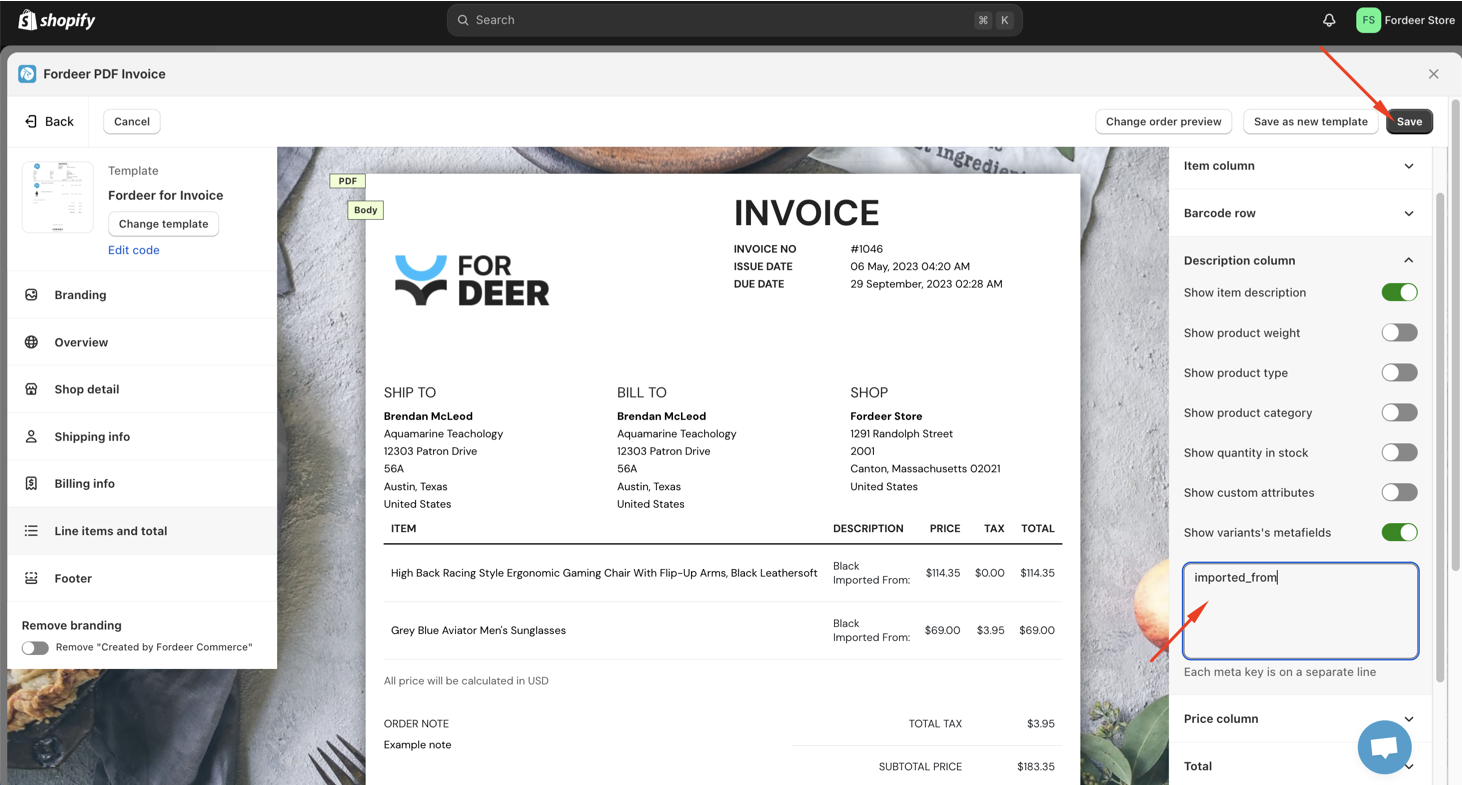
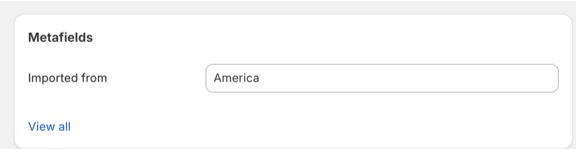
You can get the key from your variant metafield settings
- Print/download the invoices on Orders in our app to check out the variant metafield display.

This feature is now available for Professional users.
Order metafields
- Go to Overview section on Customization page

- Go to Extra options, activate the option: Orders metafield

- Click Save at the end

- Go to Orders on our app to print/download the invoices to check out the orders metafield display.

This feature is now available for Professional users
Customer metafields
- Go to Shipping info section on Customization page

- Go to Display options, activate the option: Show customer metafields

- Click Save at the end

- Go to Orders on our app to print/download the invoices to check out the orders metafield display.

||| This feature is now available for Professional users
Please give it a try and do not hesitate to contact us if the metafields does not display on your invoices, we will be more than happy to assist you.
We value your feedback — it helps us continuously improve app and provide you with a better experience.
👉 Chat with us: Share your feedback directly with our team.
👉 Explore more apps: Discover more Fordeer apps. special deals.
🕐 Working hours: 8:30 AM – 5:00 PM (UTC+7), Monday–Friday.
We typically reply to live chats within minutes and emails within a few hours.
Need help? Feel free to reach out anytime via live chat or email!