
Hello from Fordeer,
You can choose whether your invoices use the same numbering as the orders in your store or a custom numbering sequence.
When you create an invoice, an invoice number is automatically assigned and is the same as the order number in your Shopify Orders.
Fordeer also offers the option to create your own numbering format. This allows you to track your invoices based on your preferences or to comply with certain countries' accounting laws that require all issued invoices to be sequentially numbered.
To set up custom invoice numbers:
- Go to the Settings → Invoice Settings → Invoice number
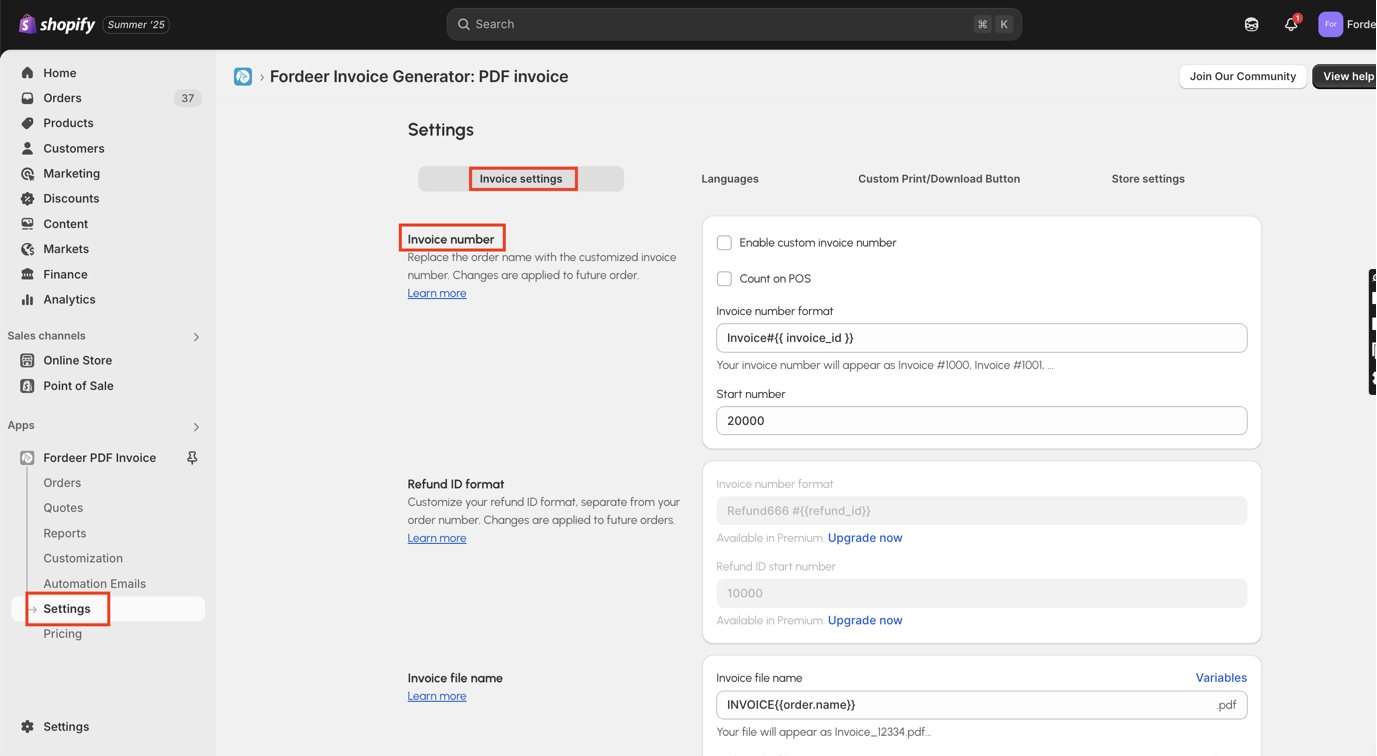
- Tick Enable the custom invoice number checkbox if you want to use custom number on the invoices
You can then edit the invoice number format. We provide a default format, but you can customize it to suit your needs.
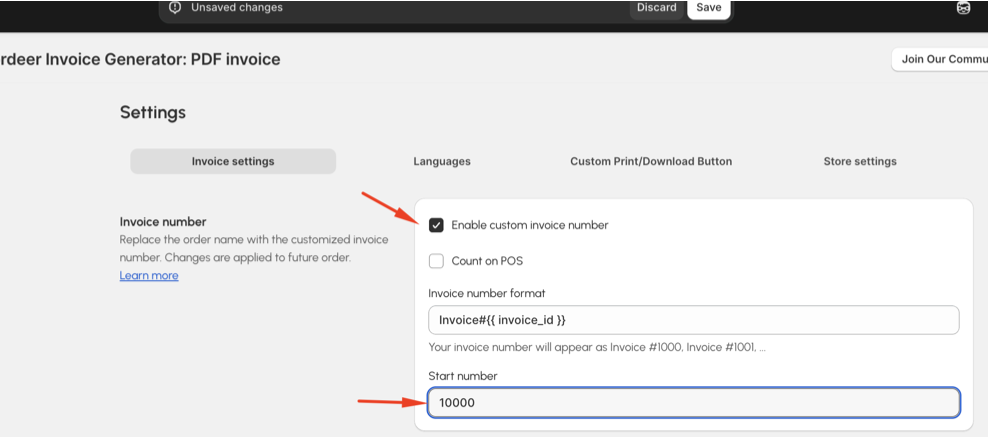
Invoice sequences typically start with numbers like 10001, but they can be set to any number of your choice.
- Hit Save button at the end to save your changes.
Changes will be applied to new orders. Old orders remain unchanged.
Please note that this feature is only available on ourProfessionaland higher plans.
Please give it a try and see how it goes on the invoices. If you have any problems with invoices display or function, do not hesitate to contact us via live chat or email: hi@fordeercommerce.io
**Our working time: **
8h30-23h59 (UTC +7): Monday to Saturday
Within working hours, all chats will be replied to within minutes. All tickets via email will be replied to within hours.
Many thanks for taking the time and choosing us.
We value your feedback — it helps us continuously improve app and provide you with a better experience.
👉 Chat with us: Share your feedback directly with our team.
👉 Explore more apps: Discover more Fordeer apps. special deals.
🕐 Working hours: 8:30 AM – 5:00 PM (UTC+7), Monday–Friday.
We typically reply to live chats within minutes and emails within a few hours.
Need help? Feel free to reach out anytime via live chat or email!