
Welcome to Fordeer!
When an invoice is automatically created from an order in your Shopify store,Fordeerdisplays taxes that were applied to the respective order. For this reason, as long as the tax settings in your Shopify store are correct, there are no additional steps needed in your account to ensure that they are included in invoices and that the correct tax name and tax rate are displayed.
-
To set and calculate tax in Shopify, go to Settings > Taxes and duties. You can manage tax settings and set up tax rates. You can follow these guides for more details:
Caution: Changes that you will make to your tax settings in the Shopify admin will only affect newly created orders and invoices. Existing invoices will remain unaffected.
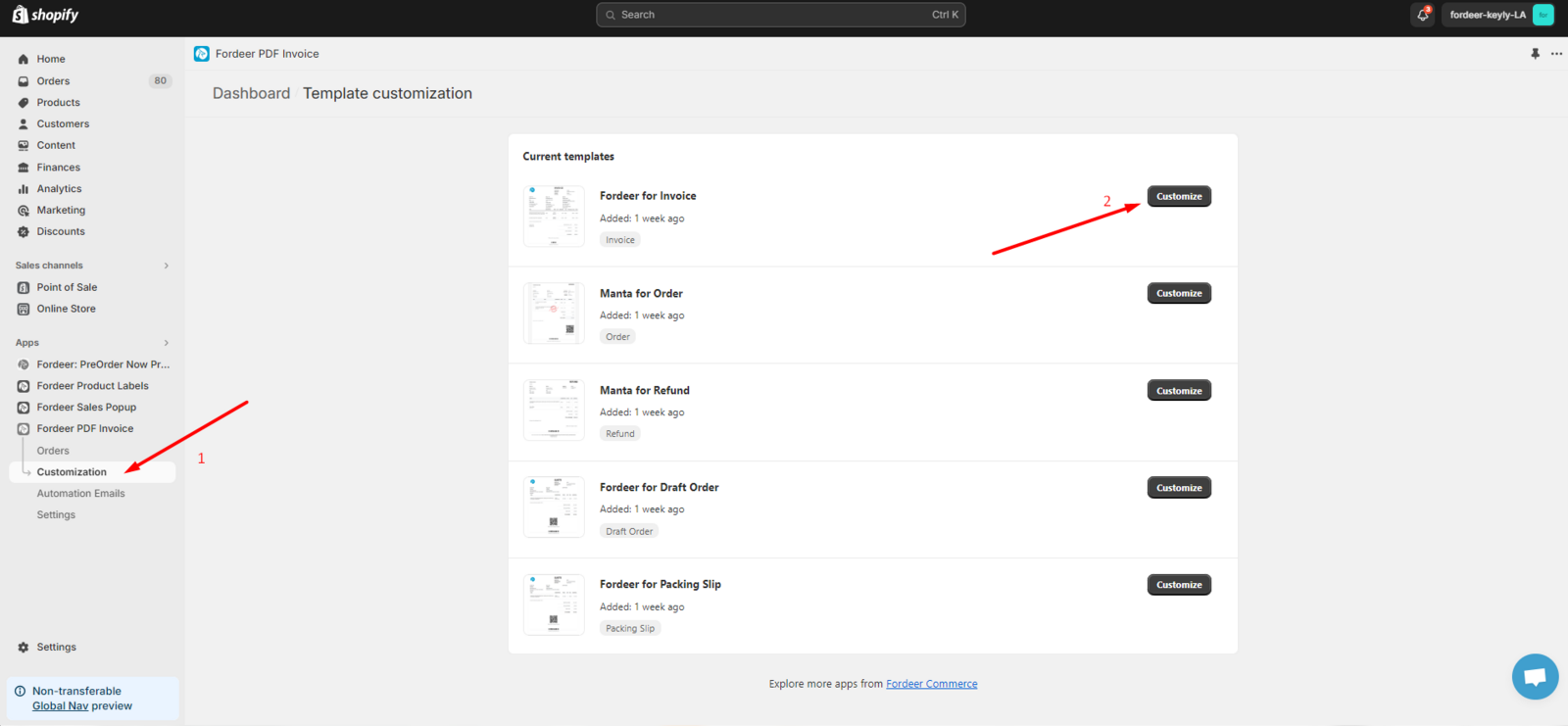
- After you set up the tax successfully, to show tax names and tax amounts on the invoices, kindly go to Customization on the sidebar menu, then select Customize.
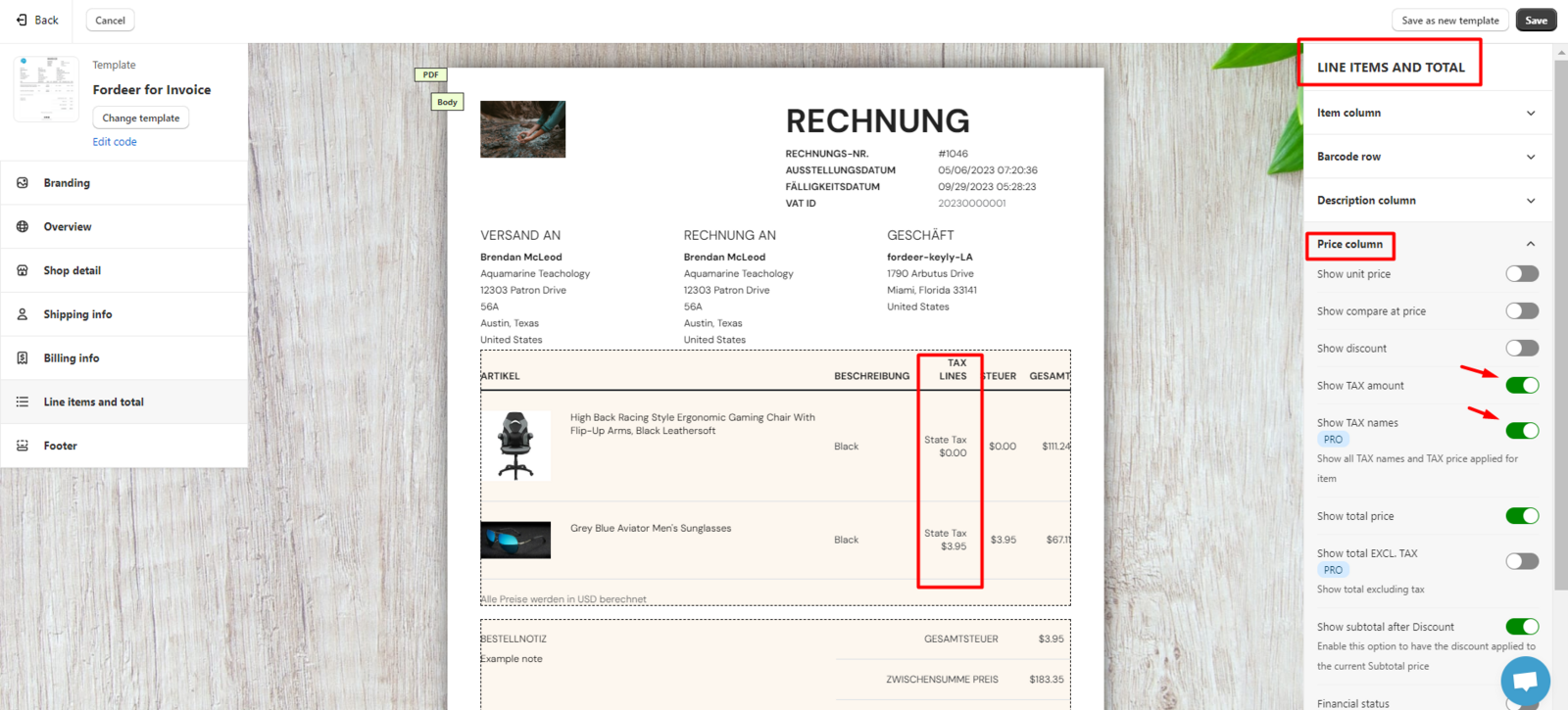
- In the Line items and total, you can see the Price Column. Please turn on Show tax amounts and Show tax names.
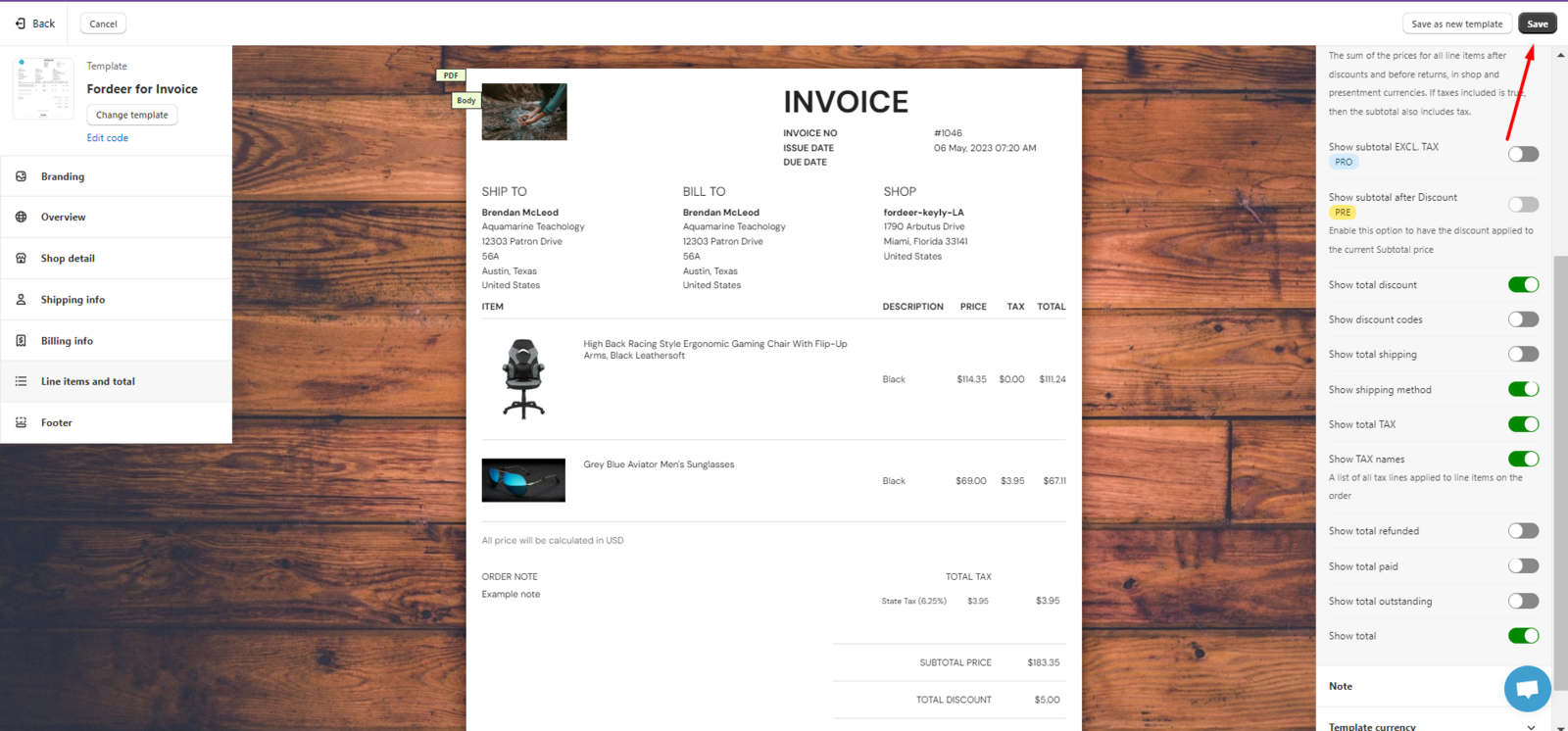
- Kindly remember to click Save to end all the settings.
We value your feedback — it helps us continuously improve app and provide you with a better experience.
👉 Chat with us: Share your feedback directly with our team.
👉 Explore more apps: Discover more Fordeer apps. special deals.
🕐 Working hours: 8:30 AM – 5:00 PM (UTC+7), Monday–Friday.
We typically reply to live chats within minutes and emails within a few hours.
Need help? Feel free to reach out anytime via live chat or email!